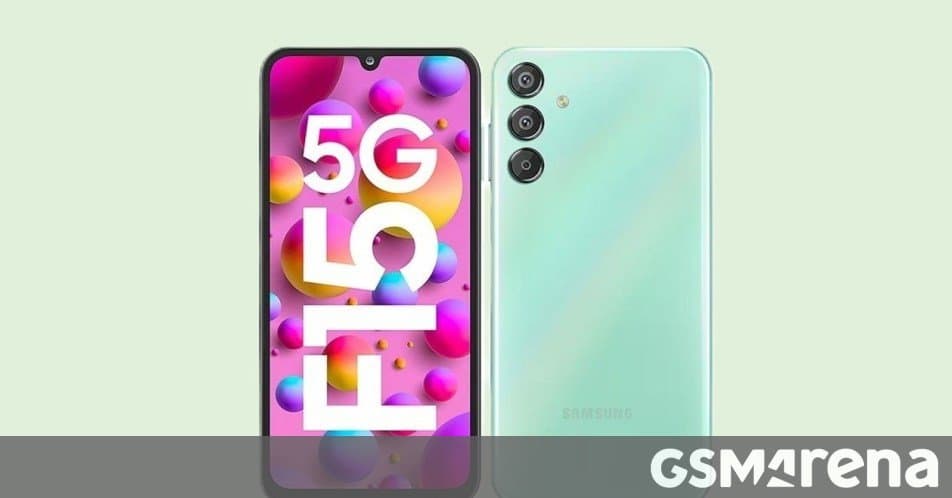
Samsung’s budget-focused Galaxy F15 is moving to One UI 8.5 with a large firmware package, a newer security patch, and another reminder that software support now matters as much as raw specs in the midrange phone market.
Samsung has started rolling out the stable One UI 8.5 update for the Galaxy F15, bringing a major software refresh to a phone that launched in 2024 with Android 14 and One UI 6. According to the rollout details, the update is currently available in India, carries firmware version E156BXXUADZE7, weighs roughly 2.5GB, and raises the Android security patch level to May 5, 2026.
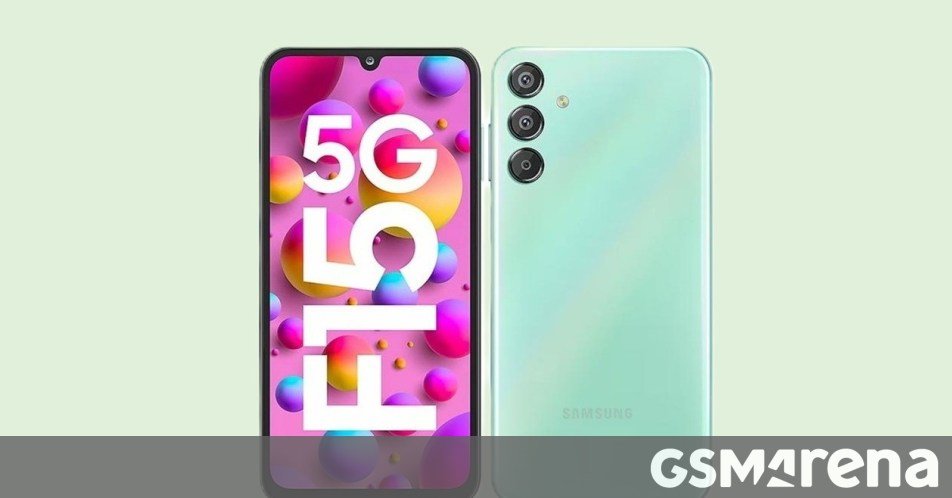
For Galaxy F15 owners, this is the kind of update that matters because the phone sits in a practical price tier. The F15 was not bought as a flagship experiment. It was bought for long battery life, a big display, 5G, and enough performance to last several years. A stable One UI 8.5 build helps keep that promise intact, especially for users who plan to hold onto the device rather than upgrade every cycle.
The update can be checked manually through Settings > Software update on the phone. As usual with Samsung firmware releases, the rollout is staged. India appears to be first, while other supported regions should follow later if the same model variant is eligible. Owners should download it over Wi-Fi, keep several gigabytes of free storage available, and avoid starting the installation with a low battery.
The Galaxy F15’s hardware still explains why this update is useful. The phone launched with a 6.6-inch Full HD+ Super AMOLED display with a 90Hz refresh rate, a MediaTek Dimensity 6100+ class 5G chipset, 128GB storage, microSD expansion, and memory options that vary by market. Its biggest everyday advantage is the 6,000mAh battery, paired with 25W wired charging. The camera setup is built around a 50MP main camera, joined by ultrawide and macro sensors, while the 13MP front camera handles selfies and video calls.
Those specs are not meant to chase premium Galaxy S models, but they are enough for messaging, streaming, social apps, banking, navigation, and casual gaming. One UI 8.5 matters because it refreshes the software around that hardware. Samsung’s newer interface builds usually focus on cleaner system apps, improved privacy controls, smoother animations, updated widgets, lock screen refinements, better device care tools, and tighter integration with Samsung account services. Feature availability can vary by model, so Galaxy F15 users should not expect every flagship Galaxy AI feature to appear on this device.
That distinction is important. Samsung’s software stack is now layered by hardware class. Flagship Galaxy S and Galaxy Z phones tend to get the most advanced AI and camera tools first. Midrange and F-series phones often receive the core One UI experience, security improvements, app updates, and selected convenience features, but may miss processor-heavy or cloud-backed features reserved for higher-end models. In practical terms, the F15 update should be judged less by whether it copies a Galaxy S26 and more by whether it makes the phone more secure, current, and pleasant to use.
The security patch bump to May 5, 2026 is one of the most concrete changes. Security patches rarely feel exciting, but they are the reason banking apps, work profiles, password managers, and payment tools remain safer on older hardware. A phone like the Galaxy F15 is likely to be used by people who want dependable service life, not early access experiments. Keeping it patched helps protect that investment.
Samsung’s broader ecosystem is the other part of the story. One UI is no longer just an Android skin. It is the front door to Samsung Wallet, SmartThings, Samsung Health, Galaxy Store, Knox security, Quick Share, Galaxy Buds controls, Galaxy Watch pairing, and cross-device features with Galaxy tablets and Windows PCs. If you already use Samsung accessories, the F15 becomes more useful with each major One UI release because the phone stays compatible with newer versions of those services.
That ecosystem also comes with trade-offs. Samsung phones often duplicate Google services, including browser, messages, app store, cloud backup, password tools, and device-finding features. Some users like having both options. Others may find it cluttered compared with a cleaner Android build from Google’s Pixel line or Motorola’s lighter software. One UI 8.5 keeps Galaxy F15 owners inside Samsung’s way of doing Android, which is powerful if you use Galaxy devices together, but less appealing if you prefer a minimal setup.
There is also the question of update timing. Samsung has become one of the stronger Android brands for long-term updates, but rollouts still depend on region, carrier, model number, and testing status. The India-first release means some Galaxy F15 owners will see the update before others with what appears to be the same phone. That can be frustrating, but it is also normal for Samsung’s staged firmware process.
For most users, the best approach is simple: back up important data, install the update when it arrives officially, and spend a day or two watching battery behavior while the system settles. Major Android updates often reindex apps, refresh caches, and retrain background power management, so the first few hours can feel less representative than normal daily use.
The Galaxy F15 receiving stable One UI 8.5 is a good sign for Samsung’s affordable lineup. It shows that the company is still moving meaningful software updates beyond premium phones, and it gives F15 owners a fresher interface without needing new hardware. For a device built around endurance and value, that is exactly the kind of support that extends its useful life.
Useful links: Samsung’s official Galaxy mobile support page explains update and device help options, while Samsung’s software update guide covers the manual update process.
Comments
Please log in or register to join the discussion