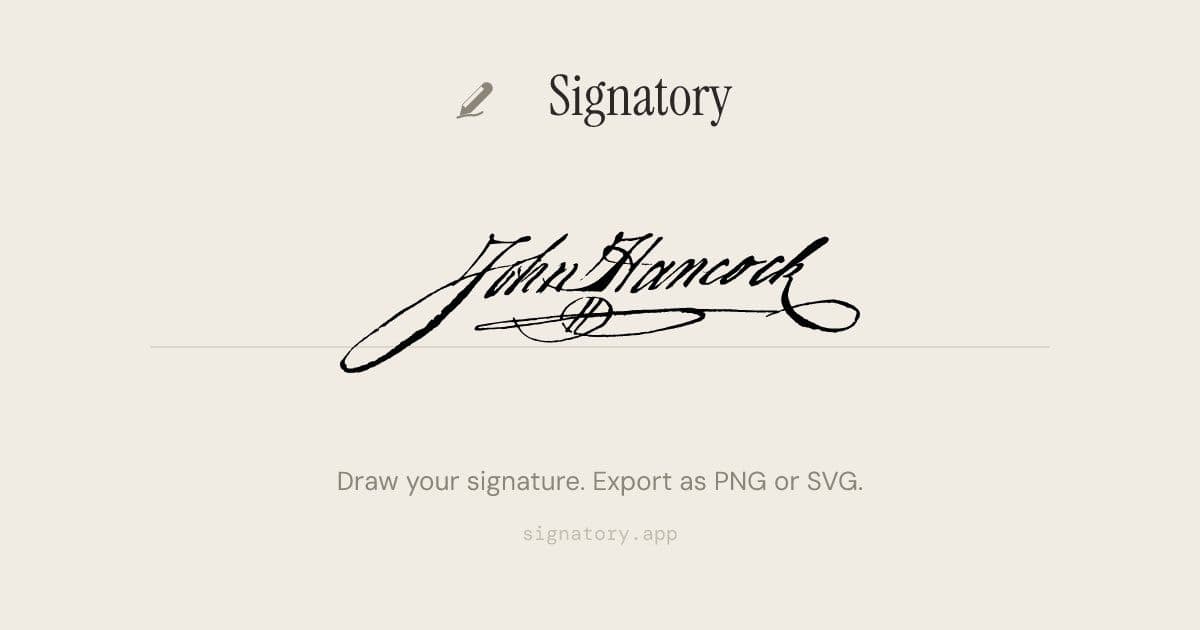
Signatory offers a free, intuitive online tool for creating professional handwritten signatures with natural pen dynamics, transparent PNG exports, and scalable SVG output—perfect for documents, emails, and creative projects.
Creating a professional handwritten signature has never been easier. Signatory is a free online signature creator that lets you draw your signature in seconds using your mouse, finger, or stylus. The tool responds to your drawing speed, producing natural thick-and-thin strokes just like a real pen on paper.
Natural Pen Feel
Signatory's velocity-sensitive strokes mimic authentic handwriting. When you move fast, the lines get thinner; when you slow down, they become thicker. This dynamic response creates a signature that looks genuinely hand-drawn rather than digitally generated.
Flexible Export Options
Once you're satisfied with your signature, you can download it in two formats:
- PNG with transparent background - Perfect for dropping straight into documents, PDFs, or email signatures
- SVG vector format - Ideal for scalable signatures that remain crisp at any size, perfect for letterheads, contracts, and print materials
Works Everywhere
The tool works seamlessly across devices. Whether you're on a phone, tablet, or desktop, you can draw with your finger, Apple Pencil, stylus, or mouse. No app installation required. For the most natural signature experience, try using your phone turned sideways.
Famous Signatures Through History
Signatory also features an educational section showcasing famous signatures from history, offering fascinating insights into how these iconic figures signed their names:
American History
- John Hancock (1776) - Signed the Declaration of Independence so large that "John Hancock" became American slang for "signature"
- Abraham Lincoln (1863) - His bold signature on the Emancipation Proclamation was deliberately firm after shaking hands for hours at a New Year's reception
- Benjamin Franklin (c. 1780) - The only Founding Father to sign all four founding documents
- Thomas Jefferson (1776) - Drafted the Declaration but designed his own tombstone listing achievements that didn't include being President
Literature & Arts
- William Shakespeare (c. 1616) - Only six confirmed signatures survive, with his surname spelled differently almost every time
- Jane Austen (c. 1817) - Her first novel was published anonymously as "By a Lady" - her name never appeared on a title page in her lifetime
- Mark Twain (c. 1900) - "Mark Twain" itself was a signature, borrowed from Mississippi River jargon meaning "two fathoms deep"
- Charles Dickens (c. 1860) - His flamboyant signature featured elaborate underscoring, matching his theatrical personality
Science & Innovation
- Albert Einstein (c. 1935) - His autograph is among the most forged in history, with authentic ones selling for $20,000-$75,000
- Nikola Tesla (1900) - His elegant, slanted script reflected his meticulous nature, and he held around 300 patents worldwide
- Marie Curie (c. 1911) - Coined the term "radioactive" - her personal papers are still so radioactive they must be kept in lead-lined boxes
- Charles Darwin (c. 1859) - His handwriting deteriorated over decades of chronic illness, but he exchanged over 15,000 letters with 2,000 correspondents
Music & Entertainment
- Ludwig van Beethoven (c. 1815) - His increasingly erratic handwriting mirrors his progressive deafness
- Wolfgang Amadeus Mozart (c. 1785) - His playful signature often included musical flourishes
- Elvis Presley (c. 1960) - Signed thousands of autographs for fans, with authentic signed photos selling for $5,000+
- Pablo Picasso (c. 1950) - Legend has it he paid for meals by sketching on napkins
World Leaders & Revolutionaries
- Mahatma Gandhi (c. 1930) - Wrote extensively, with his collected works spanning 100 volumes
- Nelson Mandela (c. 1994) - His signature became a symbol of freedom itself, remaining remarkably steady during 27 years in prison
- Mao Zedong (c. 1950) - A skilled calligrapher, his brushwork is still displayed across China
- Che Guevara (c. 1960) - As president of Cuba's National Bank, he signed banknotes simply "Che"
How to Design Your Signature
Signatory provides practical guidance for creating your own signature:
- Start with your full name in cursive - Write it several times without thinking about style, just getting comfortable with the flow
- Pick an anchor letter - Usually your first or last initial, make it larger and more expressive
- Speed up - The best signatures are fast to write. As you practice at speed, you'll naturally start dropping letters and merging strokes
- Add one flourish - An underline, loop, or swooping tail. One is elegant; two starts looking busy
- Practice until automatic - About 50 repetitions usually gets you there, settling into a natural rhythm
Frequently Asked Questions
Is this really free? Yes, Signatory is completely free to use with no hidden costs or subscriptions.
Is my signature stored anywhere? No, your signature is processed locally in your browser and not stored on any servers.
What's the difference between PNG and SVG? PNG is a raster image format with a transparent background, while SVG is a vector format that scales perfectly to any size without losing quality.
Can I use this on my phone? Absolutely. The tool works on phones, tablets, and desktops, and you can draw with your finger, stylus, or Apple Pencil.
How do I create a digital signature? Simply draw your signature using the tool, then download it in your preferred format (PNG or SVG).
Is an online signature legally binding? Electronic signatures are legally binding in many jurisdictions, but always check local laws for specific requirements.
How do I add my signature to a PDF? Download your signature as a PNG with a transparent background, then insert it into your PDF using any PDF editor.
What's the best free signature maker? Signatory offers a natural pen feel, flexible export options, and works across all devices without requiring installation.
How do I draw my signature on my phone? Open Signatory on your phone, turn it sideways for the most natural experience, and draw with your finger or stylus.
Whether you need a signature for documents, emails, or creative projects, Signatory provides a simple, free solution that produces professional results with the authentic feel of hand-drawn handwriting.
Comments
Please log in or register to join the discussion