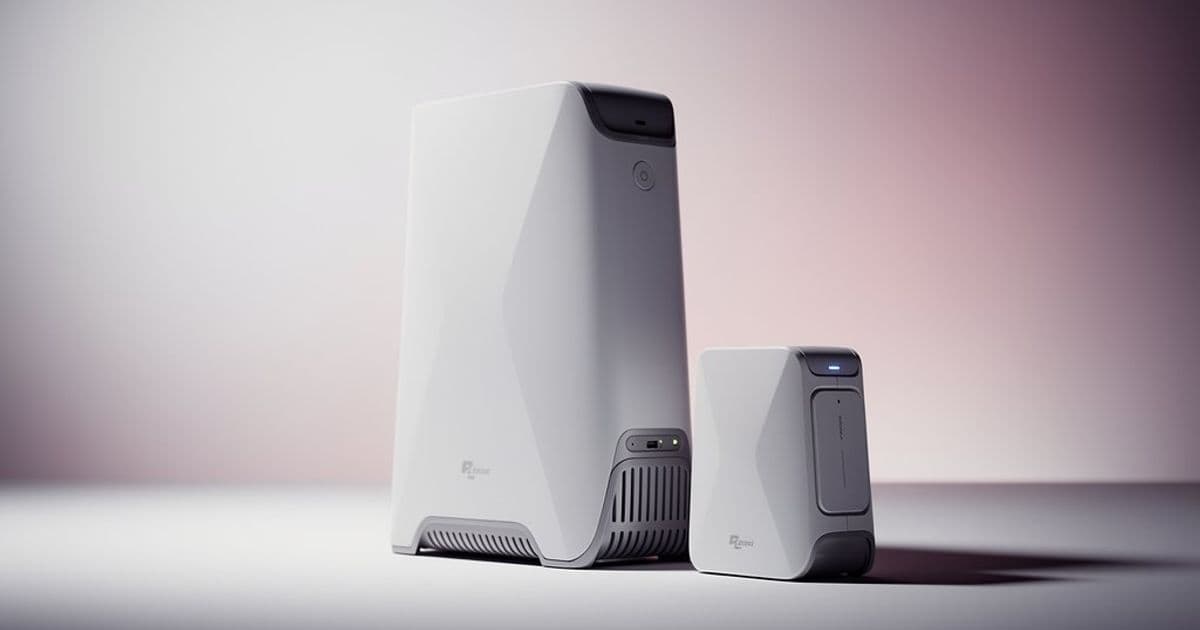
Starlink's mesh system offers a simple way to extend WiFi coverage for satellite internet users, but the technical limitations and setup requirements reveal a product still maturing for complex home environments.
Starlink's official help documentation on mesh networking reveals a product that's both straightforward in its promise and revealing in its limitations. The system is designed to solve a fundamental problem for satellite internet users: a single router often can't cover large or obstructed homes, and Starlink's satellite dish placement requirements (typically outdoors with clear sky views) can create WiFi dead zones inside.
The core concept is simple enough. Starlink mesh routers act as "helpers" to the main router, placed 1-2 rooms apart to fill weak signal spots. The company supports three router generations for mesh: Gen 3, Gen 2, and Router Mini. All are compatible except the original Gen 1 router, which doesn't support mesh at all. This compatibility matrix is where the first complexity emerges. The Gen 3 Router can't replace the main Gen 2 Router that's physically connected to the dish because that router also powers the dish itself. Users can only use the Gen 3 as a mesh node, not as the primary router in a Gen 2 system. This hardware dependency suggests the system wasn't designed as a unified platform from the ground up.
The technical specifications show incremental improvements across generations. The Gen 3 Router offers tri-band WiFi with 4x4 MIMO and OFDMA, while the Gen 2 uses dual-band with 3x3 MIMO. The Router Mini, designed for portability, uses dual-band 2x2/2x3 configuration. All operate in the same temperature range (-22°F to 122°F) and have similar IP ratings for water resistance. The Router Mini's IP rating isn't specified, but it's designed for indoor use. The Gen 3's IP56 rating offers better protection against dust and water jets than the Gen 2's IP54 rating.
Starlink's documentation emphasizes wired connections for larger homes, recommending ethernet cables between routers for homes over 6,000 square feet. This recommendation is telling. It suggests that even with mesh technology, wireless-only solutions struggle with large spaces or dense building materials. The company explicitly states that wired connections "eliminate wireless interference from walls or furniture," which acknowledges that mesh WiFi still faces the same physical limitations as traditional WiFi.
The setup process appears designed for simplicity. Users purchase mesh routers through their Starlink account, place them strategically, and the system should integrate automatically. However, the documentation includes specific warnings: don't use more than three mesh routers, and for the Router Mini, you must use the specific Mini Starlink Ethernet Cable to maintain the waterproof IP rating to the dish. This cable requirement highlights how Starlink's ecosystem is becoming more proprietary, with specific accessories needed for proper function.
The compatibility notes reveal some friction points. The Gen 2 Router documentation states that Starlink Mesh WiFi routers cannot form mesh networks with third-party modems, routers, or mesh nodes. This locks users into Starlink's ecosystem. However, there's a workaround: you can connect other devices to the mesh router using a Starlink ethernet adapter. For users wanting to create a wired mesh network between a Gen 2 main router and Gen 3 mesh node, they need to connect the ethernet adapter on the Gen 2 to the WAN port on the Gen 3 using an ethernet cable. This setup is functional but requires specific hardware and cabling knowledge.
The temperature specifications (-22°F to +122°F) suggest these routers are designed for indoor use in most climates, but the water-resistant ratings (IP54/56) indicate they can handle some environmental exposure. This is practical for users who might place routers in garages, workshops, or near windows where satellite dish cables enter the home.
What's missing from the official documentation is any discussion of performance degradation in mesh configurations. While Starlink mentions that wired connections provide "stable and fast connection," they don't quantify how much performance users might lose with wireless mesh hops. Industry knowledge suggests each wireless hop can reduce bandwidth by 30-50% and add latency, which matters for satellite internet where latency is already higher than terrestrial connections.
The product positioning is interesting. Starlink frames mesh as a simple add-on, but the technical reality suggests it's a workaround for the fundamental challenge of satellite internet: the dish must have clear sky view, often placing it far from where people actually use WiFi. The mesh system tries to bridge this gap, but the recommendation for wired backhaul in large homes shows wireless mesh alone isn't always sufficient.
For users considering Starlink Mesh, the key decision points are:
- Home size and layout: Under 2,000 square feet, a single router might suffice. Over 6,000 square feet, plan for wired connections.
- Router generation compatibility: Ensure you're not mixing incompatible generations, especially with Gen 1 systems.
- Budget: Mesh routers are additional cost on top of the $599-$1200 dish and monthly service fees.
- Technical comfort: Wired installations require running ethernet cables, which may need professional installation.
- Ecosystem lock-in: Once invested in Starlink mesh, switching to third-party solutions becomes more complex.
The documentation's emphasis on purchasing through the Starlink shop and using specific cables suggests a vertically integrated approach. This ensures compatibility but reduces flexibility. For a tech observer, this represents a pattern seen in many hardware companies: start with open compatibility, then gradually introduce proprietary elements that lock users into the ecosystem.
Starlink's mesh solution appears adequate for basic coverage extension in small to medium homes, but users with large properties or demanding performance needs should plan for wired backhaul. The system works, but it's not a magic solution to satellite internet's inherent coverage challenges. As Starlink continues to evolve its hardware, future generations might offer better integration and performance, but for now, users should approach mesh as a practical compromise rather than a perfect solution.
For those interested in the technical details, Starlink's official documentation provides setup guides for each router generation, though the information is somewhat fragmented across different help articles. The Starlink Help Center contains the most current information, as specifications and compatibility may change with hardware revisions.
Comments
Please log in or register to join the discussion