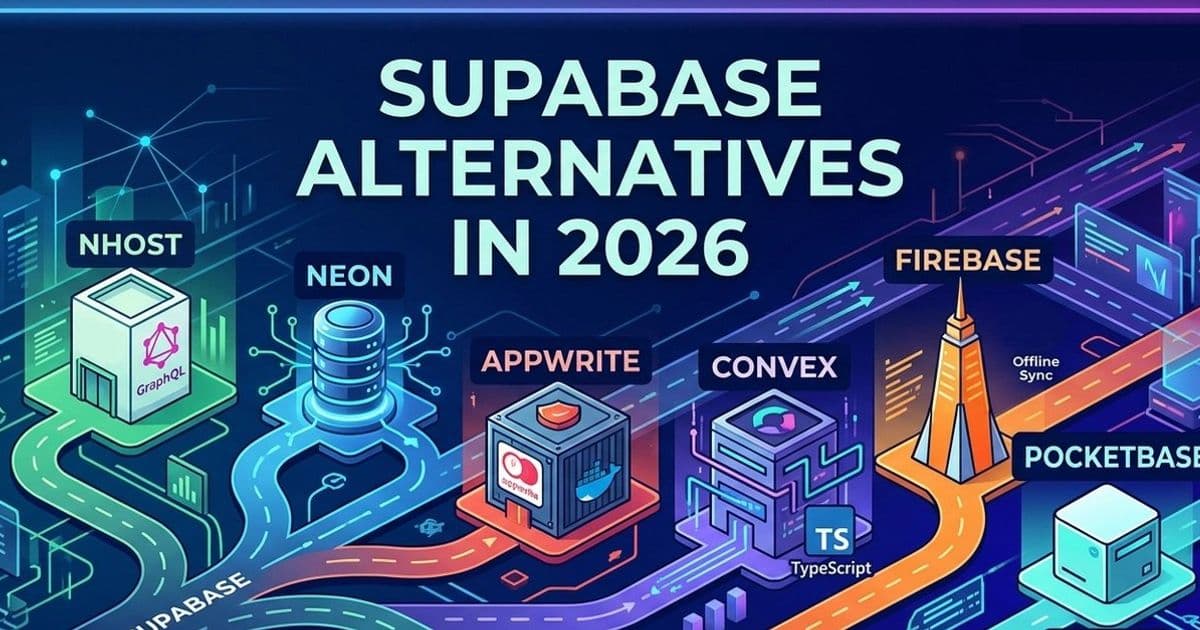
Keep Supabase when its Postgres, auth, and ecosystem fit. Choose another backend when your team needs GraphQL permissions, database branching, self-hosting, realtime sync, offline mobile support, or a one-binary stack.
The problem
Teams leave Supabase for concrete reasons. Finance teams see usage costs rise as a product gains traction. Frontend teams build relational screens that pull from six tables and start fighting PostgREST query shape. Security teams require self-hosting, audit controls, or data residency terms that the hosted path cannot satisfy without more operations work.
Supabase remains the broadest Postgres backend-as-a-service choice. You get auth, storage, edge functions, database migrations, realtime, and a large community. Many teams should stay there.
You need another option when your hardest constraint sits outside that package. Start with the data model and the API pattern. Then test self-hosting, sync, and migration cost against the two strongest candidates.
Do not compare Supabase with Railway or Render in this decision. Those platforms help you run infrastructure. Supabase, Nhost, Appwrite, Convex, Firebase, and PocketBase shape your auth model, data access pattern, and client state strategy.
Nhost for GraphQL teams and agent state
You use Nhost when your team wants Postgres with a GraphQL-first API. Nhost covers auth, storage, functions, and database access. You get a backend shape that feels close to Supabase, but your application talks to GraphQL instead of PostgREST.

That API choice changes frontend work. A dashboard can request an account, its projects, current members, and permission flags in one operation. Your team avoids stitching REST responses across several requests or hiding relational joins inside RPC functions.
Nhost also gives your backend team a clearer place to model authorization. You can express role-based row and column access in the query layer and keep those rules close to the request shape. That helps teams building multi-tenant dashboards, admin tools, or AI agent workspaces where each actor sees a different slice of shared Postgres state.
The consistency model stays familiar because Postgres remains the source of truth. Your writes go through normal database transactions. Your clients consume subscriptions for state changes. That works well for agent workflows where several users or processes write to shared records and the UI needs to track the current state.
You pay for GraphQL with schema and resolver discipline. Teams that treat GraphQL as a free-form data hose can recreate the same scaling pain they had with REST. You need query limits, permission tests, and a habit of looking at query plans when screens grow.
Choose Nhost when your app has relational data, complex permissions, and client screens that benefit from GraphQL selection sets.
Neon for Postgres branching and database-heavy systems
You pick Neon when you want Postgres and you can assemble auth and application services yourself. Neon gives you a database, not a full backend platform.

That narrower scope appeals to teams that already have an identity provider, a job system, an API layer, and object storage. Those teams want better Postgres primitives instead of a full app platform.
Neon’s key technical bet centers on separation of compute and storage. Your team can create database branches for pull requests, test runs, or agent experiments. Engineers can run migrations against a branch with production-shaped data, inspect the result, and delete the branch after the test.
That pattern changes reliability work. A team shipping schema migrations can catch locking behavior, broken constraints, and slow queries before the migration hits the main database. CI systems can use isolated database state per suite. Agent systems can test speculative mutations against branch state instead of corrupting a shared environment.
Databricks said in May 2025 that it agreed to acquire Neon, framing serverless Postgres as infrastructure for developers and AI agents. That deal also signals market pressure around branchable databases for code generation, test automation, and agent-driven application work.
The trade-off sits in the missing pieces. Your team must bring auth, storage, rate limiting, API design, background jobs, and realtime delivery. For a small product team, that can erase the benefit of a better database. For a platform team, that control may be the point.
Choose Neon when Postgres operations, branching, and isolated environments create more pain than backend assembly.
Appwrite for teams that need self-hosting
You choose Appwrite when the deployment team must own the runtime. Appwrite gives teams auth, databases, functions, storage, messaging, and SDKs in a package that supports self-hosted deployments.

That matters in regulated environments. A hospital, bank, public agency, or enterprise vendor may need a backend inside a specific cloud account, region, or network boundary. Appwrite treats that deployment path as a primary product path. Your team can run the stack and keep vendor exposure low.
The API pattern differs from Supabase because Appwrite uses a document and collection model instead of Postgres. Application developers define collections, permissions, indexes, and document access. Mobile teams often like that shape because it maps cleanly to SDK calls and screen state.
The cost shows up when your team needs SQL. You lose pg_dump as a universal escape hatch. Analysts cannot point a BI tool at a normal Postgres schema. Backend engineers cannot reach for EXPLAIN ANALYZE when a query behaves poorly. Migration into Appwrite can feel clean. Migration out can require a data model rewrite.
The consistency model also fits a different class of app. Document APIs work best when access patterns remain stable. If your product manager keeps asking for cross-cutting reports, ad hoc joins, and relational filters, your team will feel the boundary.
Choose Appwrite when self-hosting ranks above SQL flexibility and your app data fits document access patterns.
Convex for reactive apps and shared state
You choose Convex when realtime synchronization drives the product. Convex asks your team to write backend logic as TypeScript functions and expose queries that clients subscribe to.

That model helps teams building collaborative editors, multiplayer interfaces, live dashboards, and AI agent consoles. Your React component can subscribe to a query, and Convex updates the client after relevant writes. Your team writes less cache invalidation code and avoids many stale-read bugs.
The API pattern feels different from database plus REST. Your backend code, schema, and client types share one TypeScript world. Developers get fewer translation layers between the database model and UI model.
The consistency story fits live product state. Users and agents can update shared records, and subscribed clients receive fresh query results. That does not remove product-level conflict design. Your team still has to decide how two editors, two agents, or a user and an agent resolve competing writes.
Convex asks for a mental model shift. Teams with deep SQL habits may need time before the function-first design feels natural. Reporting workloads also hit a wall faster. If an executive asks for a custom GROUP BY across production data, your team will miss direct SQL access.
Choose Convex when sync bugs cost more than SQL access and your team can adopt its TypeScript backend model.
Firebase for offline mobile and Google Cloud teams
You choose Firebase when mobile clients need offline behavior and simple document access at scale. Firebase still fits apps that must work through weak networks, queue writes on the device, and reconcile after the connection returns.
Firestore rewards teams that know their access patterns in advance. You shape collections around screens and queries. You denormalize data to avoid joins. You think about security rules, indexes, and read cost before launch.
That design can scale read-heavy mobile apps. It can also trap a team after the product grows into relational needs. A migration from Supabase or Nhost starts with rows in Postgres. A migration from Firestore often starts with a data model that your team shaped around collections, subcollections, and duplicated fields.
Firebase makes sense inside Google Cloud organizations. Your team can pair auth, analytics, messaging, hosting, and ML services with low integration cost. That bundle matters for mobile teams that value one vendor surface more than SQL portability.
Choose Firebase when offline mobile sync and Google Cloud integration outrank relational modeling.
PocketBase for small systems that fit on one node
You choose PocketBase when one Go binary matches the product’s risk budget. PocketBase gives you SQLite, auth, realtime subscriptions, file storage, and an admin UI in a small package.
A developer can deploy it on a cheap virtual server and understand the whole system. That makes PocketBase strong for internal tools, prototypes, admin panels, and side projects that need more than a static site.
The ceiling comes from the same design. Your team accepts SQLite, one-node deployment, and a small maintainer surface. You do not get a clear path to horizontal scaling. You also carry a different security risk profile than you would with a funded platform that has a dedicated security team.
PocketBase works best when you commit to its shape. Teams get into trouble when they use it as a temporary backend for a product that may need multi-node scale, then migrate under customer pressure.
Choose PocketBase when the product can live on one node and operational simplicity beats platform breadth.
Other options worth testing
Evaluate Hasura when your team wants GraphQL on top of Postgres and does not need a full backend platform. Hasura fits teams that already own auth, storage, and deployment patterns.
Evaluate Directus when your team needs an admin interface, API layer, and SQL control. Directus can sit on top of an existing database schema and help non-engineers manage content or operational data.
Evaluate Parse Platform when your organization values a mature open-source backend with self-hosted deployment. Evaluate AWS Amplify when your enterprise already standardizes on AWS.
For sync-heavy apps, test Instant, ElectricSQL, and PowerSync. Those tools attack local-first and offline synchronization from different angles, and they deserve a proof of concept with your schema before you pick a backend.
A practical selection path
Start with your data model. If your product thinks in relational tables, joins, and transactional invariants, keep Postgres close. Supabase, Nhost, and Neon preserve that path. If your product thinks in documents, device state, and fixed screen queries, Firebase or Appwrite may fit.
Next, choose the API pattern. REST works for simple resources. GraphQL helps screens that compose related data. Function-first backends help teams that want application logic and types in one codebase. Reactive subscriptions help products where stale UI state causes user-visible errors.
Then test the consistency model. Postgres gives your team strong transactional behavior. Firebase gives mobile clients offline writes and later reconciliation. Convex gives reactive query updates around backend functions. PocketBase gives one-node simplicity through SQLite.
Scalability depends on the bottleneck. Supabase and Nhost scale with Postgres and query discipline. Neon scales teams that need database isolation and branch workflows. Appwrite scales best when document access patterns stay stable. Convex scales product state synchronization. Firebase scales simple mobile access patterns. PocketBase scales until one node stops matching the workload.
Before you commit, build the same thin slice twice. Use your real schema, real auth flow, and two hard screens from the app. Include one migration, one permission edge case, and one production-like query. Your team will learn more from that test than from any feature table.
Comments
Please log in or register to join the discussion