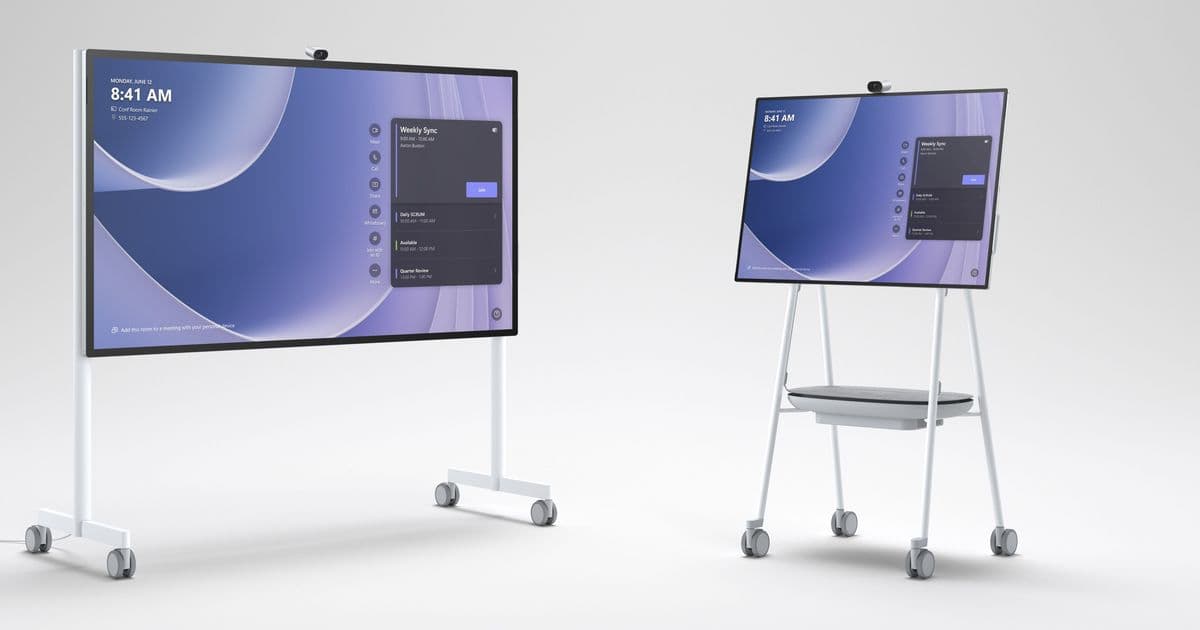
Microsoft's Ignite 2024 announcement brings certified third-party touch console support to Surface Hub 3, enabling MAXHUB's TCP33T to serve as a dedicated meeting control device. This move signals a strategic shift toward hardware flexibility in Microsoft Teams Rooms, allowing IT teams to decouple meeting controls from the main display while maintaining ecosystem consistency.
Microsoft has expanded the Surface Hub 3's capabilities through new center-of-table console support, a feature announced at Ignite 2024 that fundamentally changes how users interact with Teams Rooms deployments. This certification enables the MAXHUB TCP33T Universal Console to connect directly to Surface Hub 3, providing a dedicated touch interface for meeting controls positioned at the conference table.
What Changed: Certified Hardware Ecosystem Expansion
The core shift is Microsoft's introduction of a "Teams Rooms Certified Universal Consoles" category. Previously, Surface Hub 3 users controlled meetings exclusively through the device's built-in touchscreen or via personal devices. Now, organizations can deploy a separate, certified touch console that connects via USB-C to the Surface Hub 3, creating a distributed control model.
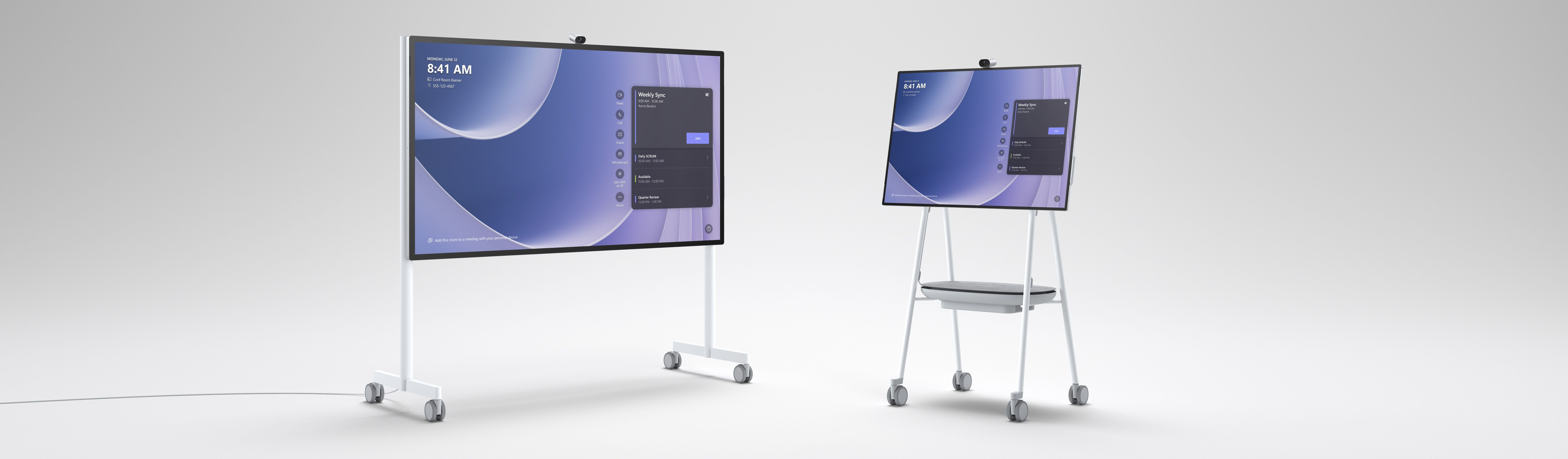
The MAXHUB TCP33T represents the first wave of these certified consoles. It's a 10.1-inch touchscreen device designed specifically for table placement, offering physical proximity to participants while the main 50-inch Surface Hub 3 remains mounted front-of-room. This separation addresses a common pain point: users seated far from the display often struggle to access meeting controls, share content, or adjust settings without standing up or using their laptops.
Provider Comparison: Microsoft's Strategic Position
This move positions Microsoft differently than competitors in the collaboration hardware space:
Zoom Rooms has long supported a variety of third-party controllers through its Zoom Rooms Appliance program, including devices from Neat, Poly, and Crestron. However, Zoom's approach typically requires a separate compute appliance, whereas Microsoft's model keeps the compute tied to the Surface Hub 3 itself.
Cisco Webex offers dedicated room kits with separate touch controllers, but these are proprietary systems that don't integrate natively with Surface Hub hardware. Cisco's ecosystem is closed, limiting flexibility for organizations already invested in Microsoft's platform.
Google Meet hardware remains largely proprietary, with limited third-party controller certification.
Microsoft's approach creates a hybrid model: the Surface Hub 3 serves as the compute and display unit, while certified partners like MAXHUB provide specialized control peripherals. This allows Microsoft to maintain tight integration with Teams Rooms while enabling hardware diversity.
From a pricing perspective, organizations already deploying Surface Hub 3 units can add MAXHUB TCP33T consoles without purchasing entirely new room systems. The console retails for approximately $800-1,000, significantly less than replacing a full Teams Rooms appliance. For IT teams managing hundreds of meeting rooms, this modular approach reduces capital expenditure and simplifies inventory management.
Technical Implementation and Requirements
Deploying center-of-table console support requires specific prerequisites:
- Surface Hub 3 running Microsoft Teams Rooms on Windows (minimum version required: Teams Rooms app 4.19 or later)
- Teams Rooms Certified Universal Console such as the MAXHUB TCP33T
- USB-C connection between console and Surface Hub 3
- Network connectivity for both devices on the same VLAN/subnet
The connection process is straightforward: plug the USB-C cable from the TCP33T into the Surface Hub 3's USB-C port. The Teams Rooms app automatically detects the certified console and configures it as the primary meeting controller. Once connected, the Surface Hub 3's built-in touchscreen can be repurposed for whiteboarding or content interaction, while the TCP33T handles meeting join, leave, mute/unmute, content share, and participant management.

Content Sharing Workflow
The TCP33T enables wired content sharing directly from laptops connected to its USB-C or HDMI ports. This is particularly valuable for organizations that:
- Prohibit wireless sharing due to security policies
- Need reliable sharing in environments with congested Wi-Fi
- Support presenters who prefer wired connections for stability
When a laptop connects to the TCP33T, the console prompts the user to share the content into the active Teams meeting. The Surface Hub 3 displays the shared content on the main screen, while meeting controls remain accessible on the table console. This creates a dual-screen workflow: the main display shows content and participants, while the console provides persistent controls.
Business Impact: IT Operations and User Experience
For IT Administrators
Standardization Benefits:
- Single management plane: All devices appear in the Microsoft Teams Rooms admin portal
- Consistent firmware updates: Both Surface Hub 3 and certified consoles update through the same channel
- Simplified troubleshooting: Certified consoles follow Microsoft's hardware certification requirements, ensuring predictable behavior
Deployment Flexibility:
- Room size adaptation: Large conference rooms (20+ participants) benefit from table-based controls without requiring additional displays
- Phased upgrades: Organizations can add consoles to existing Surface Hub 3 deployments rather than replacing entire systems
- Accessory ecosystem: Future certified consoles from other vendors (Yealink, Poly, Logitech) will provide options for different form factors and price points
For End Users
Meeting Join Experience: Users can join a scheduled Teams meeting by tapping the meeting card on the TCP33T console. The console displays meeting details, participant list, and one-touch join buttons. This eliminates the need to walk to the Surface Hub 3 or use a personal device for meeting join.
In-Meeting Controls:
- Mute/unmute: Physical buttons and touch controls with visual state indicators
- Content share: Dedicated share button initiates wired content sharing from connected devices
- Participant management: Mute individual participants, admit/decline lobby participants
- Meeting settings: Adjust camera position, microphone levels, and room audio
Content Sharing: The TCP33T provides a persistent "Share" interface. Users connect their laptop via USB-C or HDMI, select their content source, and share directly into the meeting. This is faster than wireless sharing methods and more reliable in challenging network conditions.
Migration Considerations
Organizations currently using Surface Hub 3 without external consoles should evaluate:
When to Add Consoles:
- Room capacity: Rooms seating 12+ participants benefit most from table-based controls
- User feedback: If participants report difficulty accessing controls during meetings
- Content sharing needs: Environments requiring frequent wired sharing
- Accessibility requirements: Users with mobility limitations benefit from controls within arm's reach
When to Skip Consoles:
- Small huddle rooms: 4-6 person rooms where the Surface Hub 3 is within arm's reach
- Wireless-first policies: Organizations committed to wireless sharing via Miracast or Teams casting
- Cost constraints: Budget-limited deployments where the built-in touchscreen suffices
Migration Path:
- Assess current deployments: Identify Surface Hub 3 units in large conference rooms
- Pilot program: Deploy 2-3 MAXHUB TCP33T units in high-traffic rooms
- Gather feedback: Survey users on control accessibility and content sharing ease
- Scale deployment: Order consoles for all large conference rooms based on pilot results
- Update documentation: Train IT support staff on console connectivity and troubleshooting
Future Ecosystem Development
Microsoft's certification program signals a broader strategy: decoupling meeting controls from displays to enable specialized hardware for specific use cases. We can expect:
- Additional certified vendors: Yealink, Poly, and Logitech will likely announce similar consoles
- Specialized consoles: Devices optimized for accessibility, specific industries, or advanced controls
- Wireless console options: Future certifications may include wireless console connections
- Integration with room automation: Certified consoles could interface with lighting, blinds, or camera presets
This ecosystem approach mirrors how Microsoft handles other peripherals: certify for quality and integration, then let the market provide options. For Surface Hub 3 specifically, it extends the device's useful life by allowing organizations to add capabilities without replacing the core hardware.
Strategic Implications
The center-of-table console certification represents Microsoft's acknowledgment that one-size-fits-all hardware doesn't work for diverse meeting spaces. By partnering with MAXHUB and opening the certification program, Microsoft gains:
- Competitive parity: Matches Zoom's third-party controller flexibility
- Market expansion: Makes Surface Hub 3 viable in rooms where built-in controls are insufficient
- Partner ecosystem: Strengthens relationships with hardware vendors
- Customer choice: Provides options without fragmenting the management experience
For IT leaders, this means Surface Hub 3 deployments can now scale more effectively across varied room types and user needs, while maintaining the security, management, and integration benefits of the Microsoft Teams Rooms platform.
Resources:
Comments
Please log in or register to join the discussion