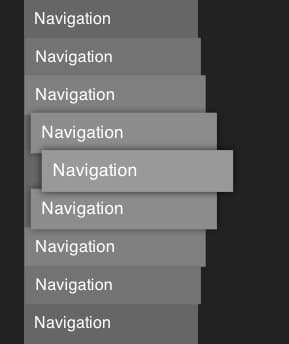
Redundant label text in ARIA landmarks creates unnecessary friction for screen reader users. Mark Underhill makes a case for trimming the fat from your accessible labels.
Mark Underhill recently highlighted a small but meaningful accessibility detail that often gets overlooked: including the word "navigation" in your <nav> labels is redundant. If you did, screen readers would announce something like "Navigation, Primary navigation". That repetition creates unnecessary noise for users who rely on assistive technology to navigate the web.
This kind of redundancy is a pattern worth examining because it reveals a broader principle about writing for screen readers. When you label a landmark, the screen reader already announces the element type. Adding "navigation" to a <nav> element, or "image" to an <img> tag's alt text, doesn't add information. It just duplicates what the user already knows.
The Principle of Lean Labels
Think of screen reader announcements like airport signage. A sign that reads "Baggage Claim, Baggage Claim Area" wastes the traveler's time. The same applies to ARIA labels and alt text. Every word should earn its place.
This extends beyond just <nav> elements. Consider common patterns:
Avoid:
aria-label="Navigation menu"on a<nav>elementUse:
aria-label="Primary"oraria-label="Main"Avoid:
alt="Image of a sunset"Use:
alt="Sunset over the Pacific Ocean"
The second option in each case conveys meaning without the dead weight.
Why This Matters in Practice
For sighted users, visual design provides context. A sidebar looks different from a header. A button looks like a button. Screen reader users don't get these visual cues, so every word in an ARIA label or alt text counts.
When labels are verbose, screen reader users who navigate by landmarks hear the same word patterns repeated on every page. "Navigation" is one of the most common offenders because most sites have multiple navigation landmarks: a primary nav, a footer nav, maybe a breadcrumb nav. Each announcement compounds.
Keeping labels succinct respects the user's time and attention. It also makes your landmarks more distinguishable. If you have three navigation landmarks labeled "Navigation", "Main navigation", and "Footer navigation", the first word is wasted every time. Rename them to "Main", "Footer", and perhaps "Social" and the distinction becomes immediately clear.
Common Mistakes with Landmark Labels
This redundancy pattern shows up in several places:
1. Over-labeling landmarks
Some developers add ARIA labels to every landmark, even when the default role is sufficient. A single <nav> element doesn't need an ARIA label at all. Multiple <nav> elements on the same page benefit from distinct, concise labels.
2. Verbosity in alt text The phrase "image of" or "photo of" in alt text is almost always unnecessary. Screen readers already announce that an element is an image. Focus on describing what the image shows, not what it is.
3. Repetitive button labels Buttons like "Close dialog" or "Open menu" are clear, but "Close dialog modal" or "Open navigation menu" add redundant context.
Practical Guidelines for Writing Labels
Here are some rules of thumb:
- Omit element type from labels. If the HTML element already conveys the type, don't repeat it in the label.
- Use concise, descriptive text. Aim for one to two words that distinguish the landmark from others on the page.
- Prioritize purpose over structure. Labels should tell users what the landmark does, not what it's called in the HTML spec.
- Test with a screen reader. Hearing your labels announced in context is the best way to evaluate whether they're working.
This isn't about strict rules. It's about empathy for users who interact with your interface through a different modality. A little thoughtfulness in label writing goes a long way.
The Broader Accessibility Mindset
Underhill's point about redundant labels connects to a larger theme in accessibility work: the best accessible interfaces aren't just compliant, they're considerate. They anticipate how different users experience the same content and optimize for clarity without excess.
This means thinking about your markup from the perspective of someone who can't see it. Every label, every ARIA attribute, every alt text string is a communication channel. Keeping those channels clean and efficient isn't just good practice. It's respect for your users.
As Underhill notes, these are the kinds of nuances that, with a little love and consideration, make navigating the web that much more enjoyable. And while the changes are small, they add up. A site with clean, concise landmark labels is a site that respects all of its users.
Comments
Please log in or register to join the discussion