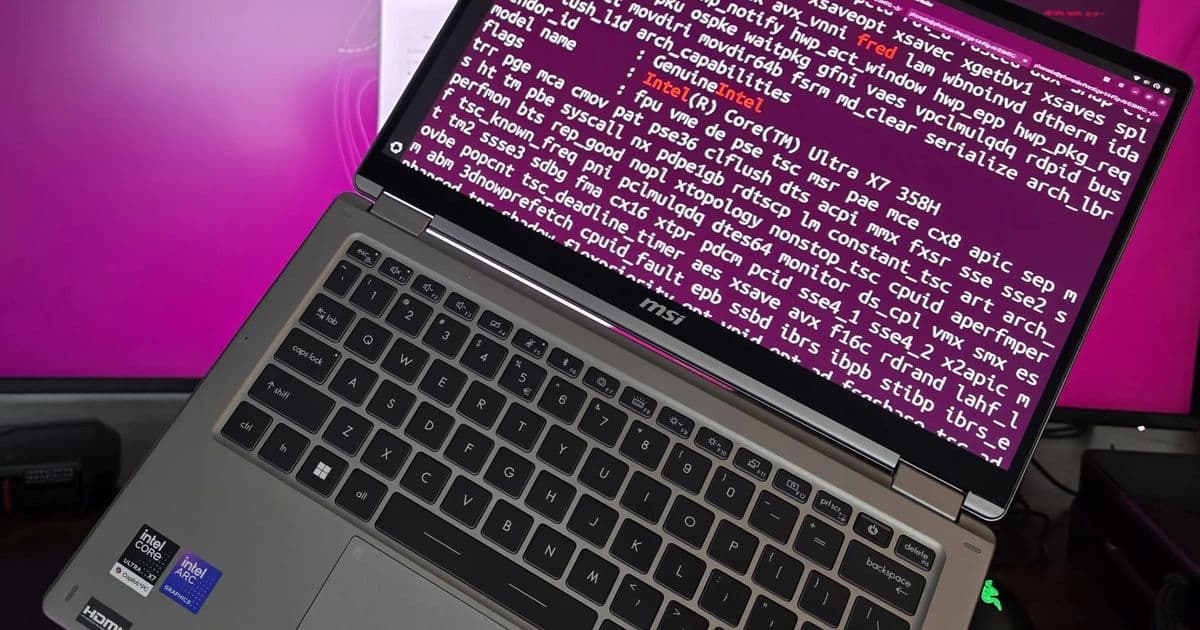
Linux 7.1 looks like a mid-year kernel release built for people who actually measure their systems, with Intel FRED enabled by default, a new NTFS driver, Arc Battlemage performance work, broader hardware support, and practical wins for mixed Windows/Linux storage and homelab networking.
Linux 7.1 is expected to land as a stable kernel on June 14, 2026, assuming no late release blocker appears. For PC builders, workstation users, and homelab operators, this is not just another routine kernel bump. The interesting parts are concentrated exactly where measured systems tend to expose weakness: event delivery overhead, file-system compatibility, GPU driver maturity, scheduler behavior, crypto throughput, thermal control, and network adapter support.
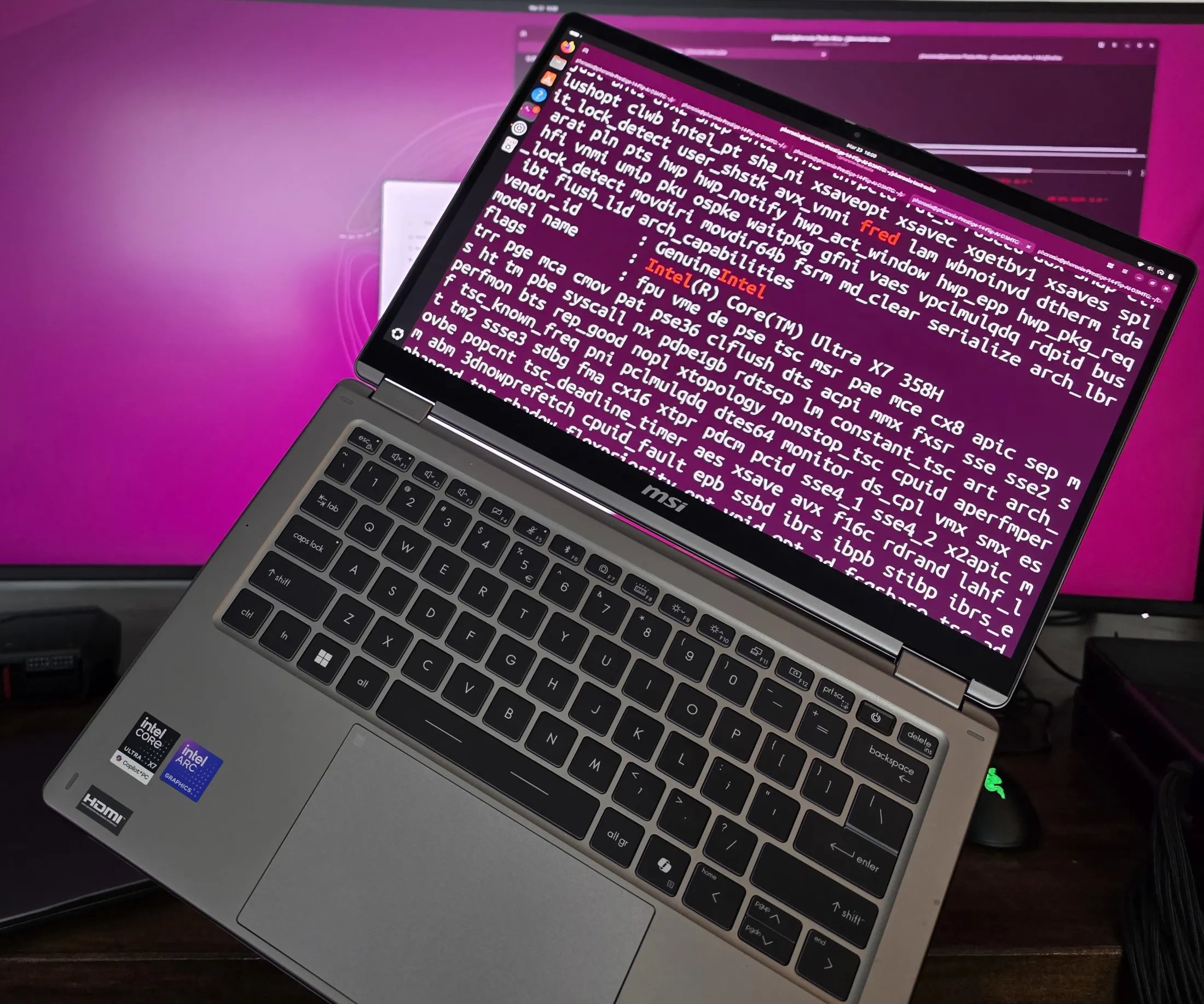
The headline feature for performance-minded Intel users is that Intel FRED, Flexible Return and Event Delivery, is now enabled by default on supported systems. That matters because interrupts, exceptions, and transitions between privilege levels are not abstract kernel plumbing when you are measuring latency, throughput, and jitter. They show up in compile workloads, virtualization, storage interrupts, packet processing, and anything that crosses between user space and kernel space often.
The other practical addition is the new NTFS file-system driver. That is a less glamorous change than a CPU event delivery redesign, but for dual-boot rigs, recovery boxes, Windows imaging stations, and mixed-client NAS workflows, better NTFS read/write behavior is immediately useful. Linux has had NTFS options for years, but the difference between “it mounts” and “I trust it in my workflow” is where kernel integration, performance consistency, and maintenance quality matter.
Product: What Linux 7.1 Brings
Linux 7.1 is shaping up as a broad hardware-enablement release with several features that line up well with current desktop and homelab builds:
| Area | Linux 7.1 change | Why builders should care |
|---|---|---|
| Intel CPUs | FRED enabled by default | Lower overhead and cleaner handling for event delivery on supported Intel platforms, especially relevant to Panther Lake testing |
| Storage | New NTFS driver | Better native handling of a common Windows file system for dual-boot, repair, and data-migration systems |
| Intel graphics | Arc Battlemage improvements | Better performance for consumer Arc B-Series cards such as the Arc B580 and Arc Pro B-Series workstation cards |
| Scheduler | Additional scheduler work | Potential gains in mixed workloads, VM hosts, build servers, and desktop responsiveness under load |
| Crypto | More crypto optimizations enabled by default | Faster encryption, hashing, VPN, disk encryption, and storage integrity workloads where hardware acceleration applies |
| AMD graphics | AMDGPU DC support for GCN 1.1 APUs | Better display handling for older Kaveri-era systems using AMDGPU |
| ARM | Mainline 32-bit ARM RT kernel builds | Real-time kernel builds without external patch stacks for supported ARM environments |
| Networking | Realtek RTL8157 support | Easier deployment of newer USB or integrated networking hardware in compact servers and laptops |
| Laptops | Lenovo Yoga Fan driver | Fan control support across several Lenovo Legion, Flex, Slim, and IdeaPad systems |
The Linux kernel remains an unusually important upgrade surface because so much performance behavior is gated below the application layer. A faster compiler, database, or container runtime can still lose measurable time to interrupt handling, storage latency, driver stalls, scheduler choices, or conservative hardware defaults. Linux 7.1 touches several of those layers at once.
Performance Data: Where The Gains Should Show Up
The FRED change is the one I would test first on any supported Intel platform. Intel’s Flexible Return and Event Delivery is designed to modernize how the CPU and operating system handle events such as interrupts, exceptions, and system transitions. On older x86 paths, these mechanisms carry historical baggage. FRED gives the kernel a cleaner event delivery model, which can reduce overhead and simplify parts of the transition path.
For an enthusiast desktop, the difference may not be visible in a single game average FPS number. For a measured system, it can appear in places that are easier to miss:
| Benchmark type | What to watch | Expected Linux 7.1 relevance |
|---|---|---|
Kernel compile, make -j |
Total build time, context switches, CPU residency | Scheduler and event delivery changes can affect heavily parallel builds |
fio with NVMe |
IOPS, latency percentiles, CPU usage per I/O | Interrupt handling and scheduler behavior matter under high queue depth |
| KVM virtualization | VM exit cost, guest throughput, host latency | Event delivery and scheduler changes can show up on dense VM hosts |
| WireGuard or IPsec | Throughput per watt, CPU utilization | Crypto defaults can alter practical network encryption performance |
| Arc Battlemage gaming | 1 percent lows, frame pacing, power draw | Driver improvements may affect more than average FPS |
| Blender or compute workloads | Render time, GPU clocks, sustained board power | Useful for Arc Pro B-Series validation |
| NTFS copy tests | Read/write throughput, CPU usage, error handling | New NTFS behavior matters for mixed Windows/Linux storage |
I would not treat Linux 7.1 as a magic upgrade where every workload gets faster. Kernel performance changes are usually workload-specific. The interesting claim is narrower and more useful: Linux 7.1 gives testers several new variables that can produce real gains on the right hardware.
For Panther Lake, FRED being enabled by default is the cleanest performance story. If your board firmware exposes the right support and the CPU path is active, you should benchmark Linux 7.1 against Linux 7.0 or a late 6.x kernel using the same firmware, same governor, same memory profile, and same cooling configuration. My preferred test set would include:
| Test | Metric | Why it matters |
|---|---|---|
| Linux kernel build | Seconds to complete | Stresses process scheduling, file I/O, and CPU boosting |
perf bench sched messaging |
Runtime and variance | Exposes scheduler and context-switch behavior |
hackbench |
Runtime across process/thread modes | Good at making scheduler differences obvious |
fio random read/write |
IOPS and p99 latency | Captures storage path behavior under pressure |
| KVM VM boot storm | Time to ready state | Useful for homelab hosts running many small guests |
openssl speed or kernel crypto tests |
Throughput | Checks whether default crypto enablement changes real work |
powertop plus wall meter |
Idle and loaded watts | Confirms gains are not bought with ugly power behavior |
The power side matters. A kernel that improves throughput but keeps clocks pinned or prevents deeper idle states can look good in a short benchmark and bad on a 24/7 server. For a homelab box, I care more about work per watt than peak score. Linux 7.1 should be tested under idle, burst, and sustained load:
| Scenario | Measurement target | Good result |
|---|---|---|
| Idle desktop | Wall power, package C-state residency | Same or lower idle draw than previous kernel |
| VM host idle | Wall power with guests running but quiet | No regression in low-load efficiency |
| Sustained compile | Joules per completed build | Faster build without disproportionate energy increase |
| Encrypted network transfer | Gbps per watt | Crypto optimizations translate into lower CPU cost |
| Arc Battlemage gaming | Average FPS, 1 percent low, board power | Higher frame consistency at similar or lower power |
That is the kind of table I want before calling any kernel upgrade a win in production. Kernel benchmarks need power data beside throughput, otherwise you only have half the story.
Intel Arc Battlemage: Driver Maturity Is The Benchmark
Linux 7.1 also brings performance work for Intel Arc Battlemage graphics. That includes consumer cards such as the Arc B580 and professional Arc Pro B-Series parts. For GPU buyers, this is the classic Linux graphics question: how much of the hardware was already present, and how much of the experience was waiting on driver polish?
For Arc Battlemage, driver updates can affect multiple layers:
| Layer | Possible impact |
|---|---|
| Kernel DRM driver | Power management, memory handling, display behavior |
| Mesa userspace stack | OpenGL and Vulkan performance |
| Firmware | Scheduling, media, and low-level GPU behavior |
| Compositor path | Wayland smoothness, multi-monitor behavior, VRR |
| Compute stack | Blender, OpenCL, Level Zero, media encoding |
Linux 7.1 cannot be tested in isolation if the userspace graphics stack changes at the same time. If you update the kernel, Mesa, firmware, and compositor together, you may get a better desktop, but you will not know which layer delivered the gain. For a clean comparison, keep Mesa and firmware fixed first, test the kernel delta, then move the rest of the graphics stack forward.
A useful Arc Battlemage Linux 7.1 test plan would include:
| Workload | Metric |
|---|---|
| Vulkan game benchmark | Average FPS, 1 percent low, frame time plot |
| Native Linux title | CPU and GPU utilization |
| Proton title | Frame pacing and shader behavior |
| Blender render | Render time and sustained GPU power |
| AV1 encode | FPS, quality setting, watts |
| Multi-monitor Wayland session | Display stability, VRR behavior, wake from sleep |
For a workstation card like Arc Pro B-Series, I would care less about peak gaming FPS and more about repeatability. A driver that improves the tenth render run as much as the first is more valuable than one flashy result.
{{IMAGE:2}}
NTFS: The Compatibility Upgrade That Saves Time
The new NTFS driver may be the most immediately useful feature for mixed environments. Plenty of Linux users still touch NTFS every week, even if they prefer ext4, XFS, Btrfs, or ZFS for native systems. Recovery drives, Windows game libraries, forensic copies, shared external SSDs, imaging stations, and dual-boot laptops all keep NTFS relevant.
Compatibility is where I would be careful. A better NTFS driver does not mean every workflow should suddenly run production data on NTFS from Linux. It means the daily pain points should improve:
| Use case | Linux 7.1 benefit | Caution |
|---|---|---|
| Dual-boot desktop | Easier read/write access to Windows volumes | Windows fast startup and hibernation can still make volumes unsafe to modify |
| External SSD | Better portability between Windows and Linux | Always test unplug and remount behavior before trusting it |
| Recovery system | More practical file extraction and repair workflows | Keep original images read-only when possible |
| Game library migration | Faster bulk copies from NTFS volumes | Launcher metadata and permissions can still be messy |
| Lab imaging box | Cleaner handling of Windows data disks | Validate with checksums, not file counts |
For benchmarking NTFS under Linux 7.1, I would use large sequential copies, small-file trees, and mixed read/write loads. A single dd result tells you almost nothing about the real experience. The useful numbers are throughput, CPU usage, latency under metadata-heavy operations, and correctness after unmount/remount cycles.
Recommended NTFS validation set:
| Test | Tool | Pass condition |
|---|---|---|
| Large file copy | rsync --info=progress2 |
Throughput is stable and checksum matches |
| Small file tree | Linux kernel source copy | No metadata errors, reasonable elapsed time |
| Mixed workload | fio file-backed test |
Latency does not spike unpredictably |
| Cross-OS mount | Windows then Linux then Windows | No repair prompt or dirty-volume surprise |
| Power-loss simulation | Only on sacrificial media | File system remains recoverable |
That last line is not for your daily data disk. Use a spare SSD or a loopback image. NTFS compatibility is valuable, but storage testing should be boring and repeatable.
Older AMD APUs Get A Better Path
AMDGPU DC support for GCN 1.1 APUs is a smaller headline, but it matters for cheap and useful machines. Kaveri-era APUs are not modern performance monsters, but they still make sense for light desktops, garage workstations, retro boxes, thin clients, and service machines. Better display support can extend the practical life of hardware that would otherwise be annoying to run.
For these systems, the right benchmark is not Cinebench glory. It is whether the machine wakes cleanly, drives the monitor at the expected resolution and refresh rate, avoids tearing, and keeps idle power under control. Linux kernel work that improves old-platform usability is part of why homelabs can stay inexpensive.
ARM RT Support: Mainline Matters
Linux 7.1 also brings support for mainline real-time kernel builds on 32-bit ARM without external patch sets. That is a meaningful maintenance improvement for industrial boards, embedded controllers, audio systems, robotics rigs, and lab gear where deterministic behavior matters more than peak throughput.
Real-time Linux is not about making every operation faster. It is about making latency more predictable. Out-of-tree patch stacks can work, but they add maintenance friction. Mainline support means fewer custom kernel trees, easier security updates, and a clearer upgrade path.
If I were validating this on an ARM board, I would use cyclic latency tests under load:
| Test condition | Tool | Measurement |
|---|---|---|
| Idle RT kernel | cyclictest |
Baseline max latency |
| CPU load | stress-ng plus cyclictest |
Worst-case scheduling delay |
| I/O load | Storage and network traffic | Latency under realistic pressure |
| Thermal load | Sustained CPU work | Latency after clocks settle |
For embedded users, the win is not just a lower number. The win is a kernel that is easier to reproduce and maintain.
Networking And Laptop Control
Realtek RTL8157 support is exactly the kind of kernel addition that shows up when you least want to debug drivers. USB Ethernet adapters and compact network interfaces are everywhere in homelabs. They are used for firewall appliances, mini PCs, temporary provisioning, laptop troubleshooting, and out-of-band access when onboard networking is not enough.
Driver availability determines whether a fresh install has network access before you start building custom packages. That matters for headless systems. If Linux 7.1 supports the adapter out of the box, installation and recovery become much simpler.
The Lenovo Yoga Fan driver is another practical addition. Fan control support across Lenovo Legion, Flex, Slim, and IdeaPad systems can improve acoustics and thermal behavior. For laptops used as development machines or portable lab nodes, fan behavior affects sustained performance. A CPU that boosts high for ten seconds and then collapses under heat is not faster in the workloads that matter.
For laptop validation, I would measure:
| Test | Metric |
|---|---|
| Idle desktop | Fan state and wall power |
| 10-minute compile | Sustained clocks and peak temperature |
| Repeated benchmark loop | Score decay from run 1 to run 10 |
| Suspend and resume | Fan and thermal state after wake |
| Mixed browser plus build load | Noise, responsiveness, package power |
Build Recommendations
For desktop users on current Intel hardware, especially upcoming Panther Lake systems, Linux 7.1 is worth testing early. FRED being enabled by default is the kind of kernel change that can affect real workloads without requiring application changes. Pair the kernel with current firmware, but benchmark one variable at a time if you care about attribution.
For Arc Battlemage owners, Linux 7.1 should be treated as part of a full graphics stack validation. Test it with your existing Mesa and firmware first, then update the rest. Watch frame times, not just average FPS. The driver work is most interesting if it improves consistency, power behavior, and workstation repeatability.
For dual-boot users and repair machines, the new NTFS driver is a strong reason to keep a Linux 7.1 live image handy. I would still avoid casual writes to a hibernated Windows volume, and I would validate important migrations with checksums. Better compatibility does not remove the need for careful storage habits.
For homelab hosts, Linux 7.1 looks like a strong candidate kernel, but I would stage it first:
| System type | Recommendation |
|---|---|
| Main gaming PC | Test if you use Intel Arc, new Intel CPUs, or NTFS workflows |
| VM host | Benchmark scheduler behavior, idle power, and guest latency before deploying broadly |
| NAS | Test NTFS only on non-critical media first, keep native Linux file systems for primary storage |
| Firewall or router | RTL8157 support may help, but validate throughput and thermals under sustained traffic |
| Laptop dev machine | Check fan behavior, suspend/resume, and sustained compile performance |
| Older AMD APU box | Worth trying for improved display support if current behavior is rough |
| 32-bit ARM RT system | Valuable if it lets you retire external RT patch maintenance |
My upgrade order would be conservative: test workstation first, then secondary homelab node, then production services after a week of clean logs. Use journalctl -k, perf, powertop, fio, and a wall meter. Kernel upgrades are easiest to trust when the numbers agree with the subjective feel.
Linux 7.1 is a good example of why kernel releases still matter to hardware people. The visible product names are FRED, NTFS, Arc Battlemage, AMDGPU DC, RTL8157, and Lenovo fan control. The real story is that each of those features removes friction from a measured build. Faster event delivery, saner file-system access, better GPU behavior, more complete network support, and improved thermal control all compound into systems that are easier to run hard and easier to trust.
Comments
Please log in or register to join the discussion