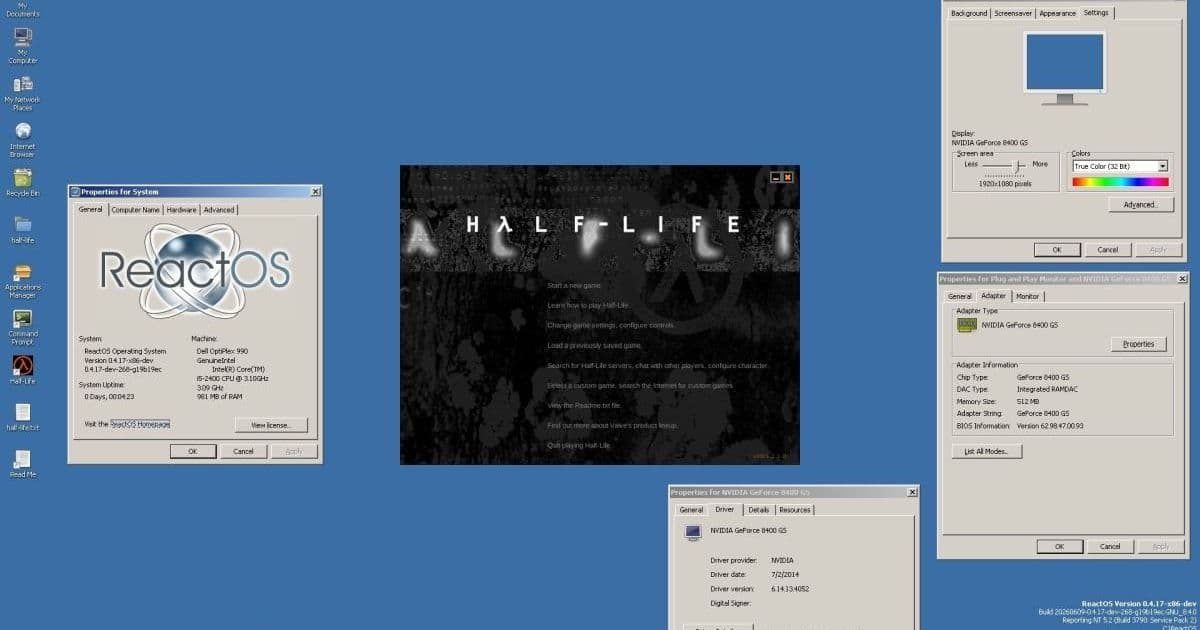
A retro Windows game running on ReactOS is not a mobile SDK update, but it is a useful reminder that compatibility layers, old APIs, and workstation tooling still shape how cross-platform teams build and test software.
Platform Update
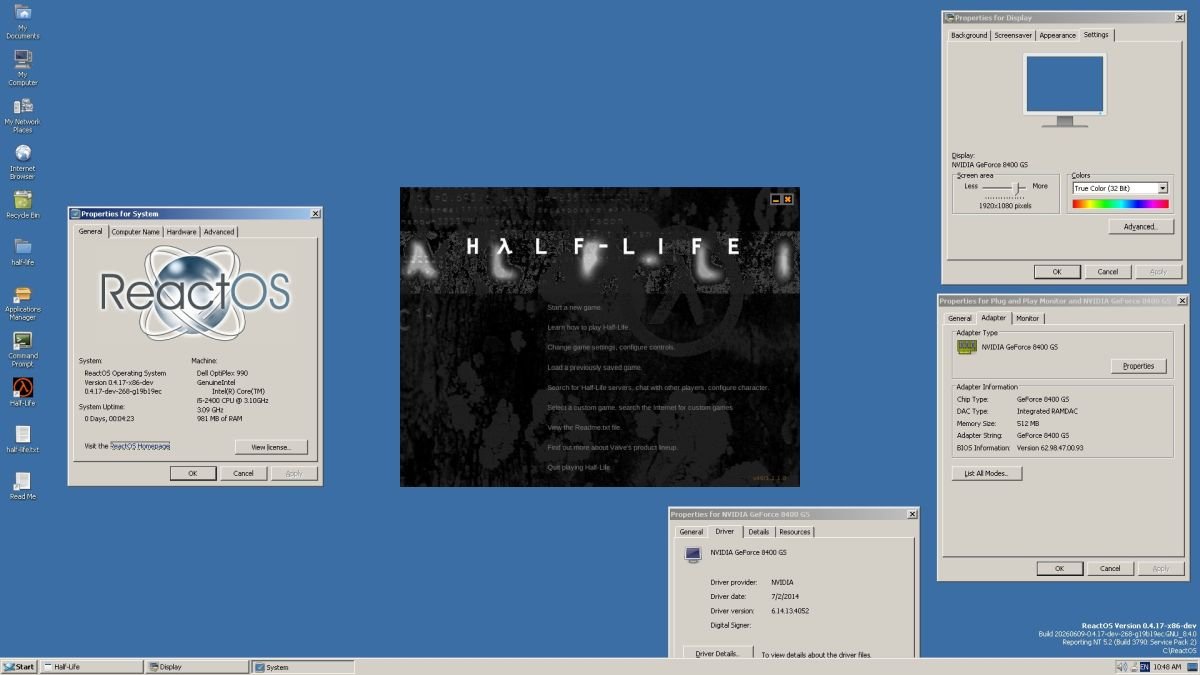
ReactOS has taken another small but technically interesting step toward its long-running goal: running Windows software and drivers in an open source operating system that is not Linux. The latest talking point is that the original Half-Life can now run on ReactOS, according to the Liliputing report, although the result is still fragile. The game has problems with menu buttons, crashes on exit, and apparently will not run on systems configured with more than 2GB of RAM.
That sounds like a retro gaming footnote, but the platform detail matters. ReactOS is not trying to be another Linux distribution with a Windows compatibility layer on top. Its own project materials describe it as a Windows-compatible operating system, with the public ReactOS GitHub repository saying the project is currently focused on Windows Server 2003 compatibility while watching later Windows NT releases. The current public download is ReactOS 0.4.15, and the project still labels the OS as alpha software.
For mobile developers, that puts ReactOS in a different bucket from the tools we normally talk about when maintaining iOS and Android apps. It is not a replacement for macOS with Xcode, Windows with Android Studio, or Linux CI images for Gradle and emulator testing. It is closer to a compatibility research platform. It exposes how much software behavior depends on old Win32 APIs, DirectX assumptions, driver models, filesystem behavior, installer expectations, and undocumented edge cases that real applications accidentally rely on.
The other more immediate workstation update in the same news cycle is Microsoft PowerToys 0.100. This release adds a new Shortcut Guide, improves Command Palette with an Extension Gallery and multi-monitor Dock support, updates PowerToys to .NET 10, improves auto-update reliability, and ships x64 plus ARM64 installers. Microsoft’s PowerToys install documentation lists Windows 11 or Windows 10 version 2004, build 19041 or newer, as the baseline, with a 64-bit x64 or ARM64 processor required.
There is also a hardware angle in the Liliputing roundup: a mouse with a horizontal scroll wheel. That is easy to treat as novelty hardware, but horizontal scrolling still hits real app quality. If you maintain apps across iOS, Android, tablets, foldables, desktop-class Android environments, web dashboards, and internal tooling, horizontal input is one of those places where assumptions leak. Trackpads, mice, touchscreens, styluses, keyboard focus, and accessibility APIs all send slightly different signals.
Developer Impact
ReactOS running Half-Life does not change the iOS SDK, Android Gradle Plugin, Kotlin, Swift, Flutter, React Native, or .NET MAUI support matrix. No mobile team should suddenly add ReactOS to CI because one old DirectX-era game boots. The value is more architectural: compatibility is a product surface, not a checkbox.
That lesson maps cleanly to mobile. On iOS, app behavior is pinned to the iOS SDK you compile against, the deployment target you set, entitlement rules, privacy manifests, App Store review policy, and hardware classes ranging from older iPhones to current iPads. On Android, behavior is split across minSdk, targetSdk, compile SDK, Play policy, OEM firmware, WebView versions, Google Play services availability, ABI support, screen classes, and permission changes. A feature can be technically implemented and still fail because the surrounding platform contract is incomplete.
ReactOS shows the same problem through a desktop lens. Half-Life is old enough that modern Windows generally handles it through layers of accumulated compatibility work. ReactOS has to recreate enough of that behavior to make the application believe it is on a Windows-like system. That includes the APIs the game calls directly, the graphics path it expects, installer behavior, process lifecycle behavior, and the strange details apps discover only after they ship. A crash on exit might sound minor, but for an OS compatibility project it can point to missing cleanup semantics, library behavior, window teardown, audio shutdown, graphics device release, registry writes, or filesystem state.
For cross-platform mobile teams, that is the same class of failure as an Android app that works on a Pixel but mishandles activity recreation on Samsung devices, or an iPad build that passes simulator testing but breaks when Stage Manager changes the window size. The core code may be fine. The platform contract is where the bug lives.
PowerToys 0.100 is more immediately useful for Windows-based Android development. Many mobile teams use Windows machines for Android Studio, Flutter, React Native, Kotlin Multiplatform, Unity, Unreal, web dashboards, and device-management workflows. PowerToys is not part of the Android SDK, but utilities such as FancyZones, Mouse Without Borders, Command Palette, Text Extractor, Image Resizer, PowerRename, Peek, and Power Display can reduce friction in day-to-day development.
The Command Palette changes are the most developer-facing part of this release. Extension discovery matters because command palettes become useful only when they can reach the actions a developer actually repeats: opening project folders, launching terminals, jumping into logs, finding device screenshots, starting scripts, and moving between docs. PowerToys 0.100 adds an Extension Gallery inside Command Palette settings, with support for discovering, installing, updating, and removing extensions without leaving the tool. For a Windows Android workstation, that makes the palette feel less like a launcher and more like a configurable command surface.
The .NET 10 upgrade is also relevant, although most users will experience it indirectly. PowerToys moving to .NET 10 means Microsoft is keeping the utility suite aligned with the modern Windows app stack. For teams that package internal Windows helper tools, this is a reminder to track framework runtime assumptions across dev machines. If an internal tool depends on a specific .NET runtime, WebView2 behavior, Windows App SDK version, or architecture, that needs to be documented just as clearly as Android Studio, Java, Gradle, Xcode, CocoaPods, Ruby, Node, and Watchman versions.
From a platform requirements perspective, PowerToys 0.100 is narrower and cleaner than many mobile toolchains. It wants Windows 10 2004 or newer, Windows 11, x64 or ARM64, and WebView2. Android development on Windows often adds more moving parts: a current Android Studio build, a matching JDK, Android SDK Platform packages, Build Tools, platform tools, emulator images, Hyper-V or Windows Hypervisor Platform configuration, USB drivers for physical devices, and sometimes Node, Yarn, pnpm, Ruby, CocoaPods substitutes for shared scripts, or vendor CLI tools.
The ReactOS side has almost the opposite profile. ReactOS 0.4.15 is alpha, aimed at compatibility with older Windows software and drivers, and best treated as a VM experiment or compatibility testbed. Its reported Half-Life behavior, including the 2GB RAM limitation, is a reminder that old software often encodes old hardware assumptions. Mobile developers see the same pattern when old Android code assumes small heap sizes, old storage layouts, legacy external storage permissions, pre-scoped-storage file paths, or fixed screen densities.
Cross-Platform Considerations
For iOS and Android teams, the practical takeaway is to separate production platforms from compatibility research platforms. Production platforms are where customers run your app: supported iOS versions, supported Android API levels, supported browsers if you ship web surfaces, and supported desktop OS versions if your app includes companion tooling. Compatibility research platforms are useful for learning, debugging, or preserving old software behavior, but they should not expand your support matrix unless there is a clear product need.
ReactOS belongs in that second category for most teams. It can teach useful lessons about Windows API compatibility, installer behavior, legacy application assumptions, and open source OS engineering. It should not be treated as a Windows replacement for Android Studio or for signing, packaging, and release workflows. The project itself warns that ReactOS is alpha quality and recommends testing in virtual machines or on machines without sensitive data.
PowerToys belongs in the first category only as workstation tooling, not as a runtime dependency. It can make a Windows developer machine nicer to use, especially if the machine is driving Android devices, emulators, logs, terminals, and browser-based dashboards across several monitors. But your build scripts should not require PowerToys. A new engineer should be able to clone the repo, install the documented SDKs, run the supported package manager commands, and build without optional desktop utilities.
The mouse story fits into input testing. Horizontal scroll wheels, high-resolution trackpads, pointer capture, hover states, keyboard focus, and accessibility actions are all cross-platform concerns now. Android tablets, ChromeOS, DeX-style desktop modes, iPad pointer support, and foldable devices mean mobile apps increasingly receive desktop-like input. If your app has horizontally scrolling lists, code editors, calendars, timelines, kanban boards, media tracks, spreadsheets, or nested scroll regions, you need to test more than finger swipes.
On Android, that means checking mouse wheel behavior, trackpad gestures, keyboard navigation, focus order, TalkBack, large screens, freeform windows where relevant, and API-specific behavior across your minSdk and targetSdk. On iOS and iPadOS, it means checking pointer interactions, external keyboard shortcuts, VoiceOver, Dynamic Type, split view, Stage Manager where supported, and layout behavior when windows resize. Cross-platform frameworks can help normalize parts of this, but they cannot erase every platform convention.
Flutter, React Native, Kotlin Multiplatform, Compose Multiplatform, .NET MAUI, Unity, and web-wrapped stacks all sit on top of native platform behavior. Their promise is shared product code, not identical platform physics. A scroll delta from a desktop mouse is not the same thing as a touch drag. A shortcut command on Windows is not the same convention as one on macOS or iPadOS. A rendering path that works on one GPU driver can expose issues on another. Half-Life on ReactOS is a dramatic old-game example of the same truth.
Migration
There is no app migration required for ReactOS support unless you are explicitly building or testing Windows compatibility software. Treat this as a signal to audit your own platform assumptions. If your mobile product has companion Windows tooling, installer scripts, USB device workflows, debugging helpers, or desktop dashboards, write down the Windows versions and CPU architectures you support. Windows 10, Windows 11, x64, ARM64, WebView2, PowerShell version, WSL version, and Android USB driver requirements should be visible in onboarding docs.
For PowerToys 0.100, migration is straightforward for Windows users. Update through PowerToys settings, install from the GitHub release, use the Microsoft Store, or run winget install --id Microsoft.PowerToys --source winget if it is not already installed. On managed developer machines, use the x64 or ARM64 installer that matches the hardware, and decide whether per-user or machine-wide installation fits your IT policy.
For mobile teams, the better migration task is toolchain documentation. Keep a simple matrix for each supported development host. For macOS, include the required Xcode version, iOS SDK version, minimum deployment target, CocoaPods or Swift Package Manager expectations, Ruby version if used, Node version if shared tooling depends on it, and signing prerequisites. For Windows, include Android Studio, JDK, Android SDK compile SDK, Android SDK Build Tools, platform tools, emulator requirements, Hyper-V settings, USB driver needs, Windows build minimums, and optional utilities like PowerToys.
A practical Android entry might say: compile with the current project-approved Android SDK, run with the pinned JDK from the repo or Android Studio, keep targetSdk aligned with Play policy, test the minimum supported minSdk, and verify both emulator and at least one physical device path. A practical iOS entry might say: build with the project-approved Xcode release, compile against its bundled iOS SDK, keep the deployment target documented, run simulator smoke tests plus physical-device checks for camera, push notifications, local networking, Bluetooth, or any hardware-backed feature.
If your project uses Flutter or React Native, pin the framework version and native build dependencies together. A Flutter upgrade can change Gradle, Kotlin, Android embedding behavior, iOS build settings, CocoaPods resolution, and desktop target support. A React Native upgrade can change the Android Gradle Plugin, Kotlin version, Metro behavior, Hermes, New Architecture defaults, iOS Podspecs, and Xcode build assumptions. Shared code reduces duplication, but each native platform still needs its own release checklist.
The ReactOS Half-Life milestone is fun because it makes compatibility visible. The PowerToys 0.100 release is useful because it improves the workstation where a lot of Android and cross-platform work actually happens. The migration path is not to add more platforms casually. It is to be precise about which platforms matter, which SDK versions define them, which tools are optional, and which compatibility assumptions your app quietly depends on.
Comments
Please log in or register to join the discussion