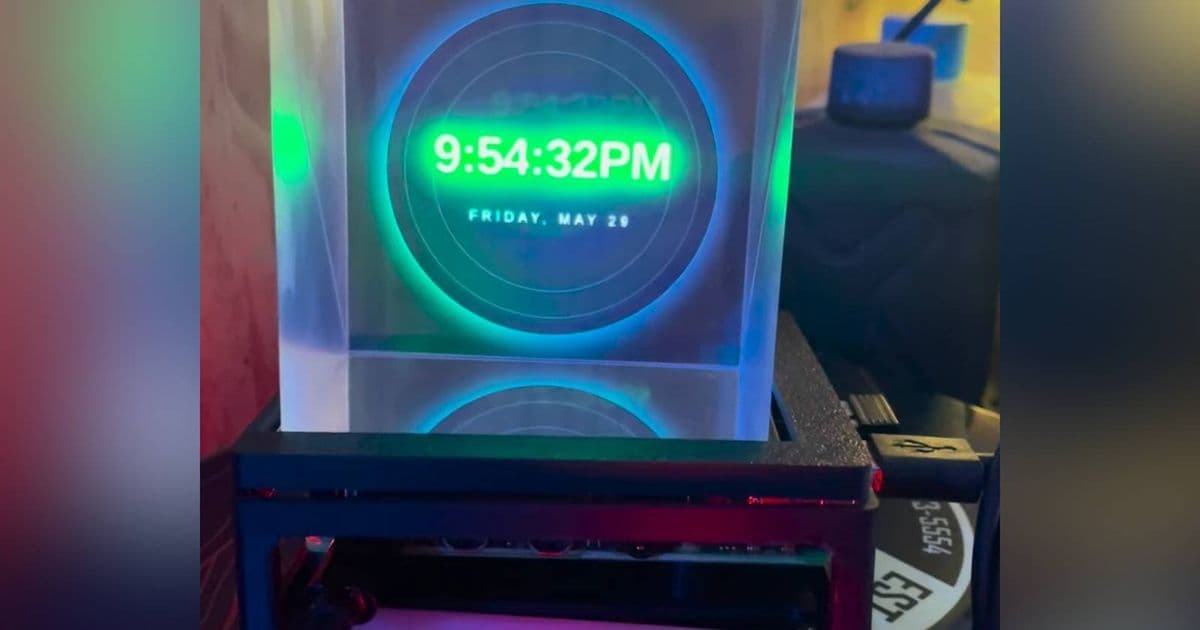
A creative Raspberry Pi project combines a Pi 5, camera, square screen, and beam splitter cube with OpenGhost software to create a convincing holographic display using the classic Pepper's Ghost illusion technique.
The Pepper's Ghost illusion has been captivating audiences for over 150 years, and now a clever Raspberry Pi project brings this classic optical trick into the modern era. Using a Raspberry Pi 5, a camera, a square screen, and a beam splitter cube, hobbyists can create their own holographic display that appears to float in mid-air.
Understanding the Pepper's Ghost Illusion
The Pepper's Ghost technique originated in the mid-1800s and has been a staple in theater, haunted attractions, and even concert performances. The effect works by using a pane of clear glass or acrylic positioned at a 45-degree angle between the audience and a hidden subject. When the subject is brightly lit from below or behind, their reflection appears to exist on the other side of the glass, creating the illusion of a ghostly apparition.
What makes this technique so effective is its simplicity. By carefully controlling lighting and ensuring the audience cannot directly see the glass or the subject's actual location, the brain processes the reflection as a genuine three-dimensional object. This same principle is applied in the Raspberry Pi project, but with a modern twist using digital content instead of physical performers.
Hardware Components for the Holographic Display
Creating this holographic display requires several key components:
Raspberry Pi 5: The project relies on the processing power of the latest Raspberry Pi model to handle video playback and camera input.
Square Screen: A small square display (typically around 5-7 inches) is used to show the content that will appear as a hologram. The square format is crucial for creating the proper reflection effect.
Beam Splitter Cube: This is the optical component that makes the illusion possible. The cube allows the screen's image to be reflected at a 45-degree angle, creating the floating effect.
Camera: The camera captures the user's position or surroundings, allowing the holographic display to interact with the environment in real-time.
Mounting Materials: A sturdy frame is needed to hold all components in precise alignment. This typically involves 3D printed parts or carefully constructed supports to maintain the optimal angles between components.
Software Setup with OpenGhost
The magic behind this project is the OpenGhost software, an open-source application designed specifically for creating Pepper's Ghost holographic displays using Raspberry Pi. The software handles several critical functions:
- Content playback and rendering
- Camera input processing
- Real-time image manipulation to create the reflection effect
- User interface for selecting and displaying different media
Setting up OpenGhost involves installing the software on the Raspberry Pi, configuring the display settings, and calibrating the camera input. The project's GitHub repository provides detailed installation instructions and troubleshooting guides.
Technical Implementation
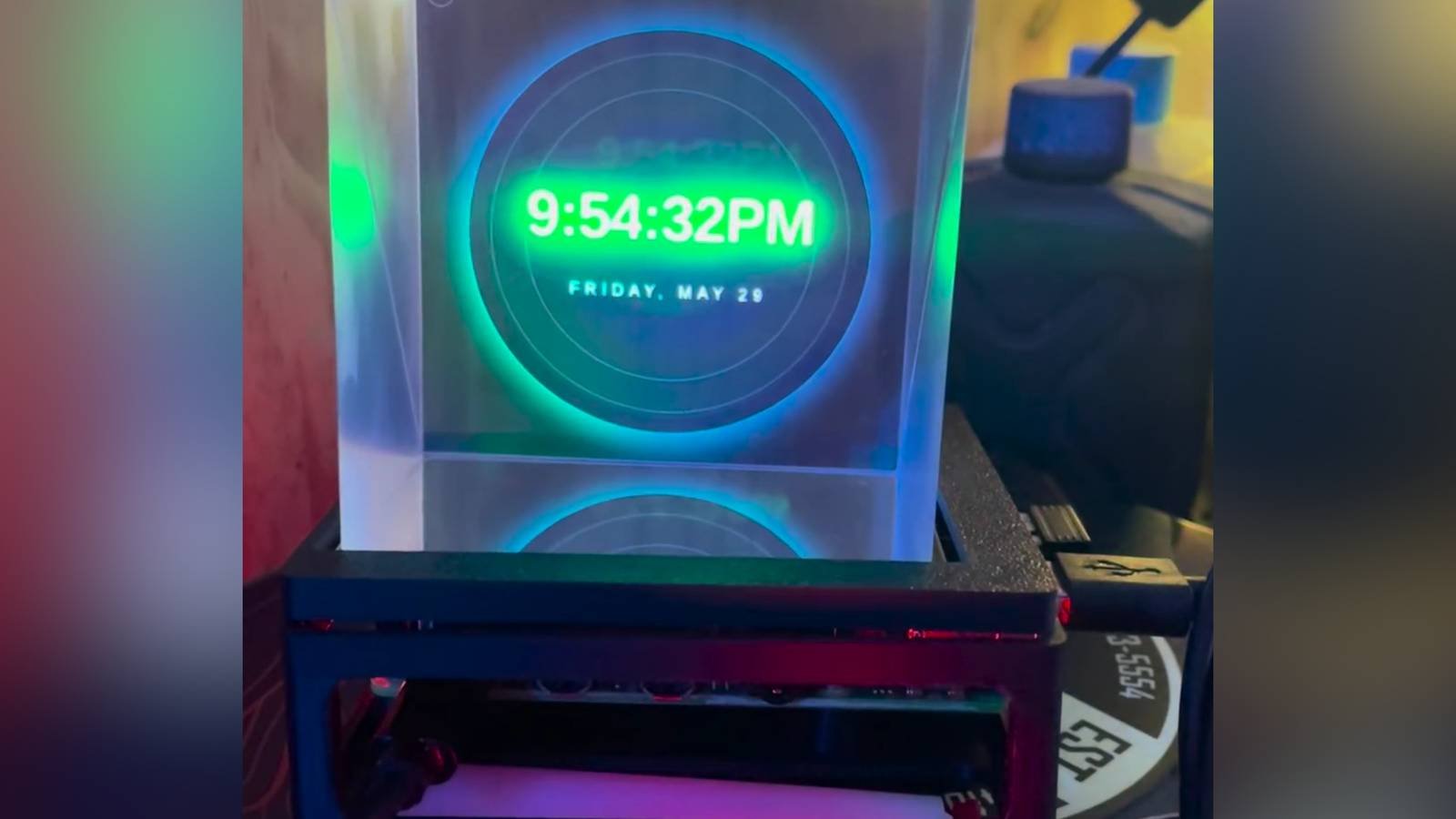
The technical setup requires precise alignment of all components. The square screen is positioned facing upward at a 45-degree angle, with the beam splitter cube placed above it. The camera is positioned to capture the reflection in the beam splitter while also having a clear view of the environment.
OpenGhost works by processing the camera input and the content to be displayed. It creates a composite image that, when reflected by the beam splitter, appears as a three-dimensional hologram. The software handles the complex mathematics of perspective correction and reflection mapping to ensure the hologram appears properly aligned with the environment.
Practical Applications
Beyond being a cool conversation piece, this holographic display has several practical applications:
Interactive Displays: The system can be programmed to respond to user input, creating interactive information displays or product demonstrations.
Digital Art Installation: Artists can use this technique to create dynamic floating sculptures or performances that would be difficult or impossible to achieve with physical objects.
Educational Tools: Complex scientific concepts or historical reconstructions can be visualized in an engaging, three-dimensional format.
Retail Displays: Products can appear to float in mid-air, creating eye-catching promotional displays.
Future Enhancements
The creator of this project has already identified several potential improvements and expansions:
AI Integration: Incorporating voice assistants like Google Assistant or Amazon Alexa could create an interactive holographic assistant.
Audio-Visualizers: The system could be connected to audio inputs to create dynamic visualizations that respond to music or ambient sound.
Modular Components: Developing interchangeable modules for different display types or effects could expand the system's versatility.
Gaming Applications: As mentioned in the original post, porting games like Doom to the holographic display could create unique gaming experiences.
Motion Tracking: Enhanced camera systems could track user movements, allowing the hologram to respond to audience position and interactions.
Building Your Own Holographic Display
For those interested in recreating this project, here are the basic steps:
- Gather all necessary hardware components
- Assemble the frame according to the design specifications
- Install Raspberry Pi OS on the Pi
- Download and install OpenGhost software
- Calibrate the camera and display settings
- Test with sample content before creating custom media
The project's documentation includes detailed assembly instructions and calibration guides to ensure optimal performance. For more advanced users, there are also options to modify the software or create custom content specifically for the holographic display.
Conclusion
This Raspberry Pi project demonstrates how classic optical illusions can be revitalized with modern technology. By combining the time-tested Pepper's Ghost technique with contemporary computing components, hobbyists and creators can build convincing holographic displays that were once only possible in professional theaters or high-end installations.
As the project continues to evolve, we can expect to see even more innovative applications and enhancements. The intersection of traditional optical techniques and digital media opens up exciting possibilities for creators, educators, and technologists alike.
For those interested in exploring this project further, the OpenGhost GitHub repository provides all the necessary resources, including source code, documentation, and community support. Whether you're looking to create an eye-catching display, develop interactive art, or simply experiment with holographic technology, this Raspberry Pi project offers an accessible entry point into the fascinating world of Pepper's Ghost holography.
Comments
Please log in or register to join the discussion