
A comprehensive guide to overcoming the initial learning curve of voice coding with Talon, covering essential commands, efficiency techniques, and practical learning strategies.
The transition from keyboard-driven development to voice coding represents a fundamental shift in how programmers interact with their tools. For developers exploring Talon's voice control system, the initial learning curve can feel overwhelming. This guide synthesizes core strategies for building proficiency, emphasizing that effective voice coding isn't about memorizing every command, but rather establishing foundational skills and iterative workflows.
Foundational Command Structures
At the core of voice coding lies efficient key activation. Talon's phonetic alphabet 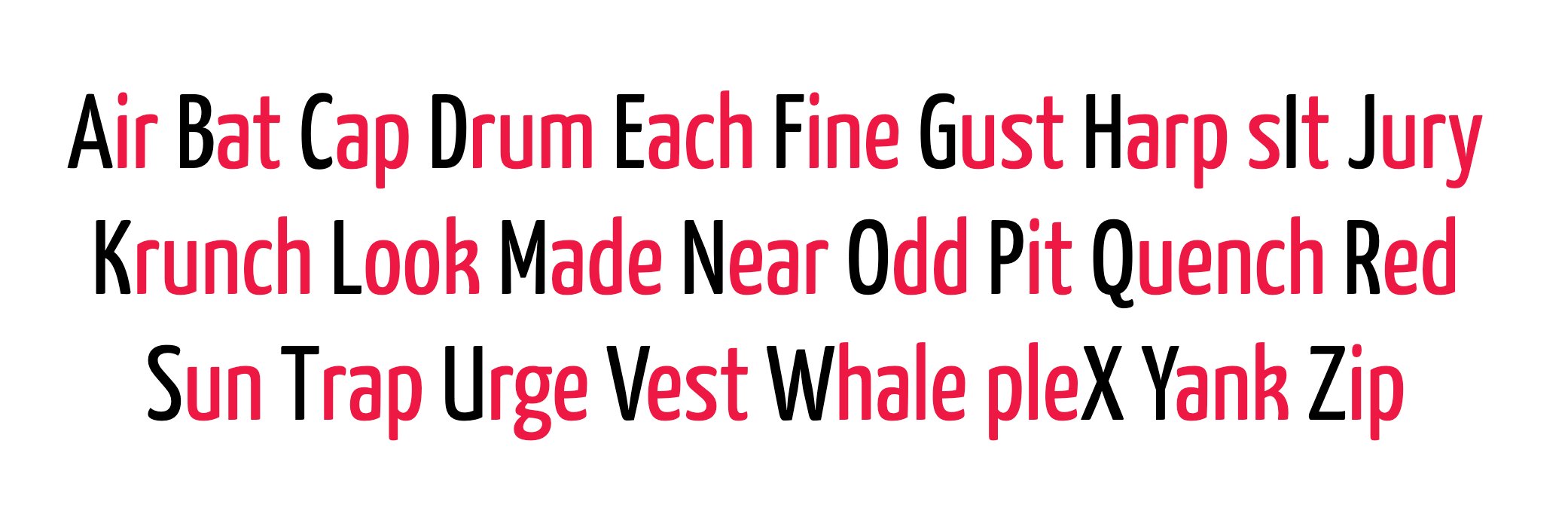 forms the essential bedrock. Unlike the NATO phonetic alphabet
 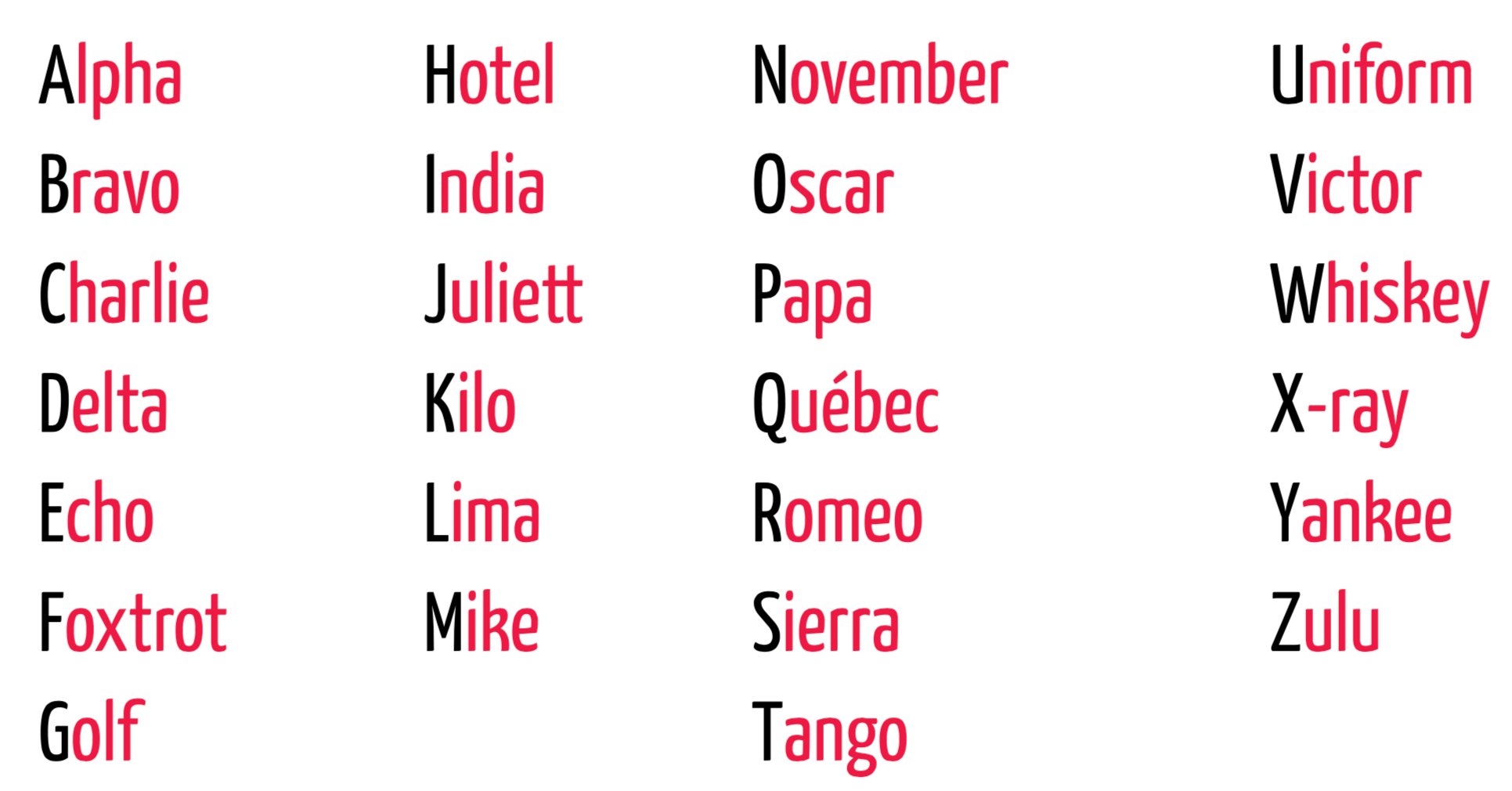 with its multisyllabic words ("November", "Juliet"), Talon's optimized alphabet prioritizes monosyllabic commands for rapid execution. This intentional design reduces cognitive load during frequent operations like spelling or shortcut activation.
Symbols follow similarly intuitive mappings: "dollar" outputs $, "question" produces ?, and "dub arrow" creates =>. Modifiers adopt concise forms ("command" for ⌘, "ship" for ⇧), while navigation uses prefixed commands like "go left" to prevent accidental triggers. Numbers operate through direct chaining ("one two five" → 125), enabling complex numerical input without specialized vocabulary.
Efficiency Multipliers
Repetition handling separates functional use from frustration. Instead of repeatedly saying "delete," multipliers enable "delete 10th" for ten consecutive deletions. This leverages ordinal numbers as scalable, memorable repetition syntax without inventing new terms. Such efficiencies transform tedious edits into fluid operations.
Contextual Help Systems
Command discovery remains crucial during skill development. Talon's help hierarchies provide contextual reference without breaking workflow:
help context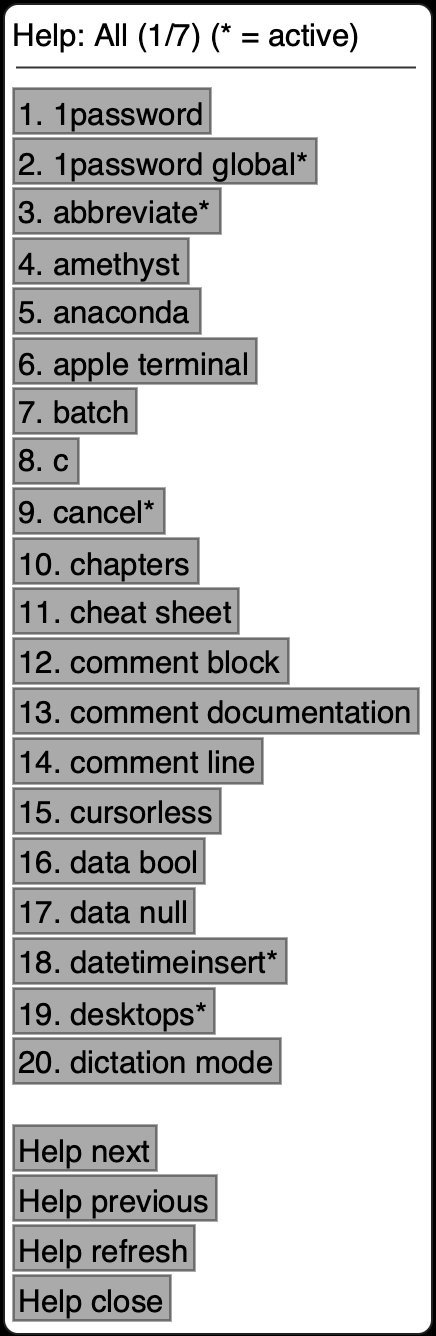 displays all loaded modules
help active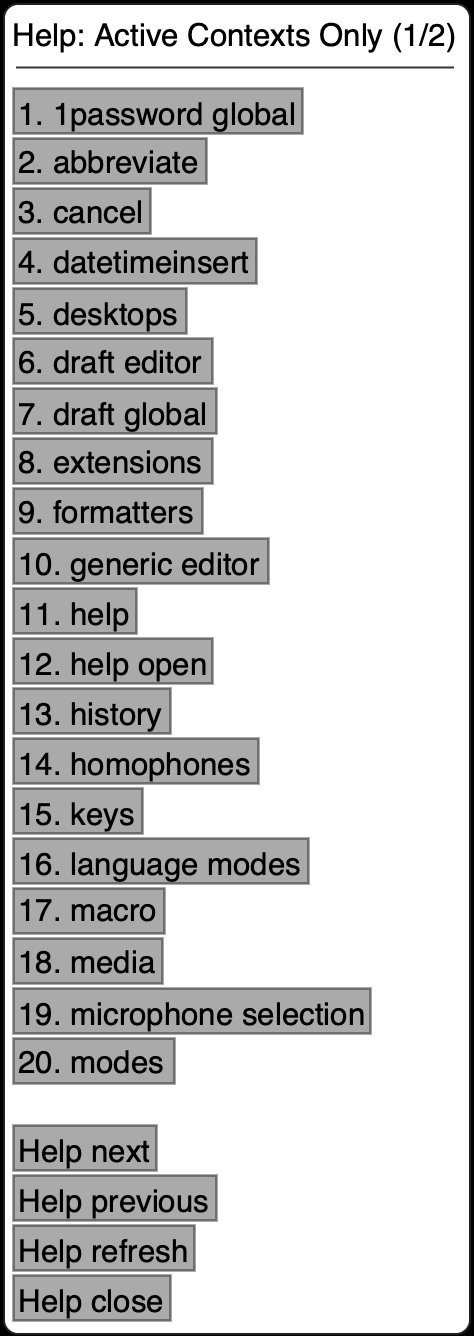 shows currently active context groups
help git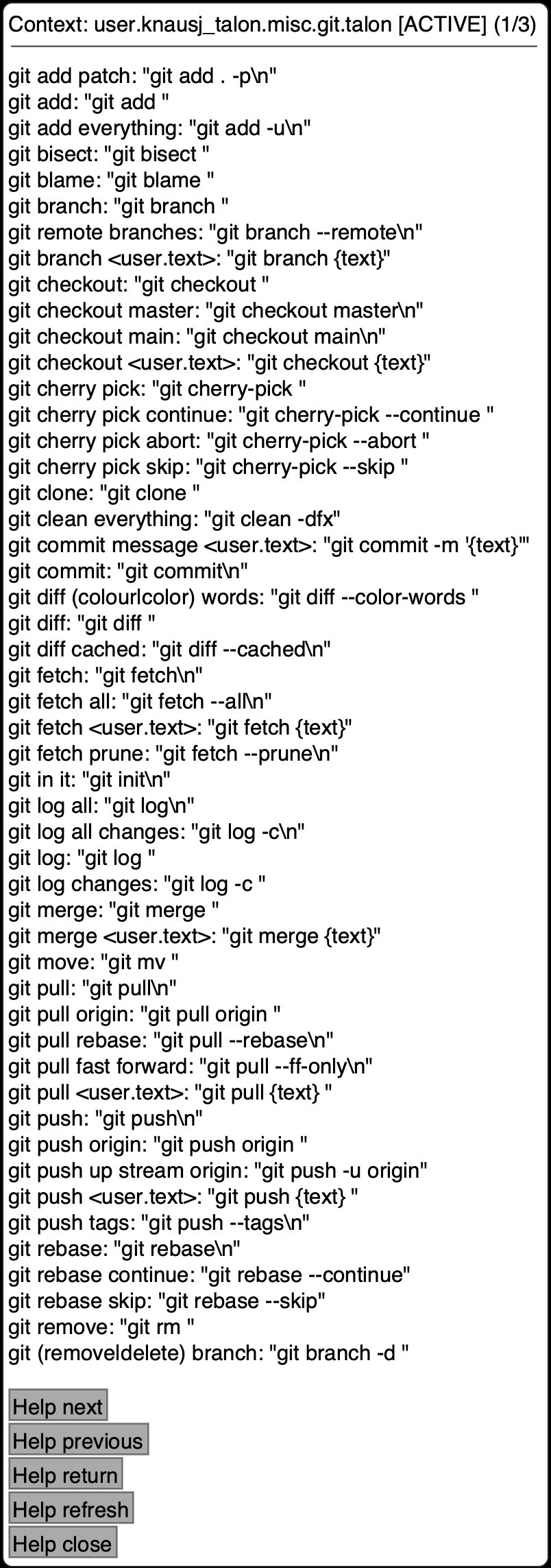 reveals Git-specific commands
These layered menus allow developers to explore capabilities directly within their workflow, reducing context switching.
Higher-Level Input Methods
Beyond individual keys, Talon enables phrase-based input:
phrase hello worldoutputs complete stringssentenceauto-capitalizes initial words- Formatters like
snake user data→ user_data orcamel user data→ userData automate casing conversions
Dictation mode offers continuous speech recognition, though developers typically blend it with command mode for precision coding tasks.
Implementation Strategy
Successful adoption requires deliberate practice:
- Hardware Selection: Quality microphones (Blue Yeti, Stenomask) significantly improve accuracy over built-in options
- Focused Practice: Begin by replicating existing code to reduce cognitive load
- Progressive Mastery: Prioritize text editor commands before expanding to terminal or browser control
- Community Engagement: The Talon Slack community provides collective knowledge for troubleshooting
The Accessibility Imperative
Voice coding transcends convenience—it enables developers with physical limitations to participate fully in technical work. While the learning curve demands patience (typically 8+ weeks for basic proficiency), the payoff includes entirely keyboard-free development sessions.
Counterintuitively, some find voice coding enhances focus by eliminating context-switching between keyboard/mouse. However, ambient noise sensitivity and initial self-consciousness present legitimate barriers that require environmental management.
The Talon Community Repository serves as both starting point and customization foundation. As voice interfaces mature, they promise to reshape not just how we code, but who can participate in creating software.
For setup guidance, reference the Talon Wiki.
Comments
Please log in or register to join the discussion