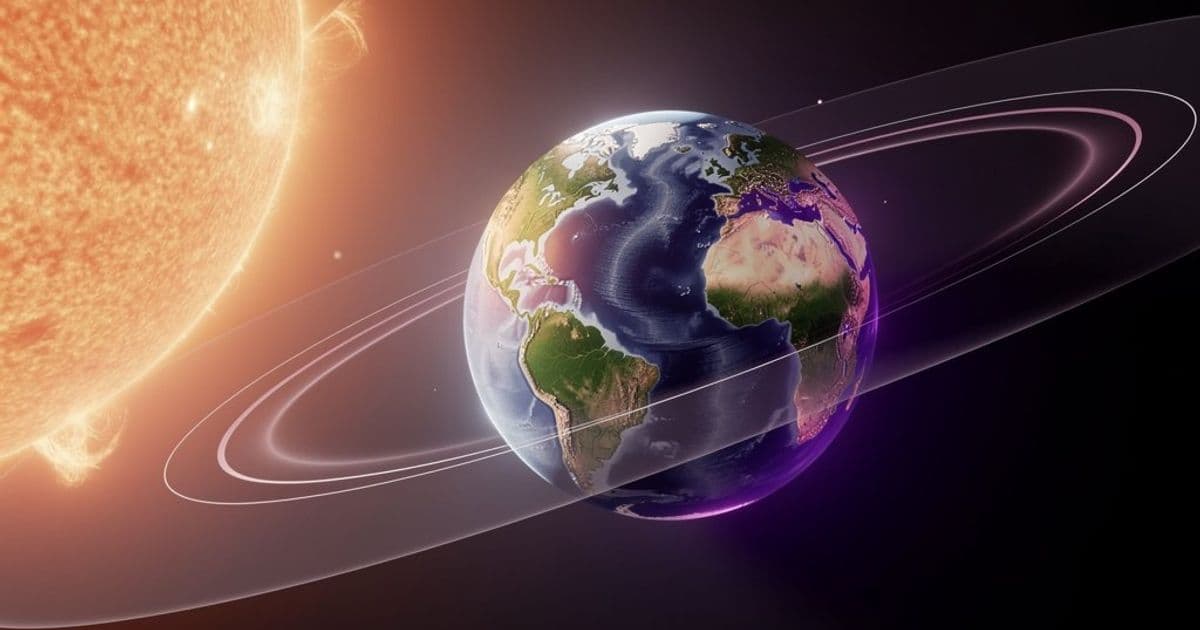
A browser-based 3D simulation showing Earth's relationship to the Sun requires WebGL and JavaScript to render orbital mechanics in real-time.
The PD Earth/Sun project represents a growing category of educational astronomy tools that bring complex orbital mechanics into the browser through WebGL rendering. When functioning properly, it displays Earth's position relative to the Sun across different times of year, showing how axial tilt and orbital eccentricity create seasons and daylight variations.
This type of visualization solves a fundamental problem: static diagrams in textbooks can't convey the dynamic relationship between planetary motion, axial tilt, and solar illumination. Students and educators need interactive models to understand why seasons aren't caused by Earth's distance from the Sun, or how the 23.5-degree axial tilt creates solstices and equinoxes.
The technical requirements reveal something about where web-based scientific visualization is heading. WebGL acceleration isn't just a nice-to-have here—it's essential. Rendering a 3D sphere with proper lighting, shadow mapping, and real-time orbital calculations demands GPU acceleration. The JavaScript layer handles user interaction, time controls, and coordinate transformations, while WebGL shaders manage the heavy lifting of rendering Earth's surface with realistic lighting based on the Sun's position.
For developers building similar astronomical tools, the PD Earth/Sun model demonstrates several key patterns:
Coordinate Systems: The simulation likely uses a heliocentric model where the Sun sits at the origin, and Earth orbits on an elliptical path. Converting between this and the viewer's camera coordinates requires careful matrix transformations.
Lighting Calculations: Proper shadow mapping means calculating which parts of Earth face away from the Sun. This involves dot products between surface normals and the Sun-Earth vector. The terminator line—the boundary between day and night—shifts based on both time of day and time of year.
Performance Considerations: Even a seemingly simple model needs optimization. Rendering Earth's sphere with high resolution, adding atmospheric scattering effects, and maintaining 60fps during camera rotation requires efficient shader code and smart geometry management.
If you're seeing the loading message instead of the 3D model, the failure chain typically runs through these checks:
Browser Support: The app needs a browser with WebGL 1.0 or higher. Chrome, Firefox, Safari, and Edge all support this, but older versions or certain mobile browsers may not.
Hardware Acceleration: Some browsers disable GPU acceleration by default or when running on battery power. Check
about:supportin Firefox orchrome://gpuin Chrome to verify WebGL is active.JavaScript Errors: The console will show specific failures—often missing shader compilation, failed texture loads, or math errors in orbital calculations.
CORS Issues: If the app loads external data (like Earth texture maps), cross-origin resource sharing policies can block these requests.
For developers creating similar tools, consider these architectural decisions:
Progressive Enhancement: Start with a 2D fallback or static image if WebGL fails. Display clear error messages that explain what's missing rather than generic "loading" messages.
Modular Shaders: Separate your vertex and fragment shaders into reusable modules. Earth's surface shader, atmospheric scattering, and Sun glow effects should be independent.
Time Management: Orbital simulations need accurate time handling. Use epoch-based timestamps and account for leap seconds if you're aiming for precision.
User Interface: Add controls for time speed, date selection, and camera presets (top-down, side-view, Earth surface). These transform abstract concepts into tangible exploration.
The broader pattern here is democratization of scientific visualization. Tools that once required specialized software like Celestia or Stellarium now run in any modern browser. This opens up educational opportunities—teachers can embed these models directly in web pages, students can experiment on any device, and developers can build upon open standards rather than proprietary formats.
The PD Earth/Sun model, when operational, serves as both an educational tool and a technical blueprint. It shows how WebGL transforms static concepts into interactive experiences, making orbital mechanics tangible through direct manipulation and visual feedback. For anyone building scientific visualizations, it's a reminder that the hardest parts aren't the rendering—they're the math behind the motion and the user experience design that makes complex systems explorable.
If you're troubleshooting the loading issue, start with your browser's JavaScript console. The specific error message there will point to whether it's a WebGL capability problem, a shader compilation error, or a resource loading failure. Each requires a different fix, but all are solvable with modern web development practices.
Comments
Please log in or register to join the discussion