
The Alienware 16X Aurora’s three power profiles—Overdrive, Performance, and Balanced—affect clock speeds, power draw, temperatures and fan noise. While Performance is the default sweet spot, Balanced can shave up to 10 % GPU performance for a noticeable drop in acoustic output, making it the better choice for most gamers who value a quieter desk.
Why Gaming on Balanced Mode Makes Sense on the Alienware 16X Aurora
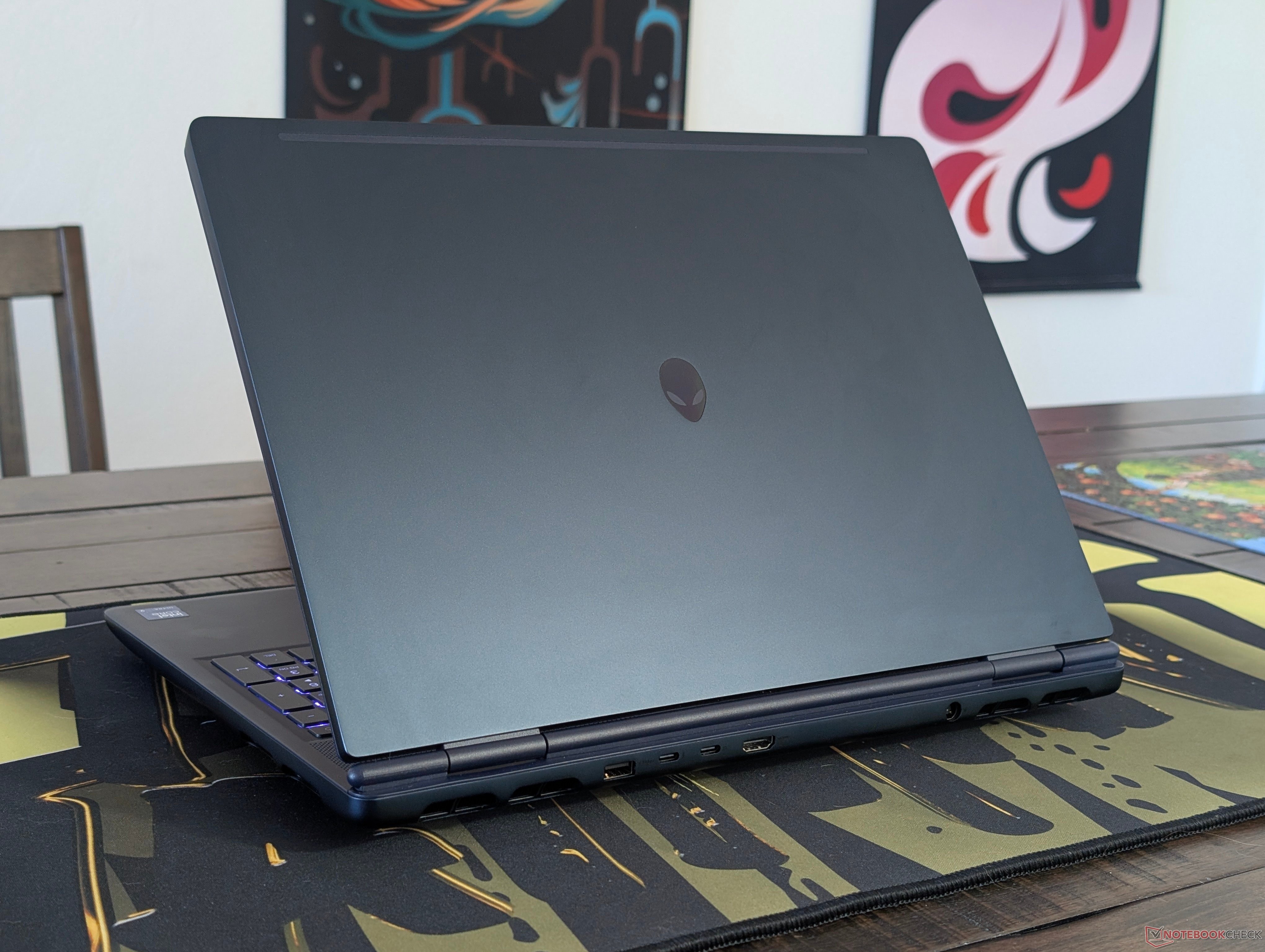
The Alienware 16X Aurora ships with Dell’s Alienware Command Center pre‑installed, exposing three distinct power profiles for gaming:
| Mode | GPU Core Clock (MHz) | GPU Memory Clock (MHz) | Power (W) | Temp (°C) | Fan Noise (dB(A)) |
|---|---|---|---|---|---|
| Overdrive | 2355 | 1378 | 101 | 72 | 59.8 |
| Performance | 2197 | 1378 | 99 | 76 | 51.5 |
| Balanced | 1957 | 1125 | 84 | 71 | 48.7 |
These numbers come from our hands‑on testing of a fully‑configured Aurora equipped with the RTX 5070 Ti and an Intel Core Ultra 9 290HX. The table makes clear how each profile trades raw performance for thermal and acoustic headroom.
How the modes differ in practice
Overdrive – the “max‑out” setting
- Performance gain: 3‑4 % higher 3DMark scores compared with Performance mode.
- Acoustic cost: Fan noise spikes from ~51 dB(A) to nearly 60 dB(A), audible across a typical office space.
- Thermal impact: Core temperature rises to the mid‑70s °C, and power draw pushes just above 100 W.
For most titles the extra frames per second are barely perceptible, especially when DLSS or XeSS is active. Overdrive is therefore a niche tool for benchmark enthusiasts or for squeezing the last few frames in competitive shooters where every millisecond counts.
Performance – the default sweet spot
- Clock balance: Core clocks sit at 2.2 GHz, keeping the GPU near its rated TGP of 99 W.
- Noise level: 51 dB(A) is comparable to a quiet conversation, acceptable for most gaming setups.
- Temperature: The GPU hovers around 75 °C under sustained load, well within the thermal envelope of the Aurora’s vapor‑chamber cooling.
Performance mode delivers the best overall experience for the majority of games. In titles like Cyberpunk 2077 at 1080p Ultra, it already reaches 120 FPS with DLSS 3 and frame generation, leaving little room for improvement.
Balanced – the quiet‑focused profile
- Clock reduction: Core clock drops to 1.96 GHz and memory clock to 1.125 GHz, cutting TGP to 84 W.
- Noise reduction: Fan noise falls to ~48 dB(A), roughly the sound of a quiet office or a low‑volume fan.
- Performance hit: Expect a 9‑10 % drop in GPU throughput, which translates to roughly 10‑12 FPS fewer in demanding titles at 1080p Ultra.
The performance loss is most noticeable in GPU‑bound scenarios, but the Aurora’s RTX 5070 Ti still handles 2K resolution comfortably. When you pair Balanced mode with DLSS 3, the frame‑rate gap narrows, making the trade‑off worthwhile for users who prioritize a quieter environment over a few extra frames.
When Balanced mode shines
- Late‑night gaming or shared spaces – The lower acoustic output prevents disturbing roommates or family members.
- Battery‑conscious play – Although the Aurora is a plug‑in workstation, the reduced power draw extends battery life by roughly 15‑20 % in portable mode.
- Thermal‑sensitive environments – In cramped desks with limited airflow, the cooler GPU helps keep overall system temperature down, reducing the chance of thermal throttling on prolonged sessions.
- Casual titles or esports – Games that already run well above 144 FPS (e.g., Valorant, CS:2) can afford the 10 % dip without impacting perceived smoothness.
Who should stick with Performance or Overdrive?
- Competitive FPS players who chase every millisecond and can tolerate louder fans.
- Benchmark hobbyists looking to extract the highest possible scores for comparison.
- Content creators rendering GPU‑intensive workloads where raw throughput matters more than acoustic comfort.
Bottom line
The Alienware 16X Aurora’s three power profiles give users a clear lever to balance performance, heat, and noise. Performance mode is the sensible default for most gamers, delivering near‑maximum frame rates with acceptable fan noise. Balanced mode, however, offers a compelling alternative: a roughly 10 % performance dip in exchange for a quieter, cooler laptop that still easily handles modern titles at 1080p‑2K with AI upscaling. If you value a peaceful gaming environment or need a bit more battery endurance, switching to Balanced mode is a practical, low‑effort tweak that improves the overall experience without sacrificing the Aurora’s core capabilities.
Allen Ngo, Lead Editor – Notebookcheck
Comments
Please log in or register to join the discussion