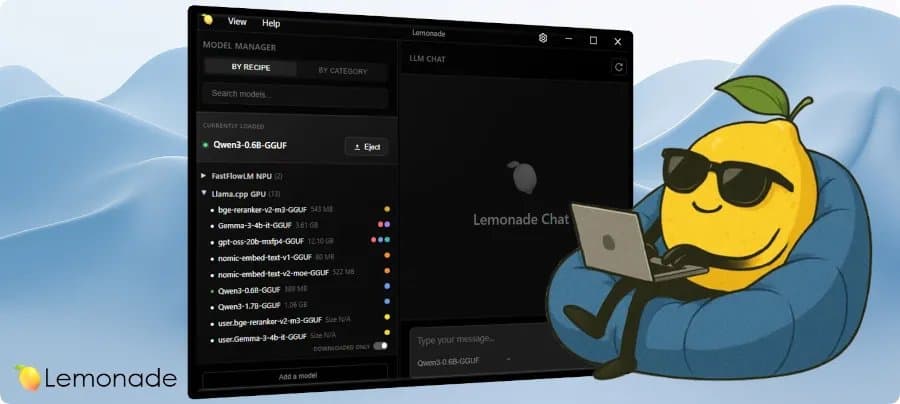
Lemonade 10.8 lets MCP clients call local Ryzen AI, Radeon and CPU models for chat, transcription, image generation and multimodal jobs.
AMD released Lemonade 10.8 on June 17 with Model Context Protocol server support, giving GitHub Copilot, Claude Desktop, Cursor and other MCP clients a direct path to models running on your own PC.
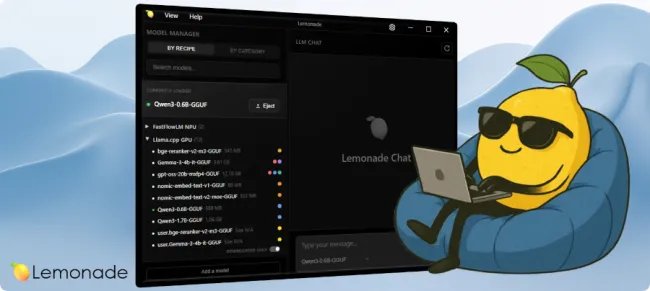
Lemonade serves local AI workloads on AMD Ryzen AI NPUs, Radeon GPUs and x86_64 CPUs. AMD describes the server as a free, private stack for chat, coding, speech and image generation, with OpenAI, Anthropic and Ollama-compatible APIs for existing apps. Version 10.8 adds an MCP server layer, so an agent can call Lemonade models as tools inside the same client session.
That addition matters for builders who split work between a frontier cloud model and local hardware. You can keep a cloud model in charge of planning, then route bulk classification, private prompts, audio transcription or image generation to Lemonade on a workstation. The user stays inside the same agent UI while the high-volume work hits local silicon.
AMD also added live model management, Moonshine speech-to-text support, ROCm enablement for GFX1152 and Radeon 860M graphics, and experimental NVIDIA GB10 ARM64 support through the Llama.cpp CUDA back end. The Lemonade documentation covers the server APIs, app integrations and model setup.
Product
Lemonade sits in the same home-lab lane as LM Studio, Ollama and Open WebUI, but AMD aims the project at its client AI stack. The server can use Ryzen AI XDNA2 NPUs, Radeon GPUs through Vulkan or ROCm, x86_64 CPUs, and several model back ends.
AMD lists these local AI modes in the public repository:
| Workload | Lemonade path | Practical use |
|---|---|---|
| Text generation | llama.cpp, FLM, Ryzen AI LLM, vLLM | Chat, coding, summarization |
| Speech-to-text | Whisper.cpp, Moonshine | Meeting notes, offline dictation |
| Text-to-speech | Kokoro | Local voice output |
| Image generation | Stable Diffusion.cpp | Draft images, private media tests |
| Multimodal | Lemonade Omni | One-shot text, audio and image tasks |
MCP support turns those modes into callable tools. A client can ask Lemonade for a chat completion, send audio for transcription, request an image, or pass a multimodal job to Lemonade Omni. You still need the model files, drivers and back ends that match your hardware.
Performance data
AMD did not publish tokens-per-second, image-generation latency or wall-power figures with the 10.8 announcement. That leaves builders with compatibility data and their own meters.
For a homelab box, I would benchmark Lemonade 10.8 with four numbers before trusting it in an agent workflow:
| Test | Metric | Reason |
|---|---|---|
| Chat completion | Tokens per second | Shows whether a local model can keep up with the client loop |
| Transcription | Audio seconds processed per second | Tells you whether Moonshine or Whisper can handle meeting-length input |
| Image generation | Seconds per image | Sets queue depth for creative workloads |
| Idle and load draw | Watts at the wall | Shows 24/7 cost for a server left online |
Run each test twice: once with a cold model load and once after Lemonade has the model resident. The cold run captures user pain. The warm run captures throughput after you start a real session.
Power matters because local AI servers spend much of their life waiting. A Ryzen AI mini PC that idles at 15 to 25 watts can make sense for transcription and short prompts. A desktop with a high-end Radeon card can outrun it on image generation, but the idle draw can erase the value if you leave it powered for light jobs.
Compatibility
Lemonade 10.8 gives AMD users the broadest benefit. The release targets Ryzen AI NPUs, Radeon GPUs and CPUs, with fresh ROCm support for GFX1152 and Radeon 860M graphics. AMD already lists ROCm support for several Radeon families in the project README, including RDNA3, RDNA4 and Strix Halo-era hardware.
{{IMAGE:2}}
The MCP side should work with clients that support the Model Context Protocol, including Claude Desktop, Cursor and GitHub Copilot. The client still has to trust and call the local tool. You also need Lemonade running on the host machine or on a reachable local network endpoint.
The GB10 ARM64 CUDA path deserves caution. AMD calls the NVIDIA GB10 support experimental, and builders should test model load, CUDA back-end behavior and memory pressure before putting that path into a daily workflow.
Build recommendations
For a quiet desk setup, start with a Ryzen AI laptop or mini PC and treat Lemonade as a private helper for speech-to-text, small chat models and agent side tasks. Keep the MCP client on the same machine. Measure wall power at idle, during transcription and during a 1,000-token response.
For a workstation, pair Lemonade with a Radeon GPU that AMD lists under ROCm support. Use the GPU for image generation and larger GGUF models, then keep CPU and NPU paths for light jobs. This setup fits developers who want Cursor or Claude Desktop to call local tools without sending private source snippets or audio to a cloud API.
For a rack or homelab node, test remote access before you standardize. MCP clients vary in how they handle local and network tools. Lock the Lemonade endpoint to your LAN, watch logs during tool calls and avoid exposing the service to the public internet.
Lemonade 10.8 gives AMD's local AI server a stronger role in agent workflows. The release turns local models into callable tools, adds useful speech and model-management features, and expands hardware reach. Builders still need hard numbers from their own rigs, especially tokens per second and watts, before they size a box around it.
Comments
Please log in or register to join the discussion