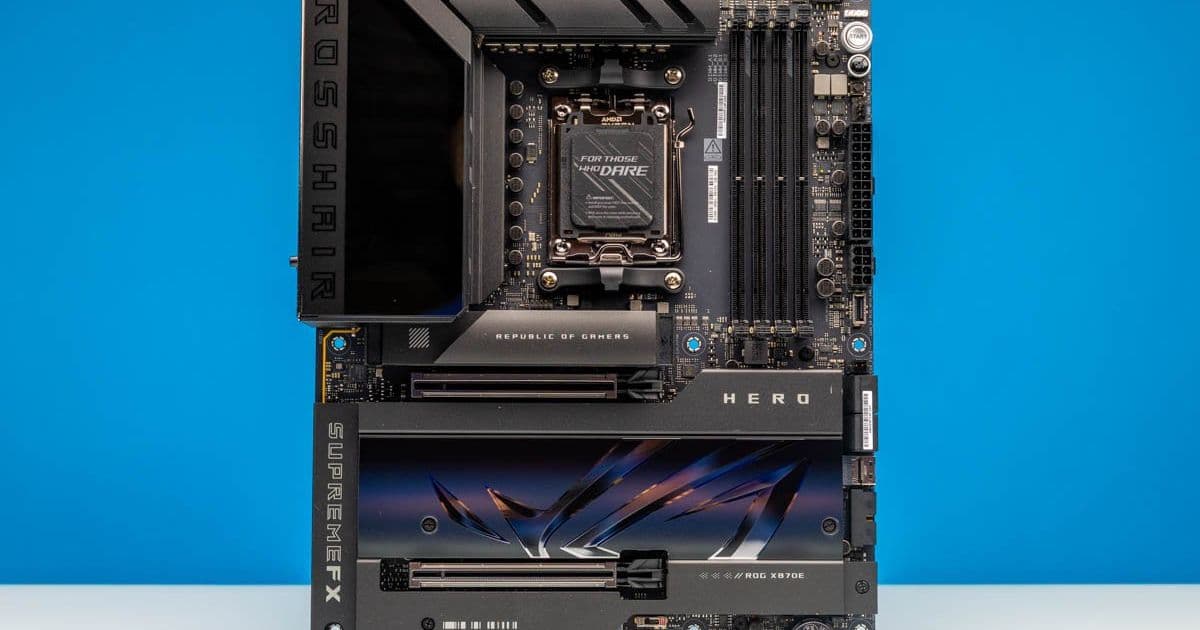
The ASUS ROG Crosshair X870E Hero delivers premium AM5 platform features with USB4, dual Ethernet, WiFi 7, and extensive PCIe Gen5 connectivity. This comprehensive review examines its capabilities for high-end Ryzen builds and workstation applications.
ASUS ROG Crosshair X870E Hero: Premium AM5 Workstation Power
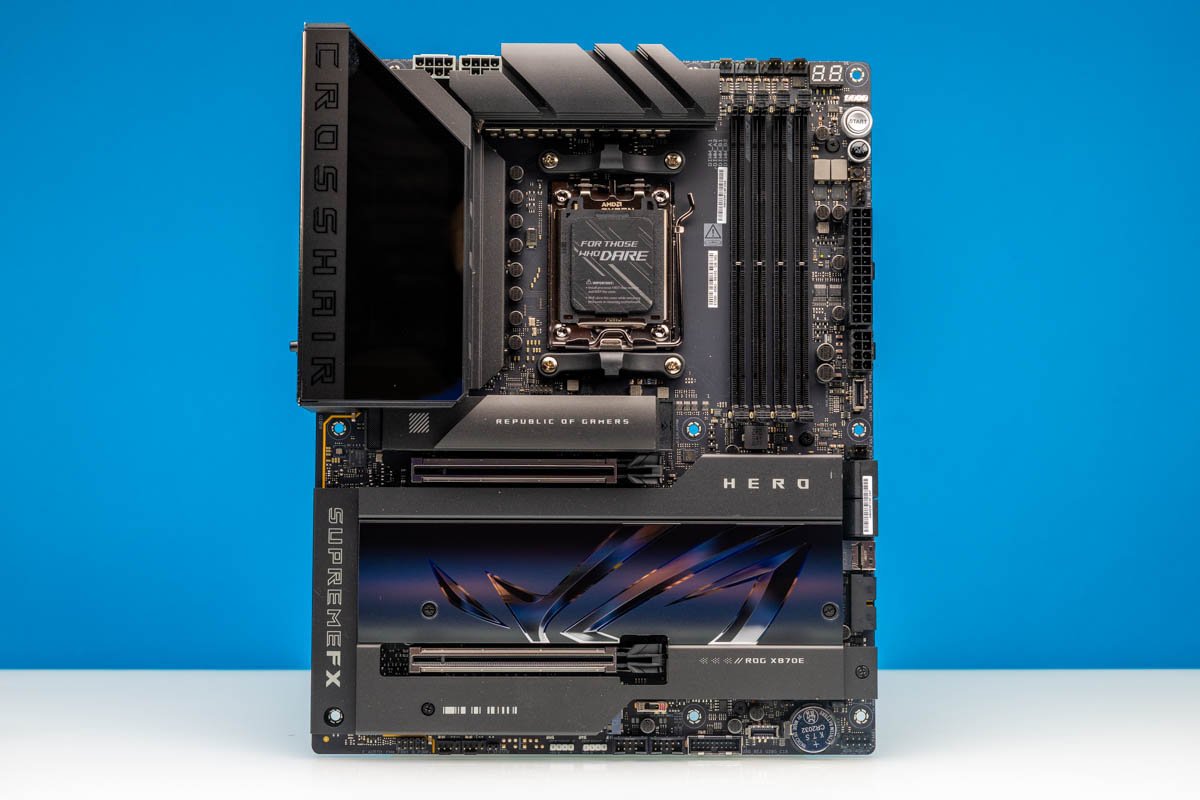
The ASUS ROG Crosshair X870E Hero represents the pinnacle of consumer AM5 motherboards, packing enterprise-grade features into a single ATX board. While not the most budget-friendly AMD AM5 option, this motherboard delivers exceptional connectivity, robust power delivery, and extensive overclocking capabilities that make it ideal for high-end workstations and performance-focused builds.
Platform Overview and Positioning
The ASUS ROG Crosshair X870E Hero occupies a unique space in the market - it's positioned as a gaming motherboard but functions more like a high-end workstation platform. The board features USB4, both 5GbE and 2.5GbE networking, WiFi 7, multiple PCIe Gen5 M.2 slots, and the renowned ROG overclocking features that enthusiasts expect from the Crosshair line.
This motherboard was utilized in our testing of the AMD Ryzen 9 9950X3D2, making it an excellent reference point for evaluating platform performance with top-tier AM5 processors. The combination of high-end CPU and premium motherboard provides insight into the full capabilities of the AM5 platform.
Physical Design and Build Quality
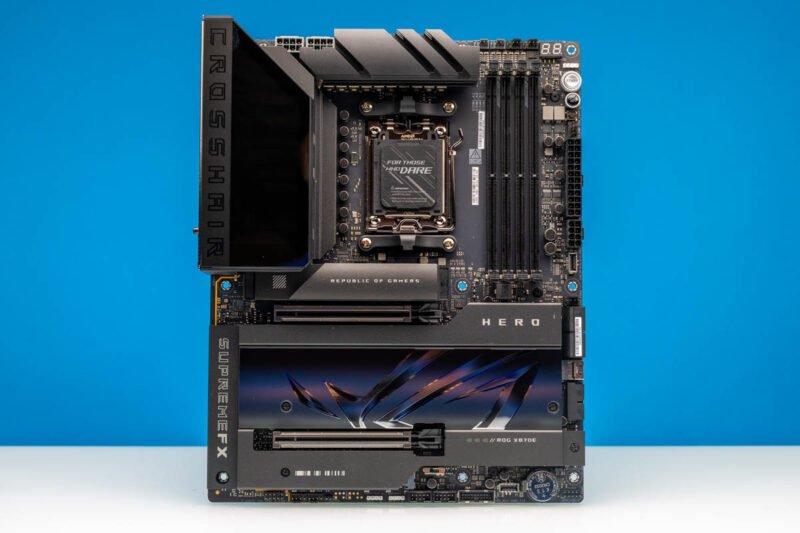
The Crosshair X870E Hero follows the familiar ROG aesthetic with a predominantly black PCB accented by subtle silver and gray elements. The most striking visual feature is the extensive VRM cooling solution, which utilizes large heatsinks that tie into the rear I/O cover area. This design philosophy continues throughout the board, with covered M.2 areas and a pre-installed rear I/O shield that gives the board a premium feel.
The overall construction quality immediately signals that this is more than just a gaming motherboard - the attention to detail and robust components suggest this board could handle sustained high workloads typical of workstation environments.
CPU Support and Power Delivery
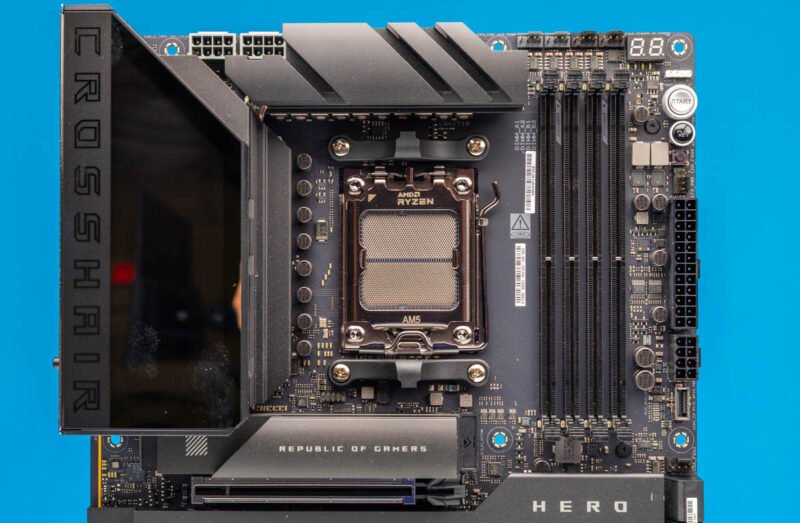
At the heart of the board sits AMD's AM5 socket, supporting Ryzen 9000, 8000, and 7000 series desktop processors. It's important to note that the exact PCIe lane allocation varies depending on the CPU family, with Ryzen 9000 and 7000 processors enabling the full PCIe Gen5 capabilities of the board.
For our evaluation, we installed AMD's Ryzen 9 9950X3D2, a top-tier AM5 processor that serves as an excellent stress test for the motherboard's capabilities. This configuration allows us to assess whether the motherboard's power delivery, UEFI, and thermal management can handle extreme performance scenarios.
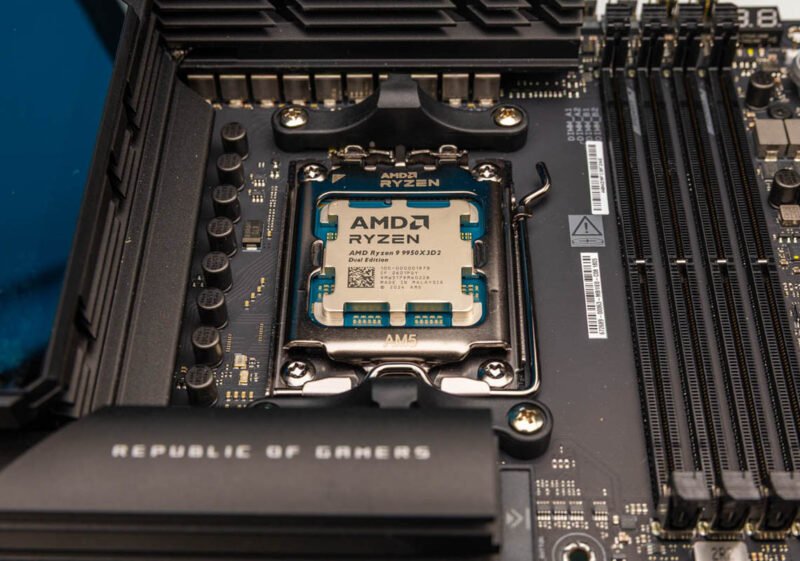
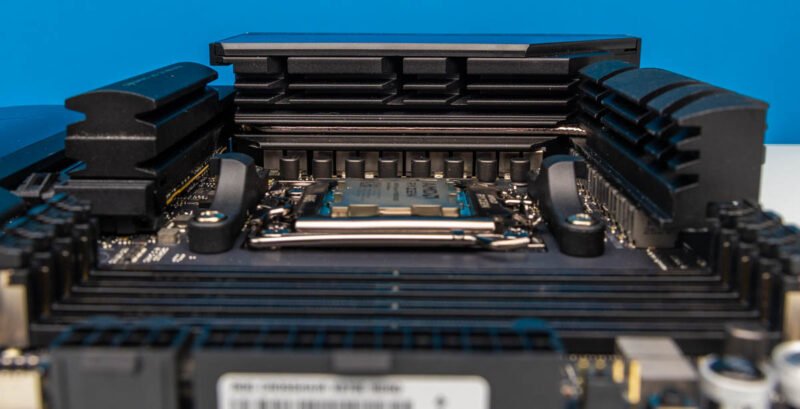
The VRM cooling is one of the board's standout features. ASUS employs substantial metal heatsinks around the AM5 socket, with the VRM heatsinks being particularly tall and extending to connect with the rear I/O cover. This design is specifically engineered for sustained high-power Ryzen CPUs and overclocking experiments. While the clearance around the socket remains reasonable, users employing very large air coolers should verify compatibility before purchase.
Power delivery is handled by dual 8-pin EPS connectors at the top edge of the motherboard. This exceeds the requirements for most stock AM5 systems but provides significant headroom for high-end Ryzen processors, Precision Boost Over (PBO) tuning, and extreme benching scenarios where voltage and current are pushed beyond standard desktop profiles.
Memory and Connectivity Features
The memory side of the board features four DDR5 DIMM slots supporting up to 256GB of RAM - though that capacity comes at a premium price point in today's market. ASUS lists impressive overclocked memory speeds depending on the CPU generation, but more practically, this is a full four-DIMM AM5 board with EXPO support that offers flexibility for various memory configurations.
Adjacent to the DIMM slots are the 24-pin ATX power connector and an additional 8-pin PCIe power input. This auxiliary connector enables features like higher-power front USB Type-C charging, adding to the board's workstation credentials.
One particularly interesting internal header is the front USB Type-C connector. ASUS supports front USB 20Gbps speeds, and one of the internal Type-C headers can provide up to 60W USB PD/Quick Charge 4+ support when the auxiliary PCIe power connector is populated. In a high-end chassis with a functional front Type-C port, this becomes a genuinely useful feature rather than a marketing checkbox.
Storage and PCIe Expansion
The lower half of the motherboard is dominated by PCIe and M.2 covers, housing the board's extensive storage capabilities. The two reinforced physical x16 slots support PCIe 5.0 with Ryzen 9000 and 7000 processors, operating in x16, x8/x8, or shared modes depending on the installed configuration. ASUS also implements Q-Release Slim on these slots, a small but appreciated feature when removing a large GPU from a tightly packed system.
The primary M.2 heatsink sits above the main PCIe slot and covers the CPU-attached M.2_1 slot. With Ryzen 9000 and 7000 processors, this slot supports PCIe 5.0 x4 for Gen5 NVMe SSDs. Given the thermal characteristics of many Gen5 drives, the substantial heatsink serves both aesthetic and functional purposes.
Removing the main M.2 heatsink reveals ASUS's tool-less installation approach. The board employs M.2 Q-Latch, Q-Slide, and Q-Release features that allow drive installation or swapping without searching for tiny screws. This design consideration significantly benefits users who frequently test drives or build systems on a bench.
With the lower covers removed, the storage layout becomes fully apparent. The board supports five M.2 slots in total. With Ryzen 9000 and 7000 processors, the first three M.2 slots can run from CPU PCIe Gen5 lanes, while the remaining M.2 slots are chipset-connected PCIe Gen4. This configuration presents an important consideration: using extra CPU-attached M.2 slots affects the PCIe x16 slot lane allocation, requiring careful planning of GPU and SSD layout during the build process.
The lane-sharing aspect becomes clearer when examining the board without covers. If M.2_2 and M.2_3 are populated, the primary PCIe slot no longer maintains the same lane allocation as a simple one-GPU, one-SSD configuration. This isn't a design flaw but rather the reality of accommodating extensive high-speed I/O on the AM5 platform.
Networking and Rear I/O
The rear I/O panel is exceptionally well-equipped, featuring:
- Two USB4 40Gbps Type-C ports
- Six USB 10Gbps Type-A ports
- Two additional USB 10Gbps Type-C ports
- HDMI output
- WiFi antenna connectors
- Realtek 5GbE Ethernet
- Intel 2.5GbE Ethernet
- Audio connections
- Optical S/PDIF
- BIOS FlashBack
- Clear CMOS button
This extensive connectivity means many users won't need additional expansion cards for networking or peripheral connectivity, maintaining clean aesthetics and potentially reducing overall system cost.
Build Experience and Accessories
The upper-right corner includes several features that simplify the building process outside of a finished chassis. ASUS provides onboard Start and Reset buttons, a Q-Code POST display, and multiple fan and pump headers in this area. For troubleshooting memory training, CPU swaps, or open-bench testing, having these controls directly on the motherboard saves significant time and frustration.
The accessory bundle includes expected items from a high-end ROG motherboard: SATA cables, the ASUS WiFi Q-Antenna, M.2 latch and slide hardware, rubber pads, a Q-connector, ARGB extension cable, documentation, stickers, and a USB drive for utilities and drivers. The most valuable components here are the storage hardware and the Q-connector, which genuinely improve the building experience.
Performance Considerations
When paired with a high-end CPU like the Ryzen 9 9950X3D2, the Crosshair X870E Hero demonstrates excellent stability and thermal management. The robust power delivery and extensive cooling solution allow the system to maintain consistent performance even under sustained load.
For users planning to implement multiple high-speed NVMe drives, understanding the lane allocation becomes crucial. The following table outlines the PCIe lane distribution with different storage configurations:
| Configuration | M.2_1 (CPU) | M.2_2 (CPU) | M.2_3 (CPU) | M.2_4 (Chipset) | M.2_5 (Chipset) | Primary PCIe x16 Slot |
|---|---|---|---|---|---|---|
| Single SSD | Gen5 x4 | - | - | Gen4 x4 | Gen4 x4 | Gen5 x16 |
| 3x CPU SSDs | Gen5 x4 | Gen5 x4 | Gen5 x4 | Gen4 x4 | Gen4 x4 | Gen5 x8 |
| 2x CPU SSDs | Gen5 x4 | Gen5 x4 | - | Gen4 x4 | Gen4 x4 | Gen5 x8 |
| 1x CPU SSD | Gen5 x4 | - | - | Gen4 x4 | Gen4 x4 | Gen5 x16 |
This table illustrates how storage configuration impacts GPU bandwidth, an important consideration for users running both high-speed storage and demanding graphics workloads.
Build Recommendations
The ASUS ROG Crosshair X870E Hero excels in several specific use cases:
High-End Workstation Builds: For content creators, 3D artists, or data processing applications, the extensive connectivity and robust power delivery make this an ideal foundation.
Extreme Gaming Systems: When paired with a top-tier Ryzen CPU and powerful graphics card, this motherboard provides the features needed for maximum performance.
Enthusiast Overclocking Platforms: The advanced VRM design and extensive BIOS options cater to users pushing hardware limits.
Multi-Storage Systems: With five M.2 slots and various configuration options, this board is perfect for users requiring multiple high-speed storage devices.
For optimal performance with this motherboard, we recommend:
- A Ryzen 9 7000 or 9000 series processor
- High-speed DDR5 memory (6000MHz or faster with EXPO)
- At least one PCIe 5.0 NVMe SSD for the M.2_1 slot
- A quality 1000W+ power supply to accommodate the dual EPS connectors
- A case with excellent airflow due to the extensive VRM cooling
Conclusion
The ASUS ROG Crosshair X870E Hero successfully bridges the gap between gaming motherboards and workstation platforms, delivering exceptional connectivity, robust power delivery, and extensive expansion capabilities. While its premium price places it in the high-end segment, the comprehensive feature set justifies the investment for users who require maximum connectivity and performance potential.
The board's strength lies in its ability to serve multiple roles - from extreme gaming systems to professional workstations - without compromise. The attention to detail in the design, from the tool-less M.2 installation to the extensive POST debugging features, demonstrates ASUS's understanding of both enthusiast and professional user needs.
For users building around a high-end Ryzen processor and requiring extensive connectivity options, the ROG Crosshair X870E Hero represents one of the most complete AM5 motherboards currently available. The combination of USB4, dual Ethernet, WiFi 7, and extensive PCIe Gen5 support creates a platform ready for current and future high-performance requirements.
Comments
Please log in or register to join the discussion