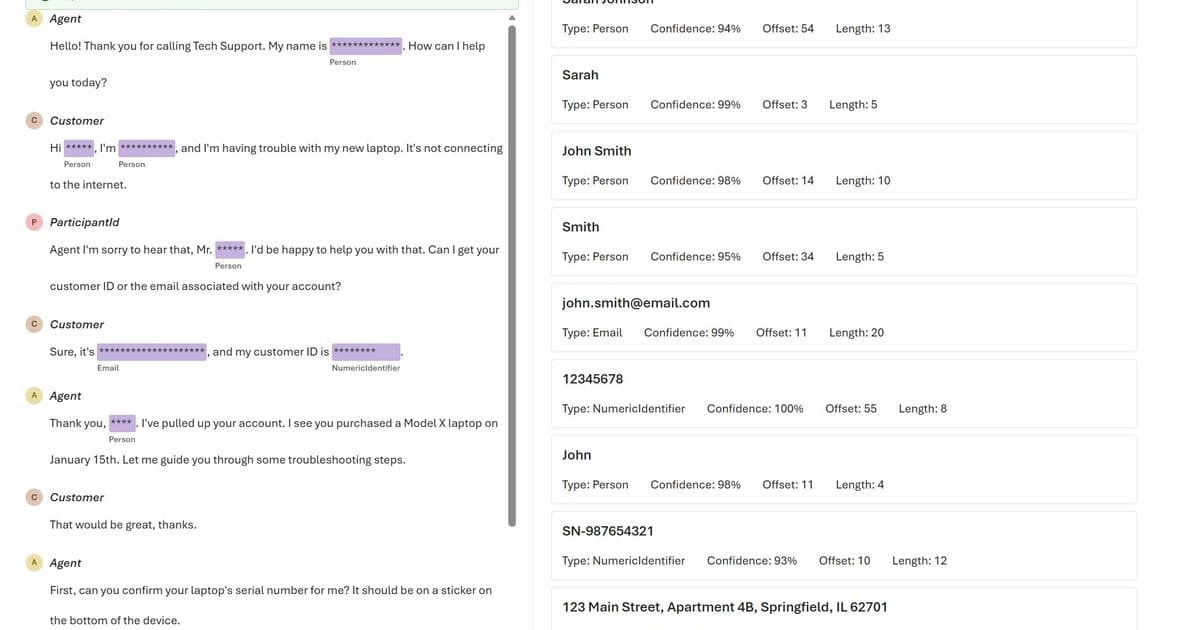
Microsoft announces generally available Text PII API with enhanced redaction options and new preview capabilities for conversational and healthcare data processing at Build 2026.
Azure Language in Foundry Tools Expands PII Detection Capabilities with GA API and New Preview Features
At Microsoft Build 2026, the company revealed significant updates to Azure Language in Foundry Tools, enhancing its ability to identify and protect sensitive information across text, conversations, and healthcare scenarios. These updates address the growing challenge of processing thousands of emails, transcripts, and documents containing personally identifiable information (PII) at scale.
What Changed: Enhanced PII Detection Capabilities
The announcements focus on three core areas of improvement:
Generally Available Text PII API
The Text PII API reached general availability on May 1, 2026, with several significant enhancements:
Anonymization with synthetic replacement: The new
syntheticReplacementredaction policy allows developers to mask detected PII entities with synthetic values. For example, "John Doe received a call from 424-878-9193" can be transformed into "Sam Johnson received a call from 401-255-6901."Optional type validation controls: Organizations can now disable strict entity type validation when operational efficiency takes priority over data integrity checks.
Confidence threshold configuration: Developers can set minimum confidence scores to filter detection results based on reliability.
Value exclusion capabilities: Specific values can be excluded from PII output when certain identifiers should remain visible.
Entity synonyms support: The system now recognizes alternative terms for the same entities, improving detection accuracy.
New Preview Releases
Microsoft introduced two preview services expanding PII detection capabilities:
Text PII (Preview):
- Added support for Password, PIN code, Zip code, and Airport code entities
- Expanded coverage across various document types and scenarios
- Improved accuracy for less common PII patterns
Conversational PII (Preview):
- Optimized for spoken-language patterns including interruptions, filler words, speaker turns, and incomplete sentences
- New model (2026-04-15-preview) and API (2026-11-15-preview)
- Added support for GitHub account identifiers, credit card expiration dates, and zip codes
- Enhanced handling of conversational structure and multi-speaker dynamics
Microsoft Foundry Playgrounds
The company launched several playground experiences to help teams evaluate capabilities before production implementation:
- Text PII redaction Playground
- Conversational PII redaction Playground
- Text Analytics for Health Playground
These environments allow developers to test API responses, experiment with different configurations, and assess integration requirements in a controlled setting.
Provider Comparison: Azure vs. Cloud Competitors in PII Detection
Azure's latest enhancements position it competitively against other cloud providers in the sensitive data processing space:
Amazon Comprehend Medical offers similar healthcare text processing but lacks the conversational PII capabilities that Azure now provides in preview. AWS does offer PII detection through Comprehend, but without the granular configuration options like synthetic replacement that Azure now provides.
Google Cloud DLP (Data Loss Prevention) provides robust PII detection across text and structured data, with strong redaction capabilities. However, Google's offering lacks the specialized healthcare text processing that Azure's Text Analytics for Health provides, and doesn't offer the same level of conversational data handling.
IBM Watson Natural Language Understanding includes PII detection but focuses more on general text analysis rather than the specialized, production-ready privacy workflows that Azure has developed.
Azure's key differentiators in this space include:
- Integrated healthcare processing: Combining general PII detection with specialized medical text analysis in a single suite
- Granular configuration options: Particularly the synthetic replacement feature that maintains data utility while protecting privacy
- Conversational focus: Optimized handling of spoken-language patterns and multi-speaker scenarios
- Playground environments: Facilitating easier evaluation and integration
Business Impact: Privacy Protection at Scale
These updates address several critical business challenges:
Operational Efficiency
Organizations process massive volumes of text data daily—customer emails, support tickets, medical records, and call transcripts. Manual PII identification doesn't scale, leading to either incomplete protection or excessive operational costs. Azure's enhanced automation reduces this burden significantly.
Compliance Requirements
With regulations like GDPR, HIPAA, and CCPA constantly evolving, organizations need flexible tools that can adapt to changing compliance requirements. The new configuration options in Azure's Text PII API allow organizations to tailor their approach based on specific regulatory needs.
Data Utility vs. Privacy
The synthetic replacement feature represents a significant advancement in balancing privacy protection with data utility. Rather than simply redacting or removing PII (which can render text unusable), organizations can now maintain contextual flow while protecting sensitive information.
Healthcare-Specific Challenges
The healthcare industry faces unique challenges in processing sensitive patient information while maintaining usability for clinical workflows. Azure's Text Analytics for Health, now with enhanced PII detection, helps organizations extract valuable insights from clinical notes while ensuring compliance with privacy regulations.
Implementation Considerations
Organizations evaluating these capabilities should consider:
- Transition planning: Moving from preview to GA services requires careful testing and validation
- Integration complexity: The new configuration options increase implementation complexity while providing greater flexibility
- Cost optimization: Enhanced detection capabilities may affect API usage costs, requiring careful optimization
- Validation requirements: As with all AI systems, outputs should be thoroughly validated for specific use cases
Getting Started with Azure Language in Foundry Tools
For organizations looking to implement these capabilities:
- Explore playgrounds: Begin with the Microsoft Foundry playgrounds to evaluate capabilities in a controlled environment
- Test preview APIs: Experiment with the Text PII and Conversational PII preview APIs to assess performance for specific use cases
- Review documentation: Consult the official documentation for detailed entity lists, versioning information, and implementation guidance
- Plan migration: For existing users, develop a migration strategy for transitioning from older API versions to the new GA and preview services
As organizations continue to process increasing volumes of sensitive data, tools like Azure Language in Foundry Tools will play an essential role in balancing privacy protection with data utility. The latest updates demonstrate Microsoft's commitment to evolving these services in response to real-world needs and regulatory requirements.
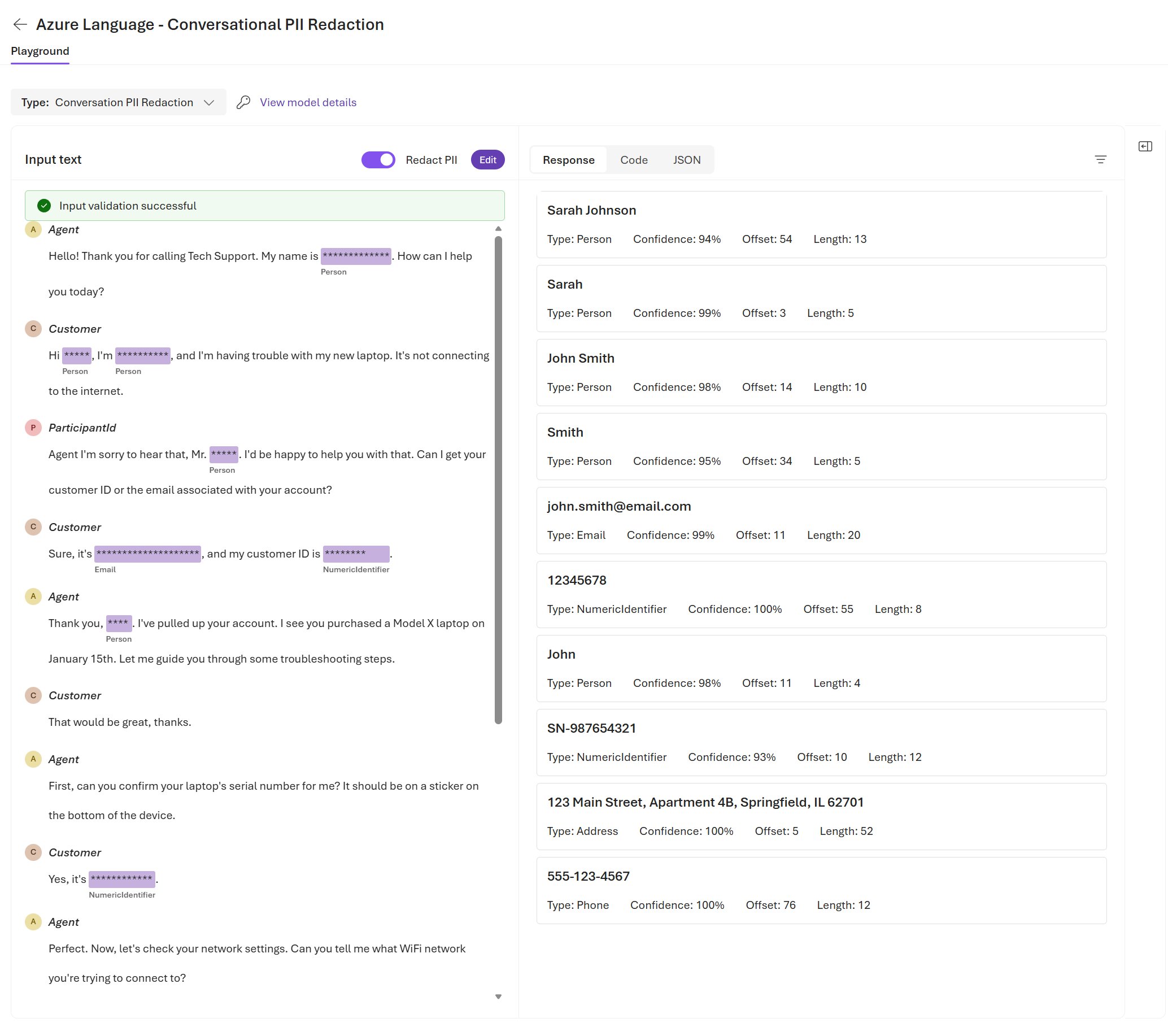
The Text Analytics for Health Playground in action, demonstrating Azure's healthcare-specific text processing capabilities.
Comments
Please log in or register to join the discussion