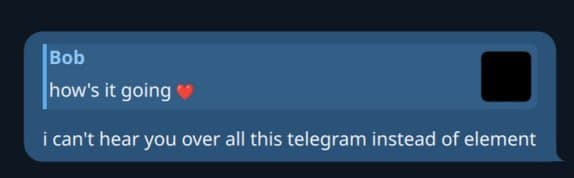
One developer's ambitious project to recreate Telegram's UI using Rust and Qt's QML showcases the challenges and triumphs of combining modern systems programming with declarative UI frameworks. This technical deep-dive explores the integration of Rust with Qt, custom UI implementations, and creative solutions to development hurdles.
In the world of cross-platform desktop applications, the marriage of Rust's performance with Qt's mature UI framework presents an intriguing combination. A recent developer project, aptly named 'Provoke,' demonstrates this powerful synergy by attempting to recreate Telegram's user interface using Rust as the backend and QML for the frontend.
The Genesis of Provoke
The project began with a familiar sentiment among developers: a desire to create a "properly native" application. The developer, who had previously worked with Qt and QML a decade ago, was drawn to QML's declarative nature, which reminded them of their positive experiences with Svelte for web development.
"I have fond memories from 10 years ago of using Qt, and especially QML. It's just so easy to think of a design and make it happen with QML," the developer noted in their project log.
The choice of Rust was equally deliberate, rooted in the language's promise of memory safety without sacrificing performance.
"Rust is pretty great. Also been a huge fan of that since like 2012 when I saw an example on the front page where the compiler validated pointer usage at compile time without adding any extra work at run time. Basically black magic after trying to fix the worst kind of bugs in C++."
Bridging Rust and Qt
The technical challenge began with finding the right bridge between Rust and Qt. Two primary options emerged:
qmetaobject-rscxx-qt
The developer initially favored cxx-qt, "because it seemed like the most official way to do Qt development, and definitely lets you access all Qt functionality." However, they quickly encountered a significant drawback:
"I then spent hours trying to find ways to make cxx-qt not do some really expensive code generation and recompilation step every time I saved, then found out that VS Code was running cargo check one way while in the terminal cargo check was doing some other thing, and effectively blowing the cache every time I switched from one to the other."
This performance issue led to a switch to qmetaobject-rs, which, despite not "access[ing] literally any Qt type," offered faster builds and quicker QML integration.
Implementing Hot Reloading
One of the most compelling technical challenges was implementing hot reloading—a feature the developer had grown accustomed to with Svelte. While actual hot reloading is "not very trivial to implement," the developer created a workaround:
// Watch the files:
let (tx, rx) = std::sync::mpsc::channel();
let mut watcher = notify::recommended_watcher(tx).unwrap();
watcher.configure(notify::Config::default().with_compare_contents(true)).unwrap();
watcher.watch(Path::new(qml_folder), notify::RecursiveMode::Recursive).unwrap();

let thread_dirty_state = dirty_state.clone();
std::thread::spawn(move || {
    while let Ok(change) = rx.recv() {
        if let Ok(change) = change {
            if let notify::EventKind::Modify(modification) = change.kind {
                thread_dirty_state.store(true, std::sync::atomic::Ordering::SeqCst);
            }
        }
    }
});

// The event loop, loop:
loop {
    hot_reload_state.store(false, std::sync::atomic::Ordering::SeqCst);
    let mut engine = QmlEngine::new();
    println!("------");
    println!("RELOAD");

    engine.set_property("HotReload".into(), hot_reload.pinned().into());
    engine.load_file(format!("{qml_folder}main.qml").into());
    engine.exec();

    if !hot_reload_state.load(std::sync::atomic::Ordering::SeqCst) {
        break;
    }
}
The solution involved registering a "HotReload" object with QML that monitored file changes and would quit the application when modifications were detected. The application would then restart and reload the QML files. To avoid constant restarting, the implementation triggered the reload only when the window regained focus after a file change.
Crafting the UI Components
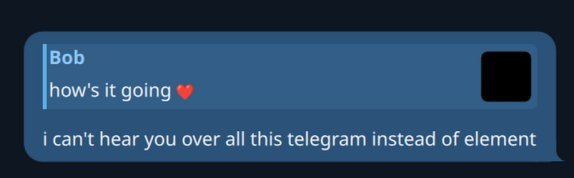 With the development environment established, the developer began recreating Telegram's distinctive UI elements. The first major challenge was creating a custom splitter for the chat list sidebar and main chat area, as the provided QML splitter lacked the necessary features.
"The provided splitter widget didn't have enough features, so I just made my own one. That's the great thing about a good UI language, you can just make your own one of a thing and it will be fun and not sad (just keep accessibility in mind even if you don't implement it during the prototyping stage)."
The custom splitter implementation revealed a limitation: without access to QGuiApplication::setOverrideCursor, the mouse cursor couldn't be properly controlled when hovering over the splitter.
"If I could access QGuiApplication::setOverrideCursor I could make my splitter not have that problem, but as it stands, with my simple qmetaobject-rs project and 0% C++, I just can't. Oh well, I'll look into it later."
Advanced UI Features
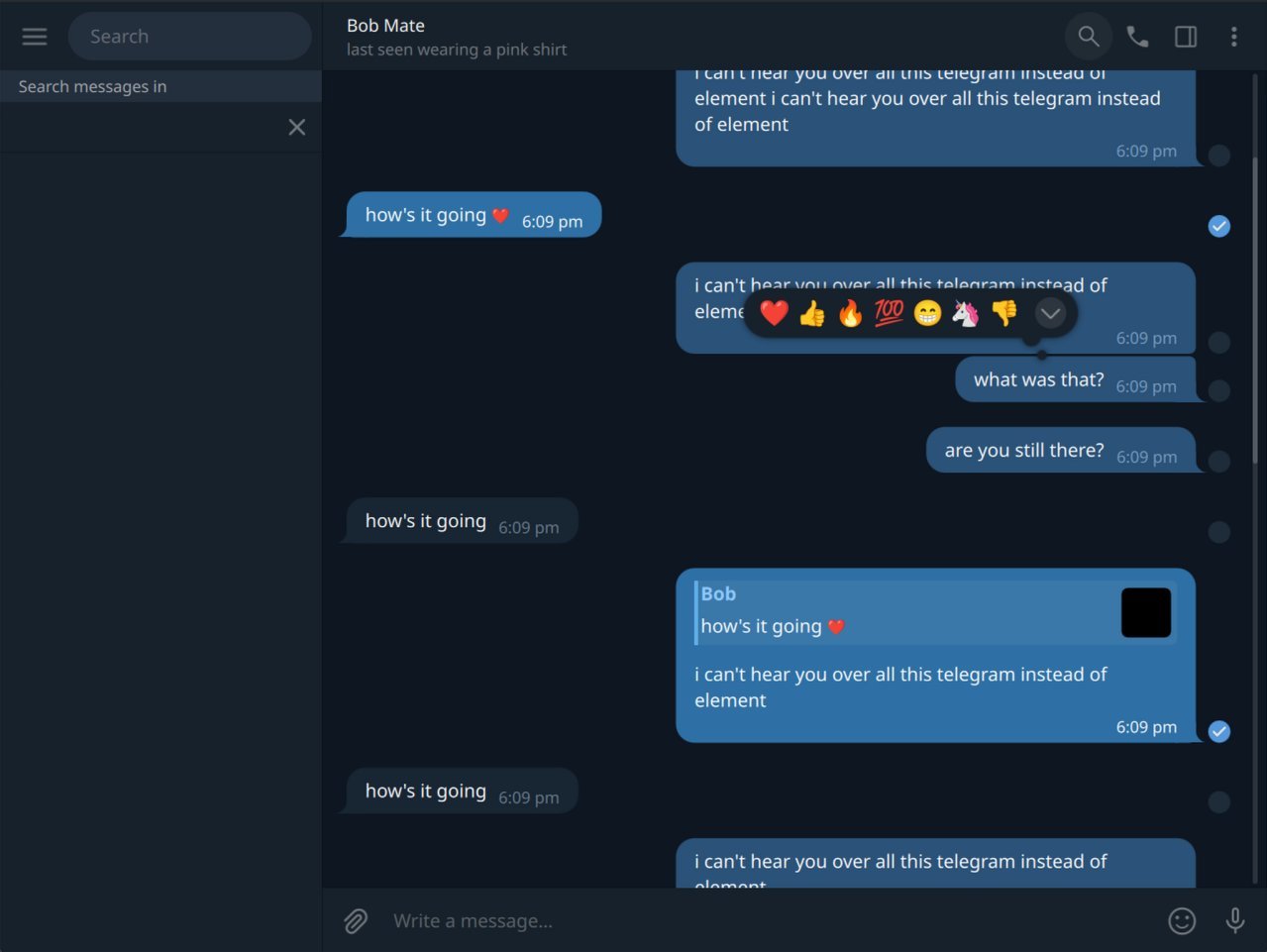
The developer then tackled more complex UI elements, including chat bubbles with directional tails and sophisticated animations. One particularly interesting challenge was implementing Telegram's emoji reaction popup, which features an expandable interface with smooth transitions.
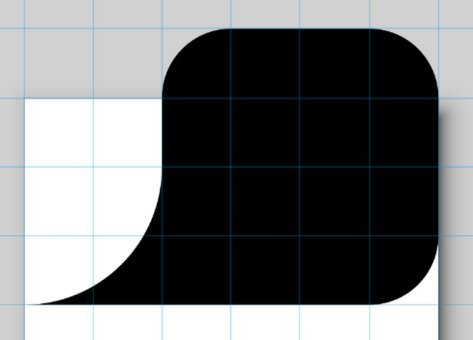 Creating the chat bubble tails involved using Inkscape to design the shapes and then converting them to QML Path elements:
path: (root.other
    ? "m 40,-8 c 4.418278,0 8,3.581722 8,8 v 16 c 0,4.418278 -3.581722,8 -8,8 H 0 C 8.836556,24 16,16.836556 16,8 V 0 c 0,-4.418278 3.581722,-8 8,-8 z"
    : "M 8,-8 C 3.581722,-8 0,-4.418278 0,0 v 16 c 0,4.418278 3.581722,8 8,8 H 48 C 39.163444,24 32,16.836556 32,8 V 0 c 0,-4.418278 -3.581722,-8 -8,-8 z"
)
The emoji reaction popup required careful attention to detail to match Telegram's behavior, including the expansion animation and the reveal of an additional emoji slot.
System Tray Integration
 Another significant technical challenge was implementing the system tray icon with a message count overlay. Initially, the developer considered using a Rust library for tray functionality but discovered Qt's own SystemTrayIcon component, albeit in the experimental Qt.labs.platform module.
The key challenge was dynamically updating the icon with an overlay showing the message count. The solution involved creating a QML UI element that combined the base icon with a text overlay, then using a ShaderEffectSource to capture this as an image that could be assigned to the tray icon:
Image {
    id: trayImageItem
    source: "qrc:/icons/icon_margin.svg"
    width: 64
    height: 64

    Rectangle {
        anchors.right: parent.right
        anchors.rightMargin: 1
        anchors.bottom: parent.bottom
        anchors.bottomMargin: 1
        width: messageCountText.implicitWidth + 6
        height: messageCountText.implicitHeight
        color: "#f23c34"
        radius: 16
        visible: root.messageCount > 0

        Text {
            id: messageCountText
            x: 3
            text: root.messageCount > 99 ? "+" : root.messageCount
            color: "white"
            opacity: 0.9
            font.pixelSize: 30
            font.weight: Font.Bold
        }
    }
}

ShaderEffectSource {
    id: trayImageSource
    anchors.fill: trayImageItem
    sourceItem: trayImageItem
    visible: false
    live: true
    hideSource: true
}

function updateTrayIcon() {
    trayImageSource.grabToImage(result => {
        trayIcon.icon.source = result.url
    })
}
This approach leveraged Qt's ability to generate URLs for dynamically created images, allowing the message count to be updated without restarting the application.
Integrating C++ for Extended Functionality
As the project evolved, it became clear that certain Qt functionality wasn't easily accessible through Rust and QML alone. This led to an interesting hybrid approach: integrating C++ code alongside Rust.
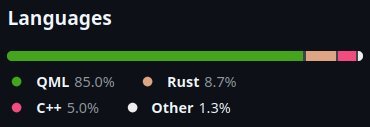 The developer created a dedicated C++ module using CMake and Qt's build system, then exposed it to the Rust application through a build.rs script that invoked the C++ compiler during the Rust build process:
fn main() {
    let dest = cmake::Config::new("cpp")
        .build_target("all")
        .build();

    println!("cargo::rerun-if-changed=cpp/CMakeLists.txt");
    println!("cargo::rerun-if-changed=cpp/provokecpp.cpp");
    println!("cargo::rerun-if-changed=cpp/provokecpp.hpp");

    println!("cargo::rustc-link-search=native={}/build", dest.display());
    println!("cargo::rustc-link-lib=static=provokecpp");
}
This approach allowed the developer to access Qt features not exposed through the Rust bindings, such as cursor override functionality that would solve the splitter cursor issue. The integration was seamless enough that "[the developer] can forget it's even there" while maintaining the benefits of Rust for the application's core logic.
Technical Implications and Industry Insights
The Provoke project offers several valuable insights for developers exploring cross-platform desktop application development:
Performance vs. Convenience Trade-offs: The developer's experience with
cxx-qtversusqmetaobject-rshighlights the importance of considering build performance during the development cycle, especially when working with hot reloading and rapid iteration.Hybrid Language Approaches: The successful integration of C++ with Rust demonstrates that pragmatic solutions often involve leveraging the strengths of multiple programming languages within a single application.
UI Framework Flexibility: The ability to create custom UI components in QML, even for complex interactions like the emoji reaction popup, showcases the power of declarative UI frameworks for rapid prototyping and implementation.
Creative Problem Solving: The hot reloading implementation and system tray icon solution exemplify how developers can work within framework limitations to achieve desired functionality.
The project remains a work in progress, with the developer noting that they "will probably shelve it for now so I can continue what I was already working on before." However, the technical journey documented in the project's repository provides a valuable case study for developers interested in combining Rust's systems-level capabilities with Qt's mature UI framework.
As desktop application development continues to evolve, projects like Provoke demonstrate how modern programming languages and frameworks can be leveraged to create sophisticated cross-platform applications with native-like performance and user experience.
Source: https://kemble.net/blog/provoke/
Comments
Please log in or register to join the discussion