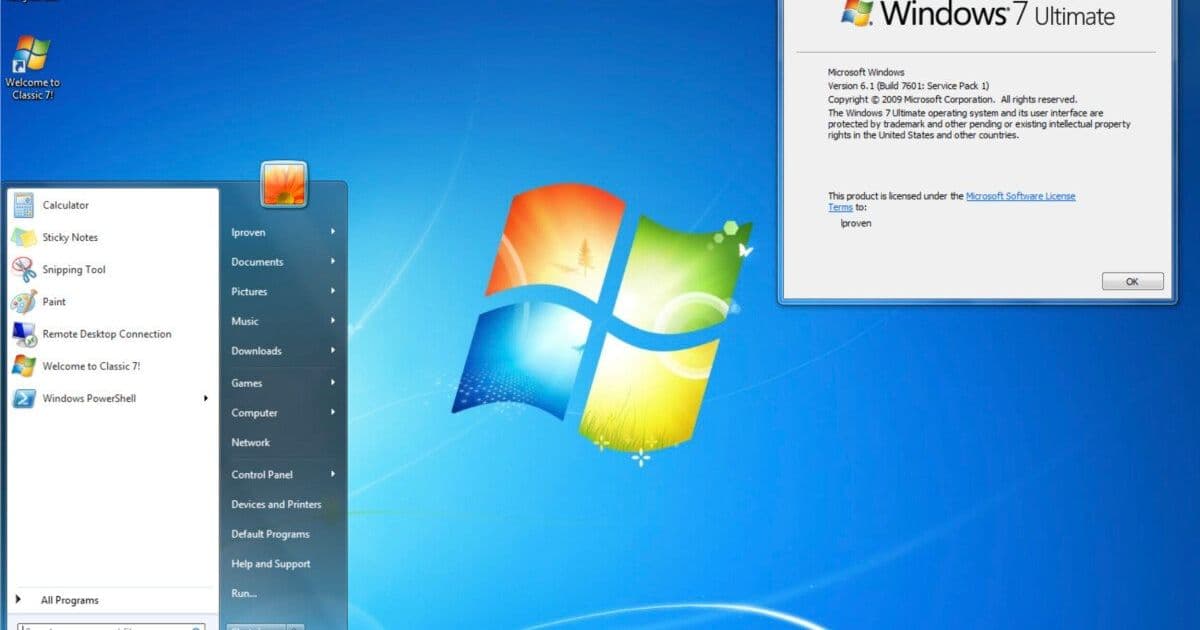
A detailed examination of Classic 7, a heavily modified version of Windows 10 IoT LTSC that recreates the Windows 7 interface while maintaining modern support and updates.
Classic 7 represents an ambitious project that transforms Windows 10 IoT LTSC into a near-perfect facsimile of Windows 7, complete with the classic interface, components, and user experience. This modified operating system, developed over the past year and a half as a sequel to the earlier Reunion7 project, offers Windows 7 enthusiasts a way to maintain their preferred desktop environment while still receiving security updates and support.
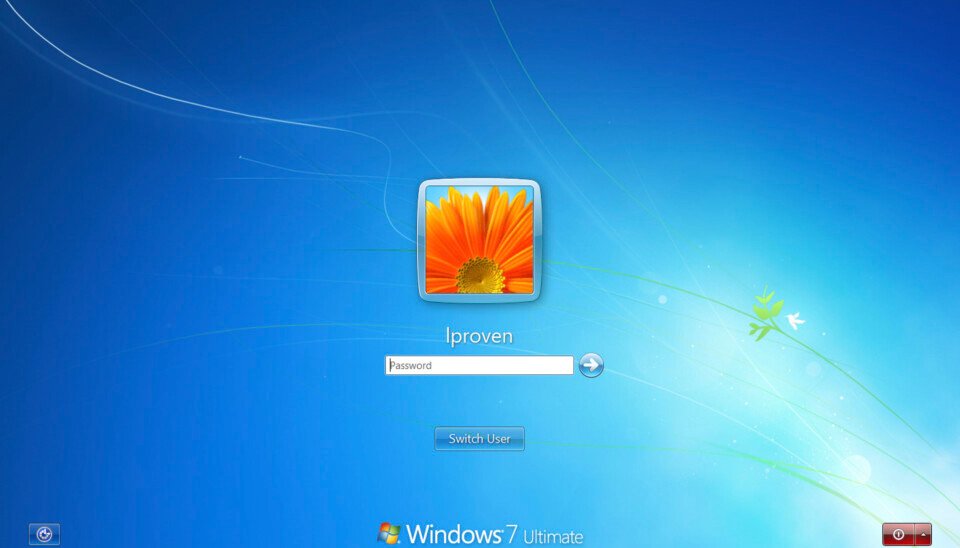 The good old sky-blue login screen with its decorative vine tells you that things are not what they seem
Technical Foundation
At its core, Classic 7 is built upon Windows 10 IoT LTSC (Long-Term Servicing Channel), a significant choice for several reasons. This specific edition of Windows 10 is notable for its extended support lifecycle, receiving updates until 2032—making it the longest-lived version of Windows 10 available. The standard Windows 10 Enterprise LTSC, by comparison, will only receive updates until 2027.
The IoT edition is also significant because it's only available in US English, which may limit its appeal to international users despite the technical benefits. This foundation ensures that users running Classic 7 will receive security updates and support for years to come, addressing one of the primary concerns for those still running the original Windows 7, which reached end-of-life in January 2020.
Comprehensive Modifications
Classic 7 is not merely a skin or theme overlay; it represents a deep modification of the Windows 10 operating system. The project incorporates a large compilation of skins, themes, add-ons, and system tweaks that transform the user interface to closely resemble Windows 7.
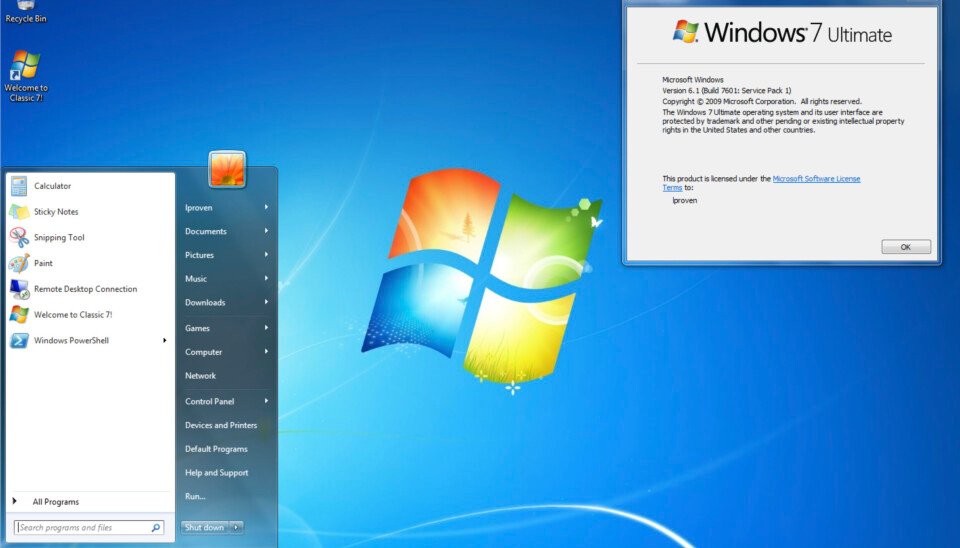 This, unbelievably, is a Windows 10 desktop. Yes, we know it says it's Windows 7 Ultimate
The modifications include several key components:
- Explorer7: A wrapper library that allows Windows 7's explorer.exe to run properly on modern Windows versions, effectively resurrecting the original Windows 7 shell experience
- Control Panel Restoration Pack: Brings back the traditional Windows 7 Control Panel interface
- Windows Media Center: The actual component from Windows XP, which was removed before Windows 10's release
- Various themes and visual modifications: Including Aero11 (a port of Aero10 to Windows 11) and OpenGlass, which brings Aero-style transparency to Windows 10
The project also includes utilities like the Windows NT Modding Utility and Custom CMD Version Text, which modifies the Windows version number reported in command line interfaces. Many components come from the Windhawk mods collection, with some credited to developer ImSwordQueen, whose themes are available on DeviantArt.
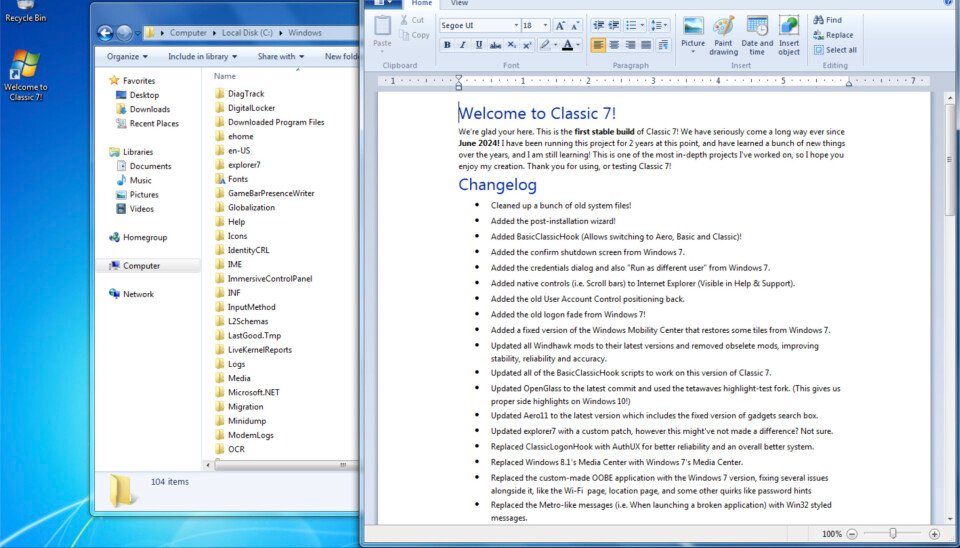 Classic 7 runs the original Windows 7 Explorer, and there's a README file on the desktop with credits
Browser Integration
One particularly interesting aspect of Classic 7 is its browser integration. The project includes your choice of older Firefox versions, including version 115 ESR (Extended Support Release), which has been skinned to look exactly like Internet Explorer through an effort called BeautyFox.
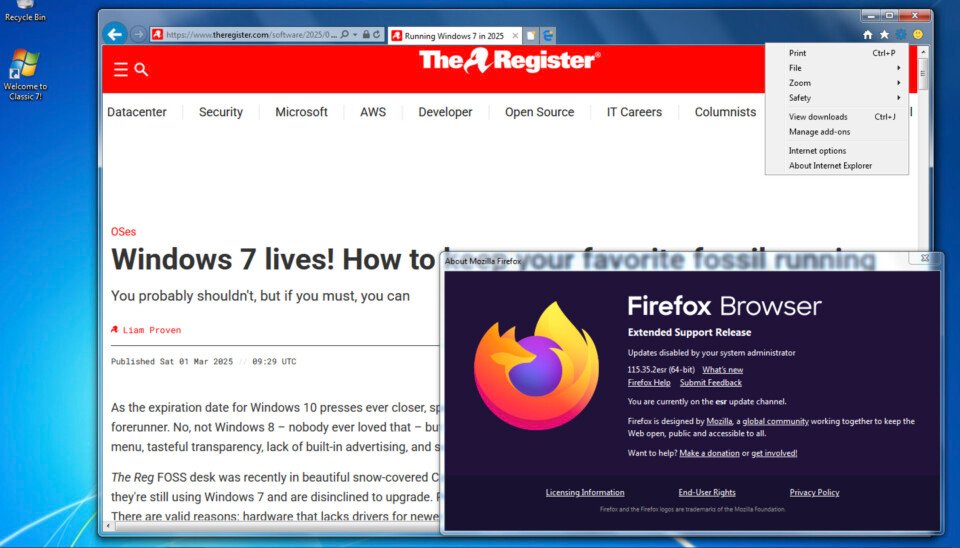 Although the menu says 'About Internet Explorer,' it isn't: this is Firefox, and the title bar shows that alpha-blending is working
This browser modification allows users to maintain the familiar Internet Explorer interface while actually using a modern, secure Firefox browser that continues to receive security updates. Firefox 115 ESR, while from 2023, remains supported with security fixes—the March 2026 end-of-life date has been postponed, with current support extending to at least August 2026.
Licensing and Compliance Concerns
Despite its technical merits, Classic 7 presents significant licensing and compliance challenges. The project is a modified version of Windows 10 Enterprise LTSC, an edition that is only available through Volume License Agreements. Unless users possess appropriate volume licensing for the underlying Windows edition and have paid the associated fees, running Classic 7 constitutes using an unlicensed copy of Windows.
This raises serious compliance concerns for organizations and enterprises. Classic 7 should not be used in any production or business environment due to these licensing issues. The project exists in a gray area similar to other third-party modified editions of Windows, which the author notes were mentioned in a previous article about Windows 10 LTSC.
Interestingly, the article points out that one of the most widely used tools for activating unauthorized copies of Windows and Office, MassGrave, is hosted on GitHub—meaning Microsoft itself is hosting tools that can be used to activate unlicensed copies of its products. The author questions whether this constitutes tacit approval of such practices.
Practical Testing Experience
The author tested Classic 7 in a VMware environment and found the experience to be "quite uncanny," with some notable successes and challenges:
Initial installation attempts failed when using the automatic disk partitioning feature. The workaround involved manually deleting all partitions, creating a single large C: drive, and directing the installer to use that partition. Several error messages appeared during the process, and changing screen resolution caused issues until VMware guest additions were installed. Windows Update also threw an error when accessed.
Despite these glitches, the overall impression was positive. The system genuinely looks and feels like Windows 7 while theoretically supporting the latest applications and drivers. This combination of vintage aesthetics with modern compatibility addresses a key pain point for users who prefer the Windows 7 interface but need to run contemporary software.
Use Cases and Alternatives
Classic 7 appears to have potential use cases in specific scenarios:
- Personal computing environments where users strongly prefer the Windows 7 interface
- Legacy software compatibility scenarios where newer Windows versions present issues
- Nostalgic or hobbyist systems where the visual appearance is a priority
The author acknowledges that while Classic 7 goes "too far" in some respects—such as modifying system information tools to lie about the Windows version—they understand the appeal. The article references personal friends who still run Windows 7 by choice but are encountering compatibility issues with modern applications and browsers.
For those who want the vintage Windows 7 look without the licensing concerns of Classic 7, alternatives might include:
- Running legitimate Windows 7 in a virtual machine for legacy applications
- Using modern Linux distributions with themes that mimic the Windows 7 aesthetic
- Exploring legitimate Windows customization tools like Winaero Tweaker (which is included in Classic 7 but can be used independently)
Conclusion
Classic 7 represents a remarkable technical achievement, successfully combining the visual appeal and user experience of Windows 7 with the underlying stability and support of Windows 10 IoT LTSC. However, the significant licensing concerns mean it cannot be recommended for production or business use.
For individual users who strongly prefer the Windows 7 interface and are willing to accept the licensing implications, Classic 7 offers an intriguing option. It addresses the real problem of maintaining access to a familiar desktop environment while still receiving security updates—a challenge that will only grow more acute as time passes since Windows 7's end-of-life.
As the author notes, "Whether this unauthorized rebuild of an unlicensed OS is an attractive option, though—you must decide that for yourself." Classic 7 stands as both a fascinating technical exercise and a cautionary tale about the intersection of nostalgia, functionality, and software licensing in the modern computing landscape.
Comments
Please log in or register to join the discussion