Azure Machine Configuration now offers generally available, customizable security baselines that streamline policy‑as‑code, lifecycle management, and compliance visibility. The article compares the new Azure capabilities with similar offerings from AWS and Google Cloud, examines pricing and migration implications, and outlines the business impact for organizations adopting a multi‑cloud strategy.
What changed
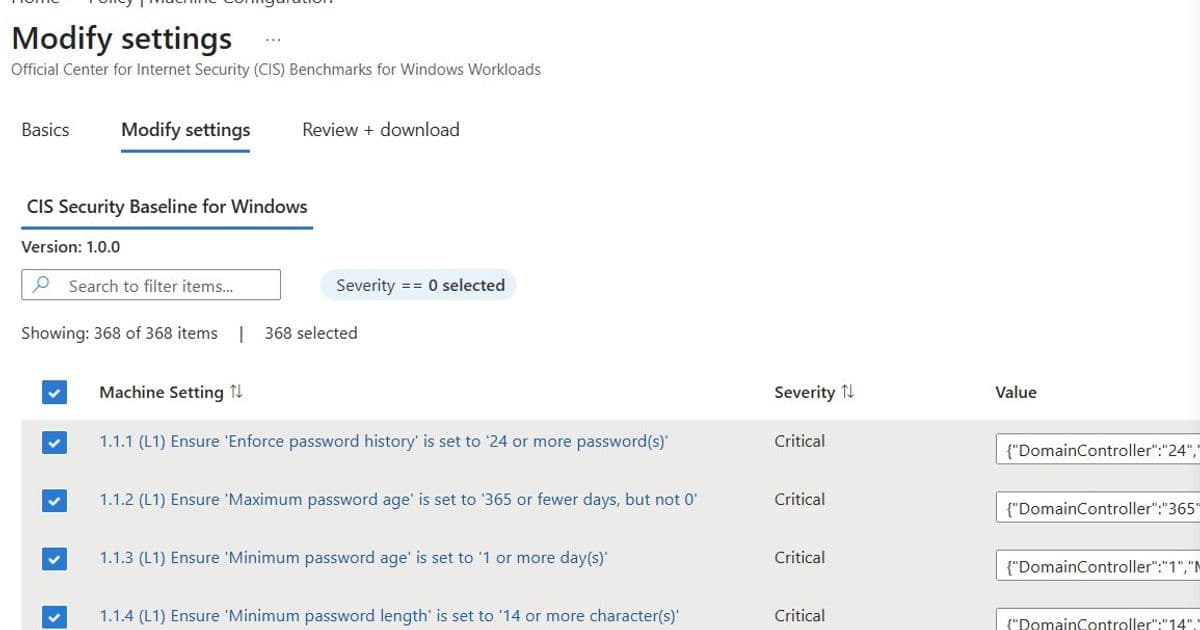
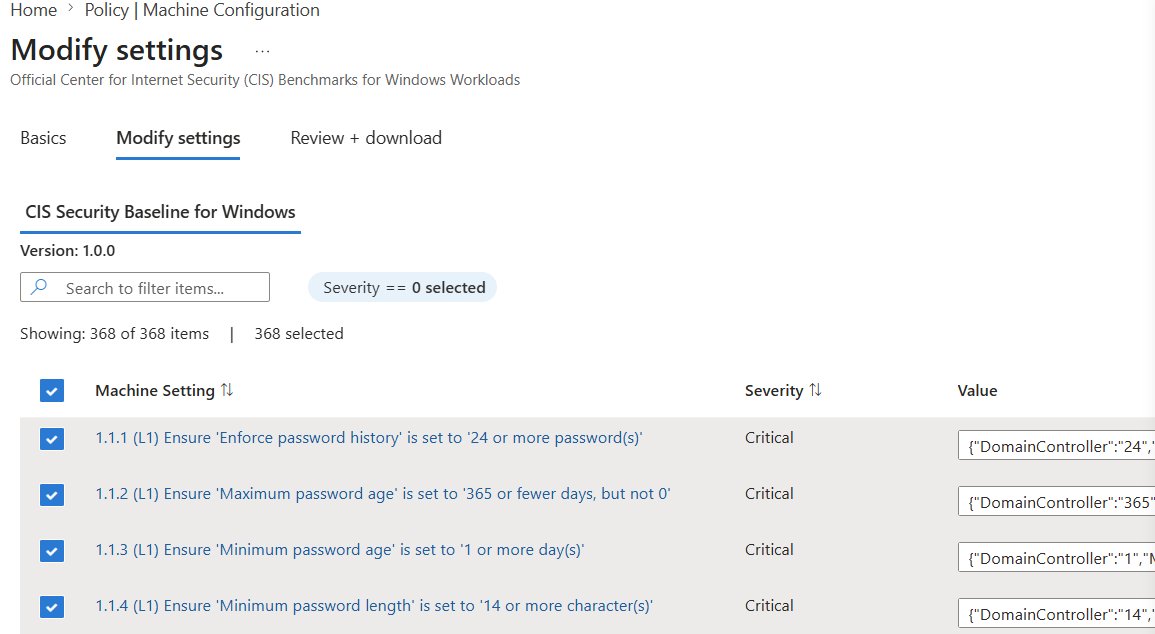
Microsoft announced that Azure Machine Configuration (formerly Azure Policy Guest Configuration) has moved the customizable security baseline feature from public preview to general availability. The update adds four major improvements:
- Broader standards coverage – CIS benchmarks for Linux, Windows Server 2016‑2025, and Azure Compute recommendations are now fully customizable.
- Single‑step customization‑to‑assignment flow – The wizard auto‑populates policy settings, eliminating the download‑and‑upload cycle.
- Lifecycle management in the portal – Baselines can be imported, edited, and re‑assigned without leaving the Azure console.
- New Overview page – Subscription‑level visibility shows which machines are unprotected, enabling bulk onboarding.
These changes turn the baseline experience from a one‑off task into an everyday, repeatable workflow that fits into DevOps pipelines and version‑controlled policy‑as‑code repositories.
Provider comparison
| Feature | Azure Machine Configuration (GA) | AWS Systems Manager (SSM) Compliance | Google Cloud OS Config Policy | Typical pricing (per VM/month) |
|---|---|---|---|---|
| Customizable benchmarks | CIS, Azure Compute, Windows Server – full edit in portal | Custom SSM documents; limited UI editing, requires JSON upload | OS Config policies support custom scripts; no built‑in benchmark library | Azure: $0.10 for Guest Config extension + baseline storage; AWS: $0.05 for SSM Agent + API calls; GCP: $0.08 for OS Config agent |
| Lifecycle management | Import/modify JSON, edit active assignments, portal‑only workflow | Must delete and recreate associations; no in‑portal edit | Edit policies via gcloud/console, but changes require new deployment | Same as above |
| Compliance visibility | Overview page with subscription‑level risk status | AWS Config Rules dashboard – per‑resource view, no bulk enable view | Security Command Center shows OS policy compliance per project | Same as above |
| Integration with CI/CD | JSON export, Azure CLI, ARM, Bicep, GitHub Actions | CloudFormation, Terraform, AWS CLI; manual script packaging | Terraform, gcloud, Cloud Build pipelines | Same as above |
| Hybrid/Arc support | Works on Azure Arc‑enabled servers (charges apply) | AWS Systems Manager can manage on‑prem via hybrid activation | GCP OS Config limited to GCE instances | Azure Arc incurs additional compute cost |
Pricing nuance
Azure’s model charges for the Guest Configuration extension (≈ $0.10 per VM per month) plus any data egress for reporting. The baseline JSON itself is stored at no extra cost. AWS bills for SSM API calls and the Managed Instance license when using advanced compliance, typically around $0.05 per instance per month. GCP includes the OS Config agent in the base VM cost, with a modest $0.08 per VM for policy evaluation.
Migration considerations
| Migration step | Azure → AWS | Azure → GCP |
|---|---|---|
| Export baseline | Use the JSON download, then translate CIS rule IDs to SSM document syntax. | Convert JSON to OS Config policy YAML; map parameter names accordingly. |
| Agent deployment | Install SSM Agent on each VM (Windows/Linux) – can be automated via Azure Automation Runbooks. | Deploy OS Config agent via startup script or Cloud‑Init. |
| Policy assignment | Create an AWS Config Rule that references the custom SSM document; assign to target OU or tag set. | Define an OS Config policy in the Cloud Console, bind to project or organization. |
| Compliance reporting | Migrate dashboards to AWS Config console or integrate with Amazon Security Hub. | Use Security Command Center’s OS policy findings. |
The biggest friction point is the syntax conversion: Azure’s baseline JSON follows the Guest Configuration schema, while AWS and GCP expect their own document formats. Automated conversion scripts are emerging in the community, but a manual review is still recommended to ensure parameter parity.
Business impact
- Faster time‑to‑compliance – The streamlined flow reduces the average deployment cycle from three days (download, review, upload) to a single afternoon of clicks. Teams can now meet audit windows without a dedicated scripting effort.
- Lower operational overhead – Lifecycle management inside the portal means security teams no longer need a separate repository just for baseline storage. Changes can be tracked directly in Azure Policy change history, simplifying governance audits.
- Improved risk visibility – The Overview page surfaces unprotected subscriptions at a glance, allowing executives to prioritize remediation budgets based on actual coverage gaps rather than anecdotal reports.
- Cross‑cloud consistency – By exporting the same JSON baseline and translating it for AWS or GCP, organizations can enforce a unified CIS posture across all environments, reducing the chance of configuration drift.
- Cost predictability – With a clear per‑VM charge and the ability to reuse the same baseline across cloud providers, finance teams can forecast compliance spend with confidence.
Strategic recommendation
For enterprises already invested in Azure, adopt the new customizable baselines as the default policy framework for all new workloads. For multi‑cloud footprints, treat the Azure JSON as the source of truth and build conversion pipelines (e.g., using Azure Pipelines or GitHub Actions) that output provider‑specific artifacts. This approach keeps policy versioning centralized while still delivering native compliance checks on AWS and GCP.
Getting started checklist
- Enable the prerequisite policy initiative from the Machine Configuration Overview page.
- Review the Overview dashboard to identify unprotected subscriptions.
- Select a baseline (CIS Linux, CIS Windows, Azure Compute) and use Modify Settings to tailor rules.
- Assign the policy – the wizard will carry the settings forward automatically.
- Export the JSON if you need to store it in Git or feed it to CI/CD.
- Set up automation – use Azure CLI (
az policy assignment create …) or Bicep templates to roll out the baseline to new resource groups. - Monitor compliance via Azure Policy compliance reports, Azure Resource Graph queries, or the Guest Assignments page.
Resources
- Azure Machine Configuration documentation
- CIS Benchmark for Linux
- AWS Systems Manager Compliance guide
- Google Cloud OS Config policies
By treating security baselines as living code and leveraging the new Azure portal experience, organizations can tighten compliance, reduce manual effort, and maintain a coherent security posture across a heterogeneous cloud estate.
Comments
Please log in or register to join the discussion