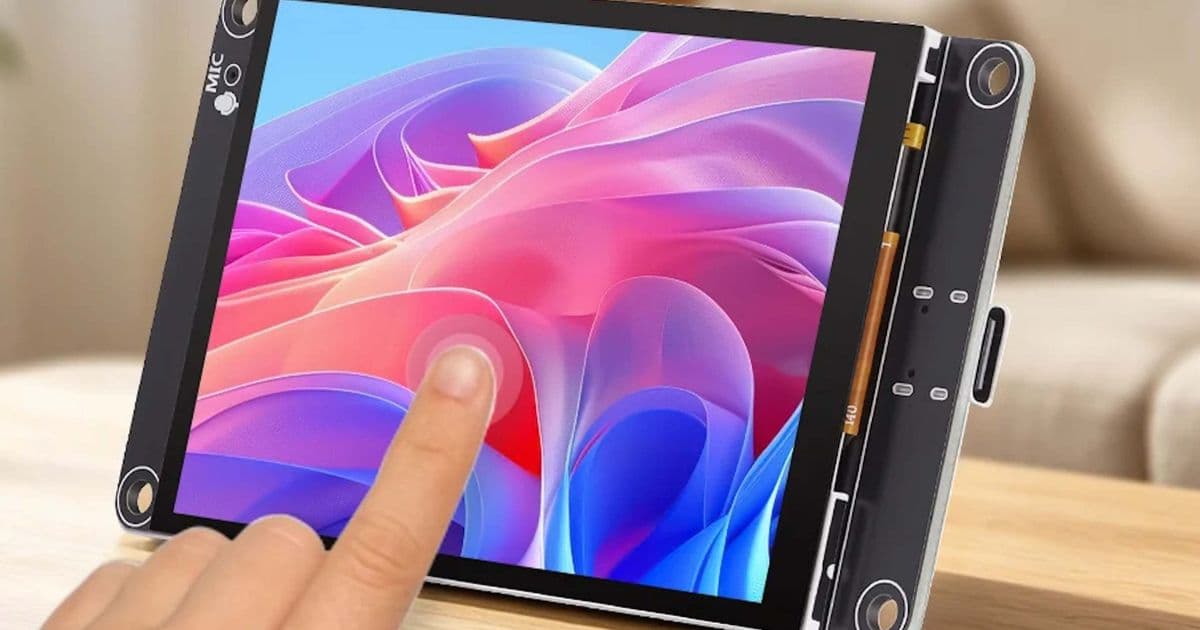
Elecrow’s new 3.5‑inch ESP32‑S3 display packs a touchscreen, microphone, speaker and micro‑SD slot into a $21 board, turning a cheap LCD into a fully programmable smart‑home hub.
Elecrow has just released a 3.5‑inch LCD module that bundles a full ESP32‑S3 development board, a microphone, a speaker and a micro‑SD slot for just $21. At first glance it looks like a generic TFT panel, but the integrated SoC and peripherals let you run a self‑contained smart‑home interface without any external host.
What’s new?
- ESP32‑S3 SoC – Dual‑core Xtensa LX7, 240 MHz, 512 KB SRAM, Wi‑Fi 2.4 GHz and Bluetooth 5.0.
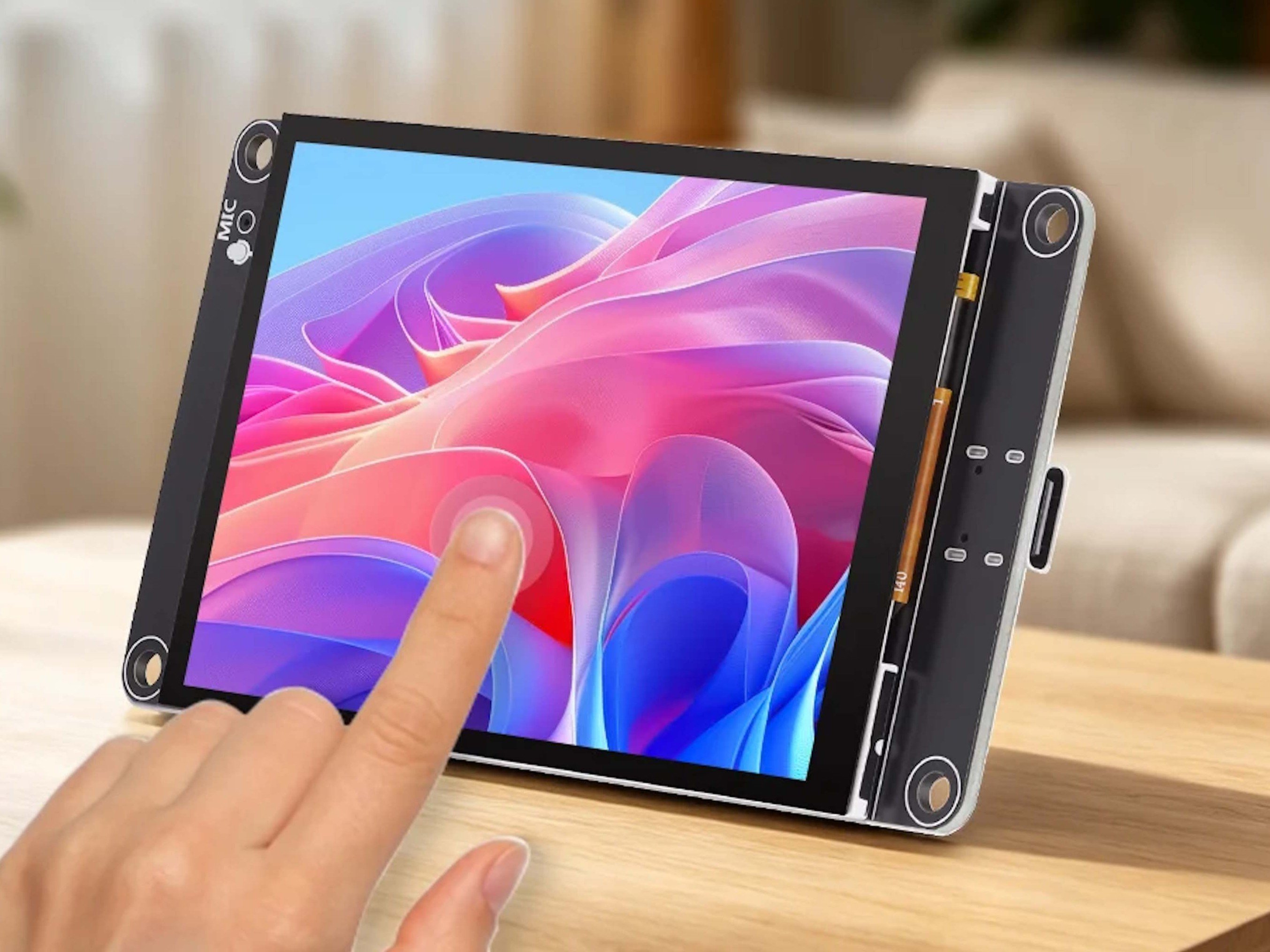
- Touchscreen – 3.5‑inch IPS panel, 320 × 480 px, capacitive touch controller.
- Audio I/O – On‑board MEMS microphone and 2 W speaker, enabling voice commands and playback out of the box.
- Connectivity – USB‑C for power and programming, micro‑SD slot, and a 4‑pin I²C header for extra sensors.
- Power options – USB‑C power or a 3.7 V Li‑Po battery (up to 8 h continuous use).
- Software stack – Supports the LVGL graphics library, Arduino‑ESP32 core, and MicroPython, giving developers a choice of familiar environments.
How it stacks up against the competition
| Feature | Elecrow ESP32‑S3 Display | Amazon Echo Show 5 (2nd gen) | Raspberry Pi Zero 2 W + 3.5‑inch LCD |
|---|---|---|---|
| Price | $21 (board only) | $79.99 (incl. Alexa) | $45 (Pi + LCD kit) |
| CPU | Dual‑core 240 MHz Xtensa | Quad‑core 1.5 GHz ARM | Quad‑core 1 GHz Cortex‑A53 |
| RAM | 512 KB SRAM | 1 GB LPDDR4 | 512 MB LPDDR2 |
| Wi‑Fi | 2.4 GHz 802.11b/g/n | 2.4 GHz 802.11ac | 2.4 GHz 802.11n |
| Bluetooth | 5.0 BLE | 5.0 BLE | No built‑in BT (requires dongle) |
| Audio | Mic + 2 W speaker | Mic array + 2 W speaker | No audio I/O (needs HAT) |
| OS | Bare‑metal / Arduino / MicroPython | Alexa OS (proprietary) | Linux (Raspberry Pi OS) |
| Expandability | I²C, micro‑SD, GPIO pins | Limited (Alexa skills) | Full GPIO, CSI, HDMI, USB |
The Elecrow module cannot compete with the raw processing power of an Echo Show or a Raspberry Pi, but its price and integrated peripherals give it a unique niche. Where the Echo Show offers a polished UI and cloud services, the ESP32‑S3 board hands you the hardware and leaves the software entirely to you. Compared with a DIY Pi‑Zero + LCD combo, you save the cost of a separate Wi‑Fi/BLE module, microphone, speaker and power management circuitry.
Who should consider building a smart‑home hub with this board?
- Makers who want full control – If you prefer to host voice assistants locally (e.g., Mycroft AI or Home Assistant’s Voice Assistant), the ESP32‑S3 gives you the necessary audio I/O without sending data to the cloud.
- Budget‑conscious hobbyists – At $21 the board is cheaper than any commercial smart display, making it ideal for prototypes, classroom projects, or a secondary control panel for a home automation system.
- Developers needing custom UI – LVGL integration means you can design pixel‑perfect dashboards, sensor readouts, or even simple games, all rendered on the 320 × 480 screen.
- IoT enthusiasts who want sensor expansion – The exposed I²C pins let you attach gas sensors, temperature/humidity modules, or even a small camera module for door‑bell style applications.
Practical limitations to keep in mind
- Processing headroom – The ESP32‑S3 can handle basic voice detection and simple command parsing, but it will struggle with large language models or continuous speech‑to‑text.
- Audio quality – The built‑in speaker is adequate for alerts and short responses, but you’ll need an external amp or headphones for high‑fidelity playback.
- Screen resolution – 320 × 480 is fine for status panels, but it won’t display high‑resolution images or video smoothly.
- Software ecosystem – While LVGL and Arduino libraries are mature, there is no official “Alexa” or “Google Assistant” SDK for the ESP32, so you’ll rely on third‑party voice‑assistant frameworks.
Getting started – a quick walkthrough
- Download the firmware – Elecrow provides a pre‑compiled Arduino sketch on their product page. Grab it from the official listing.
- Install the toolchain – Use the Arduino IDE (v2.2+), add the ESP32 board URL (
https://raw.githubusercontent.com/espressif/arduino-esp32/gh-pages/package_esp32_index.json), and select ESP32‑S3 Dev Module. - Wire the optional peripherals – Connect a DHT22 sensor to the I²C pins (SDA = 21, SCL = 22) if you want temperature monitoring.
- Load LVGL – Include
#include <LVGL.h>and follow the LVGL‑ESP32 example to render a simple dashboard with a button that toggles a relay. - Add voice control – Deploy the open‑source Espressif Voice Assistant SDK and configure it to listen for the wake‑word “Hey ESP”.
{{IMAGE:2}}
Bottom line
Elecrow’s $21 ESP32‑S3 smart display is not a drop‑in replacement for a commercial Echo Show, but it offers a compelling platform for anyone who wants a programmable, voice‑enabled interface at a fraction of the cost. Its integrated microphone, speaker, and touch panel eliminate the need for additional hardware, while LVGL and the ESP‑32 ecosystem provide a solid foundation for custom dashboards, sensor hubs, or lightweight voice assistants. If you’re comfortable writing firmware and enjoy tinkering with IoT devices, this little board could become the centerpiece of a highly personalized smart‑home control panel.
Comments
Please log in or register to join the discussion