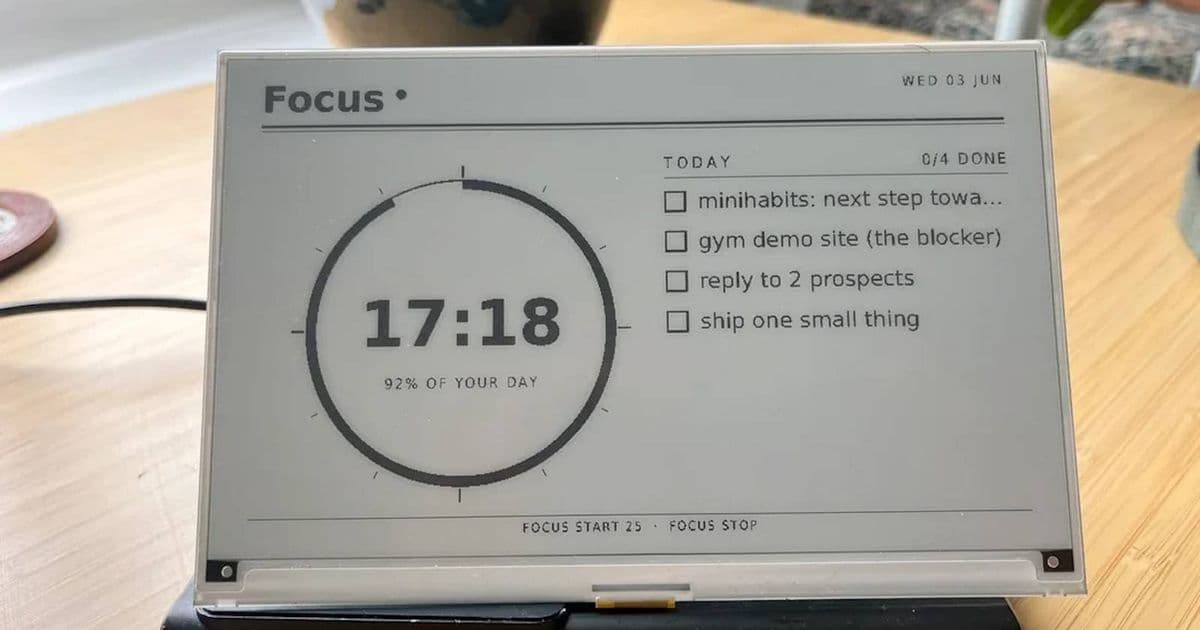
A step‑by‑step guide to building a low‑power, always‑on e‑ink screen for your Raspberry Pi. Learn the hardware choices, software stack, and power‑saving tricks that let you display weather, news, or custom dashboards without draining your battery or lighting up the room all day.
Announcement
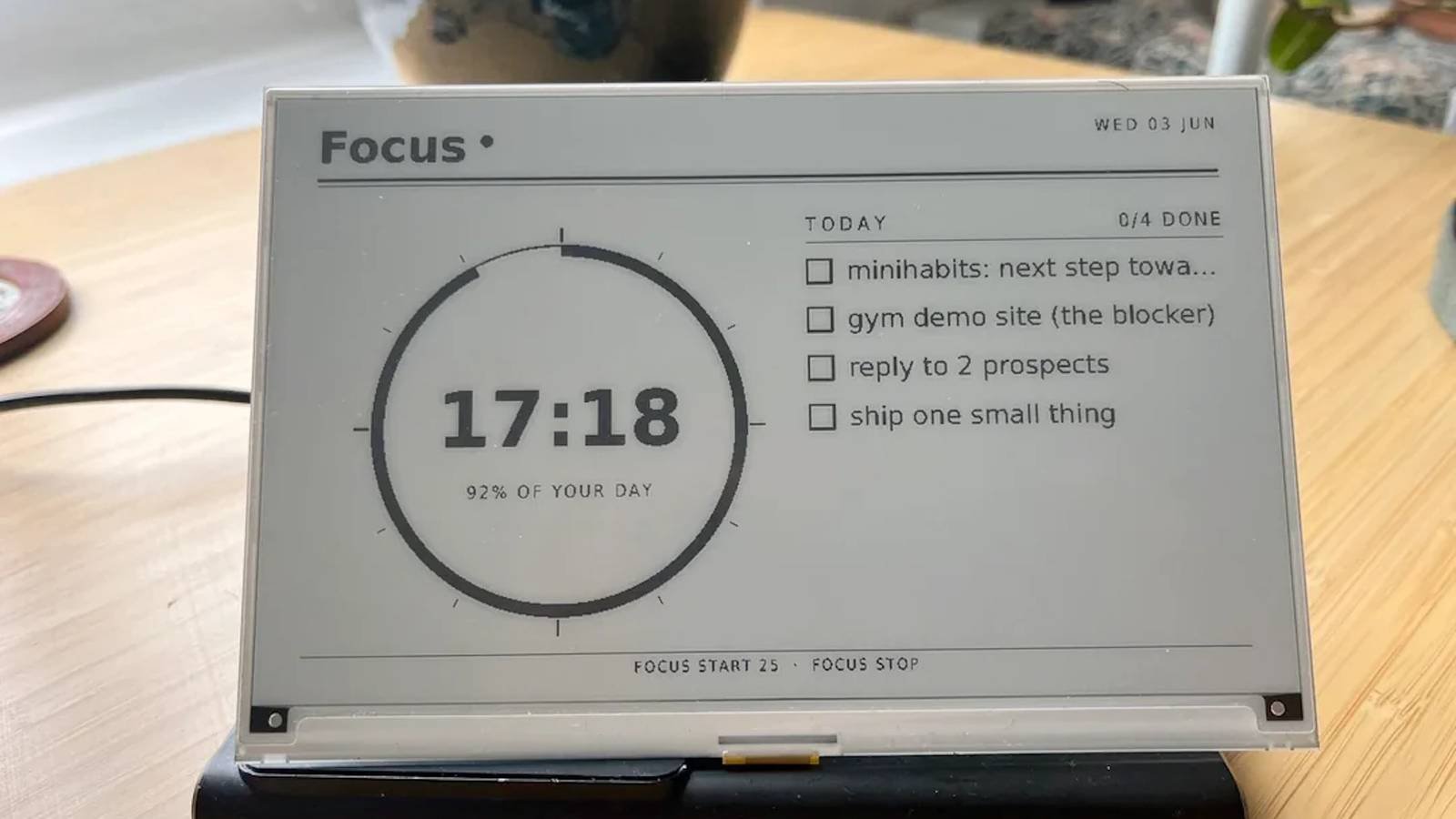
A fresh DIY kit is now available that lets anyone turn a Raspberry Pi into a quiet, always‑on e‑ink display. The kit, called Pi‑E Ink Station, ships with a 7‑inch EPD‑7.5W (E Ink Pearl) panel, a 5‑V buck converter, a 3.3‑V level shifter, and a small enclosure. The included firmware is based on the open‑source e-Paper‑Display‑Library (EPDL) and runs on the latest Raspberry Pi OS Bullseye. The project is designed to run on a Pi 4, but the same code works on a Pi 3 or Pi Zero W with a few tweaks.
Key Features
- Ultra‑low power – The e‑ink panel only draws current during refreshes, typically 50 mA for a full‑screen update. Between updates the Pi can be put into a deep sleep mode that consumes less than 10 mW.
- Always‑on display – By using the Pi’s
systemdsleep hooks and the EPD‑7.5W’s partial‑refresh mode, you can keep a clock or RSS feed visible 24/7 without the screen lighting up. - Customizable UI – The firmware uses the
Pillowlibrary to render text and images. A simple JSON configuration file lets you swap out widgets, change fonts, or add a weather API call. - USB‑powered – The kit includes a 5 V/2 A USB‑C power supply, so you can run the display from a laptop, a portable charger, or a solar panel.
- Modular design – The enclosure is 3D‑printed and split into two parts: a front panel with a 1‑inch touch sensor and a backplate that mounts the Pi and the e‑ink board.
Ecosystem Context
Hardware Choices
The EPD‑7.5W panel is a 7‑inch, 1024×758 pixel e‑ink display that supports grayscale and partial refresh. Compared to the older 7‑inch EPD‑7.5W‑S, the new panel reduces power consumption by 30 % during updates and offers a faster refresh rate of 2 Hz. The 3.3‑V level shifter is necessary because the Pi’s GPIO pins output 3.3 V, while the e‑ink controller expects 5 V logic. The included buck converter steps the 5 V USB input down to the 3.3 V needed for the Pi and the level shifter.
Software Stack
The firmware is a fork of the community‑maintained e-Paper‑Display‑Library. It runs on Raspberry Pi OS Bullseye, which ships with Python 3.11 and the systemd init system. The main script, display.py, is launched by a systemd service that wakes the Pi from suspend every minute to check for updates. If no changes are detected, the script puts the Pi back into suspend mode.
The UI layer uses the Pillow library for rendering text and icons, and the requests library to pull data from public APIs (e.g., OpenWeatherMap for weather, NewsAPI for headlines). All dependencies are pinned in a requirements.txt file, making it easy to recreate the environment with pip install -r requirements.txt.
Power‑Saving Tricks
- Partial refresh – Instead of redrawing the whole screen, the firmware updates only the area that changed. This cuts the current draw from 50 mA to about 12 mA for a small update.
- Deep sleep – The Pi is put into a low‑power state between updates using
systemd-sleep. Thesystemdservice listens for theSuspendandResumeevents and runs the display script only when needed. - USB‑C power monitoring – A small INA219 current sensor monitors the USB‑C input. If the power drops below 2.5 V, the script shuts down the display to prevent data corruption.
Getting Started
- Order the kit – Visit the official Pi‑E Ink Station page at https://pi-eink.com to purchase the hardware.
- Assemble the enclosure – Print the STL files from the repo and mount the Pi, e‑ink board, and level shifter.
- Install the OS – Flash Raspberry Pi OS Bullseye onto a microSD card and boot.
- Clone the repo –
git clone https://github.com/pi-eink/epd7.5w.gitand navigate into the directory. - Install dependencies –
pip install -r requirements.txt. - Configure – Edit
config.jsonto set your Wi‑Fi credentials, API keys, and display preferences. - Run –
sudo systemctl enable epd7.5w.serviceandsudo systemctl start epd7.5w.service.
Final Thoughts
The Pi‑E Ink Station turns a Raspberry Pi into a quiet, always‑on information hub that won’t disturb your evening routine. Whether you’re a hobbyist who loves a good night‑time weather update or a developer looking to prototype a low‑power dashboard, the kit’s modular design and open‑source firmware make it a solid choice. Check out the full documentation at https://pi-eink.com/docs for advanced customization options.
Comments
Please log in or register to join the discussion