
The article reframes Emacs from a mere code editor into a personal command center—a calm, extensible home base where developers, managers, and creators can organize tasks, journal, interact with AI, and maintain focus across all aspects of work and life.
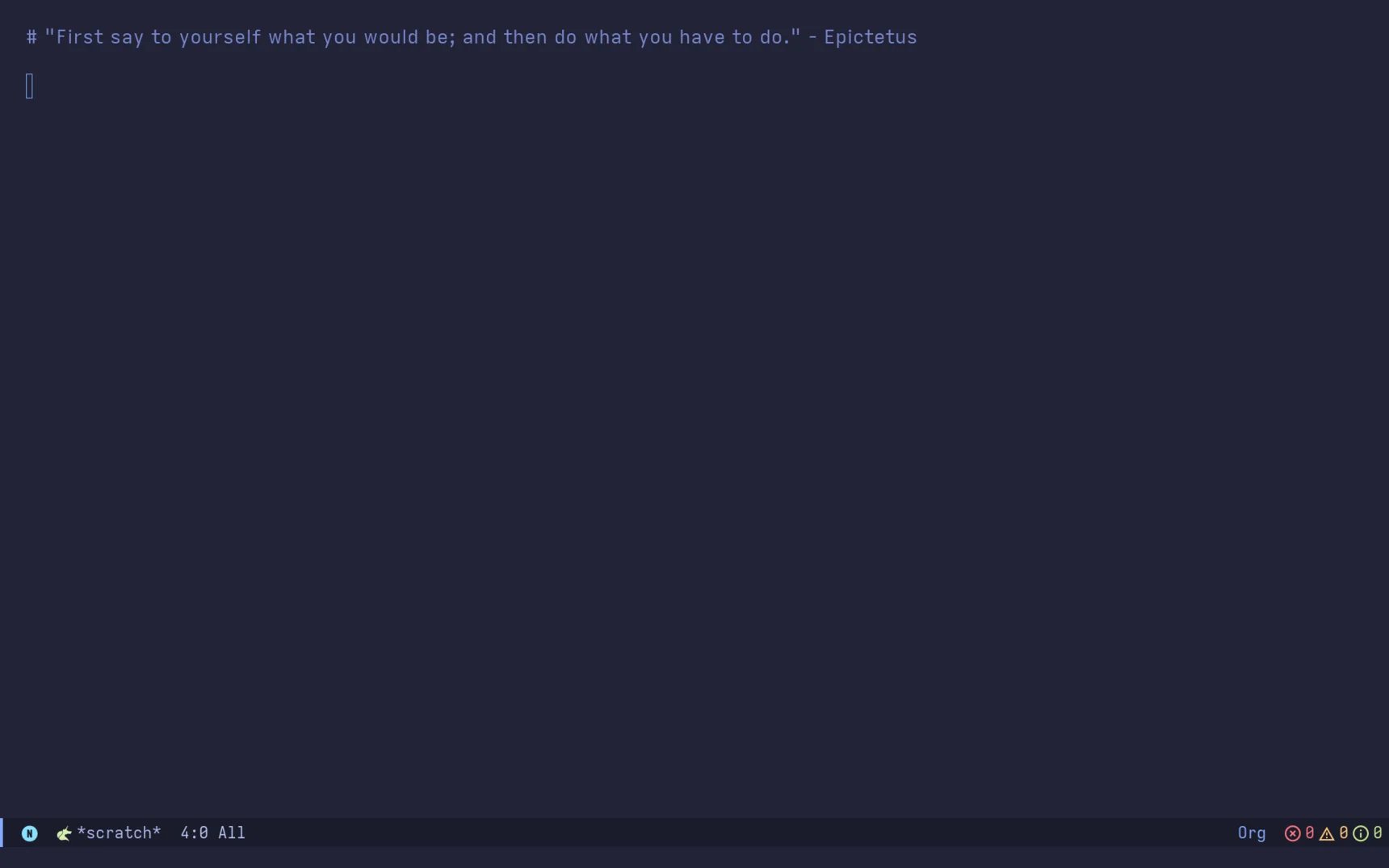
When I power on my laptop, the first thing that greets me is not a noisy notification hub or a crowded browser tab, but a dark‑purple canvas with a random motivational quote. That blank screen is the Emacs scratch buffer, a place that asks nothing of me and offers everything in return. It is a moment of quiet, a digital breath before the day’s demands begin.
The Scratch Buffer: An Invitation to Meaning
Unlike most editors that launch directly into a file or a project, Emacs presents an empty buffer whose purpose is deliberately undefined. It does not compel you to open a source file, a terminal, or a web page; it simply waits, ready to become whatever you need. That subtle design decision reveals a deeper philosophy: Emacs does not dictate workflow, it provides a neutral ground on which you can construct your own.
From Code to Command Center
My role today is far removed from the stereotypical Emacs‑centric programmer. As a founder and CTO, my day is filled with hiring, strategy sessions, marketing emails, and family time. Yet the same Emacs instance that once housed my C projects now serves as a hub for:
- Daily agenda – a single key‑combo (
<space> o d) pulls in a synchronized view of my Google Calendar, a task list, and a GTD‑style inbox.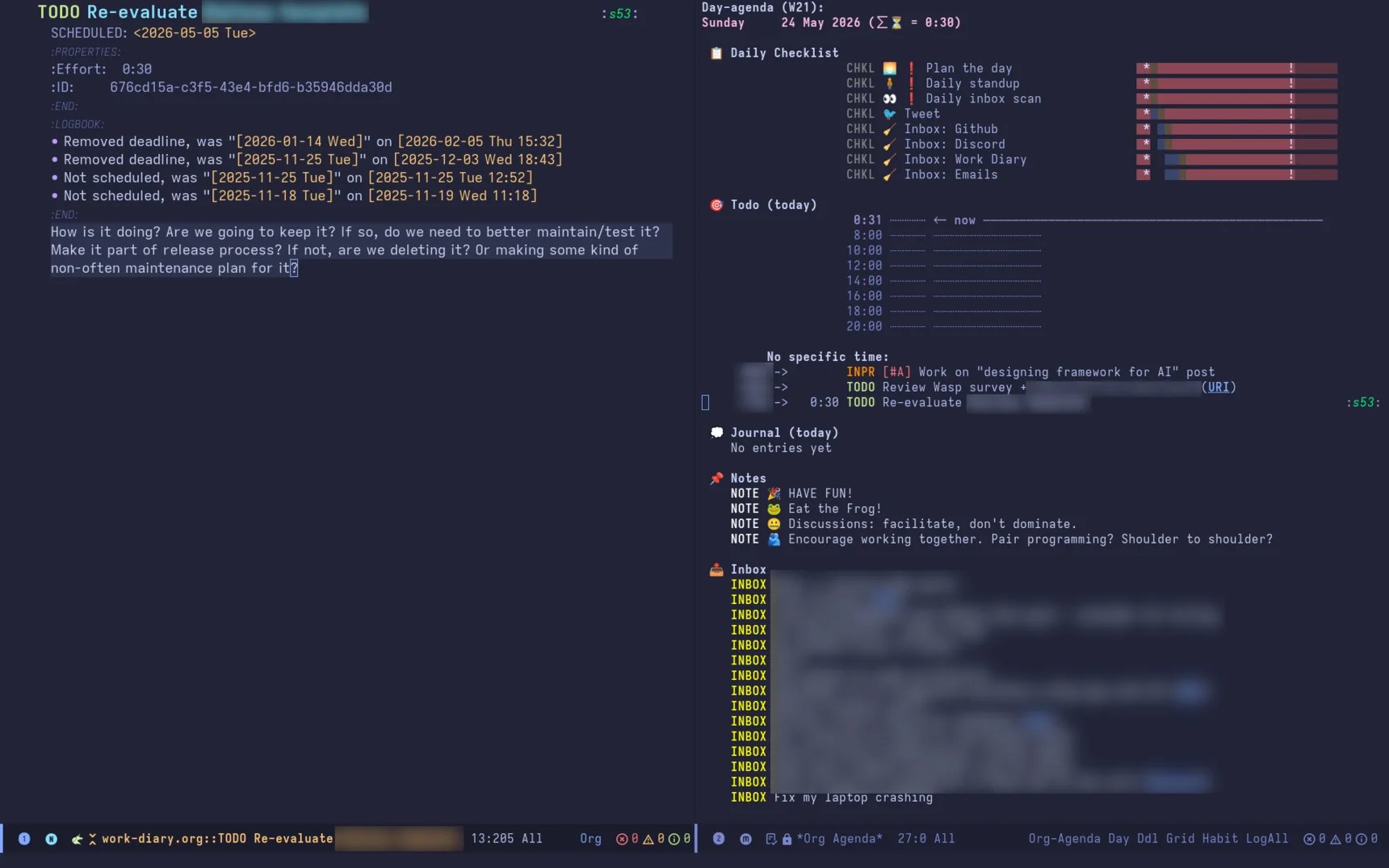
- Time tracking – pressing
eon any task starts a clock, allowing me to generate focus reports later. - Journaling – at day’s end I type
\<space> o c w jto open a new entry, capturing a few reflective sentences.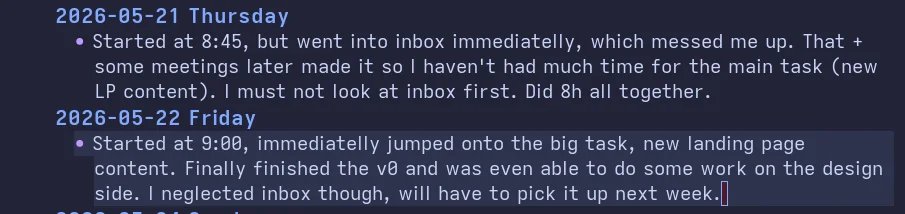
- LLM assistance –
<space> i copens a chat with a language model that can read any open buffer, fetch information, or even run code snippets. - Version control –
<space> g glaunches Magit, Emacs’ legendary Git interface, keeping my repositories just a keystroke away. - Zen writing –
<space> a wcenters the current buffer, stripping away distractions for pure prose.
Each of these actions lives within the same key‑binding framework, so the mental model never shifts. The environment remains consistent, whether I am drafting a hiring plan, sketching a sprint backlog, or replying to a Discord message.
The Fortress Metaphor
Superman retreats to his Fortress of Solitude to think, to heal, to experiment. Emacs can serve a similar purpose for any knowledge worker. Its extensibility—rooted in decades of Lisp code—means you can shape it into a personal laboratory, a notebook, a task manager, or a code IDE, all without leaving the interface you have already mastered.
Because Emacs is not tied to a single company’s roadmap, it remains a stable, evergreen platform. Its longevity (over fifty years) provides a sense of continuity that feels reassuring amid the churn of new SaaS tools and AI‑driven editors.
Org Mode: The Foundation of the Home Base
If you are curious about turning Emacs into a true command center, the natural entry point is Org mode. At first glance it resembles Markdown, but it is far more than a markup language. Org mode powers:
- Task management with hierarchical TODO states and timestamps.
- Integrated calendars and agenda views.
- Literate programming notebooks (similar to Jupyter) where code blocks can be executed inline.
- Knowledge graphs via extensions like org‑roam or denote.
- AI chat interfaces such as gptel, which embed LLM conversations directly in your notes.
- Presentation mode, spreadsheets, and even a Notion‑like database system.
My entire blog, configuration, and even this article are authored in Org mode, compiled to HTML by Emacs Lisp. The same file can be a runnable script, a slide deck, or a personal wiki, depending on the export command you invoke.
Implications for Modern Workflows
- Unified interface – By collapsing email, calendar, code, and AI chat into a single, keyboard‑driven environment, context‑switching costs drop dramatically.
- Personal agency – You are not forced into a pre‑packaged workflow; you sculpt the tool to match your mental models.
- Resilience to hype – When new IDEs promise “AI‑first” experiences, Emacs can incorporate those same models while preserving the stability you already rely on.
- Transparency – All customizations are plain Lisp code, version‑controlled, and inspectable, unlike opaque cloud‑based settings.
Counter‑Perspectives
Critics argue that Emacs’s steep learning curve and the time required for configuration outweigh its benefits, especially for those whose primary need is a lightweight editor. For occasional programmers or teams that prioritize rapid onboarding, a simpler tool may indeed be more pragmatic. Additionally, the reliance on keyboard shortcuts can be a barrier for users with accessibility needs.
However, the investment in learning Emacs often pays off in the long run: the same key‑bindings serve every workflow, and the ability to script repetitive actions eliminates countless mouse clicks.
A Personal Invitation
If the idea of a digital sanctuary that grows with you resonates, start with a minimal Org mode setup: enable the agenda view, create a few TODO items, and explore the built‑in journal template. From there, let curiosity guide you—add a Git interface, plug in an LLM, or experiment with a custom capture template. Over time, the space will evolve from a blank canvas into a personalized command center, much like the fortress you retreat to after a long day.
Emacs is not merely an editor; it is a place where you can think, plan, create, and return, time after time.
Written in Emacs, compiled from Org mode, and shared as part of the May 2026 Emacs Carnival.
Comments
Please log in or register to join the discussion