
A small ESP32 e-Ink temperature and humidity monitor is a useful reminder that mobile-adjacent hardware projects live or die by SDK choices, power behavior, and clean migration paths.
Platform update
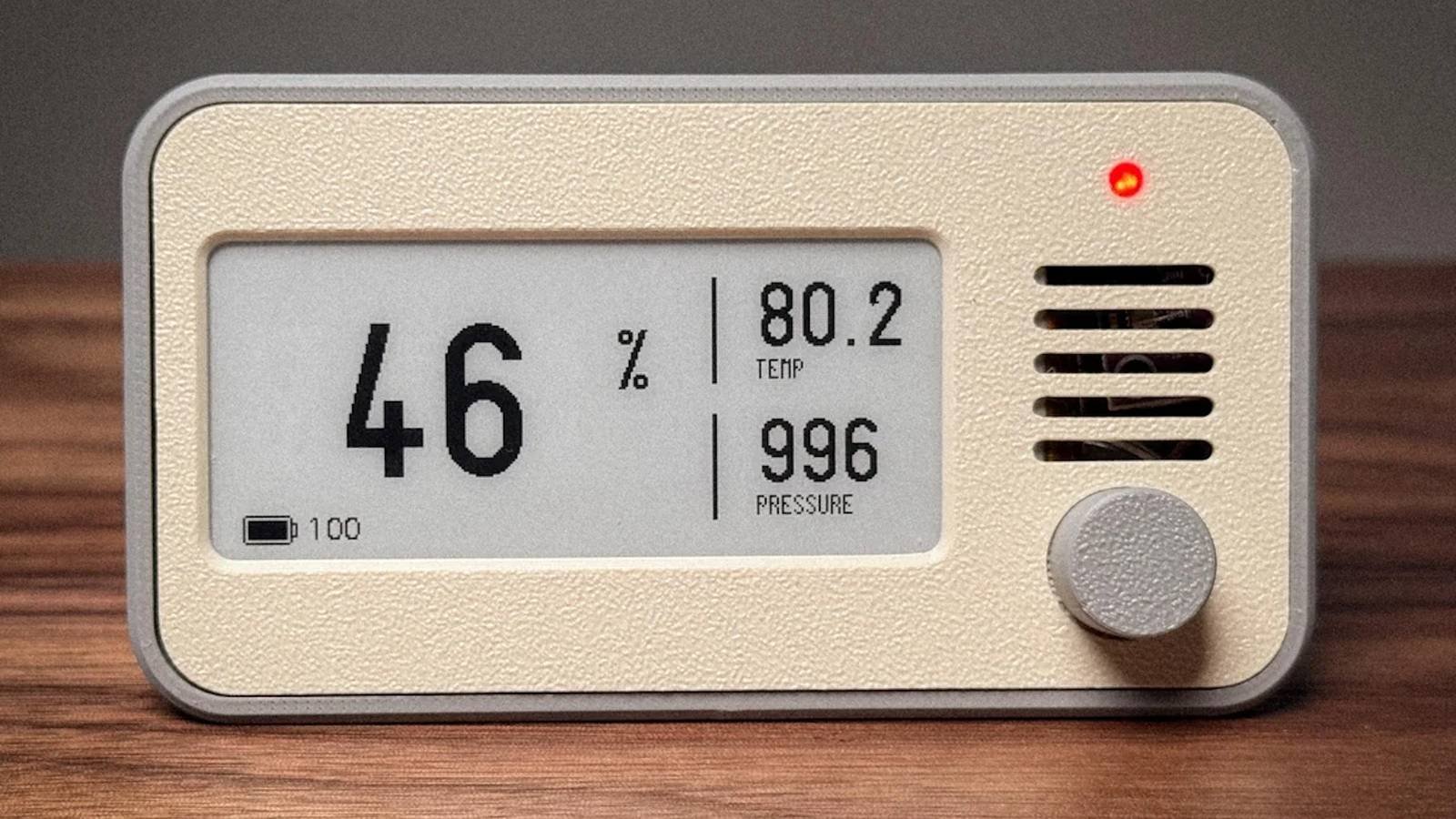
Simon Batt’s June 10, 2026 XDA write-up highlights a familiar but still useful class of project: an ESP32-powered e-Ink environmental monitor for temperature and humidity tracking. The appeal is not just that it is a neat desk or room display. It sits in the exact overlap many mobile developers eventually touch when maintaining iOS and Android apps that talk to small devices: low-power firmware, wireless connectivity, sensor reads, display refresh limits, and a companion-app story that needs to work across platforms.
The hardware pattern is straightforward. An ESP32 board handles control and connectivity, a temperature and humidity sensor provides readings, and an e-Ink panel displays values without needing constant refresh. That last point matters. LCD and OLED screens are easier to animate, but they draw power continuously while visible. E-Ink keeps its image after refresh, which makes it a good fit for slow-changing data such as room temperature, relative humidity, battery level, and timestamp.
The current software stack gives builders a few credible paths. If you want the quickest route, the Arduino core for ESP32 is the lowest-friction option. As of the current GitHub release page, Arduino-ESP32 v3.3.10 is marked latest and is based on ESP-IDF v5.5.4. That matters because many older tutorials still target Arduino-ESP32 2.x APIs or board packages. A monitor that compiles cleanly on the current 3.x core is easier to maintain, especially if you later add Wi-Fi provisioning, OTA updates, MQTT publishing, or BLE advertising.
For production-minded firmware, ESP-IDF is the stronger base. Espressif’s own version guidance recommends stable ESP-IDF releases for production, while the latest branch is better suited to experimentation. That guidance maps well to how I would treat a device that backs a real mobile feature: Arduino is fine for a personal dashboard, but ESP-IDF becomes attractive once you need repeatable builds, deeper power management, partition control, OTA rollback, secure storage, and tighter control over Bluetooth or Wi-Fi behavior.
The supported platform matrix is broad enough for most developers. The Arduino ESP32 documentation lists Windows, Linux, and macOS as supported host systems, with Arduino IDE integration as the default path. Its supported SoC table includes stable support for common ESP32 family chips such as ESP32, ESP32-S2, ESP32-S3, ESP32-C3, ESP32-C5, ESP32-C6, ESP32-H2, and ESP32-P4. ESP32-C2 and ESP32-C61 require a more advanced route through Arduino as an ESP-IDF component or rebuilt static libraries, which is the kind of detail that can surprise you if you buy the cheapest board first and read the SDK docs later.
For the display side, many Arduino examples use libraries like GxEPD2, an Arduino display library for SPI e-paper panels. That makes the project approachable, but it also creates the usual embedded trade-off: a fast proof of concept can become library-version-sensitive over time. Pin mappings, display controller variants, SPI clock settings, and partial refresh behavior differ between e-Ink panels. Treat the display module as a specific supported device, not a generic rectangle that accepts pixels.
Developer impact
For mobile developers, the interesting part is not the screen. It is the contract between the device and everything else.
A standalone monitor can simply read a sensor every few minutes and repaint the display. A connected monitor needs a data model. Temperature units, humidity precision, calibration offsets, battery level, sensor health, last-seen timestamp, firmware version, and network state all become fields your iOS and Android apps may need to parse. Once that happens, the ESP32 firmware is effectively another platform you maintain alongside Swift, Kotlin, React Native, Flutter, or a backend service.
The ESP32 gives you several transport choices. Wi-Fi is the simplest if the device will publish readings to a local API, MQTT, Home Assistant, or a cloud endpoint. BLE is often better for setup, nearby reads, and battery-sensitive designs, but it adds platform-specific behavior. Android gives you broad BLE scanning and GATT access, although permissions have changed over time and must be handled carefully on recent Android versions. iOS has a more opinionated Core Bluetooth model, background limitations, and stricter expectations around user-visible behavior. A firmware design that looks simple in a serial monitor can become awkward once both mobile platforms need provisioning, reconnection, and error recovery.
Power behavior also changes the app design. If the monitor wakes every five minutes, samples the sensor, updates e-Ink, publishes data, and returns to deep sleep, the mobile app cannot assume the device is always reachable. That is normal for embedded hardware, but it is different from talking to a web API. The app should show stale data clearly, handle missed readings, and avoid blocking setup flows on a device that is intentionally asleep.
There is also a display-specific lesson. E-Ink panels are excellent for persistent status, but they are not good for frequent UI changes. Full refreshes can be slow, partial refresh support varies, and ghosting can accumulate depending on panel type and driver. If you add a mobile app, do not model the physical device as a live dashboard. Model it as a periodic sensor node with a local display. That keeps the app honest and prevents a feature request like live graphing from pushing the firmware into a power profile the hardware was never meant to support.
SDK versioning is another practical concern. Arduino-ESP32 3.x is based on ESP-IDF 5.x, while Espressif has also published Arduino-ESP32 4.0.0 alpha builds based on ESP-IDF 6.x. Alpha builds are useful for testing future compatibility, but they are not the right default for a room monitor you expect to keep running. The current 3.3.x line is the safer Arduino choice. If you are on ESP-IDF directly, pin a stable release in your build instructions and record the exact target chip, board package, display library version, and sensor library version.
That pinning matters across desktop platforms too. The Arduino ESP32 install guide supports Boards Manager installation through the stable package URL, but manual installs differ by operating system. On Windows, older 32-bit setups are no longer a realistic target for modern Arduino-ESP32 toolchains. On macOS, command line tools and Python details can still affect manual workflows. On Linux, serial permissions through groups such as dialout are a common setup issue. A project that claims to be buildable should include these host assumptions, not leave them scattered across forum replies.
For teams building companion apps, the cleanest architecture is usually three layers:
- Firmware owns sampling, calibration, local display, sleep timing, and wireless publishing.
- A local or cloud service owns history, aggregation, alert rules, and account sync.
- iOS and Android own setup, status, notifications, charts, and user preferences.
You can skip the service for a hobby build, but the split is useful once more than one phone needs the same readings or the device may be offline when the app opens. Even a lightweight MQTT broker or Home Assistant integration gives you a better cross-platform story than forcing both mobile apps to chase a sleeping ESP32 directly.
Migration
If you want to build or modernize this kind of ESP32 e-Ink monitor, start by choosing the SDK path deliberately.
For a weekend build, use Arduino IDE or PlatformIO’s Espressif 32 platform, Arduino-ESP32 3.3.10, a known ESP32 dev board, and a display supported by GxEPD2. Keep the first firmware boring: initialize serial logging, read the sensor, print values, then add the e-Ink refresh. Only after that should you add Wi-Fi, BLE, MQTT, or a mobile setup flow.
For a maintained product or internal tool, move closer to ESP-IDF. Use the ESP-IDF programming guide and pin the framework version in CI. Create a small hardware abstraction around the sensor and display so you can test formatting, calibration, and payload generation without reflashing the board for every change. Add a firmware version field to every payload from the start. Mobile apps should be able to tell whether a strange reading came from old firmware, a sensor issue, or a parsing change.
A practical migration checklist looks like this:
- Identify the board and chip exactly, for example ESP32, ESP32-S3, or ESP32-C3.
- Confirm that your chosen Arduino-ESP32 or ESP-IDF version supports that chip in stable form.
- Lock the e-Ink driver library and verify the exact panel controller.
- Choose the sensor family, such as DHT, SHT, or BME280, based on accuracy, update rate, and library support.
- Define the data payload before writing the mobile UI.
- Decide whether the device is Wi-Fi-first, BLE-first, or split between BLE provisioning and Wi-Fi publishing.
- Test sleep and wake behavior before designing app screens that imply live availability.
- Document host requirements for Windows, macOS, and Linux.
The biggest migration trap is treating old ESP32 tutorials as timeless. Many still work, but board cores, Python tooling, USB drivers, partition defaults, and library APIs change. If an older guide says to install a random JSON URL, clone a stale branch, or use a display constructor copied from a years-old issue comment, replace that with current official documentation and pinned dependencies.
For iOS and Android teams, this project is also a useful reminder that embedded devices need product-level contracts. A mobile app can hide firmware rough edges for a demo, but it cannot fix unstable sampling, inconsistent units, bad timestamps, or a device that sleeps without a clear state model. Build the ESP32 monitor like a small platform: version it, document it, and keep the communication surface boring. That is what makes a temperature and humidity display more than a nice e-Ink photo on a desk.
Comments
Please log in or register to join the discussion