Ferrite is a new text editor written in Rust using the egui framework, targeting Markdown, JSON, YAML, and TOML workflows. It focuses on a split-view editing experience with live rendering and includes features like Mermaid diagram support and a tree viewer for structured data files.
The text editor landscape is crowded, but new tools often emerge to solve specific friction points in developer workflows. Ferrite is a recent entry that positions itself as a fast, lightweight editor for Markdown and configuration files, built with Rust and the egui immediate mode GUI library. It is currently available for Windows, with Linux and macOS support considered experimental.
The project's primary value proposition centers on handling Markdown and structured data formats (JSON, YAML, TOML) within a unified interface. Unlike standard code editors or full-featured IDEs, Ferrite emphasizes a specific editing paradigm: the split view. This allows users to edit raw text on one side while seeing a rendered preview on the other, a feature often found in dedicated Markdown editors but less commonly integrated with direct editing of configuration files.
Core Functionality and Markdown Support
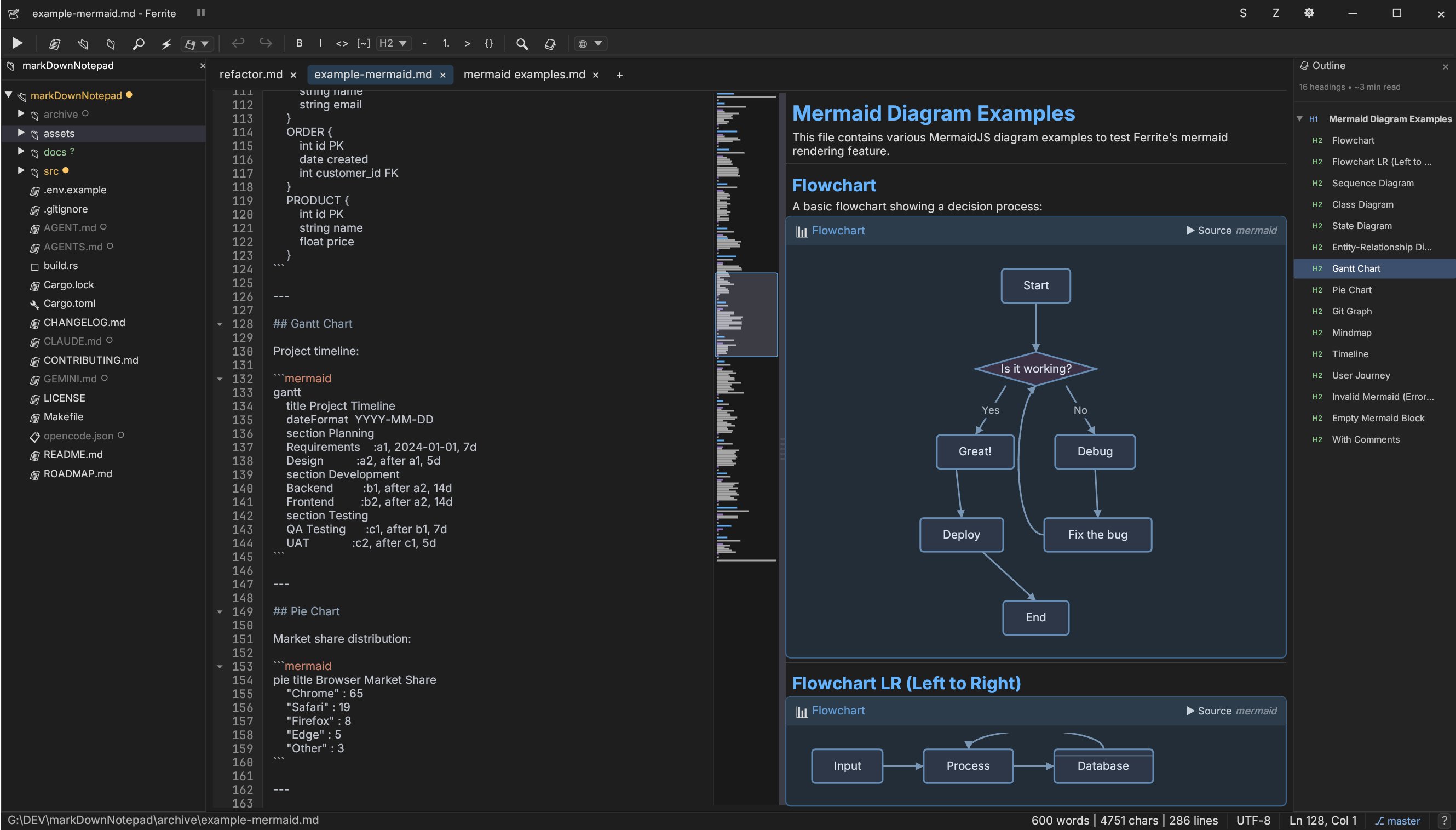
Ferrite treats Markdown as a first-class citizen, offering a WYSIWYG-style editing experience. The editor supports standard formatting operations via a toolbar or keyboard shortcuts (e.g., Ctrl+B for bold, Ctrl+I for italic). It includes syntax highlighting for over 40 languages, which extends its utility beyond just Markdown files.
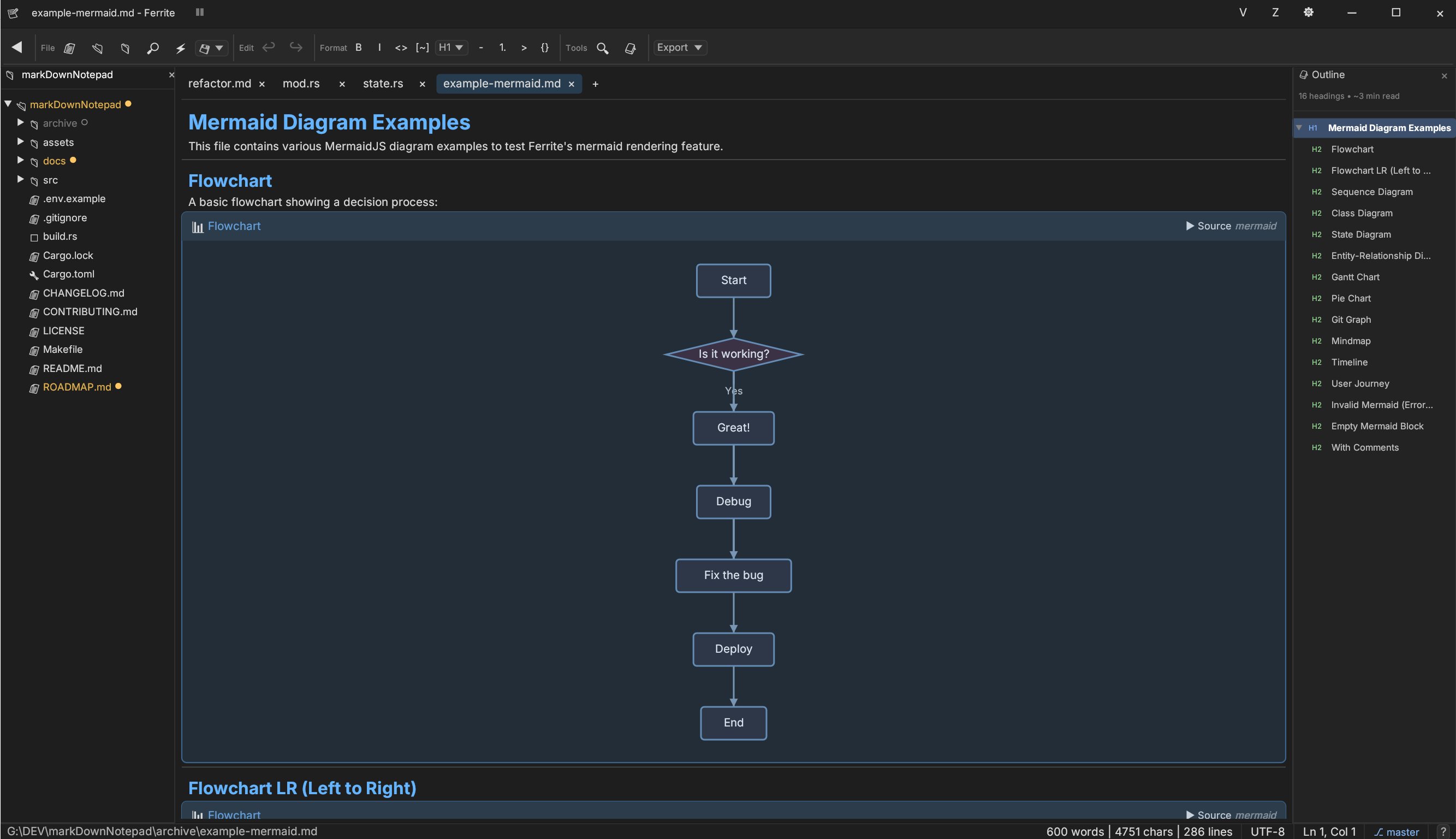
A distinct feature is the integration of MermaidJS diagrams directly into the preview pane. Ferrite supports rendering 11 diagram types, including flowcharts, sequence diagrams, and Git graphs. The recent v0.2.1 update enhanced this support with control-flow blocks (loops, alternatives) and better layout handling for flowchart subgraphs. This allows developers to visualize complex logic directly within their documentation without external tools.
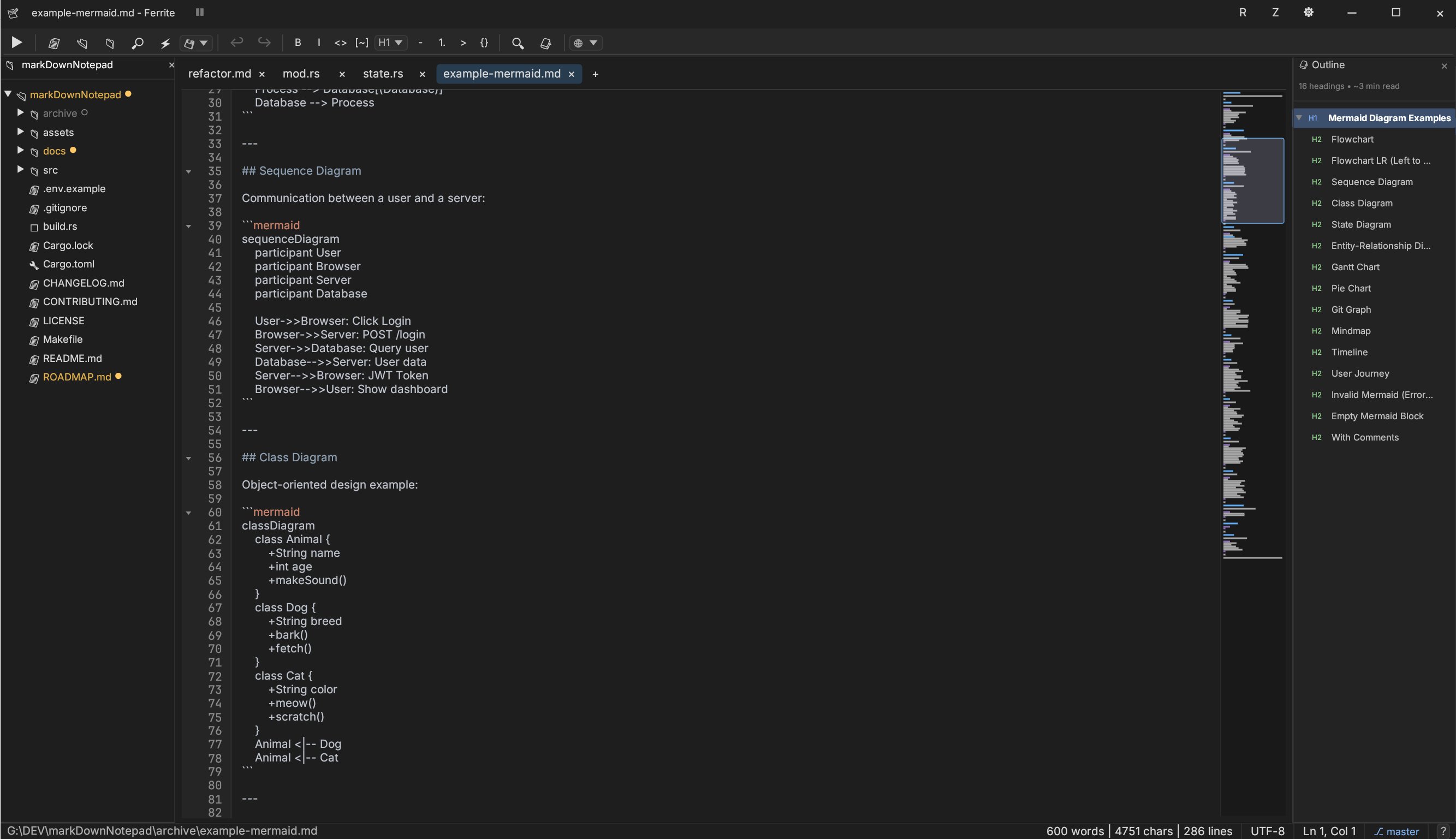
The editor offers three view modes:
- Raw: Standard text editing with syntax highlighting.
- Rendered: A WYSIWYG view where formatting is applied visually.
- Split: A side-by-side view with a resizable divider.
Synced scrolling is implemented in the split view, ensuring the raw text and rendered preview stay aligned as you navigate the document. This is particularly useful for long documentation files where context is key.
Structured Data Handling: The Tree Viewer
For JSON, YAML, and TOML files, Ferrite moves beyond simple text editing. It includes a Tree Viewer that parses the file structure and displays it hierarchically. This is similar to how database clients or JSON viewers operate, allowing users to expand and collapse nodes.
Crucially, the Tree Viewer supports inline editing. Modifying a value in the tree updates the underlying text file, and vice versa. This dual-interface approach is designed to reduce errors in configuration files, where syntax errors (like a missing comma in JSON) are common. The tree view also provides path copying, which is helpful for navigating deep nested structures.
Workspace and Git Integration
Ferrite includes a "Workspace Mode" that allows opening a folder rather than a single file. This provides a file tree sidebar, a quick file switcher (invoked with Ctrl+P), and search-in-files functionality (Ctrl+Shift+F).
Additionally, it features Git integration. Modified, added, and untracked files are visually indicated within the file tree, providing a quick overview of the repository status without leaving the editor.
Technical Architecture
Ferrite is built entirely in Rust, leveraging the egui library for its immediate mode GUI. This architecture choice contributes to the "native, responsive experience" mentioned in the project description. Immediate mode GUIs redraw the interface every frame, which can make responsiveness feel snappier for certain interactions, though it requires a different approach to state management compared to retained mode interfaces.
The tech stack includes:
- Markdown Parsing:
comrak(CommonMark + GFM). - Syntax Highlighting:
syntect. - Git Operations:
git2bindings. - File Watching:
notify. - Fuzzy Matching:
fuzzy-matcher.
Installation and Usage
Pre-built binaries are available for Windows (zip), Linux (.deb or .tar.gz), and macOS (.tar.gz). The Linux .deb package includes desktop entries and file associations for supported formats.
For developers wishing to build from source, the standard Rust toolchain is required. On Linux, specific system libraries are needed, including libgtk-3-dev and libxcb dependencies for windowing and clipboard support.
Comments
Please log in or register to join the discussion