
Google Chrome now allows users to disable and delete the local AI models powering its Enhanced Protection feature, which provides real-time defense against malicious websites, downloads, and extensions. This optional control, currently in Chrome Canary, addresses privacy preferences while maintaining core security functionality.
Google Chrome users now have unprecedented control over the artificial intelligence engines safeguarding their browsing sessions. The browser recently introduced an option to disable and completely delete the on-device AI models that drive its Enhanced Protection security feature—a significant development for privacy-conscious users seeking transparency in security operations. 
The Enhanced Protection feature, integrated into Chrome for several years, underwent a fundamental transformation in 2025. Google upgraded it with proprietary AI models designed to operate directly on users' devices rather than relying solely on cloud-based analysis. This shift enabled 'real-time' threat detection, scanning websites, downloads, and browser extensions milliseconds after they're encountered.
According to Google's technical documentation, these local AI models analyze behavioral patterns to identify zero-day threats—malicious sites or files lacking established signatures in security databases. This represents a key advancement: Unlike traditional blocklists requiring prior threat identification, the AI system detects anomalies based on structural characteristics and execution behaviors. 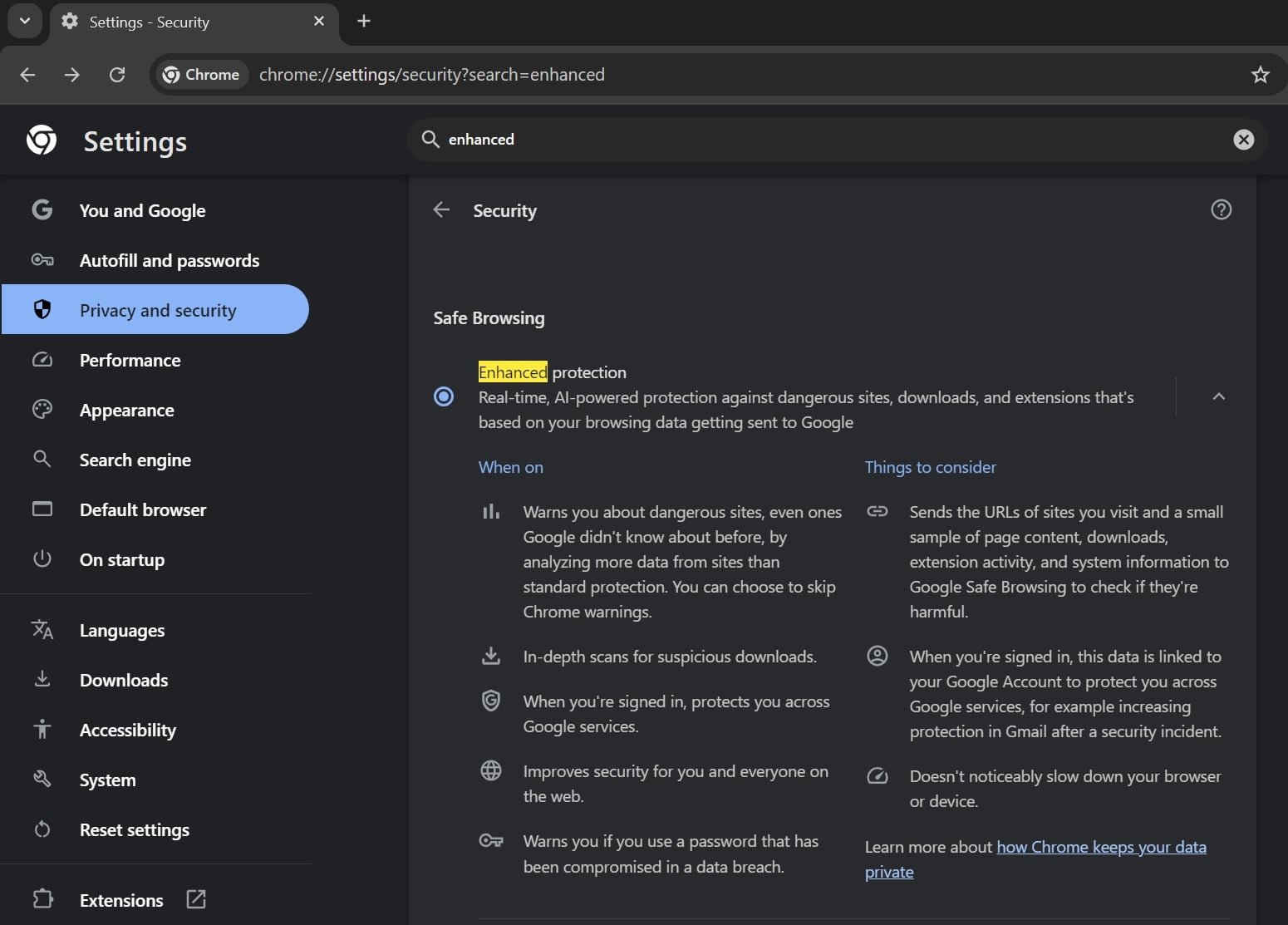
How On-Device AI Changes Security:
- Privacy Preservation: Analysis occurs locally without uploading browsing data to servers
- Latency Reduction: Instant processing without cloud round-trips
- Offline Protection: Functions without internet connectivity
- Zero-Day Defense: Identifies novel threats through pattern recognition
Despite these capabilities, Google hasn't publicly detailed how the AI-enhanced version differs functionally from the previous iteration. Security analysts speculate the models employ neural networks trained to detect:
- Obfuscated phishing page structures
- Malware download payload characteristics
- Extension permission abuse patterns
The new control emerges as browsers increasingly process sensitive data locally. To manage these AI components:
- Navigate to Chrome Settings > System
- Toggle off 'On-device GenAI'
- Confirm deletion when prompted
This action removes the AI model binaries stored in Chrome's application directory. Importantly, core security features like Safe Browsing's basic protections remain active—only the AI-enhanced capabilities are disabled. Google's code suggests these local models may soon support additional features beyond security, including:
- Smart form completion
- Contextual browsing assistance
- Accessibility enhancements
The feature currently appears in Chrome Canary (version 123+) and undergoes final testing before its stable channel release. This development follows Chrome's expanded AI integration across features like tab grouping, writing assistance, and the Gemini-powered agentic browsing mode—all governed by separate controls.

Security experts note this granular control balances innovation with user agency. 'On-device AI offers tangible privacy benefits over cloud processing,' explains MIT researcher Elena Torres. 'But users deserve transparency about what's running locally. Google's approach sets a valuable precedent for AI toggle implementation.'
As browser security evolves toward predictive AI defenses, this user-configurable model represents a critical step in ethical implementation—acknowledging that even security features benefit from opt-out mechanisms. Chrome's rollout continues throughout Q1 2026, with enterprise administrators receiving group policy controls for organizational deployment.
Comments
Please log in or register to join the discussion