Analysis of 16 years of macOS screenshots reveals a steady increase in UI brightness, from 71% in Snow Leopard to 100% in modern versions, forcing many users to adopt dark mode for comfort.
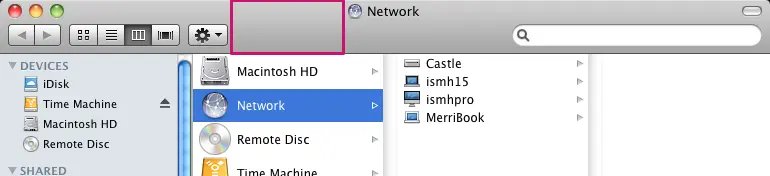
A longitudinal analysis of macOS interface design reveals a clear trend: Apple's default light mode has been getting progressively brighter with each OS release. By measuring the average lightness of system UI elements across 16 years of macOS versions, we can quantify this shift from the muted grays of Snow Leopard to the near-blinding whites of modern versions.
Methodology
Using the macOS Screenshot Library as a consistent source, the analysis involved:
- Cropping representative UI sections from each OS version
- Converting to grayscale using Python's Pillow library
- Calculating average lightness values with
ImageStat.Stat
The results show:
- 2009 (Snow Leopard): 71% average brightness
- 2020 (Big Sur): 85% → 97% brightness jump
- 2025 (Tahoe): 100% brightness
Technical Limitations
While the methodology provides consistent measurements, it doesn't account for:
- Perceived brightness differences
- Wallpaper-based tinting effects
- HDR capabilities in newer displays
Practical Implications
- Eye Strain: The brightness increase correlates with many developers switching to dark mode post-2018
- Design Trends: Parallels the industry-wide shift to "flat" design and higher contrast ratios
- HDR Future: iOS 26's HDR elements suggest brightness inflation may continue beyond 100% white
Alternative Approaches
Rather than binary light/dark modes, some users advocate for:
- Medium-gray interfaces (50% brightness)
- Better window differentiation
- Customizable brightness curves
The Yosemite design system remains a popular middle ground, offering sufficient contrast without extreme brightness.
This analysis provides concrete data to inform interface design decisions, particularly for developers creating cross-platform apps that need to balance aesthetics with usability.
Comments
Please log in or register to join the discussion