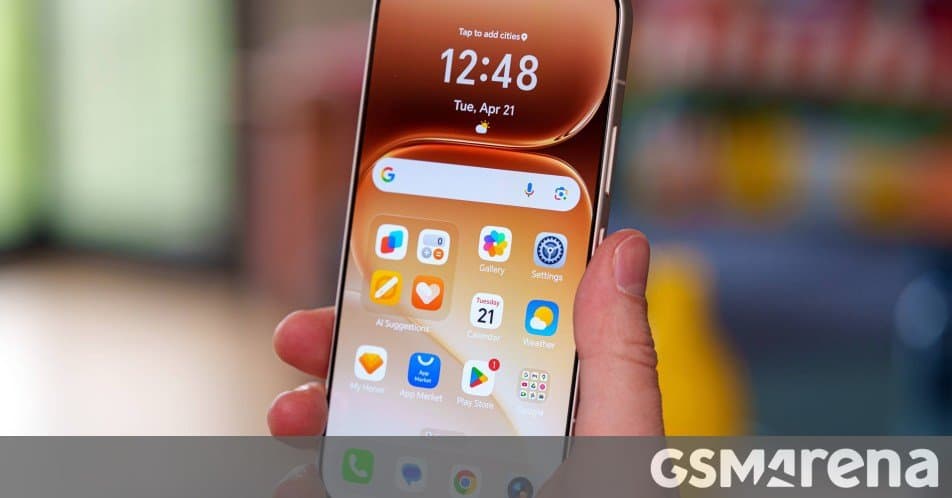
MagicOS can now hand sketchy apps blank call logs, empty message histories, and dummy camera access while letting them run normally. Honor's new Virtual Permissions feature is rolling out this month, and it sidesteps the usual all-or-nothing permission trap Android users know too well.
Android's permission system has always come with an uncomfortable bargain. An app asks for access to your call history, your messages, your contacts, or your camera, and you either grant it or lose the ability to use the app. Deny the request and a lot of apps simply refuse to function, even when the permission has nothing to do with what you actually want the app to do. Honor's new Virtual Permissions feature takes a different approach: instead of forcing you to choose between handing over your data or walking away, it lets the app think it got what it asked for while feeding it nothing real.
What Virtual Permissions actually does
Virtual Permissions arrives with MagicOS 10.0.0.160, which Honor has already started distributing to eligible phones. The idea is straightforward. You go into settings, pick the apps you don't fully trust, and enable Virtual Permissions for them. From that point on, when one of those apps requests sensitive data, MagicOS responds with empty or fabricated information. Blank call logs. Empty message threads. A camera feed that returns nothing usable. The app receives a valid-looking response, so it doesn't throw up an error or refuse to launch, but none of your personal data leaves the device.
The key detail is where this happens. Honor says the spoofing is handled at a low system level rather than through some per-app workaround. That matters because it means the app has very little ability to tell the difference between a real permission grant and a faked one. The operating system is sitting between the app and your actual data, intercepting the request and substituting a clean response. Because of how this is built, there's a good chance it works across essentially any app you point it at, not just a curated list that Honor has tested.
This is a meaningful step beyond what stock Android offers. Google has been tightening permissions for years, adding one-time grants, the option to allow location access only while an app is in use, and approximate rather than precise location. Android also lets you revoke permissions outright. But revoking a permission usually breaks the feature behind it, and many apps detect the denial and nag you or stop working. Virtual Permissions changes the dynamic by making denial invisible to the app.
Why this matters for everyday use
Think about the fitness app that wants your call history, or the photo editor that insists on access to your contacts, or the flashlight-tier utility that asks for your messages. These requests are often about data collection rather than functionality. The app doesn't need that information to do its job; it wants it for analytics, advertising profiles, or resale. Under the normal model, your only real options are to grant the access or find a different app. Virtual Permissions gives you a third path where you keep using the app and it keeps getting nothing.
There is a privacy-engineering tradition behind this approach. Custom Android distributions and privacy tools have experimented with feeding apps fake data for years, and the general technique is sometimes described as permission spoofing or data shadowing. What's notable here is that a major phone maker is baking it into the shipping firmware rather than leaving it to power users who flash aftermarket ROMs. That lowers the barrier considerably. You don't need root access or a sideloaded module, just a setting toggle.
It's worth being realistic about the limits, though. An app that genuinely needs a permission to work, say a messaging app that needs SMS access or a real camera app that needs the camera, won't behave correctly if you feed it blanks. Virtual Permissions is aimed at the cases where the request is unnecessary or suspicious, not at every permission across the board. Used carelessly, it could break apps you actually want to function. The feature is most useful as a scalpel for the specific apps you distrust.
Ecosystem context and availability
Honor announced Virtual Permissions on Weibo, which means the first audience is MagicOS users in China. That's a familiar pattern for Honor and for Chinese Android makers generally, where new MagicOS, HyperOS, or ColorOS features often debut domestically before reaching global builds. Honor hasn't given an explicit commitment for an international rollout, but there's no obvious technical reason the feature would stay China-only, and privacy tooling tends to travel well across regions given how universally the permission problem applies.
MagicOS is Honor's Android skin, and the company has been steadily building out its own software identity since splitting from Huawei. Features like this one help differentiate it from the crowded field of Android overlays. For buyers weighing which ecosystem to commit to, software extras like Virtual Permissions are part of the calculation alongside hardware specs and update longevity. A privacy feature that works at the system level is exactly the kind of thing that's hard to replicate with a third-party app, so it becomes a genuine reason to stay within Honor's ecosystem once you're there.
If you're on an eligible Honor phone, the practical advice is to check for the MagicOS 10.0.0.160 update and look for Virtual Permissions in your settings once it lands. Start by enabling it for the apps you're most suspicious of, the ones whose permission requests never made sense, and confirm they still work the way you expect. For everyone else, this is a useful signal of where Android privacy controls are heading: away from a binary grant-or-deny model and toward giving users finer control over what their apps can actually see.
Comments
Please log in or register to join the discussion