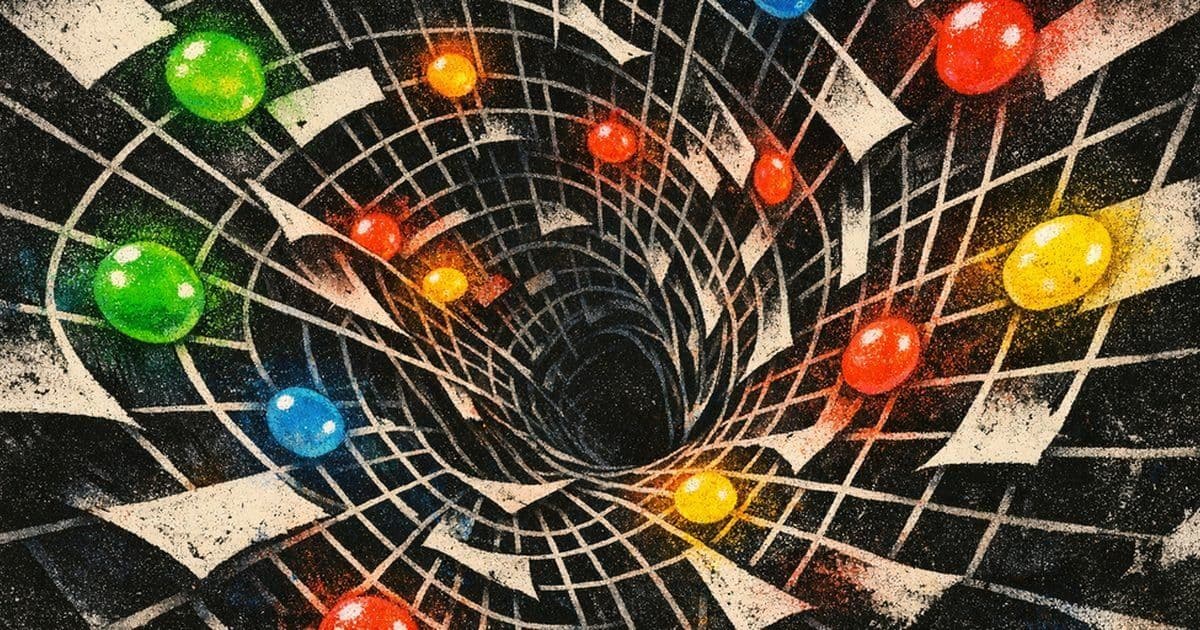
A whimsical yet surprisingly functional programming language where code is literally written with candy.
What if a little pile of M&Ms on a table was a real program? I mean literally. Imagine you arrange M&M-like candies into a specific pattern, that pattern is executable code.
It all started when I spilled a full packet of GEMS † GEMS is sort of an Indian version of M&Ms. on the floor because I opened (ripped?) the packet a bit too hard. It fell into an interesting pattern that I could only describe as the shape of an arrow.
Random patterns, fractals, interpreting nonsense into structure are hobbies that entice me. I am somewhat of an apophenic when it comes to these things. The colors, the placements, and the structure of what I saw dropped a silly idea into my mind's eye. What if I could write programs with M&Ms?
This is the story of one of my many silly little projects.
Table of Contents
Seeing the spilled candy on the floor, a few constraints dawned on me...
There are only six useful colors. A photo is a terrible place to store exact symbolic data. Candy is round, glossy, messy, and inconveniently physical. Strings are a disaster if you try to cram them into an image. If this thing is going to be funny, it still has to actually work.
So I built it.
The result is MNM Lang, a tiny programming language where:
- source code is written as runs of six letters: B G R Y O N
- those runs compile into a PNG made from candy sprites
- the PNG decompiles back into source exactly
- and a controlled photo decoder can recover programs from mildly skewed images (I hope that works)
There is a CLI, a browser playground, example programs, tests, and a sprite pack generated specifically for the project.
And this is obviously not a practical language. It is a serious implementation of a silly idea.
The Core Problem
If you only have six candy colors, how do you build a language that is:
easy to place by hand easy to read from a photo expressive enough to run real examples and small enough that the whole bit stays funny?
My answer was: encode instructions by color family, and encode operands by count.
That means a token like this: MNM COPY BBB isn't "three arbitrary blue things." It means a specific opcode.
And a token like this: MNM COPY RRRR means the integer literal 3, because operand values are len(token) - 1.
That single rule ended up doing a lot of work for me:
- it is easy to author in text
- it is easy to render into image cells
- it is easy to reconstruct from image geometry
- and it feels appropriately ridiculous
You can explain the language to someone in about thirty seconds: "Blue clusters are control flow, green is stack and variables, yellow is math, orange is I/O, brown is labels and strings, red is stack shuffling and logic. If you want the number five, use six red candies."
Whether or not that's intuitive is not a question I can answer at this time.
The earliest fork in the road was strings. I could have tried to encode text directly into candy layouts. Maybe invent a micro-alphabet. Maybe use rows of yellow and red as bytes. Maybe do some cursed base-6 trick.
That would have been technically possible and spiritually awful. The fun part of the project is the visual structure, not building an OCR-resistant QR code out of sugar shells.
So I pushed strings and initial variables into a sidecar JSON file. That means a program has two parts: the visual candy layout in .mnm the non-visual runtime data in .mnm.json
For example, hello world is:
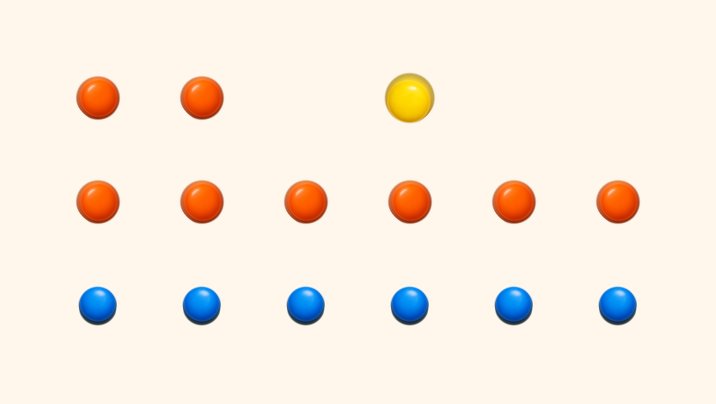
MNM COPY OO Y OOOOOO BBBBBB
And because the whole bit only works if that text turns into an actual candy program, here is the compiler output for it:
And its sidecar is:
JSON COPY 1 2 3 4 5 6 7 8 { "strings": ["Hello, world!"], "variables": [], "inputs": { "int": [], "str": [] } }
And because I apparently have no sense of restraint, this page can also run that exact little program inline:
The Smallest Possible Cheerful MNM Lang Program
Candy Sheet AST tree Execution trace Output
Press Run to animate the result.
That split ended up making the whole system cleaner:
the image only carries what images are good at: structure runtime input can change without moving candy the photo decoder does not have to pretend it can read prose from glossy candy
Sometimes the correct answer in a whimsical project is to stop being whimsical for one layer of the stack.
A Language Made of Six Colors
Once strings moved out of the image, the language itself fell into place pretty quickly. I grouped instructions by color family:
- blue: jumps, calls, halt
- green: push/load/store/dup/pop/inc/dec
- yellow: arithmetic and comparisons
- orange: printing and input
- brown: labels and string operations
- red: swap, rotate, boolean logic
And then I made the first token on every row the opcode. That gives the language a very physical feel. A line is an instruction. A cluster of candies is a token. More candies means a different variant.
It is almost closer to arranging game pieces than writing code. The full programs still look absurd, which I consider a success.
This is the opening stretch of the factorial example:
MNM COPY 1 2 3 4 5 6 7 8 9 OOO O GGG G G RR GGG GG N B GG G G RR YYYYYYYY BB BB
Fed through the renderer, that opening section looks like this:
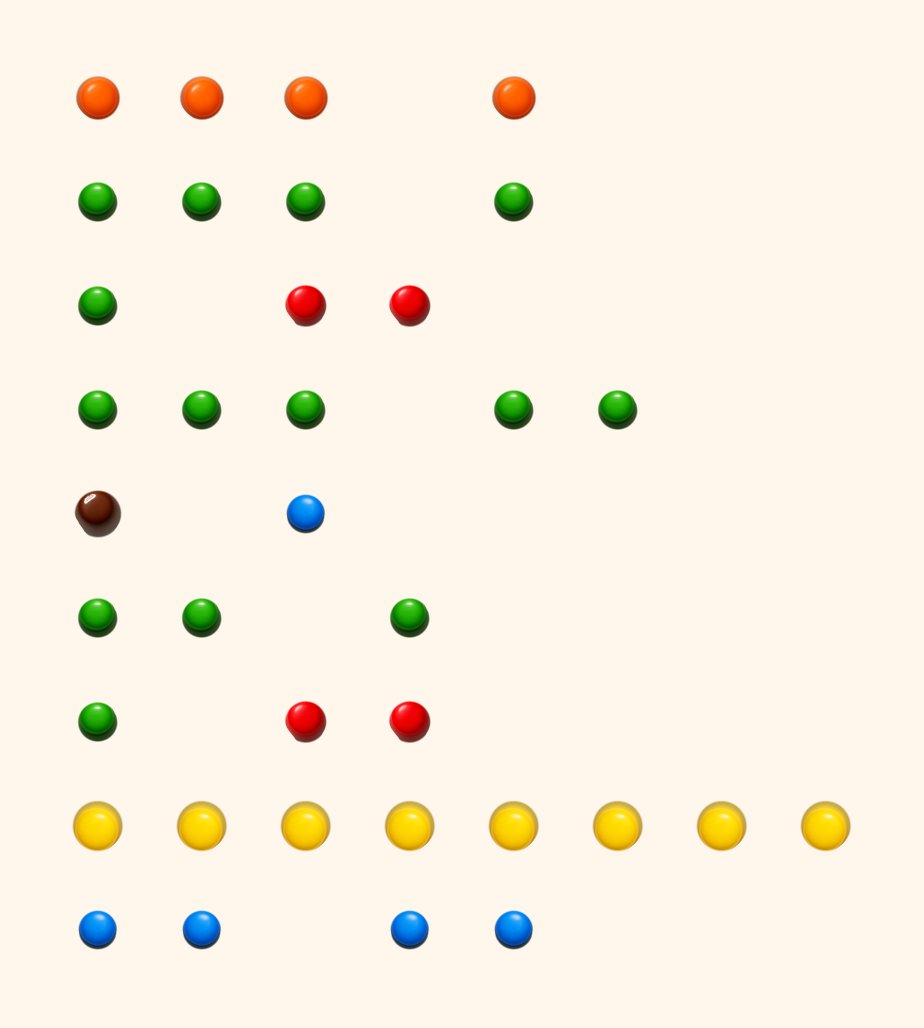
If you already know the rules, you can decode that as:
read integer queue 0 store into variable 0 push 1 store into variable 1 label 0 load variable 0 push 1 compare > jump-if-zero to label 1
Which means, yes, I wrote a looping factorial program out of candy.
The Only Correct Compiler Target Was an Image
If the whole gimmick is "this program is candy," the compiler cannot stop at an AST. It has to emit an image.
So the compiler takes normalized .mnm source and renders it on a fixed grid:
- one source character per cell
- spaces become empty cells
- cells hold transparent-background candy sprites
- the output is a PNG
That fixed geometry turned out to be a huge win, because it made the reverse direction almost trivial. If an image came from the compiler, the decompiler can:
- recover the exact row/column count from the canvas size
- sample each cell
- classify it as blue/green/red/yellow/orange/brown/blank
- strip trailing spaces and re-parse the result
That gives an exact round-trip: source PNG source with no heuristics at all.
In other words: the "compiler" is also a tiny image format.
I Generated the Candy Sprites with an Image Model
One of my favorite parts of the project is that I didn't hand-draw the sprites. I used AI image generation † This is a Codex Skill — a reusable capability you can give to Codex for specialized tasks like image generation. to create six M&M-style candy tokens:
- blue
- green
- red
- yellow
- orange
- brown
The raw generations were decent, but not directly usable. They came with a few annoying traits:
too much studio backdrop a bit of inconsistent shadow minor scale differences
So the final asset pipeline became:
generate six isolated candies with transparent-background prompts normalize them with a small script crop and center them onto a canonical 128x128 canvas extract palette metadata for the decompiler and photo classifier
Not conceptually. Literally. The checked-in prompt bundle for the sprite pack looks like this:
JSON COPY 1 2 3 4 5 6 { "prompt": "a single blue candy-coated chocolate lentil ... isolated on a transparent background", "composition": "one candy only, top-down, centered, consistent scale", "constraints": "transparent background; no logo; no text; no watermark", "out": "blue.png" }
Comments
Please log in or register to join the discussion