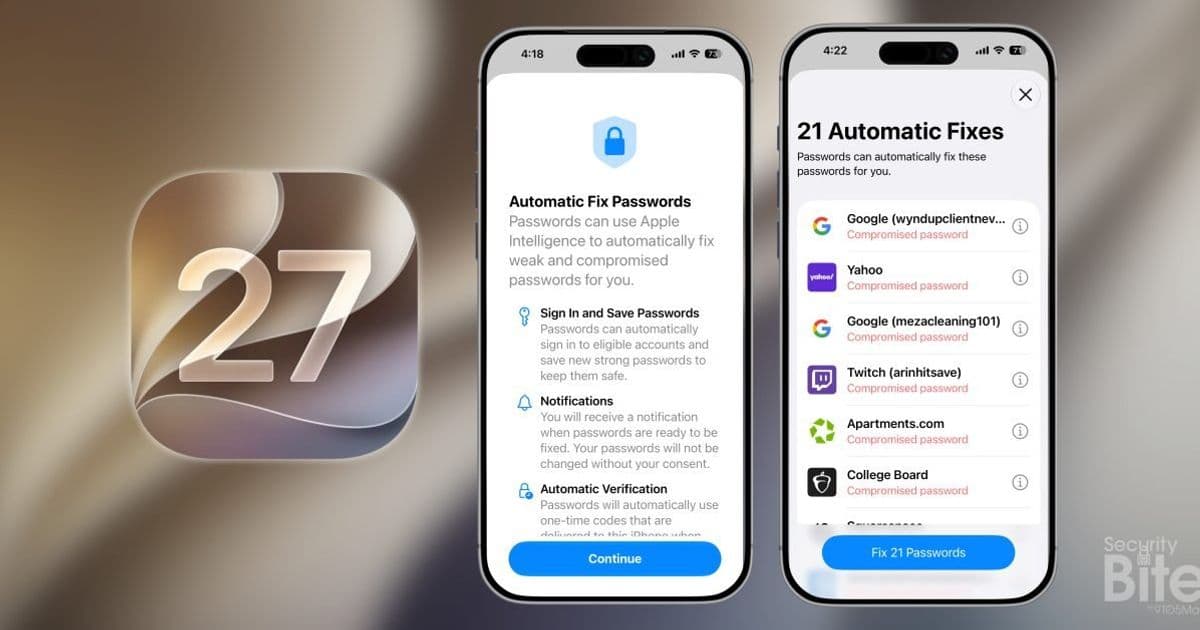
Apple quietly shipped one of its boldest AI features in the iOS 27 developer beta: a one-tap agent in the Passwords app that navigates to websites and rotates weak or compromised credentials on its own. For developers and IT teams managing accounts across iOS and Android, it raises real questions about control, MDM policy, and what happens when an autonomous agent touches work logins.
Apple spent most of the WWDC26 keynote talking about on-device Child Safety and Siri, but the feature worth a closer look is buried in the Passwords app. In iOS 27, now available as a developer beta, the app gained an agentic AI that will go change your compromised passwords for you. Not surface them. Change them.
This is a meaningful shift from how password hygiene has worked on any platform, and it has implications that reach well past the consumer who just wants to clear a list of red warning labels.
What the platform update actually does
Apple's password manager has flagged weak and breached credentials for years, using the same kind of breach-monitoring you'd find in iCloud Keychain audits. The problem was always the last mile. If you had 200 accounts marked compromised, you had to open each one, visit the site, find the account settings, and reset the password by hand. Almost nobody finished that list.
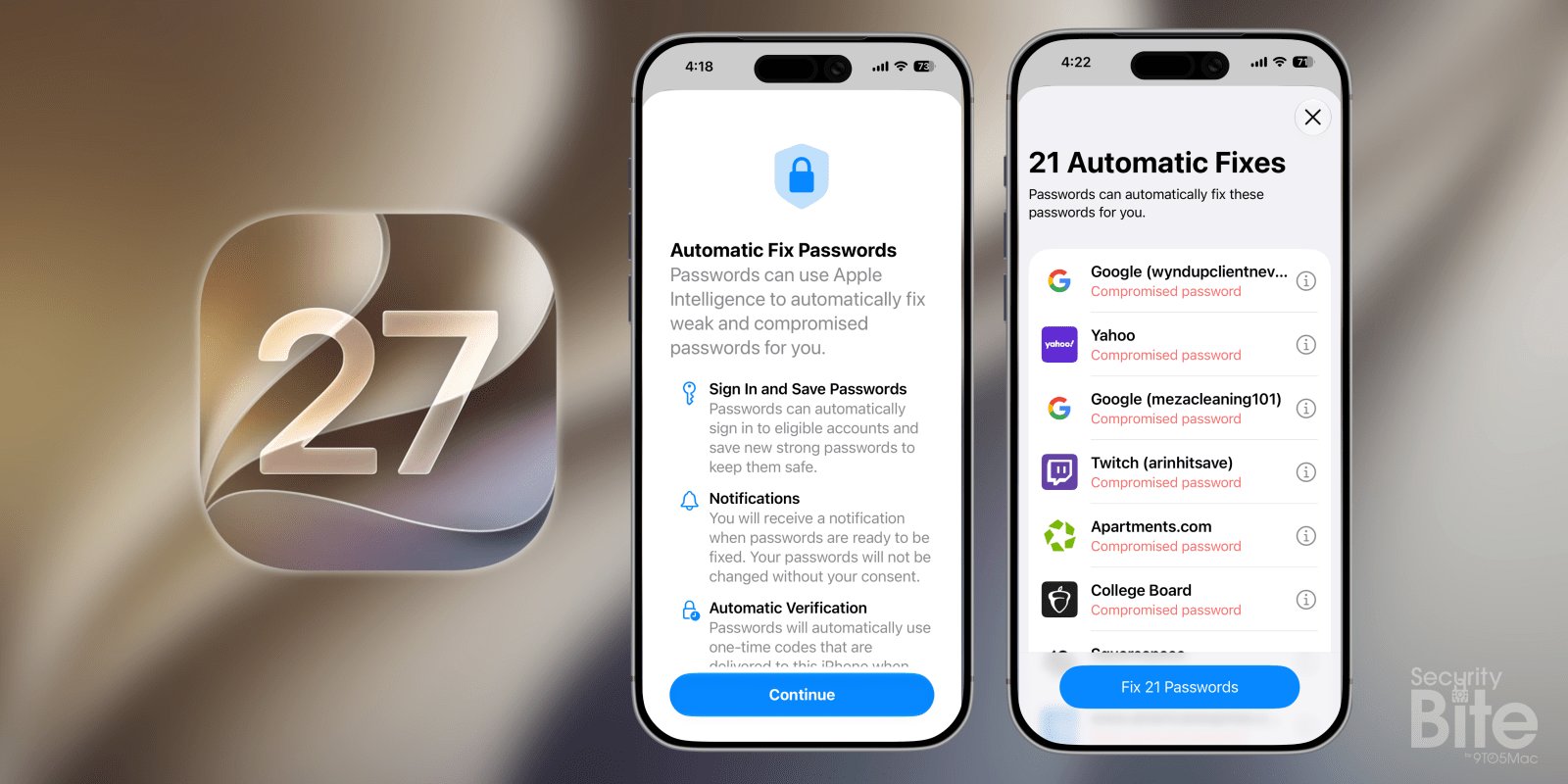
The iOS 27 version automates the entire flow. You tap once, and a computer-use model navigates to each site on your behalf, logs in, walks through the password change form, and saves the new credential back to iCloud so it autofills everywhere else. There is no prompting and no per-site interaction from the user.
The clever part is how it handles two-factor authentication. Before it starts, the agent asks for temporary permission to read one-time verification codes delivered through Messages or Mail. That permission window scales with how many credentials it needs to rotate, then closes. It's a narrow, time-boxed grant rather than a standing capability, which is the right instinct for a feature handling your most sensitive data.
Why this matters for cross-platform developers
If you build or maintain apps on both iOS and Android, this changes assumptions you can make about account lifecycle. An autonomous agent driving your password reset flow is, functionally, a headless browser that looks like a real user but behaves like a script. Your web reset forms need to survive that.
A few things to check on your own services:
- Reset flows that depend on visual-only cues will break. If your "change password" path hides the submit button behind a custom JavaScript widget with no accessible label, a computer-use model may stall. Semantic HTML and proper ARIA labeling stop being just an accessibility nicety and become a reliability requirement.
- Rate limiting and bot detection will fire. An agent rotating credentials can trip the same heuristics you use to block credential stuffing. You may start seeing legitimate password changes flagged as suspicious. Distinguishing an Apple-driven agent from an attacker is not trivial, and right now there's no documented signal that says "this is the Passwords agent."
- TOTP-based 2FA is a dead end for the agent. This is the gap that matters most. The permission grant covers codes that arrive in Messages or Mail, meaning SMS and email one-time passcodes. If your app uses an authenticator app generating TOTP codes, the agent has nothing to read. It cannot open Google Authenticator or Authy, so the reset fails midway.
That last point is the practical fault line. Email and SMS codes work; app-generated codes do not. Plenty of security-conscious services pushed users toward authenticator apps precisely because SMS is weak, and those services are now the ones the agent can't fully handle.
The enterprise problem nobody is shipping a control for
Here's where the developer impact gets sharper for anyone supporting managed fleets. Picture an employee with company logins saved in Passwords on a personal iPhone. They tap the fix button to clear their personal junk, and the agent starts rotating work account credentials too. If those accounts use an authenticator app, the agent grabs the one-time-code permission, finds nothing to use, and leaves a trail of half-completed changes and lockouts.
That's a help desk ticket factory.
As of this beta, there is no MDM setting documented to disable or scope agentic Passwords on company-owned devices. Apple usually ships a managed configuration key for features this sensitive, and it may yet appear before the public release. Many organizations already block iCloud Keychain syncing through configuration profiles, which would likely disable the agent as a side effect since it writes new credentials to iCloud. But relying on a side effect is not a policy.
For regulated industries, the deeper issue is auditability. An AI changing credentials with no clear, exportable record of what it touched and when is going to struggle against finance and healthcare compliance requirements. Security teams want a log: which account, what time, old credential invalidated, new credential set. If that telemetry isn't surfaced to MDM or to the account owner's own audit trail, the feature is a non-starter in those environments regardless of how well it works.
Migration and what to do now
If you run authentication for a product with users on Apple devices, treat the iOS 27 beta window as your test period:
- Run your password reset flow against a computer-use agent. Even if you can't test Apple's directly, validate that your forms are navigable without human visual interpretation. Clean labels, predictable DOM, no captcha gates on the authenticated reset path.
- Decide how you'll treat agent-driven changes in your fraud logic. You may want a tighter coupling between an active session and a password change, so a logged-in user rotating their own credential isn't scored the same as an anonymous attempt.
- Document your 2FA posture. If you rely on TOTP, understand that Apple's agent will fail partway through and your users may end up locked out. Consider whether you surface a clearer fallback when an automated reset stalls.
- For IT admins: audit which managed accounts could end up in personal Passwords, and lean on existing iCloud Keychain restrictions until Apple ships an explicit control. Watch the beta release notes for a dedicated payload key.
Apple has generally stayed a step behind Google on aggressive AI features, so seeing it ship a computer-use agent that drives real websites is genuinely notable. It works surprisingly well for a first beta. But the convenience that delights a consumer clearing a list of weak passwords is the same autonomy that makes a fleet manager nervous. The feature is impressive engineering. Whether it ships with the guardrails enterprises need is the open question for the rest of the beta cycle.
Comments
Please log in or register to join the discussion