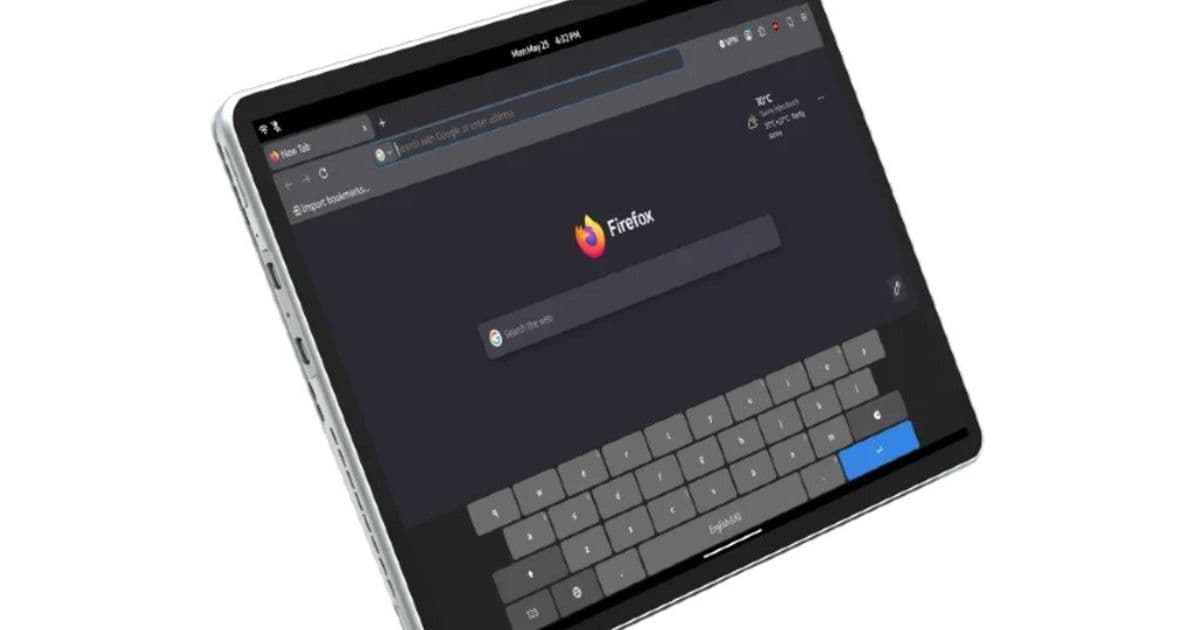
Juno’s fourth-generation Linux tablets trade the old single-model approach for a clearer choice: portable LTE with fanless Intel N-series hardware, or a larger Core Ultra slate built for heavier desktop Linux work.
What's New
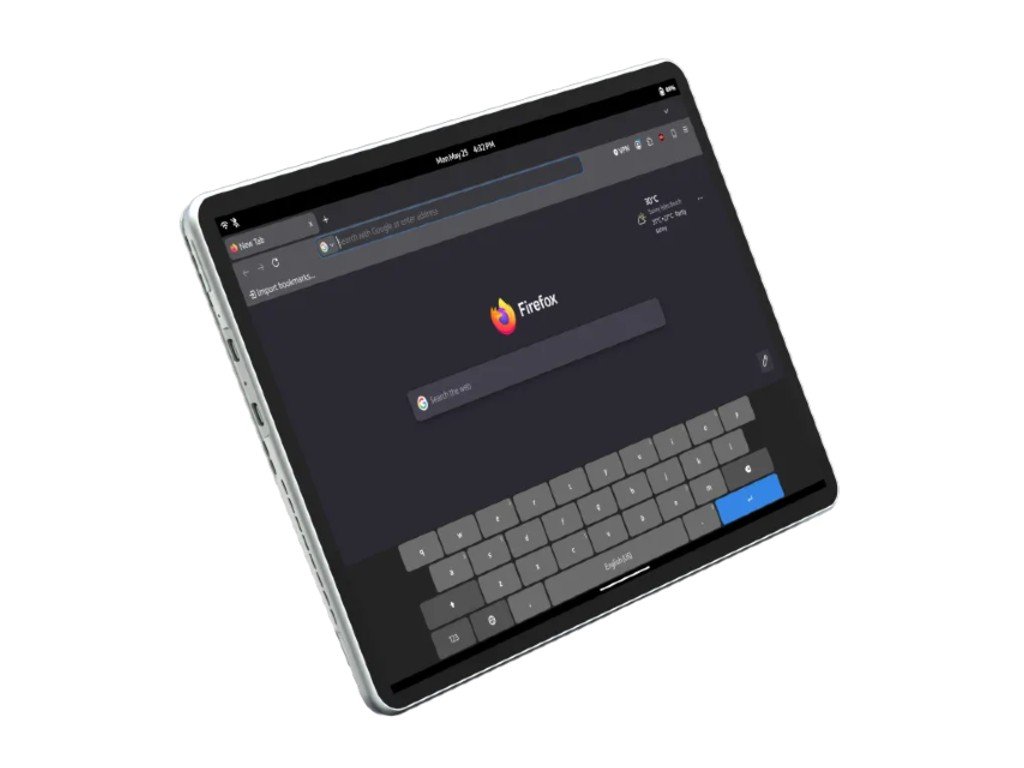
Juno Computers has launched the Juno Tab 4 family in two very different configurations: the Juno Tab 4 10.5-inch LTE and the Juno Tab 4 13-inch Wi-Fi. Both are x86 Linux tablets with detachable backlit keyboards, removable SSD storage, and a choice of preinstalled Linux distributions, but they are aimed at different buyers.
The 10.5-inch LTE model is the mobile-first version. It uses Intel Alder Lake-N hardware, listed by Juno as an eight-core N300 chip with a 3.8 GHz turbo clock, paired with 12GB of soldered LPDDR5 and a removable M.2 2242 SATA III SSD. Juno’s public product page lists a 1TB option, while the category page says storage goes up to 2TB. The display is a 10.5-inch 1920 x 1280 IPS touchscreen at 60Hz. That resolution is sharper than a basic 1080p panel in this size class, and the 3:2-ish working area should feel better for terminals, documents, and web apps than a narrow video-first tablet panel.
{{IMAGE:2}}
The 10.5-inch model’s real differentiator is connectivity. It can be configured with a Quectel EG25-G LTE Cat 4 modem with GPS/GNSS support, a nano SIM slot shared with microSD, and support for VoLTE calls. The official specs list broad LTE band coverage, including common US bands such as B2, B4, B5, B12, B13, B25, B26, B38, B40, and B41. Peak LTE rates are modest by 2026 standards, 150 Mbps down and 50 Mbps up, with Juno quoting real-world rates of 20 Mbps to 70 Mbps. That is not 5G tablet territory, but it is enough for SSH, browser work, messaging, maps, and tether-free field use.
The port layout is unusually practical for a tablet. The 10.5-inch version has two USB-C 3.1 ports with charging and video output, micro HDMI, a headphone jack, stereo speakers, a built-in mic, pogo pins for the keyboard, and the SIM or microSD slot. The battery is 29.6Wh, charging comes through a 36W adapter, and the chassis is metal. Juno says the tablet weighs 1.30 pounds on its own and 2.23 pounds with the keyboard.
The 13-inch Juno Tab 4 is the performance model. It moves to an Intel Core Ultra 5 115U, a Meteor Lake chip with 2 performance cores, 4 efficiency cores, 2 low-power efficiency cores, and 10 threads. It also gets 16GB of soldered LPDDR5 at 5600MHz and a removable M.2 2280 PCIe 3.0 x4 NVMe SSD, with the 1TB drive rated at 3500 MB/s reads and 2500 MB/s writes. That storage interface is a major upgrade over the SATA drive in the smaller tablet.
{{IMAGE:3}}
The 13-inch display is a 1600 x 2560 IPS touchscreen at 60Hz, with Juno listing 500 nits typical brightness. That is the better panel for code, long PDFs, spreadsheet rows, split windows, and remote desktop sessions. It also gets a 5MP front camera, matching the 5MP rear camera, while the 10.5-inch model uses a 2MP front camera and 5MP rear camera.
The larger tablet loses LTE and microSD, but gains a USB-A 3.0 port alongside two USB-C 3.1 ports that support charging, video output, and OTG. It has Wi-Fi 6, Bluetooth 5.2, stereo speakers, a microphone, and two internal fans. The cooling matters. The Core Ultra 5 115U has a 15W TDP, more than double the 7W rating Juno lists for the N300 tablet, and active cooling should help it sustain higher clocks during package builds, browser-heavy workloads, and light creative work.
Juno lists the same operating system menu on both models: Debian Forky with Phosh, Debian Forky with Plasma Mobile, Debian Testing/Forky with GNOME, Kubuntu 26.04 LTS with KDE Plasma, or Ubuntu 26.04 LTS with GNOME. That selection is the point of these tablets. You are not buying a locked-down mobile OS device. You are buying a small Linux PC with a touchscreen, a detachable keyboard, and enough hardware support work from the vendor to make cameras, rotation, suspend, Wi-Fi, audio, and boot management usable out of the box. Juno also links driver resources through its GitLab pages, and users who care about mobile Linux shells can also look at Phosh and KDE Plasma Mobile for the software side.
Pricing is the one unresolved part of the launch. As of June 13, 2026, Juno’s US category page shows both Tab 4 models as coming soon with a $0 starting placeholder, and the individual product pages list them as out of stock. The pages do list add-ons, including $12 disk encryption and a $50 fan stand for the 10.5-inch LTE model, but not final base pricing. For buyers, that means the spec sheet is readable, but value cannot be judged yet. A Linux tablet with a keyboard included can look attractive at one price and niche-only at another.
How It Compares
Compared with the Juno Tab 3, the Tab 4 lineup is less of a straight replacement and more of a fork. Tab 3 used an Intel N100, 12GB of LPDDR5, a 12.1-inch 2160 x 1440 60Hz display, a 38Wh battery, Wi-Fi 6, Bluetooth 5.0, micro HDMI, microSD, one full-featured USB-C port, one limited USB-C port, and a removable M.2 2242 SATA SSD. It weighed 1.74 pounds as a tablet and 2.33 pounds with the keyboard.
The 10.5-inch Tab 4 LTE is smaller, lighter, and better connected, but it gives up battery capacity compared with Tab 3, dropping from 38Wh to 29.6Wh. It also uses an N300-class chip rather than the older N100. On paper, that should give it a clear CPU uplift in threaded tasks because it doubles the core count from four to eight, but it is still an efficiency-core-only Intel N-series design. I would expect it to feel quicker than Tab 3 in browser multitasking and software updates, but not to behave like a full laptop under sustained CPU load.
The 13-inch Tab 4 is the bigger jump. Its Core Ultra 5 115U brings a much more capable CPU layout, faster integrated graphics based on Intel’s Arc Xe-LPG design, faster NVMe storage, a larger battery at 42.71Wh, and active cooling. It is also heavier than both Tab 3 and the 10.5-inch Tab 4, at 1.87 pounds alone and 2.71 pounds with the keyboard. That weight is still normal for a detachable PC, but it changes the use case. This is not the one I would want to hold one-handed on a train for long reading sessions. It is the one I would prop up on a desk and use as a compact Linux workstation.
Against mainstream tablets, Juno is playing a different game. Apple’s current iPad Pro now runs the M5 chip, offers a much stronger display and media platform, and has a far more mature touch app ecosystem. Microsoft’s Surface Pro offers Snapdragon X Plus or X Elite options, up to 120Hz displays on 13-inch models, Wi-Fi 7, optional 5G on certain configurations, and a more polished detachable experience. Those devices are better if you want tablet apps, pen polish, camera quality, high refresh displays, or all-day battery claims from a major platform vendor.
Juno’s advantage is Linux-native ownership. The Tab 4 models use standard-ish PC hardware, removable SSDs, x86 processors, and installable distributions. For developers, sysadmins, Linux hobbyists, security researchers, and users who dislike mobile OS restrictions, that matters more than a brighter OLED panel. You can run desktop Firefox with extensions, container tools, a normal terminal workflow, local package managers, and regular Linux applications without remote desktop workarounds.
The trade-off is polish. The Tab 4 10.5-inch LTE lists GPS/GNSS as experimental. Juno’s support table says audio calls and VoLTE work, but Bluetooth calls are still testing. Both models list a minimum Linux kernel of 6.19. That tells experienced Linux users what to expect: support is real enough to be documented, but this is still specialist hardware. If you want every suspend, rotation, camera, modem, and pen-related behavior to behave like an iPad, this is the wrong category.
The display specs are also practical rather than premium. Both Juno tablets are 60Hz IPS panels. The 13-inch panel’s 1600 x 2560 resolution and 500-nit rating look good for productivity, but neither Tab 4 model is chasing OLED contrast, 120Hz pen latency, or HDR media performance. The Juno tablets are closer to small Linux laptops with detachable keyboards than entertainment tablets.
Who It's For
The 10.5-inch Juno Tab 4 LTE is for buyers who want mobile Linux first and raw speed second. Its best use cases are field notes, SSH, diagnostics, travel writing, lightweight coding, browser-based admin tools, maps, messaging, and portable documentation. The LTE modem and VoLTE support make it more interesting than most x86 tablets, because it can work away from Wi-Fi without relying on a phone hotspot. The fanless design should also keep it quiet, though I would want to test skin temperature and sustained clocks before calling it comfortable under long updates or compile jobs.
The 13-inch Juno Tab 4 Wi-Fi is for people who were hoping the Tab 3 had more CPU headroom. The Core Ultra 5 115U, 16GB RAM, NVMe SSD, and 13-inch high-resolution display make it the better fit for heavier desktop Linux sessions. It should be the stronger pick for VS Code, larger browser sessions, package building, virtualization experiments within reason, and external monitor use over USB-C. The lack of LTE is a shame, but the performance gap should be large enough that the two models do not really compete with each other.
Neither model is a clean iPad Pro or Surface Pro replacement for most buyers. The iPad Pro is the better tablet. The Surface Pro is the safer Windows detachable. The Juno Tab 4 is for the buyer who reads a spec sheet and cares that the SSD is removable, the OS menu includes Debian and Ubuntu options, and the vendor publishes Linux module support details. That buyer will forgive a 60Hz panel and rougher mobile app story if the machine boots into a real Linux desktop and keeps its hardware accessible.
The pricing will decide how wide the audience gets. If Juno prices the 10.5-inch LTE model well below mainstream premium detachables, it could be a compelling specialist field tablet. If the 13-inch model lands near Surface Pro money, it will need to win on Linux support, included keyboard value, storage, and repairability rather than display quality or battery claims. Until final pricing appears, the safest guidance is simple: watch the 10.5-inch model if you need connected Linux mobility, and watch the 13-inch model if you want the closest thing here to a compact Linux workstation.
Comments
Please log in or register to join the discussion