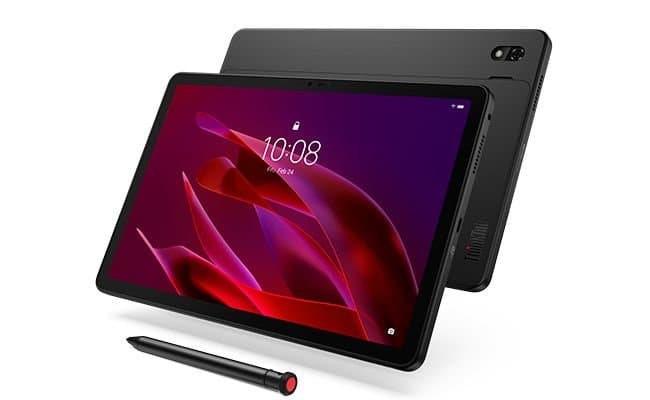
Lenovo's new ThinkTab X11 pairs a mid-range Snapdragon 7s Gen 3 with something the Android tablet market mostly abandoned years ago: a user-removable battery. For developers maintaining apps across iOS and Android, it's another data point in the messy reality of testing on real hardware.
Lenovo has started selling the ThinkTab X11, an Android tablet priced at $500 that runs on Qualcomm's Snapdragon 7s Gen 3 and includes a feature that has become genuinely rare on modern slates: a removable battery. For anyone who builds and ships mobile apps, the launch is less about a single device and more about what it signals for the Android hardware you actually have to support.
What the platform update actually is
The ThinkTab X11 sits in the mid-range tier. The Snapdragon 7s Gen 3 is a 4nm-class chip built around Arm Cortex cores, the same general family that powers a large slice of sub-$600 Android devices shipping in 2025 and 2026. It pairs an Adreno GPU with support for modern APIs, so from an application standpoint you are looking at a device that targets Vulkan and OpenGL ES on the graphics side and runs a recent Android release out of the box.
The headline hardware detail is the removable battery. Most tablets, including nearly every iPad and the majority of Samsung and Lenovo's own recent lineup, seal the battery behind glued glass. A removable pack changes the repair story for the device and, indirectly, its expected service life. A tablet that can get a fresh battery in year three is a tablet that stays in the install base longer, which matters when you are deciding how far back your minimum SDK has to reach.
Why this matters for developers
The practical question for a mobile developer is rarely "is this a good tablet" and more often "will my users have it, and will my layout survive it." Mid-range Android tablets like the ThinkTab X11 are exactly the hardware that fills out the long tail of your analytics dashboard. They are not flagships, the GPU is not the fastest in the category, and the display density will differ from whatever device sits on your desk.
That has direct consequences for how you build:
- Tablet layouts are not optional. A device in this class ships with a screen large enough that a stretched phone UI looks broken. If you have been relying on a single-pane phone layout, this is the segment that exposes it. Android's window size classes (
compact,medium,expanded) are the supported way to branch your UI, and a 10-to-11-inch tablet generally lands in theexpandedwidth bucket in landscape. - Mid-range GPU budgets are real. The Adreno GPU in the 7s Gen 3 is capable, but it is not a Snapdragon 8-series part. If your app leans on heavy shaders, large texture atlases, or uncapped frame rates, the X11 is a useful worst-case target. Profile against the slower tier, not just your fast personal device.
- Longevity extends your support window. A removable battery means these units can stay in circulation for years. The Android version that ships today is your floor, but the device itself may still be hitting your servers long after the OEM stops pushing updates. Plan your
minSdkand security assumptions accordingly.
There is a cross-platform angle here too. If you maintain the same product on iOS, the contrast is instructive. Apple's iPad lineup is narrow, predictable, and tightly version-controlled, which makes its testing matrix small. Android's strength and its tax is breadth. A device like the ThinkTab X11 is a reminder that the Android side of your codebase has to assume variance in screen size, GPU throughput, and OS update cadence that the iOS side simply does not.
Testing and migration notes
If you decide a device in this class belongs in your test matrix, a few concrete steps make it worthwhile rather than just another tab open in your device lab.
Start by confirming the Android version the unit ships with and the vendor's stated update commitment. That tells you which targetSdk and behavior changes you are actually exercising. Tablets in the mid-range frequently lag flagship update timelines, so the X11 may keep you honest about supporting an older platform release than your test cloud defaults to.
Next, validate your adaptive layouts on the real aspect ratio rather than an emulator approximation. The Android developer documentation on large screens covers window size classes, multi-window behavior, and the foldable and tablet posture changes that trip up apps written phone-first. Configuration changes from rotation and multi-window resizing are where tablet-specific bugs hide, and a physical device surfaces them faster than tooling does.
For graphics-heavy apps, capture a frame trace on the device under load. The Android GPU Inspector gives you per-frame GPU timing so you can see whether you are bound by the Adreno's fill rate or by your own draw call overhead. Mid-range silicon is exactly where these bottlenecks become visible without being so slow that the app is unusable.
Finally, if you ship a Flutter or React Native codebase, treat the X11 as a reference point for the gap between your iOS and Android performance budgets. The same Dart or JavaScript bridge that feels instant on recent Apple silicon will have more headroom to defend on a Snapdragon 7s-class part. That asymmetry is the daily reality of maintaining one product on two platforms, and a $500 tablet is a cheaper way to confront it than waiting for a support ticket.
The ThinkTab X11 is not going to reshape anyone's roadmap on its own. It is a mid-tier Android tablet with one unusually consumer-friendly hardware decision. For developers, the value is in what it represents: a reminder that the Android install base keeps widening at the bottom and the middle, that those devices stick around, and that the layouts and performance budgets you test on flagship hardware are not the ones most of your users actually run. Lenovo's broader tablet lineup and specifications are listed on the Lenovo Tab product pages, and Qualcomm publishes the Snapdragon 7s Gen 3 platform details for anyone who wants the silicon specifics before adding the device to a test plan.
Comments
Please log in or register to join the discussion