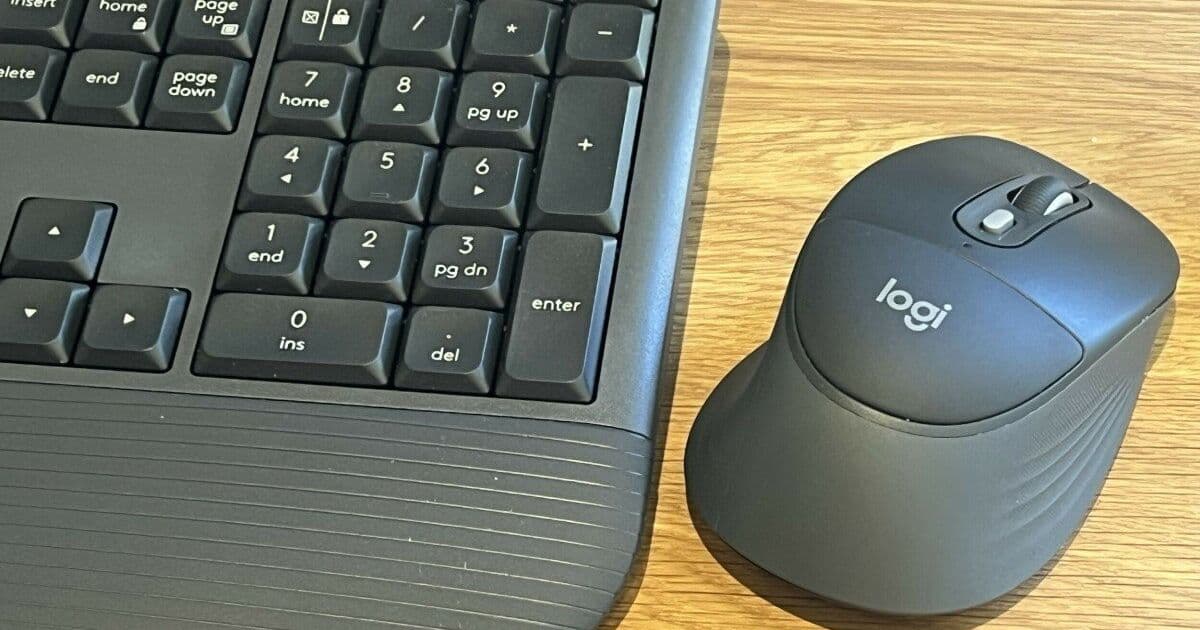
Logitech’s new Signature Comfort Plus M850 L mouse and MK880 keyboard add palm cushions and a gentle curve for right‑handed users. The devices ship in June 2026, cost $49.99–$109.99, and offer Bluetooth or Logi Bolt connectivity, but the non‑removable cushions and right‑hand‑only design limit their appeal.
Logitech has expanded its Signature Comfort Plus line with a cushioned mouse (M850 L) and an ergonomically curved keyboard (MK880). Both products aim to reduce strain during long sessions, but they come with a few practical constraints that buyers should weigh.
What the devices offer
Mouse (M850 L) – A right‑hand‑only, palm‑cushioned mouse that weighs 107.9 g with an AA battery. The cushion is integrated into the shell; Logitech will supply replacement parts on request, but it cannot be removed or swapped by the user. The mouse supports Bluetooth on Windows, macOS, iPadOS, ChromeOS, Linux, and Android 12+, and it can also use the Logi Bolt USB receiver for a low‑latency connection (the receiver does not support Android or iPadOS). Buttons are near‑silent, the scroll wheel offers both click‑by‑click and free‑spin modes, and all controls are configurable through the Logi Options+ application.
Keyboard (MK880) – A full‑size, curved keyboard with a built‑in palm rest that, like the mouse cushion, is not user‑replaceable. Keys are quiet, the device lacks backlighting, and the typing angle can be set to 0°, 4°, or 8° via a simple lock. Like the mouse, the keyboard pairs with up to three devices via Bluetooth or Logi Bolt.
Materials and sustainability – Logitech states that 49‑77 % of the plastic components in the Comfort Plus range are recycled, aligning with the company’s broader environmental targets.
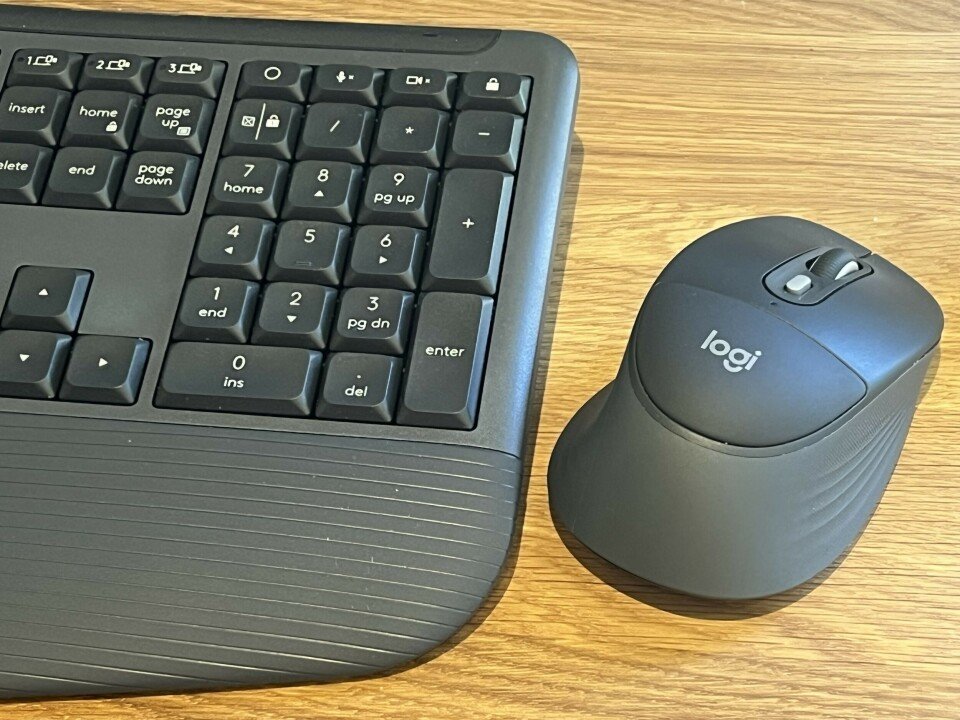
Caption: Logitech’s cushioned mouse and curved keyboard
Compliance and procurement timeline for enterprises
| Action | Requirement | Effective date |
|---|---|---|
| Device selection | Verify right‑handed usage policy; if left‑handed staff need alternatives, procure additional models (e.g., M840 L non‑cushion mouse). | Immediate, before ordering (June 2026 launch) |
| Connectivity policy | Ensure that any device using the Logi Bolt receiver is excluded from Android/iPadOS fleets, or provide Bluetooth‑only alternatives for those platforms. | When devices are first paired – June 2026 onward |
| Battery management | Record AA‑battery life expectations (≈2 years) in asset‑tracking systems; schedule replacement checks at the 18‑month mark to avoid unexpected downtime. | Align with standard hardware refresh cycles (typically 24 months) |
| Sustainability reporting | Capture the recycled‑plastic percentage for ESG reporting; include the 49‑77 % figure in quarterly sustainability disclosures. | First reporting period after deployment (Q3 2026) |
| Support and warranty | Document the process for ordering cushion replacement parts; add a ticket‑type in the ITSM tool for “Ergonomic accessory replacement.” | By the end of Q2 2026 |
Practical considerations for end users
- Right‑handed design – The mouse’s shape and cushion are optimized for right‑handed grip. Left‑handed users will experience reduced comfort and may need a different model.
- Cushion replaceability – While Logitech will ship replacement cushions on request, the lack of a tool‑free removal method limits on‑the‑fly customization. Users who prefer different firmness levels should factor this into their purchase decision.
- Battery choice – The mouse runs on a single AA cell; the keyboard uses two AAA cells. Both claim up to three years of life, but heavy use of Bluetooth connections can shorten that span. Keeping spare batteries on hand is advisable.
- Multi‑device pairing – Pairing up to three devices simplifies desk setups, but remember that the Logi Bolt receiver cannot be used with Android or iPadOS. For mixed‑OS environments, rely on Bluetooth for those platforms.
- Pricing – The M850 L retails at $49.99 (business version $59.99) and the MK880 keyboard at $99.99 (business version $109.99). Bundles are priced at $149.99 for the combo, making them competitive with other mid‑range ergonomic kits.
Bottom line
Logitech’s Signature Comfort Plus range delivers a modest ergonomic upgrade without a steep price tag. The devices are solid for right‑handed users who value a soft palm cushion and a gentle keyboard curve, and they fit neatly into existing Bluetooth or Logi Bolt ecosystems. However, the non‑removable cushions and the right‑hand‑only mouse limit flexibility. Organizations should align procurement with their handedness policies, update connectivity guidelines, and plan for cushion‑replacement support before the June 2026 launch.
Comments
Please log in or register to join the discussion