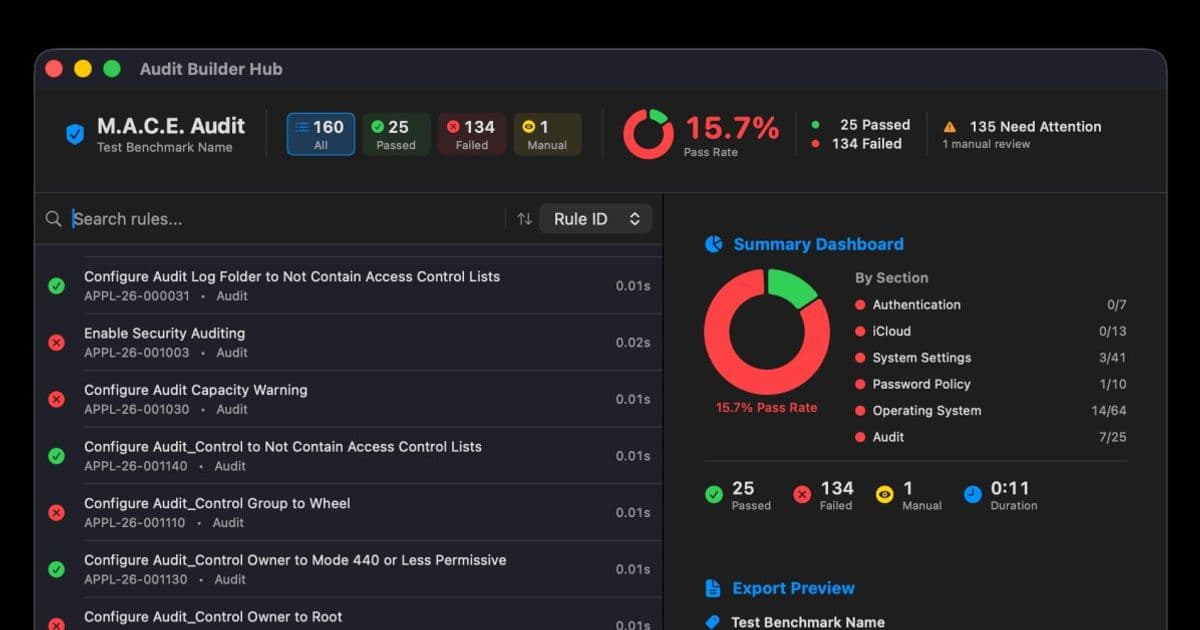
A new open-source GUI tool called M.A.C.E. is making the macOS Security Compliance Project accessible to IT teams without deep scripting expertise, demonstrating how the Mac admin community continues to build essential tools for enterprise deployment.
The Mac admin community has always been defined by its ability to solve problems that Apple and enterprise vendors left unsolved. Fifteen years ago, that meant writing scripts to manage Macs in Windows-dominated environments. Today, it means building tools to navigate the increasingly complex world of security compliance. The latest example is M.A.C.E., a graphical interface for the macOS Security Compliance Project that turns a developer-focused command-line tool into something any IT engineer can use.
The Compliance Challenge
Modern IT security isn't just about antivirus software anymore. Organizations must demonstrate compliance with frameworks like NIST Special Publication 800-171 or the CIS Benchmark for macOS. These standards specify hundreds of configuration settings—from disabling the built-in camera to enforcing screen lock passwords. For Mac administrators, implementing these controls has traditionally meant either manually configuring each setting or diving into the macOS Security Compliance Project (mSCP).
The mSCP is an open-source initiative backed by NIST, NASA, the US Navy, and the Center for Internet Security. It provides a programmatic approach to generating security guidance, producing customized documentation, remediation scripts, configuration profiles, and audit checklists. Apple even references it on their support site. The problem? The mSCP is designed for developers and security engineers comfortable with YAML files, shell scripts, and complex folder structures.
M.A.C.E.: A Graphical Bridge
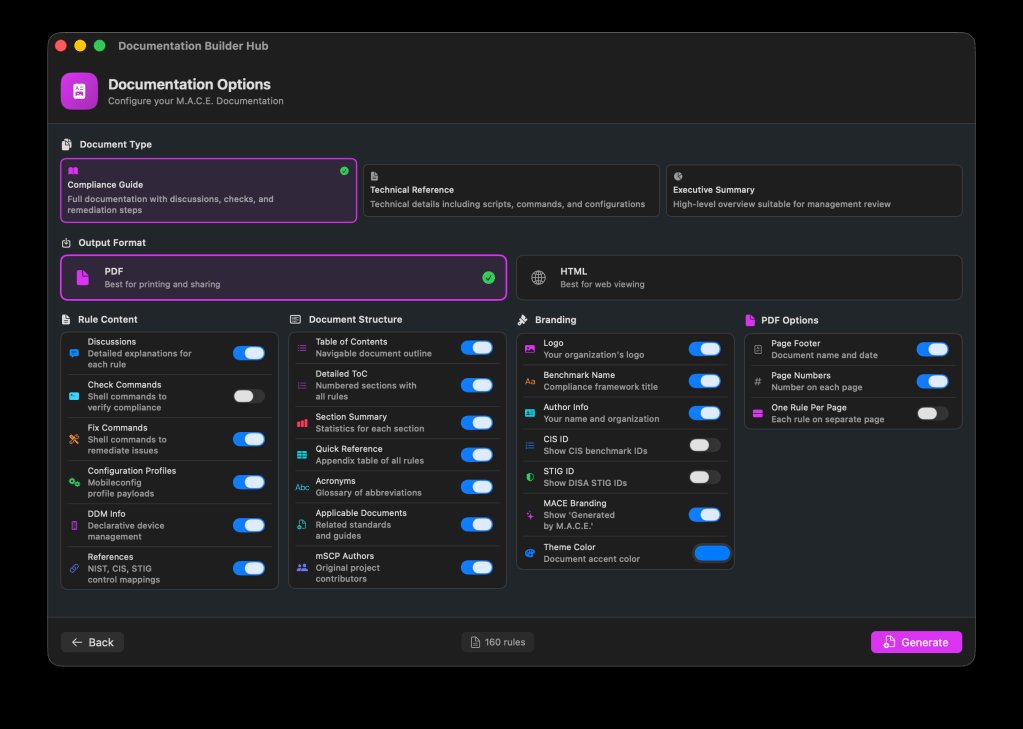
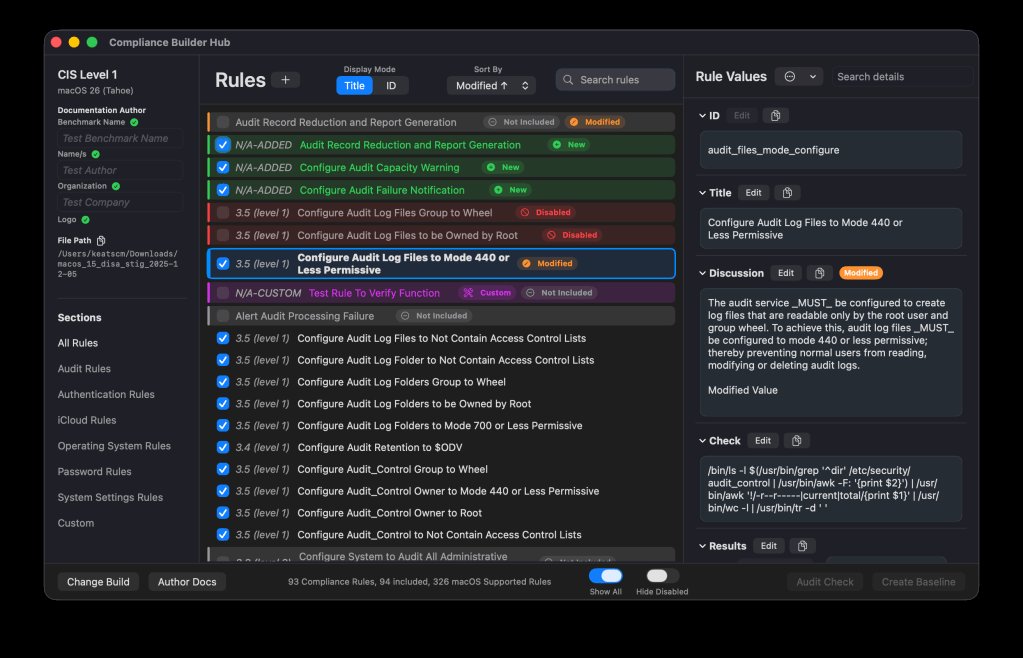
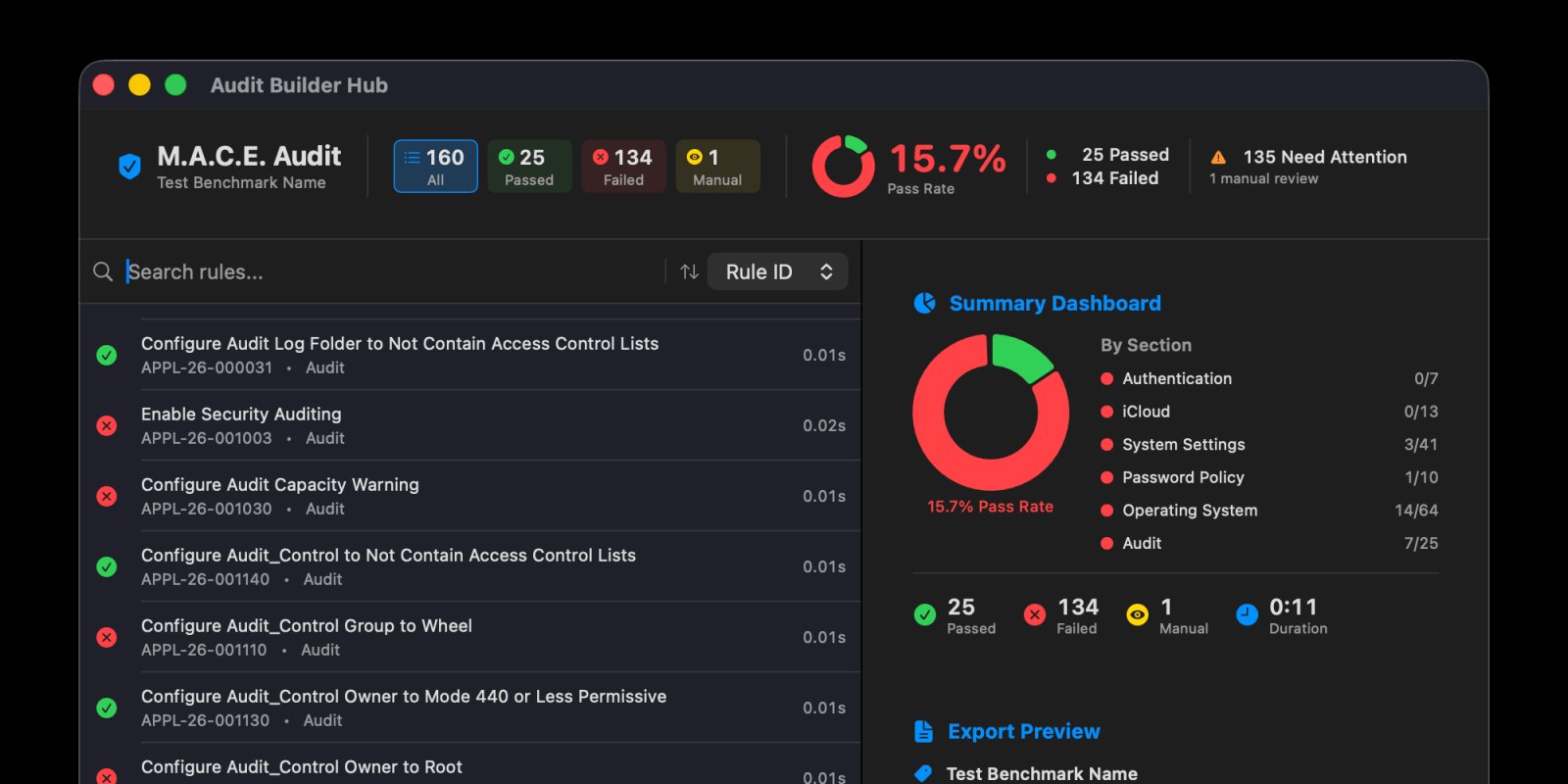
M.A.C.E. (which stands for "macOS Security Compliance" but is typically referred to by its acronym) acts as a user-friendly front-end for the mSCP. Instead of editing YAML files manually, IT admins can use a dashboard to load standard baselines like NIST 800-171 or CIS Benchmark, then toggle specific rules on or off based on organizational requirements.
The workflow is straightforward:
- Select a security baseline (e.g., NIST 800-171, CIS Level 1 or 2)
- Review the list of controls—each with a clear description of what it does
- Enable or disable specific rules based on your environment
- Generate the necessary output files
The generated files include configuration profiles (.mobileconfig) and scripts that can be uploaded directly to your mobile device management (MDM) solution. This means a small IT team without a dedicated security engineer can implement enterprise-grade security controls.
Why This Matters for IT Teams
The value of M.A.C.E. isn't just convenience—it's about making compliance achievable for organizations that lack specialized security staff. Many mid-sized companies need to meet compliance requirements but can't justify hiring a full-time security specialist. M.A.C.E. democratizes access to these standards.
Consider a typical scenario: A company needs to comply with NIST 800-171 for a government contract. The IT team must configure 150+ security controls across their Mac fleet. With the raw mSCP, they'd need to:
- Clone the GitHub repository
- Install Python dependencies
- Edit YAML configuration files
- Run command-line tools to generate profiles
- Manually test each control
With M.A.C.E., the process becomes:
- Download the app
- Load the NIST 800-171 baseline
- Review and customize controls
- Export profiles
- Upload to MDM
Community-Driven Development
M.A.C.E. exemplifies how the Mac admin community continues to fill gaps left by commercial vendors. The developer is actively working on an ambitious roadmap that includes:
- Import functionality: Ability to import existing mSCP 1.0 and 2.0 baselines
- Integrated auditing: Running the official mSCP audit directly within the app
- Automated remediation: Applying fixes directly from audit results
- Automatic updates: Pulling rule updates from the mSCP repository
If implemented successfully, this would create a "set it and forget it" compliance management system. The app would not only help you configure security settings but also continuously monitor compliance and apply fixes automatically.
The Open-Source Advantage
Perhaps the most compelling aspect of M.A.C.E. is its price tag: free. As an open-source project from the Mac admin community, there's no subscription fee, no procurement process, and no vendor lock-in. You can download the latest release directly from GitHub and start using it immediately.
This stands in contrast to commercial compliance tools that can cost thousands of dollars annually. For organizations already paying for MDM solutions like Mosyle or Jamf, M.A.C.E. provides a cost-effective way to add compliance capabilities without increasing software budgets.
Practical Considerations
While M.A.C.E. simplifies the compliance process, IT teams should still understand the security controls they're implementing. The app provides descriptions for each rule, but administrators need to know how these settings affect their users. For example:
- Disabling the camera might interfere with video conferencing
- Strict password policies could frustrate users
- Some controls may conflict with specific software
The best approach is to test controls in a pilot group before deploying organization-wide. M.A.C.E. makes this easier by generating testable profiles, but human judgment remains essential.
The Bigger Picture
M.A.C.E. represents more than just a useful tool—it shows how the Mac admin community has evolved. What started as a group of enthusiasts sharing scripts has matured into a collaborative ecosystem that builds sophisticated, production-ready software. This community effort continues even as Apple's enterprise presence grows and commercial tools become more capable.
For IT managers, the takeaway is clear: the Mac admin community remains an invaluable resource. Whether you're dealing with compliance, deployment automation, or user management, there's likely a community-built tool that can help. M.A.C.E. is just the latest example of this ongoing collaboration between Apple, security organizations, and the admins who keep Macs running in enterprise environments.
The app is available now on GitHub, with documentation and installation instructions. For organizations looking to implement security compliance without the complexity of raw mSCP or the cost of commercial solutions, M.A.C.E. offers a compelling middle ground.
Comments
Please log in or register to join the discussion