For iOS and Android teams, Mac sleep behavior is no longer just a convenience setting. It can decide whether long builds, AI coding sessions, downloads, and device labs finish or quietly stall.
Platform update
macOS still defaults to the conservative behavior most laptop users want: when a Mac is idle, it sleeps, and when a MacBook lid closes, the machine usually treats that as a stronger signal to stop active work. That protects battery life, reduces heat, and lowers the chance that a closed notebook keeps running in a bag. For developers, especially mobile developers who keep iOS and Android stacks alive on the same machine, that default can clash with real workflows.
The new attention around Mac keep-awake utilities comes from a practical 9to5Mac roundup of three options: KeepingYouAwake, Amphetamine, and Coca. The common job is simple: temporarily override macOS sleep rules while a task runs. The difference is in how far each tool goes, especially around closed-lid MacBook sessions.
Apple already gives macOS users some control in System Settings. You can adjust display sleep under Lock Screen settings, and on Mac laptops you can prevent automatic sleeping on the power adapter when the display is off. Apple also supports closed-display use when a MacBook is connected to power, an external display, and an external keyboard and mouse or trackpad. That is useful for desk setups, but it is not the same as saying, "keep my build running while I close the lid and move rooms."
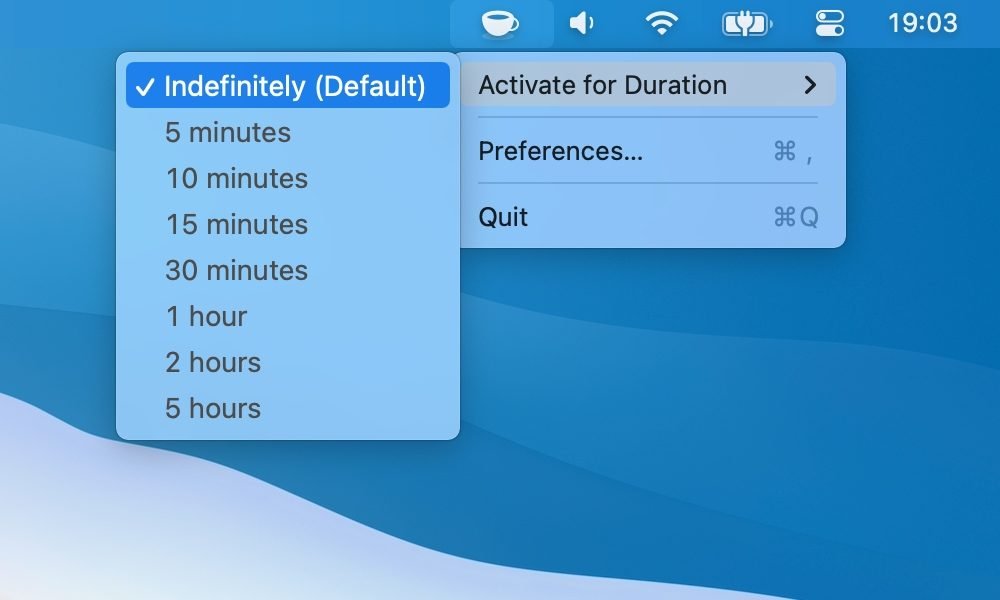
KeepingYouAwake is the smallest tool in the set. Its GitHub README says it supports macOS 10.13 and newer, wraps Apple’s built-in caffeinate command, and can keep a Mac awake for a set duration or until manually disabled. It is a good fit for open-lid work: package downloads, documentation reading, screen recordings, presentations, and builds where the Mac stays open on a desk.
The key platform limit is closed-lid behavior. KeepingYouAwake’s own documentation says it does not prevent sleep on a MacBook with the lid closed because of macOS limits and thermal concerns. That is the right boundary for many users, but mobile developers should treat it as an open-lid utility, not a closed-lid automation tool.
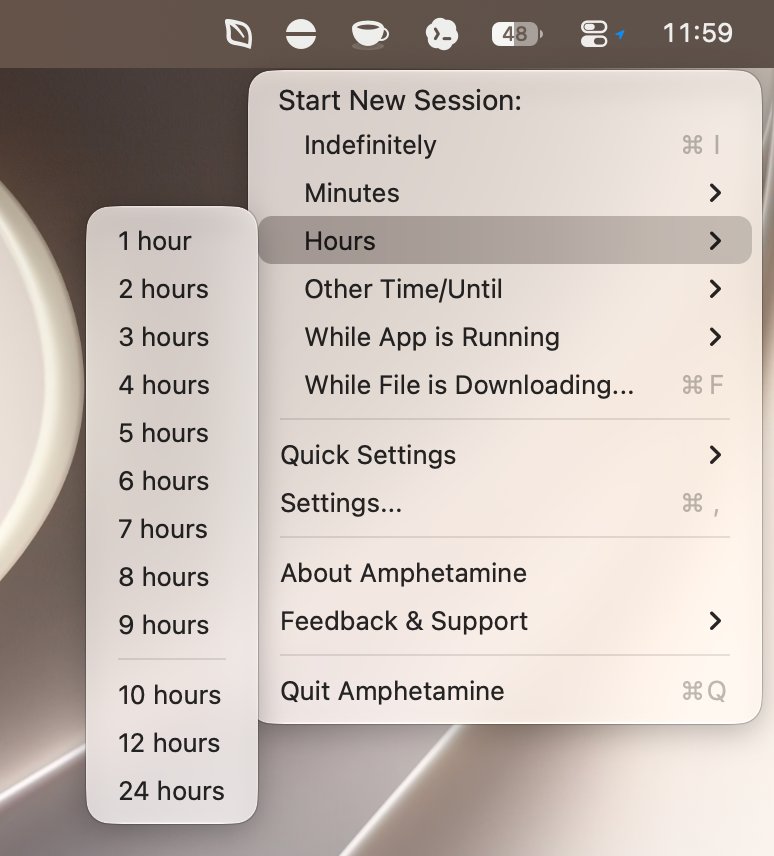
Amphetamine sits at the other end of the control spectrum. Its Mac App Store listing says it requires macOS 10.11 El Capitan or higher, with some features requiring newer macOS versions. It can keep the system awake indefinitely, for a time window, until a specific time, while a file downloads, or while a specific app is running.
For mobile development, the most relevant Amphetamine feature is the ability to control system sleep when a MacBook’s built-in display is closed. It also supports triggers based on apps, external displays, USB or Bluetooth devices, power state, Wi-Fi network, battery level, CPU activity, mounted volumes, and VPN conditions. That makes it better suited to repeatable development workflows than a basic toggle.
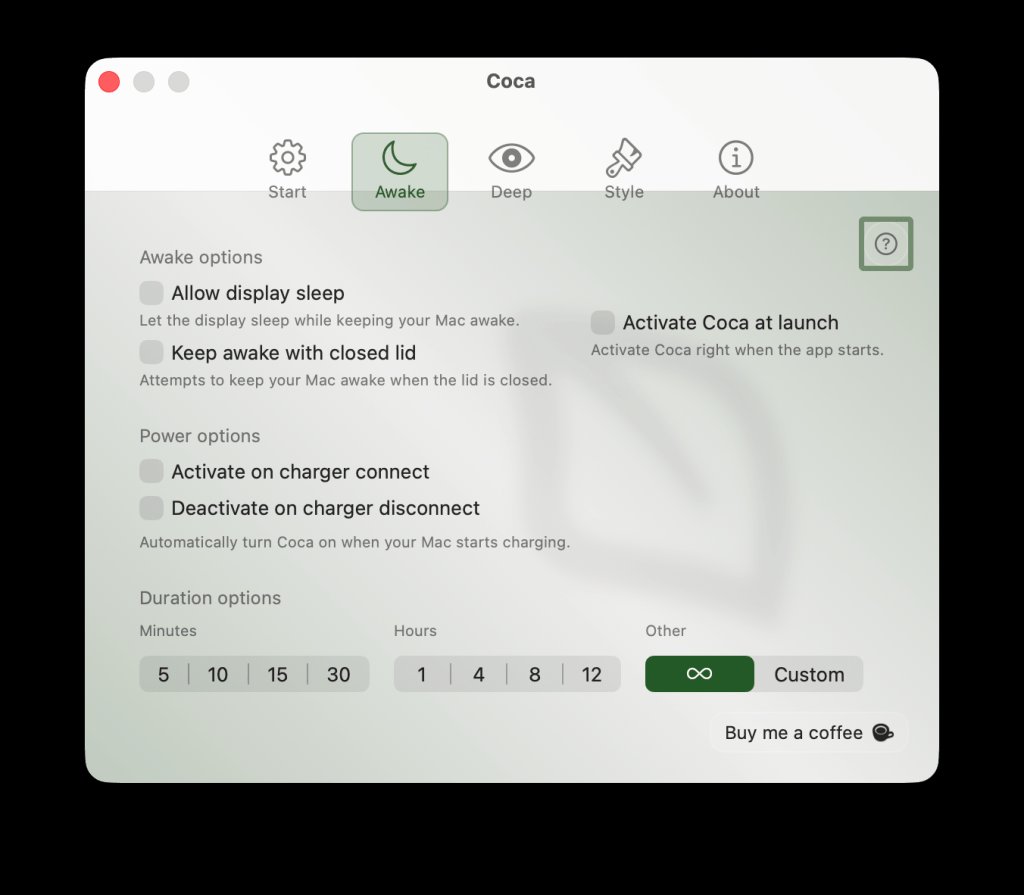
Coca appears to be the newer, simpler App Store-style option in this category. The 9to5Mac piece describes Coca 2.0 as adding a redesigned settings interface, custom time controls, Focus Filters, Shortcuts support, and closed-lid support. That places it between KeepingYouAwake and Amphetamine: more capable than a plain open-lid toggle, less complex than a trigger-heavy utility.
Developer impact
This is not an iOS SDK or Android SDK update. No app target changes because of these utilities. Your IPHONEOS_DEPLOYMENT_TARGET, Android compileSdk, Android targetSdk, Kotlin version, Gradle version, Flutter version, React Native version, or .NET MAUI workload stays exactly where your project has pinned it.
The impact is on the workstation layer that those SDKs depend on. A MacBook that sleeps during xcodebuild, a simulator download, an Android emulator image install, a Gradle sync, a CocoaPods install, or a long AI coding session creates failures that look like flaky tooling. The build did not fail because Swift, Kotlin, Hermes, Metro, CocoaPods, or the Android Gradle Plugin made a bad decision. It failed because the host stopped executing work.
That matters more in cross-platform teams because the local Mac is often the bridge between ecosystems. The same machine may run Xcode and iOS simulators, Android Studio and emulators, Java toolchains, Node-based bundlers, Watchman, Metro, Flutter, Fastlane, Docker, local API mocks, and AI coding agents. Each layer has its own timeout behavior, cache assumptions, and recovery model.
A closed lid can break those layers in different ways. Xcode may leave DerivedData in a partially useful state. Gradle may abandon a daemon or leave a dependency download to retry later. Android emulator snapshots may take longer to resume than expected. Metro or Vite may need a restart if file watching falls out of sync. An SSH session, remote pair-programming session, or AI coding task may survive at the remote side while the local client stops feeding it context.
That is why the choice between these apps should be workflow-driven. KeepingYouAwake is enough when the Mac stays open and the goal is to stop idle sleep during a visible task. Amphetamine is better when the lid may close, when you want rules tied to an app like Xcode, Android Studio, Terminal, Cursor, or a package manager, or when battery and thermal guardrails matter. Coca is worth evaluating when you want a Mac App Store utility with closed-lid support and simpler controls.
There is also a platform-safety angle. Closed-lid work is not automatically safe just because an app allows it. Mobile builds can run CPU-heavy compilers, indexers, emulators, and bundlers at the same time. A MacBook in a stand with airflow and power connected is a different thermal situation from a MacBook closed on a couch or inside a sleeve.
For iOS developers, this belongs next to the usual local environment checklist: Xcode version, selected command line tools, simulator runtimes, signing access, provisioning profiles, Ruby or Fastlane setup, and CocoaPods or Swift Package Manager state. For Android developers, it belongs next to JDK version, Android Studio channel, SDK packages, emulator images, Gradle caches, NDK versions, and device bridge stability.
Cross-platform frameworks do not remove the concern. Flutter still calls into Xcode and Gradle. React Native still depends on Metro, Hermes or JavaScriptCore, CocoaPods, Gradle, and platform-specific build systems. Kotlin Multiplatform still needs native Apple tooling for iOS outputs. Capacitor and Ionic still hand off to platform SDKs at packaging time.
Migration
Treat this as a workstation policy change, not an application migration. Start by deciding which jobs are allowed to keep a Mac awake, then choose the least complicated tool that supports those jobs. A clear policy is better than a permanent global setting that leaves every laptop awake whenever it is plugged in.
For open-lid work, KeepingYouAwake is the cleanest default. Install it from the official project site or the GitHub repository, then use timed sessions for builds, downloads, screen recordings, and simulator installs. Keep the battery threshold enabled so the app disables itself when power gets low.
For closed-lid work, use Amphetamine or another utility that explicitly supports that mode. Configure sessions around the task, not around habit. A good setup is to keep the Mac awake while Terminal, Xcode, Android Studio, or a specific automation app is active, then end the session when the app quits, the battery drops below a threshold, or the time window expires.
For teams, document this in the mobile onboarding guide beside SDK setup. Add a short section that explains when closed-lid sessions are permitted, whether power must be connected, whether external displays or stands are expected, and which utility the team supports. That avoids each developer inventing a different local workaround when builds start taking longer.
Do not use keep-awake tools as a substitute for CI. If a build is release-critical, long-running, or needed by more than one person, it belongs in CI with pinned Xcode, Java, Android SDK, and dependency cache versions. Local keep-awake sessions are best for personal productivity: finishing a local archive, letting an emulator image download, completing a one-off migration script, or allowing an AI coding task to finish while you step away.
The migration path is small but useful: leave macOS defaults mostly intact, add a temporary override utility, and reserve closed-lid sessions for controlled cases. Mobile developers already manage two platform stacks with different SDK cadences and tooling assumptions. Adding explicit Mac power behavior to that checklist reduces one more class of confusing local failures.
Comments
Please log in or register to join the discussion