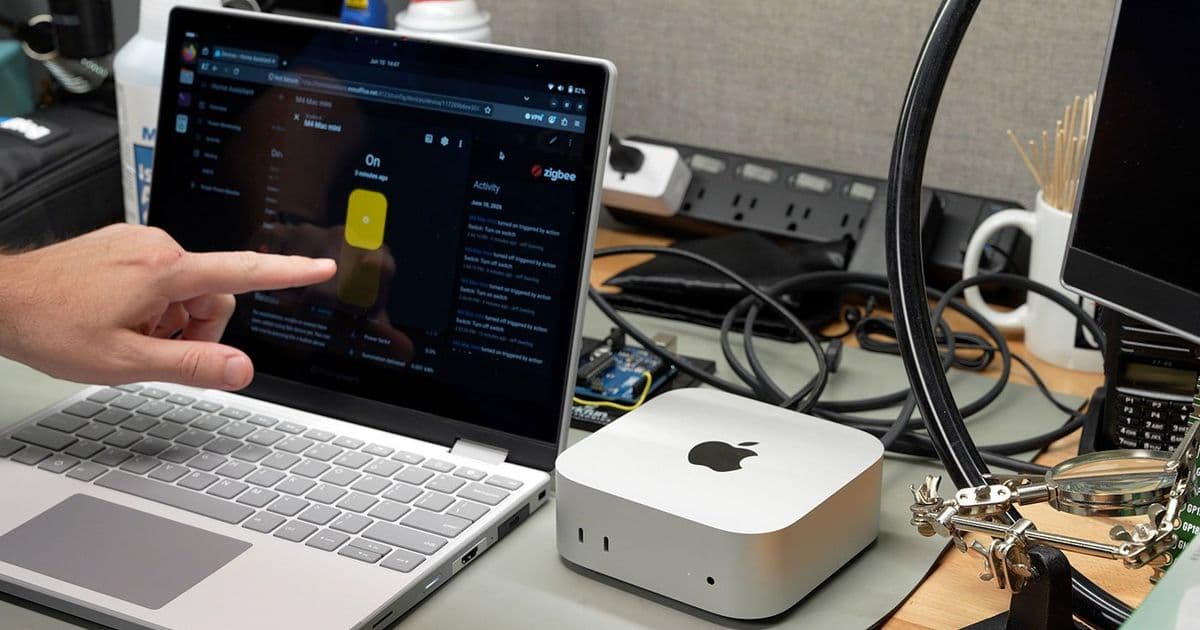
Apple added an 'Always' power-on option in macOS 26.5 that boots supported Macs whenever power is restored, no power button required. For homelab and CI rack operators, this closes a gap that PCs filled back in 1995. It works on M-series Mac mini, Studio, and iMac models from 2024 onward, with one reproducible bug and two caveats worth knowing.
Apple shipped something in macOS 26.5 that PC builders have taken for granted since the Pentium era: the ability to power on a machine from a fully shut-down state just by applying power. Jeff Geerling tested it on his M4 Mac mini and confirmed it works, with a few sharp edges. If you run Macs in a rack, a CI farm, or a road case, this is the feature that finally lets you treat them like every other node in your fleet.
What actually changed
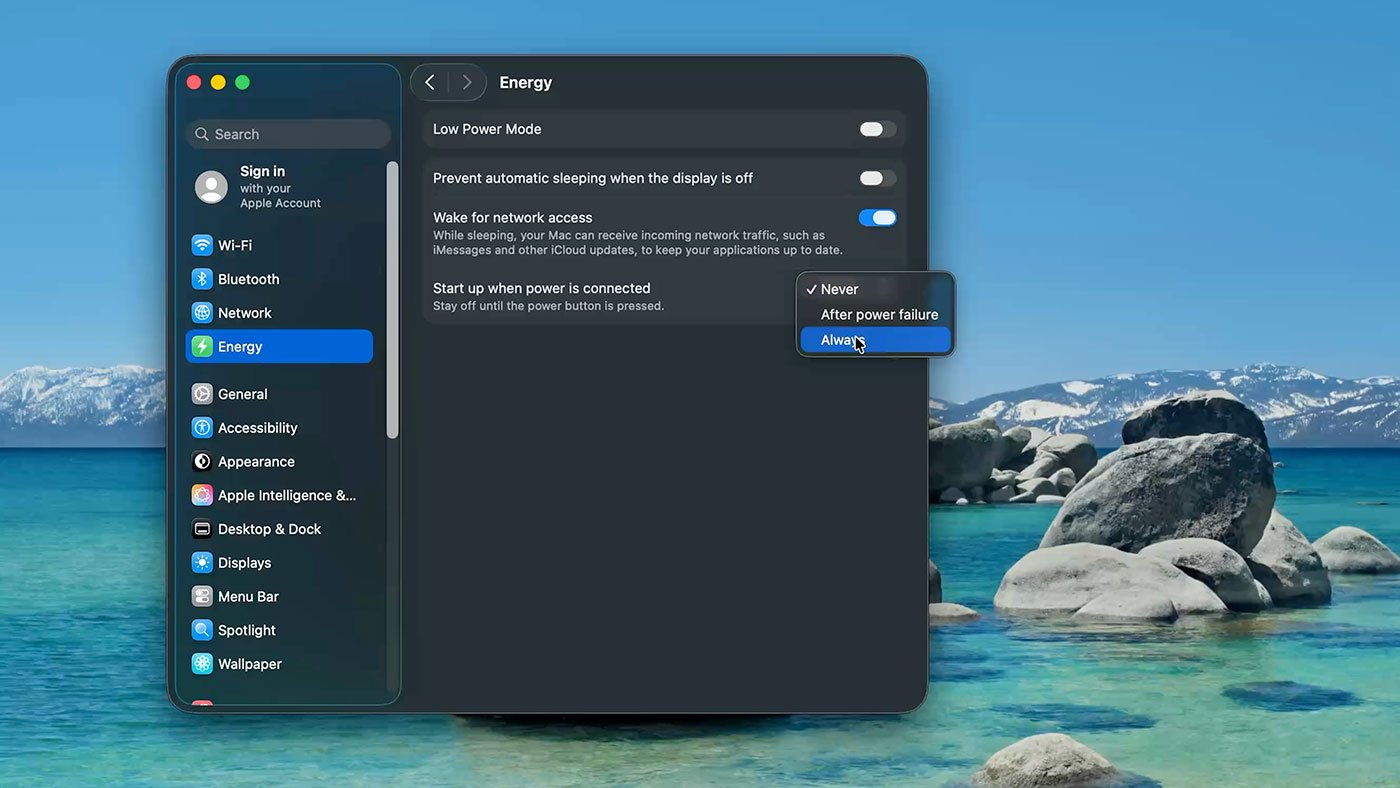
The new setting lives in System Settings under Energy: a 'Start up when power is connected' option that you can now set to 'Always'. Set it, cut power, restore power, and the Mac boots. No magic packet, no pressing the recessed power button on the bottom of an M4 mini.
This matters because the previous options were both compromises. Wake on LAN, which Macs have shipped since Mac OS X 10.4 in 2005, only wakes a machine from sleep. It cannot bring a powered-off Mac to life, because the NIC isn't listening for a magic packet when the system is fully down.
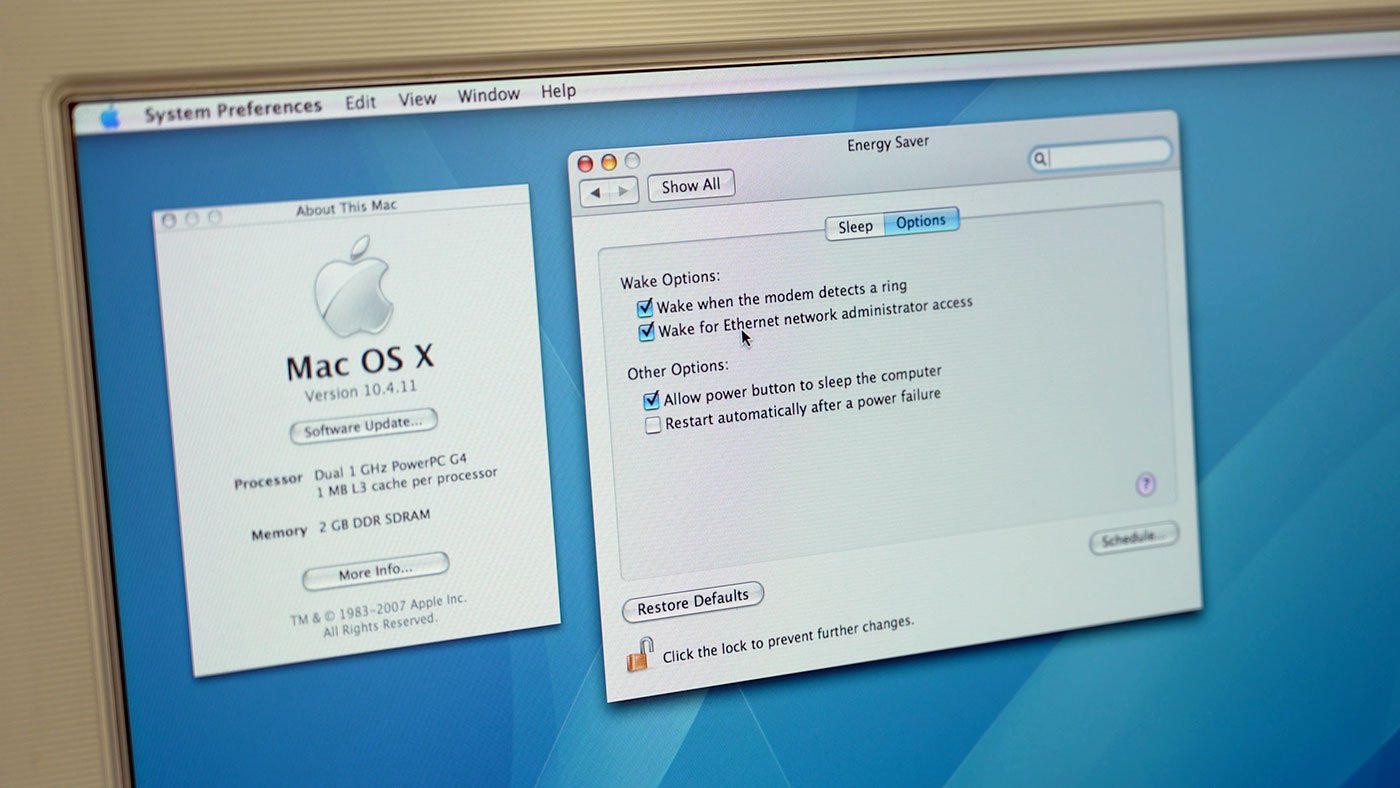
The other legacy option, 'reboot after power failure', also dates to 10.4. It boots the Mac when power returns, but only as a recovery from an unexpected outage. It was never a clean way to remotely cycle a machine you'd intentionally shut down, and hard-cutting power to force the behavior is exactly the kind of unsafe shutdown you don't want to schedule on purpose.
For comparison, any ATX-compliant PC has handled this since the standard landed in 1995. The 'Power On After Power Loss' BIOS setting (sometimes called 'AC Power Recovery') has three states on most boards: stay off, last state, or always on. Set it to 'always on', wire the machine through a controllable outlet or a PDU, and you have remote cold-boot. Server platforms go further with IPMI and BMC out-of-band controllers that give you power control over the network independent of the OS. Macs have had none of that, which is why anyone running Apple silicon in a lab has been improvising for years.
Which Macs support it
The feature is gated to recent Apple silicon hardware:
| Model | Minimum generation |
|---|---|
| Mac mini | 2024 or later (M4) |
| Mac Studio | 2025 or later |
| iMac | 2024 or later |
Older M1 and M2 Mac minis, the machines that filled most of the early Mac CI clusters at places like MacStadium and AWS, don't get it. If your rack is full of 2020-2023 Apple silicon, this changes nothing for you. The boot circuitry apparently needed a hardware revision, not just a software flag.
How the power side works
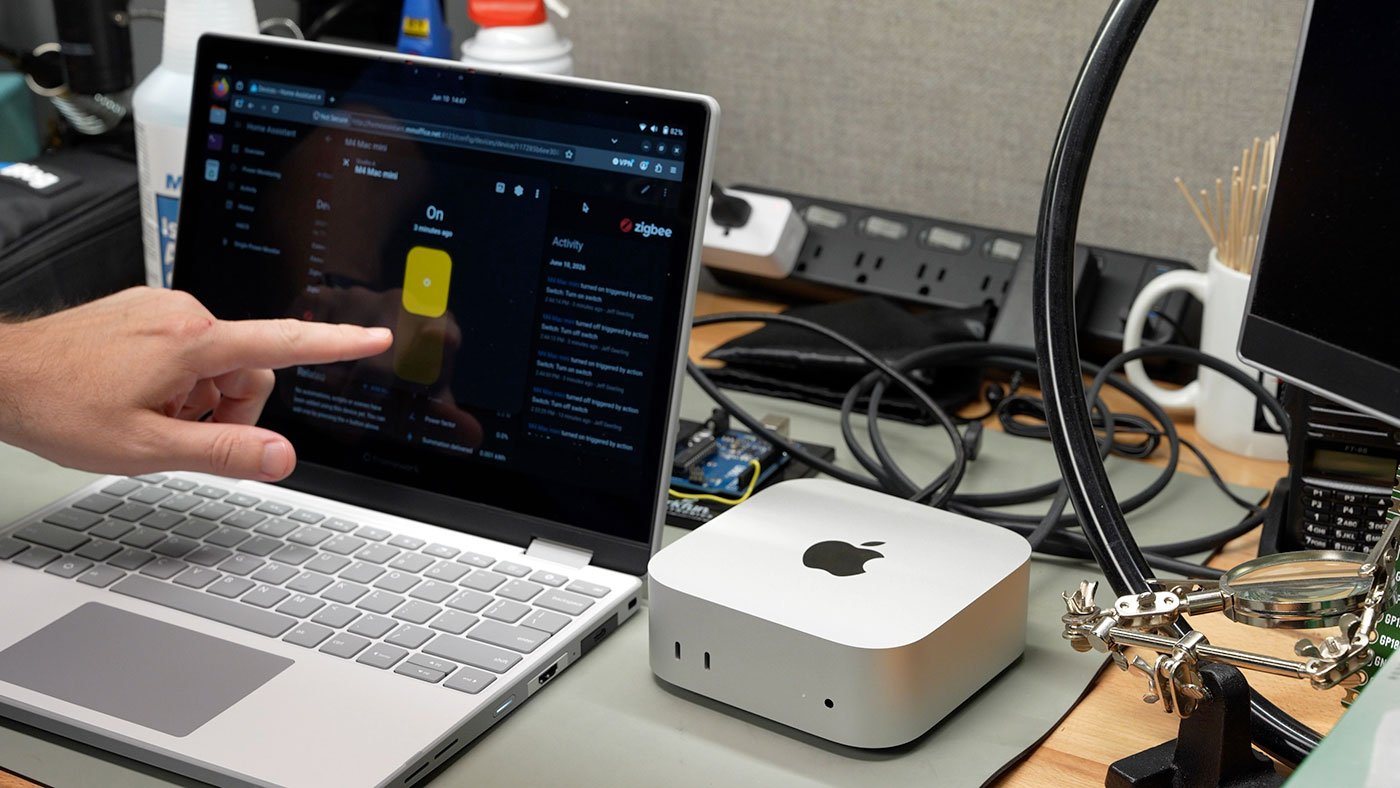
The OS setting is only half the system. You still need something to control the AC feed. Geerling drives this with Zigbee smart outlets reporting into Home Assistant, the same setup he uses to monitor and control power for most of his servers. Each outlet gives him on/off control plus power monitoring, so he can see draw per device and toggle a specific Mac without touching anything physical.
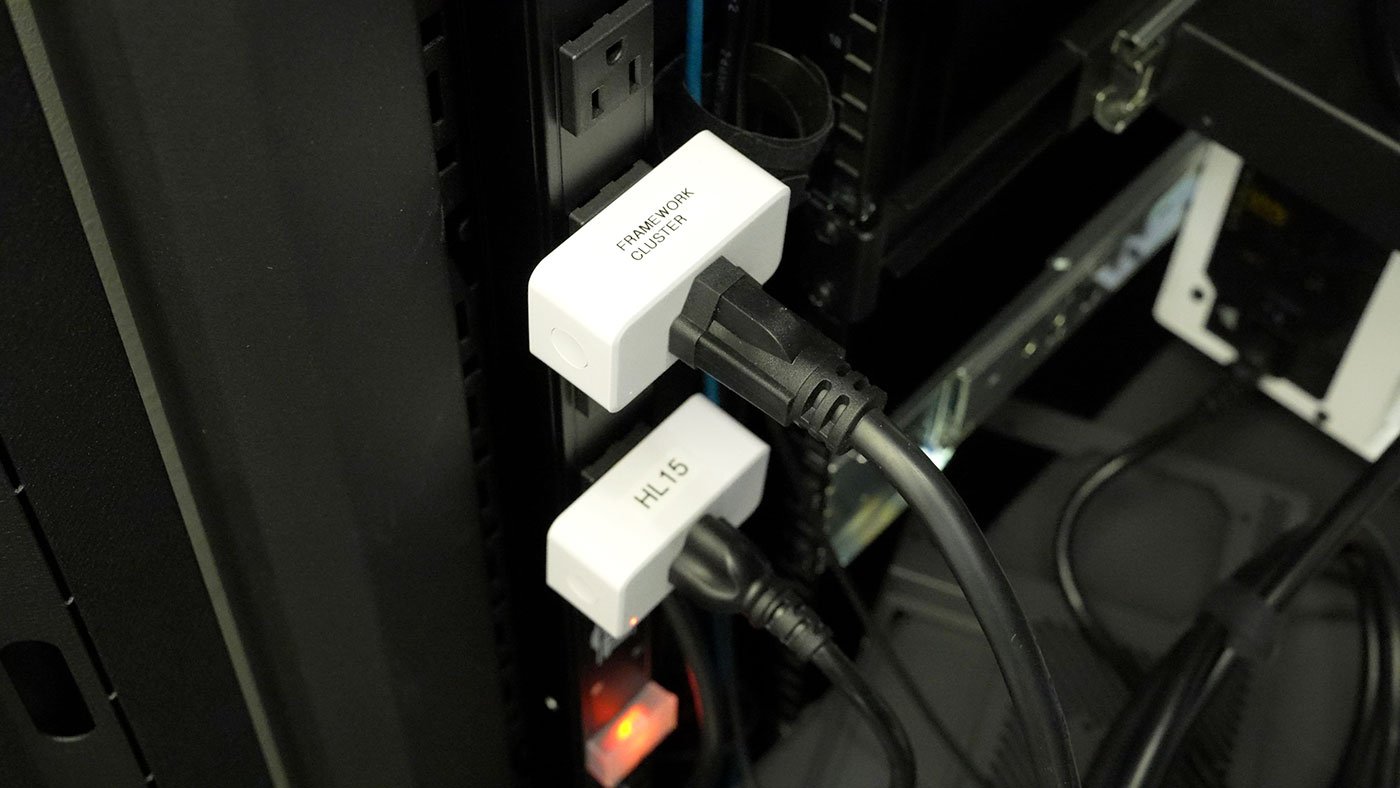
The full wiring of that setup is documented in his post on monitoring and controlling powered devices with Zigbee and Home Assistant. Home Assistant is the obvious open-source choice here, but the same idea works with any controllable PDU, a TP-Link Kasa outlet, or a rack-mount switched PDU from Tripp Lite or APC if you want something built for the job.
In testing, the M4 mini booted within about two seconds of the outlet energizing. One small behavioral difference: a power-applied boot is silent. No startup chime, unlike a cold boot from the power button. Geerling speculates, half-jokingly, that an engineer staring down a rack of Macs all bonging slightly out of sync decided silence was the better default. Either way, if you script boots across a fleet, you won't get a chorus.
Two caveats before you rely on it
FileVault still blocks the login. Most people run FileVault, and an encrypted boot volume can't reach a normal login screen until the disk is unlocked. To get in remotely you first SSH into the machine and authenticate as an admin, which unlocks the volume, after which you can start a real session over SSH or Screen Sharing. That remote-unlock-over-SSH path was itself only added in macOS 26.0, so the full remote-power story really only comes together on 26.5 with 26.0's groundwork underneath it.
Screen Sharing can leave a Mac exposed. If you connect via Screen Sharing and close the session without logging out, a Mac with a display attached wakes to a logged-in desktop, as if you'd just walked up to it. In a shared office or any space with physical access, that's a real exposure. Log out before you disconnect.
The bug worth knowing
There's one reproducible failure. If you boot the Mac, sit at the login window without logging in, and then choose 'Shut Down' from that login screen, the Mac will not power back on when power is reapplied. You have to physically press the button. Geerling reproduced this four times, and confirmed that a normal logged-in shutdown does not trigger it.
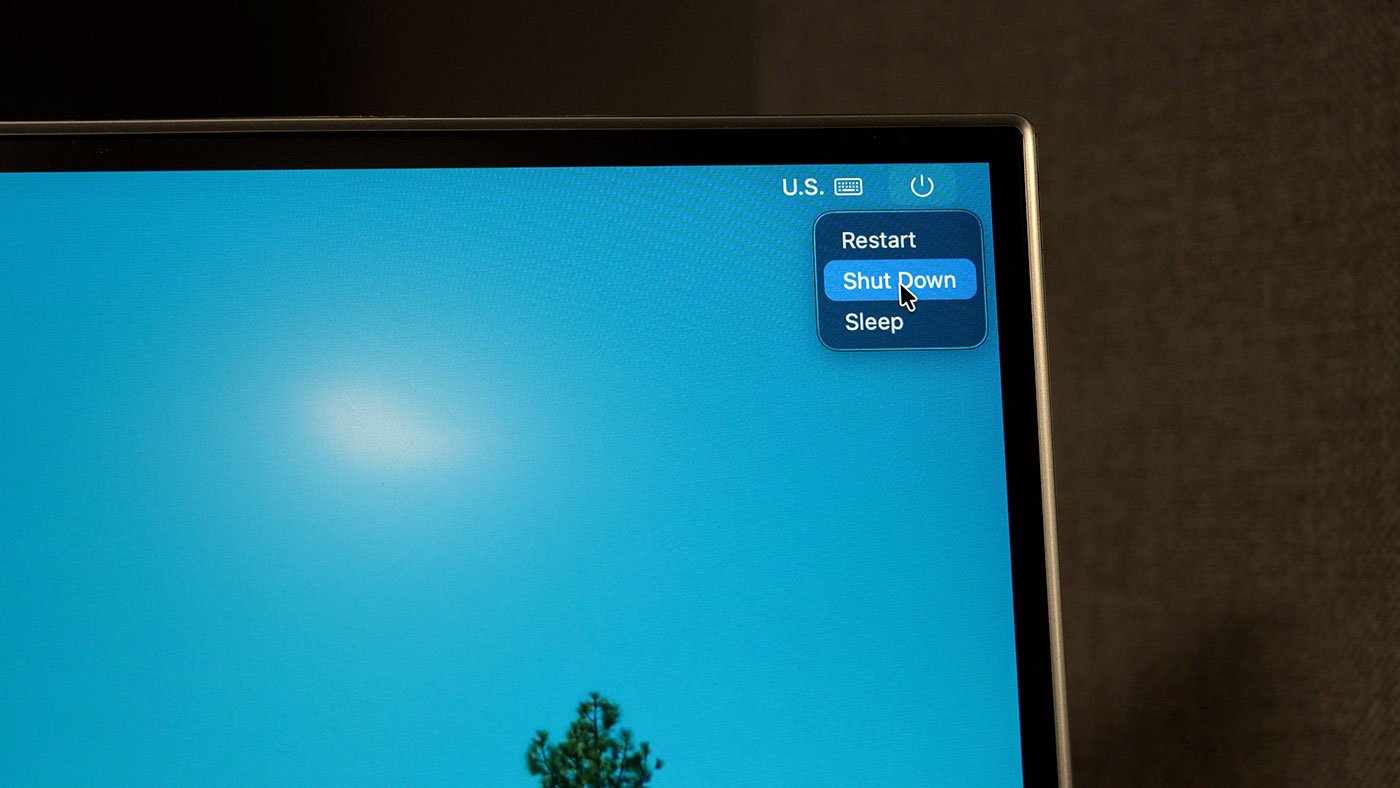
That's an annoying edge case for fully headless, hands-off racks, because the login-screen shutdown is exactly the state an automated or interrupted setup might land in. He filed it through the built-in Feedback Assistant as FB23071345, since the public path doesn't require an AppleConnect login the way Radar does.
Build recommendations
If you're standing up or refreshing a Mac lab, this changes the buying math a little. For any new node where remote power matters, target an M4 Mac mini (2024+), a 2025 Mac Studio, or a 2024+ iMac so you actually get the 'Always' option. Pair each with a switched outlet or PDU port you can drive over the network, and standardize on Home Assistant or your existing DCIM tooling so power state is observable, not just controllable.
Keep the FileVault-over-SSH unlock step in your runbook, because a cold boot only gets you to a locked machine. And until Apple fixes the login-screen shutdown bug, prefer issuing shutdowns from a logged-in session or over SSH rather than from the login window, so your remote power-on stays reliable.
It's a small feature on paper, a single dropdown in Energy settings, but it removes one of the last reasons you needed physical access to a Mac. Three decades after ATX PCs got here, the newest Macs can finally be treated like proper rack citizens.
Comments
Please log in or register to join the discussion