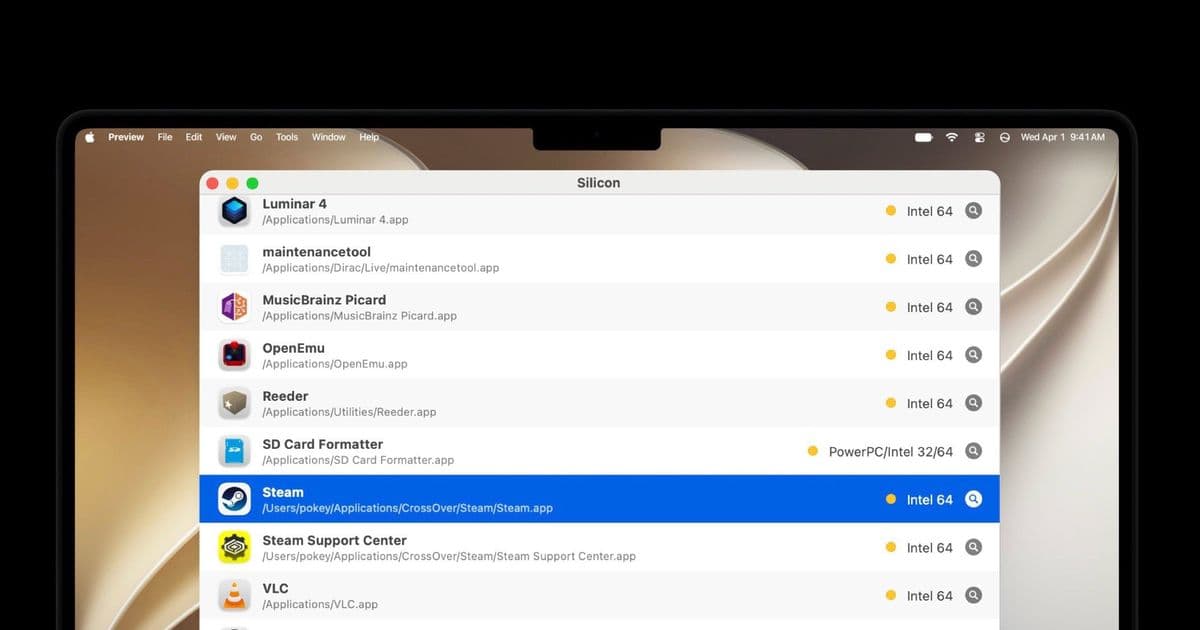
Apple's next macOS release ends Rosetta 2 translation, so any app still shipping as Intel-only code will refuse to launch. VLC, GOG Galaxy, OpenEmu, and Capture One are among the names still at risk, and there's a free tool to check your own machine before you upgrade.
Apple has spent six years moving the Mac off Intel, and the cleanup phase is almost over. macOS 27 already refuses to install on any Intel Mac, cutting the older hardware off from future updates. The bigger change arrives with macOS 28 next year: Apple is removing Rosetta 2, the translation layer that lets Intel x86 software run on Apple Silicon. Once that layer is gone, any app that was never recompiled for ARM simply will not open.
What's changing
Rosetta 2 launched alongside the first M1 Macs in 2020 as a bridge. It translated Intel instructions into ARM instructions on the fly, usually fast enough that users never noticed. The point of a bridge is that you eventually stop needing it, and Apple has been signaling the deadline for a while. Since macOS 26.4, the system shows a warning whenever you open an app that will break under macOS 28. That warning is the polite version of an eviction notice.
The distinction that matters here is between universal binaries and Intel-only binaries. A universal app ships both ARM and x86 code in one package, so it runs natively on Apple Silicon without translation. An Intel-only app contains x86 code alone and has leaned on Rosetta 2 this whole time. After the update, universal and native ARM apps keep working. Everything still stuck on Intel-only code stops.
What still breaks
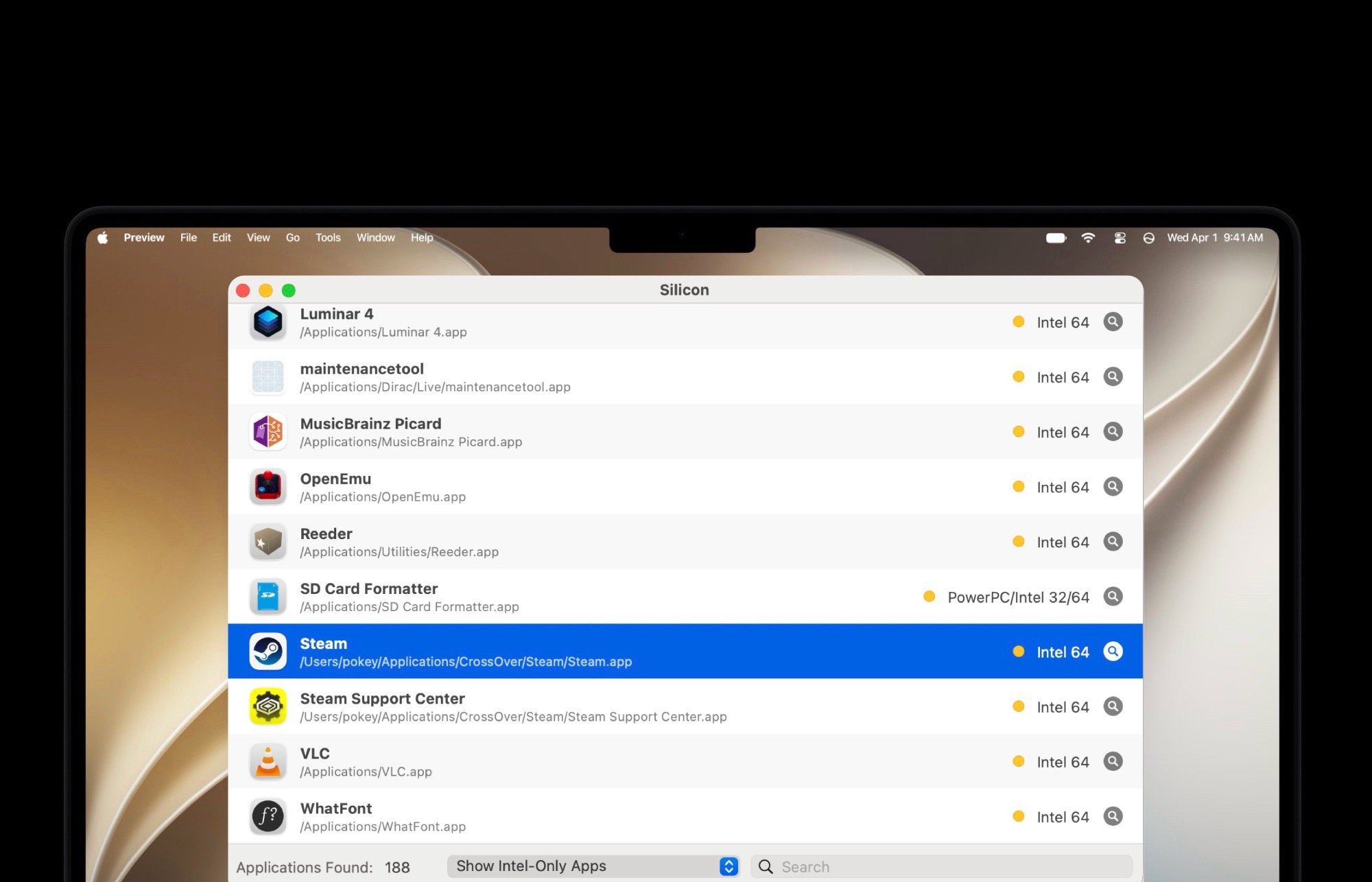
Most mainstream software made the jump years ago, but the gaps are real and some of them are surprising. The game launchers GOG Galaxy and Itch.io are both still distributed as Intel apps, which is awkward for a platform whose users tend to keep large libraries. OpenEmu, the well-loved front end for retro console emulation, is in the same position.
Utilities are affected too. The VLC media player, one of the most installed desktop apps anywhere, has not shipped an ARM-native release that resolves this, and neither has the official SD Card Formatter from the SD Card Association, the standard tool people reach for when a memory card needs a clean wipe. Losing a media player is an inconvenience because alternatives exist. Losing the sanctioned card formatter is the kind of thing you only discover at the worst possible moment.
Paid software adds a cost dimension. Capture One, the professional raw photo editor, may require buying a license for a newer version to keep working past the cutoff. For a hobbyist that's annoying; for a working photographer with a catalog tied to the app, it's a forced upgrade with a price tag attached.
How to check before you upgrade
You do not have to guess which of your apps are at risk. A free utility called Silicon scans installed applications and flags which ones are Intel-only versus native or universal. Running it gives you a concrete list of what will go dark, which is far more useful than waiting for the per-app warnings to surface one at a time.
The practical advice is straightforward. Before macOS 28 lands next year, audit your machine, identify anything you genuinely depend on, and find out whether an ARM-native version exists, whether an update is coming, or whether you need a replacement. For free tools the fix is usually downloading a current build. For paid tools it may mean budgeting for a new license. Either way, the time to sort it out is before the install, not after.
Who this affects
If you bought your Mac in the last couple of years and keep your software current, the transition will likely be invisible. The people who should pay attention are anyone running niche utilities, older paid creative apps, emulation and gaming front ends, or anything they installed once and forgot about. Those are exactly the categories where developers go quiet and updates stop arriving. Apple's Intel era is closing on schedule, and the orphaned apps are the ones that will feel it.
Comments
Please log in or register to join the discussion