Microsoft continues to evolve its AI assistant ecosystem with significant updates across productivity applications, new model integrations, and enhanced enterprise controls, positioning Copilot as a central component of multi-cloud AI strategies.
Microsoft has delivered a substantial update to its 365 Copilot ecosystem for May 2026, introducing several strategic enhancements that strengthen its position in the competitive AI assistant landscape. These updates reflect Microsoft's ongoing efforts to integrate multiple AI models, enhance cross-application workflows, and provide more granular enterprise controls, all while maintaining compatibility with existing Microsoft 365 infrastructure.
Model Expansion and Enhanced Capabilities
The most significant technical addition is the integration of Anthropic's Claude Opus 4.8 into Microsoft 365 Copilot. This model expansion addresses a critical need in enterprise environments for handling complex, multi-step tasks and long-running workflows. Claude Opus 4.8 brings improved capabilities in tool selection, instruction following, and task completion, particularly valuable for drafting documents, analyzing data, and building presentations.
When combined with Work IQ, Claude Opus 4.8 provides outputs grounded in organizational data, ensuring more relevant and accurate results. This integration is particularly noteworthy for organizations operating in regulated industries where data provenance and accuracy are paramount. The model is initially available in Copilot Cowork (Frontier) and is rolling out to Copilot Studio early release environments, Copilot Chat, Excel, and PowerPoint for Microsoft 365 Copilot licensed users.
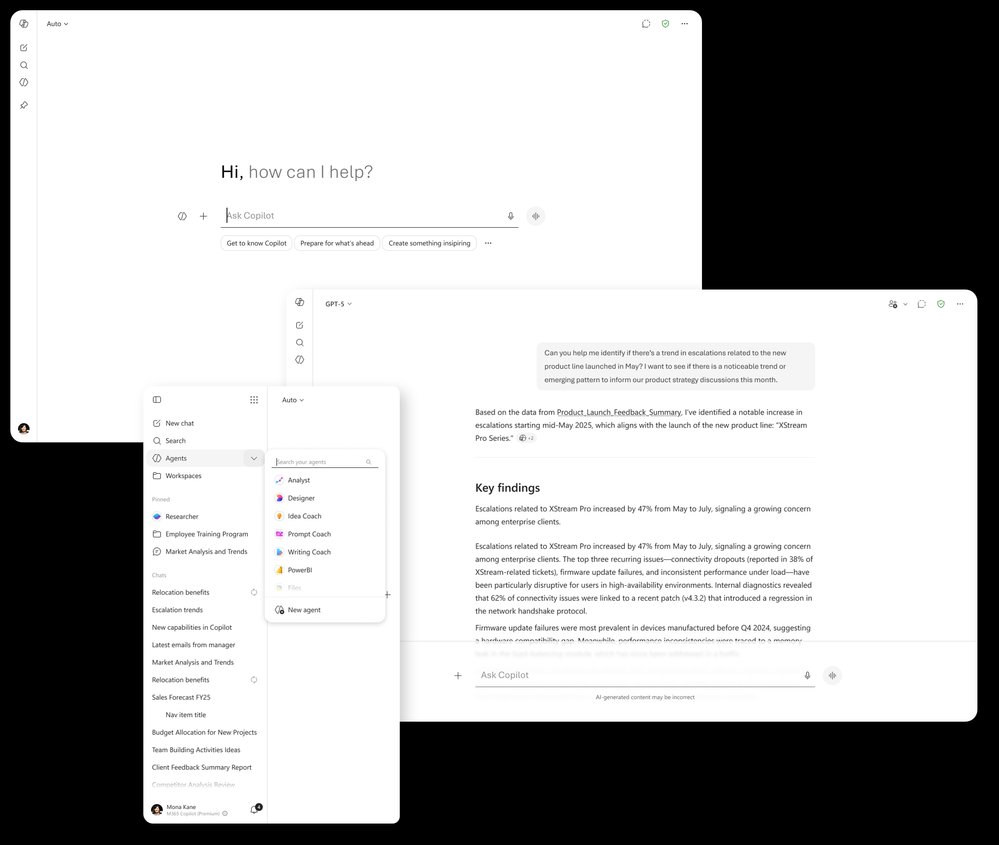
Complementing the Claude integration, Microsoft has also introduced OpenAI's GPT-5.5 Instant across Copilot Chat and Copilot Studio. This model delivers higher-quality responses for everyday work tasks, image analysis, and STEM-related questions. Building on GPT-5.3 Instant, the new model provides clearer, more concise answers with less verbosity and fewer unnecessary follow-up questions, reducing the conversational friction users often experience with earlier AI models.
Enhanced Application Integration
Microsoft has significantly enhanced Copilot's integration across its productivity applications, creating a more cohesive AI-powered workflow ecosystem. In Word, Copilot now provides document summaries that consolidate recent file activity directly within the chat pane, helping users quickly catch up on edits and comments. The addition of personalized insights at the top of documents and real-time writing suggestions further improves document creation and collaboration workflows.
PowerPoint has received notable enhancements with the introduction of slide explanations during live meetings, allowing attendees to select slide text and ask Copilot for clarification without interrupting the presenter. Additionally, three new built-in skills have been added: "Review this presentation" provides slide-by-slide suggestions, "Visualize this slide" transforms text-heavy content into engaging visuals, and "Prepare for Questions" helps identify potential weaknesses in presentations.
Teams has gained several productivity-enhancing features, including call delegation that answers incoming Teams Phone calls on behalf of users, captures intent and details, and delivers summaries with follow-up options. The addition of video recap transforms recorded meetings into short, narrated highlight reels, pairing AI-generated voiceovers with key moments from conversations. This feature significantly reduces the time needed to catch up on missed meetings.
Notebooks and Cross-Application Workflow Enhancements
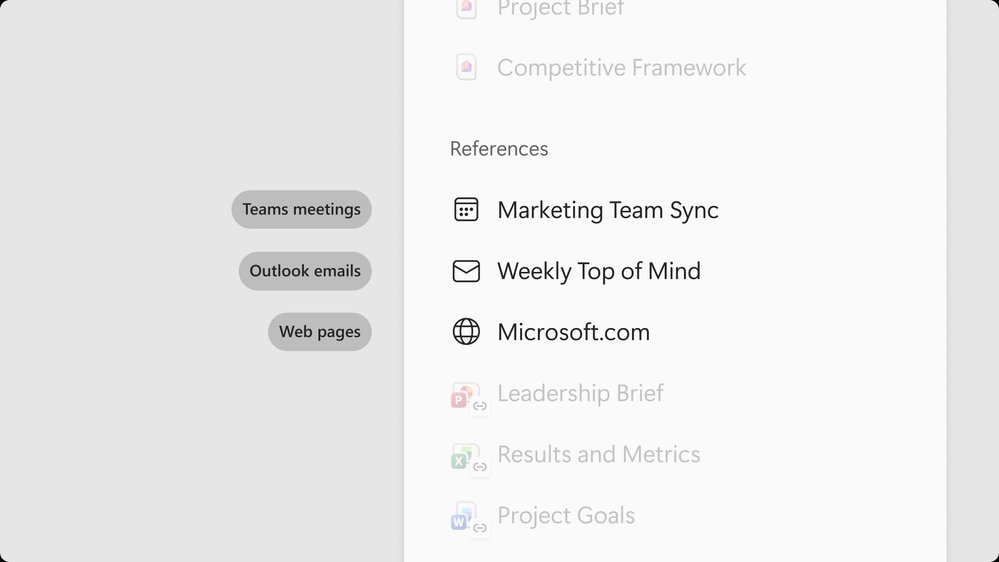
The Copilot Notebooks experience has received substantial improvements, becoming a central hub for organizing work by project. The updated UI brings together chats, output creations, and references in one place, facilitating better collaboration and workflow management. Critically, Copilot Notebooks in the Microsoft 365 Copilot app and OneNote now stay synchronized, allowing users to move seamlessly between experiences.
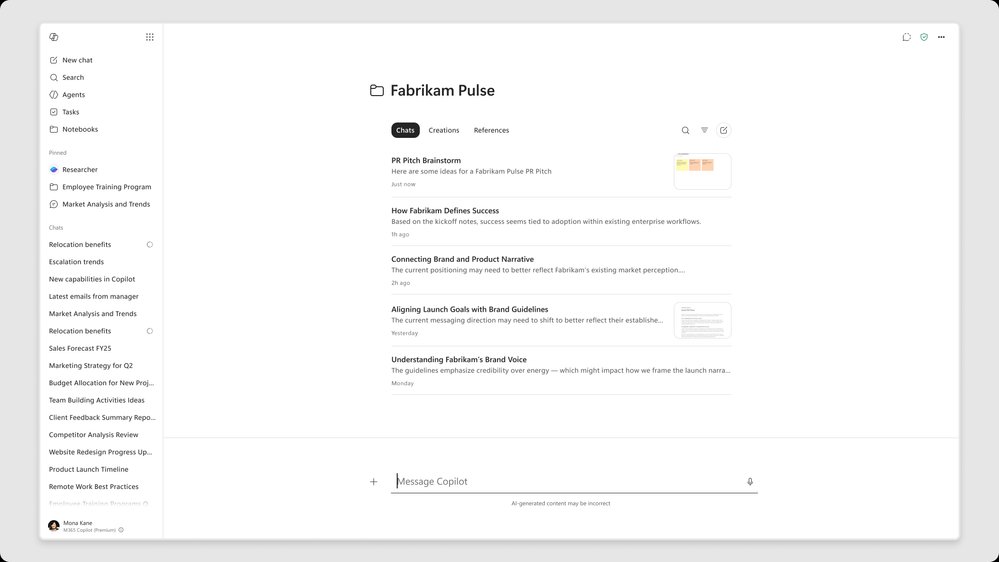
Several new capabilities have been added to Notebooks:
Meeting Integration: Notebooks can now reference individual Teams meetings as knowledge sources, bringing transcripts, notes, chats, and shared content into the Notebooks experience.
Excel Generation: Users can now generate Excel spreadsheets directly from a notebook through the Excel agent. Copilot draws from existing notebook content and references, then drafts structured spreadsheets ready for refinement.
Infographic Creation: Notebook content can be automatically converted into clear, visual summaries that are ready to share, helping users communicate complex information more effectively.
The refreshed Microsoft 365 Copilot app delivers a more streamlined, chat-centered experience with simplified chat and response layouts, improved navigation, and new ways for users to organize work. Additionally, Copilot is now available in Apple CarPlay, providing a hands-free interface for users to stay productive while driving through voice commands.
Enterprise Controls and Administrative Features
Microsoft has expanded its ISO/IEC 42001:2023 ("ISO 42001") certification across the Copilot portfolio, achieving the broadest ISO 42001 coverage among AI companies to date. This certification now extends to Microsoft Copilot Studio, GitHub Copilot, Microsoft Dragon Copilot, and Copilot Health, in addition to existing certifications for Microsoft 365 Copilot, Copilot Chat, Microsoft Security Copilot, and Microsoft Foundry.
The new Copilot Adoption Hub provides deployment leads with structured guidance, tools, and implementation strategies to help organizations increase Copilot adoption. This centralized resource offers tailored paths for different organizational sizes and needs, addressing a common challenge in enterprise AI deployment.

Federated Copilot connectors, now available through Model Context Protocol (MCP), enable organizations to bring real-time enterprise data into Copilot from hundreds of SaaS systems. The first wave includes connectors for partners such as LSEG, Moody's, HubSpot, and Notion, with availability in Copilot Chat, Researcher, and Excel. Organizations can also build custom federated connectors for internal systems.
Microsoft has also enhanced security controls with the ability to watermark content in Teams meetings. When enabled, this feature overlays each attendee's email address across shared content during meetings, helping deter screen captures of sensitive material and providing an additional layer of accountability for confidential information sharing.
Strategic Implications for Enterprise AI Strategy
These updates position Microsoft 365 Copilot as an increasingly comprehensive AI ecosystem that bridges multiple AI models, applications, and enterprise systems. The integration of both Claude and GPT models addresses a key concern in enterprise AI strategies: model diversity and avoiding over-reliance on a single AI provider.
The enhanced Notebooks capabilities represent a strategic move toward creating persistent AI-augmented workspaces that maintain context across applications and meetings. This approach contrasts with more transient AI interactions and could significantly impact how organizations structure their knowledge management and collaboration workflows.
For organizations evaluating multi-cloud AI strategies, these updates provide several considerations:
Model Flexibility: The ability to leverage both Microsoft's and Anthropic's models provides options for different use cases, potentially allowing organizations to match specific models to particular tasks or data sensitivity requirements.
Integration Depth: The tight integration across Microsoft 365 applications creates a cohesive experience that may be difficult to replicate in multi-cloud environments, potentially influencing decisions about cloud provider specialization.
Enterprise Controls: The expanded certifications and administrative features address key compliance and governance concerns that often slow enterprise AI adoption, particularly in regulated industries.
Workflow Continuity: Features like synchronized Notebooks and cross-application AI interactions suggest a direction toward more persistent AI augmentation rather than task-specific AI tools, which could influence long-term AI strategy planning.
These enhancements collectively position Microsoft 365 Copilot as both a standalone productivity enhancement and a potential integration hub for broader enterprise AI ecosystems. Organizations should evaluate these updates not just as individual feature additions, but as components of a larger strategic approach to AI integration in the workplace.
For more information on these updates, organizations can refer to the Microsoft 365 Roadmap for the latest updates on productivity apps and intelligent cloud services, and the Microsoft 365 Copilot release notes for platform-specific feature availability.
Comments
Please log in or register to join the discussion