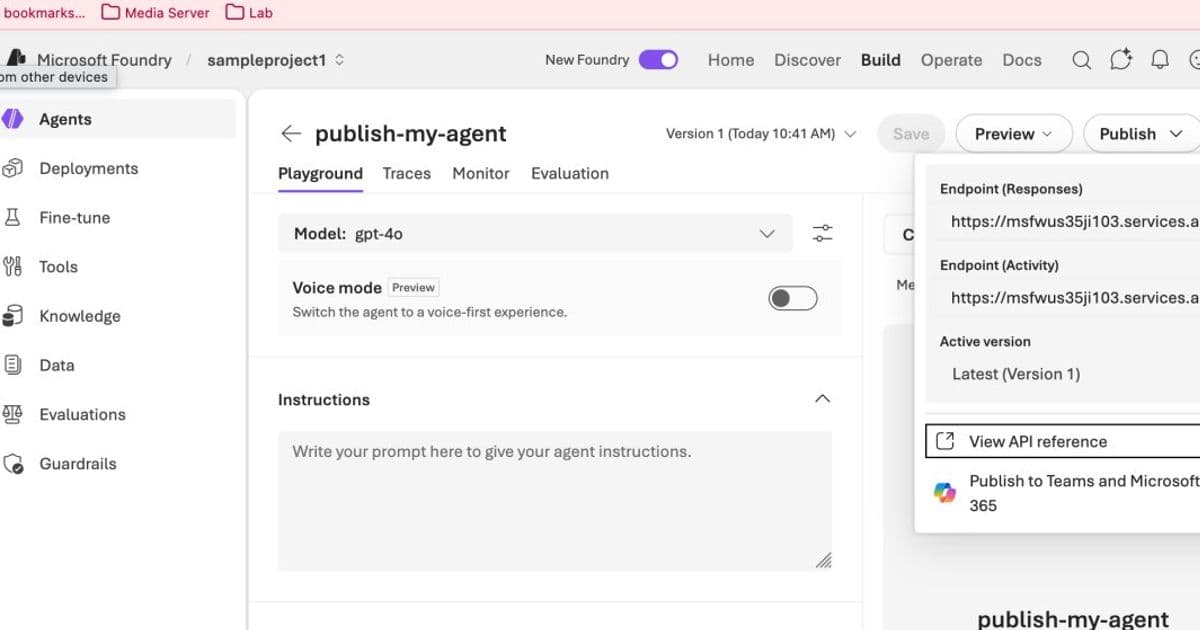
A step‑by‑step walkthrough of the current “Publish to Teams” button in the Foundry portal, the hidden orchestration it triggers, the Azure Bot Service role it creates, and the security and networking constraints that make the UI‑driven flow unsuitable for most enterprises.
Microsoft Foundry – Publishing Agents to Teams – Deep Dive Part 1
Published on May 20 2026
Author: Journey of the Geek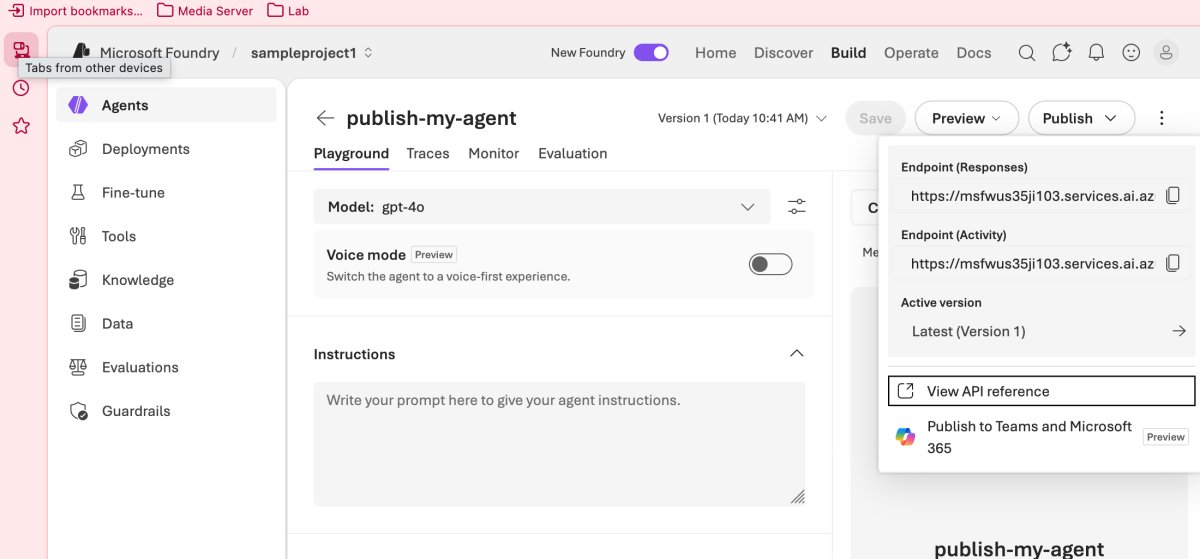
What changed
Microsoft Foundry has evolved from a collection of isolated AI services into a loosely‑coupled platform that now includes Foundry Agent Service. The latest portal release adds a Publish to Teams button that appears after an agent is created. Clicking the button initiates a cascade of Azure resource provisioning, manifest generation, and Teams‑side registration. The flow works only when:
- The caller holds Contributor or Owner rights on the resource group (or subscription).
- Public network access on the Foundry resource is enabled.
- The end user holds the Foundry User Azure RBAC role.
These prerequisites are a departure from the earlier “bring‑your‑own‑compute” model where agents could run entirely behind private endpoints.
Provider comparison – portal vs. programmatic approach
| Aspect | Portal (button) | Programmatic (PowerShell/Bicep/Python/Terraform) |
|---|---|---|
| Permissions required | Contributor/Owner on the resource group – the portal creates a Bot Service in the same RG. | Can be scoped to a pre‑existing Bot Service; only the specific service principal needs permission. |
| Network requirements | Public inbound traffic must be enabled; otherwise the button is disabled. | Private‑link or custom inbound gateway can be used; the agent can stay fully private. |
| Control over Bot Service | Auto‑created with default naming; cannot select a different resource group today. | Full control over name, SKU, networking, and identity via IaC. |
| Teams manifest handling | UI offers a quick download; limited to basic fields (name, description, icon). | Manifest can be generated, edited, and version‑controlled in source control. |
| Approval workflow | After publishing, a request appears in the Microsoft 365 admin center; an admin must approve before the app appears in the Teams catalog. | Same approval step, but the request can be scripted and tracked through Graph API calls. |
| Cost visibility | Implicit – the portal does not surface the Bot Service pricing until after creation. | Explicit – IaC templates can include cost‑estimation tags and Azure Pricing Calculator links. |
| Auditability | Limited to portal UI logs; hard to reproduce exact API calls. | All steps are captured in code repositories, enabling change‑control and compliance reviews. |
Why the portal flow rarely fits enterprise policies
Enterprises typically separate responsibilities for cloud governance, network security, and application lifecycle. Giving a developer Contributor rights on a subscription violates the principle of least privilege. Moreover, the temporary exposure of a public endpoint conflicts with zero‑trust networking models that rely on Private Link or firewall‑based DNAT.
The programmatic route, while requiring more upfront effort, aligns with multi‑cloud strategies that demand:
- Infrastructure as code for repeatable deployments.
- Fine‑grained RBAC – the Bot Service can be owned by a dedicated service principal rather than a human user.
- Network isolation – traffic can be forced through an Azure Application Gateway or API Management instance that validates JWTs from the Bot Framework.
Business impact
Faster time‑to‑value vs. governance overhead
The one‑click publish button reduces the time from agent ready to available in Teams to under ten minutes for a sandbox environment. For proof‑of‑concepts or internal pilots this speed can be decisive. However, the same convenience introduces three risk vectors:
- Privilege creep – granting Contributor rights to a data‑science team expands the attack surface.
- Public exposure – enabling public network access on a Foundry resource can leak internal APIs if not tightly firewalled.
- RBAC mismatch – end users must also hold the Foundry User role, adding a second gate that can cause support tickets when missed.
Cost considerations
When the portal auto‑creates a Bot Service, the default SKU is Standard S1 (≈ $72 / month). If an organization runs dozens of agents, those charges add up quickly. A programmatic deployment can select the Free tier for low‑traffic bots or negotiate a custom plan, providing direct cost control.
Migration path for existing agents
Enterprises that have already deployed agents on AKS, EKS, or Azure Container Apps can keep those workloads private and use a reverse‑proxy pattern:
- Deploy an Azure Application Gateway with a public listener.
- Forward traffic to an Azure API Management instance that validates the Bot Framework JWT.
- From APIM, route to the private endpoint of the Foundry agent via Private Link.
This pattern preserves the private‑by‑default stance while still satisfying the Bot Service’s requirement for a reachable endpoint.
Next steps
- Review the official portal documentation for the latest permission matrix – the link is frequently updated: Publish agents to Teams documentation.
- Evaluate whether your organization can grant the required Contributor role safely; if not, plan a programmatic deployment using the scripts shared by the Foundry product group.
- Begin a proof‑of‑concept with a private‑link + APIM architecture to confirm latency and security compliance before scaling.
In the next installment I will publish the full IaC workflow, walk through the PowerShell/Bicep scripts, and show how to automate the Teams App Catalog approval via Microsoft Graph.
Stay tuned for Part 2 where we turn the button into code.
Comments
Please log in or register to join the discussion