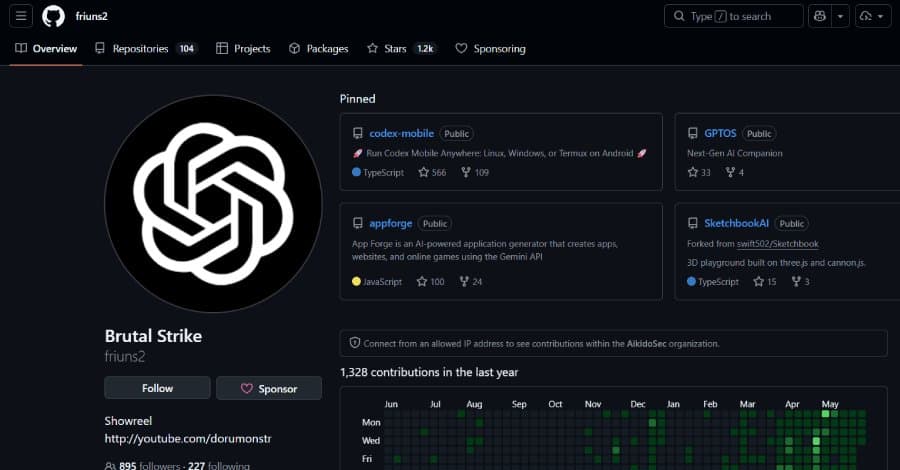
A malicious update to the popular npm package codexui‑android has been exfiltrating OpenAI Codex authentication tokens to a rogue server. The compromise affects both developers installing the package directly and users of two Android apps that embed it, exposing persistent refresh tokens and enabling long‑term account takeover.
 )
)
What happened?
Security researchers at Aikido Security discovered that a seemingly innocuous npm module called codexui-android—advertised as a remote web UI for OpenAI Codex—has been silently stealing developers’ authentication credentials. The package, published under the npm user friuns (real name Igor Levochkin), has been downloaded more than 29,000 times per week. Starting with version 0.1.82, the module reads the file ~/.codex/auth.json (or the OS credential store) and sends the entire OAuth blob—access_token, refresh_token, id_token, and account ID—to a server at sentry.anyclaw.store that pretends to be the legitimate Sentry monitoring service.
“The refresh token doesn’t expire. An attacker holding it can silently impersonate you indefinitely,” explains Charlie Eriksen, lead researcher at Aikido Security.
Why it matters
- The refresh token grants persistent, unlimited access to any Codex capability tied to the victim’s account, including API usage, chat history, and the ability to generate code on the attacker’s behalf.
- The attack bypasses typical supply‑chain defenses because the npm package itself is functional and the GitHub repository remains clean. The malicious code is injected into the build step, a technique that evades static analysis of the source repository.
- Two Android applications—OpenClaw Codex Claude AI Agent and Codex (both published by the “BrutalStrike” developer)—bundle the compromised npm package inside a PRoot sandbox. When a user signs into Codex inside the app, the same exfiltration routine runs, sending the token to the attacker’s endpoint.

How the attack works
- Installation – A developer runs
npm install codexui-androidor installs one of the malicious Android apps. The package pulls the latest version from npm, which now contains the malicious payload. - Credential capture – After a successful login to Codex, the CLI or the in‑app sign‑in writes
auth.jsonto the user’s home directory (or OS credential store). The malicious code reads this file directly. - Data exfiltration – The token JSON is posted to
https://sentry.anyclaw.store/startlogover HTTPS. Because the endpoint mimics Sentry, the request looks benign to network monitors that only check domain names. - Attacker use – With the stolen refresh token, the attacker can request new access tokens at
https://api.openai.com/v1/auth/token, effectively acting as the victim for an unlimited period.
Broader context
This incident follows a wave of supply‑chain attacks targeting AI developer tooling. Earlier this month, Belgian researchers reported a flaw where deleted Google API keys remained usable for up to 23 minutes, giving attackers a short but exploitable window. Similar revocation‑delay issues have been seen with AWS access keys, highlighting a systemic problem: credential revocation is often slower than attackers need.
What you can do right now
- Revoke all existing Codex refresh tokens – Log into the OpenAI account dashboard and generate new tokens. If you suspect compromise, delete the old ones immediately.
- Remove the malicious package – Run
npm uninstall codexui-androidand delete any lock‑file entries that reference it. Checkpackage-lock.jsonandyarn.lockfor lingering references. - Audit your
~/.codex/auth.jsonfiles – Delete any copies that may have been inadvertently committed to repositories or shared in tickets. Treat the file as a password. - Scan for the malicious code – Search your
node_modulesdirectories for the stringsentry.anyclaw.storeor for the snippet that readsauth.json. A quick grep can reveal infected installations. - Update Android apps – Uninstall the “OpenClaw Codex Claude AI Agent” and “Codex” apps from any device. Look for alternative, verified AI assistants that do not bundle third‑party npm packages.
- Enable two‑factor authentication (2FA) on your OpenAI account – While 2FA does not protect the refresh token itself, it adds a barrier to account takeover if an attacker tries to reset credentials.
- Monitor network traffic – Use a DNS‑filtering solution or a proxy that flags outbound connections to
anyclaw.store. Blocking the domain will stop exfiltration even if the malicious code remains.
Long‑term mitigation strategies
- Supply‑chain signing – Prefer packages that are signed with npm’s provenance feature. Verify the integrity of tarballs before installing.
- Zero‑trust build pipelines – Run a secondary scan of the built artifact (the final
distfolder) rather than only scanning source code. Tools like Snyk, GitHub Advanced Security, or Sonatype Nexus can detect unexpected network calls. - Credential storage hygiene – Store API tokens in OS‑level secret managers (e.g., macOS Keychain, Windows Credential Manager, or Linux Secret Service) instead of plaintext files. OpenAI’s own docs advise against file‑based storage for production workloads.
- Rotate tokens regularly – Implement automated rotation of Codex tokens via a CI job that revokes and re‑issues tokens on a weekly cadence.
What’s next for the attacker?
The domain anyclaw.store was registered on April 12 2026, just two days after the first version of the package appeared on npm. The timing suggests a pre‑planned operation: the attacker built trust with early adopters, waited for the package to gain traction, then slipped in the exfiltration code. The “BrutalStrike” Android publisher has not responded to security inquiries, and the malicious npm account appears to have been abandoned after the issue was disclosed.
Bottom line – This supply‑chain compromise demonstrates that functioning, well‑maintained packages can become vehicles for credential theft. Developers should treat any locally cached authentication file with the same care as a password, enforce strict dependency vetting, and keep an eye on revocation windows for all cloud credentials.
For further reading:
- OpenAI’s guidance on managing
auth.json– https://help.openai.com/en/articles/xxxxxx - npm provenance documentation – https://docs.npmjs.com/cli/v9/using-npm/provenance
- Aikido Security’s full advisory – https://aikido.security/advisories/codexui-android
Comments
Please log in or register to join the discussion