AI is accelerating both productivity and cyber risk for SMBs. Microsoft’s integrated security stack, especially Microsoft 365 Business Premium, offers a simple, scalable defense that balances speed, cost, and migration effort against competing providers.
What changed
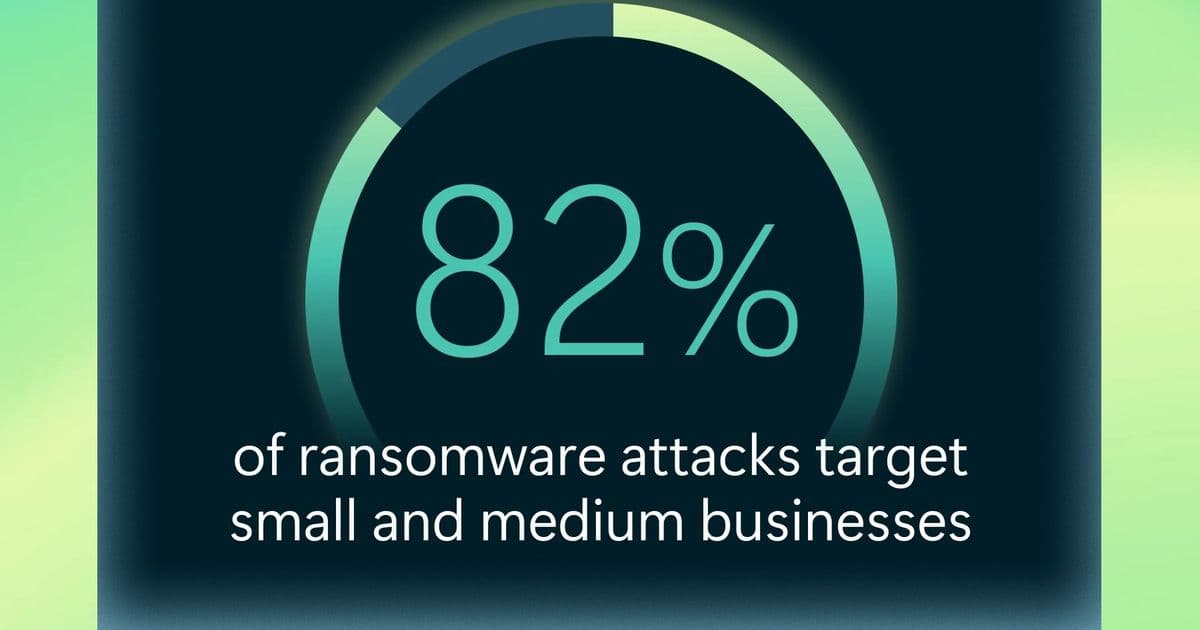
Artificial intelligence is no longer a futuristic add‑on; it is now embedded in the tools that power daily operations and, simultaneously, in the weapons cyber‑criminals wield. The 2025 Microsoft Digital Defense Report shows that AI‑enhanced phishing attacks are 4.5 × more effective than traditional methods, and that Microsoft processes over 100 trillion security signals each day to block millions of threats. For small and medium businesses (SMBs) that lack dedicated security staff, the shift from “IT issue” to “core business risk” is immediate: a single successful phishing click can halt order processing, erode customer trust, and trigger costly ransomware payouts.
Provider comparison
| Feature | Microsoft 365 Business Premium | Google Workspace Enterprise | Amazon WorkSpaces + GuardDuty |
|---|---|---|---|
| Integrated productivity & security | One‑stop suite (Office apps, Endpoint Manager, Azure AD, Defender for Business) | Separate Google Workspace + BeyondCorp + Chronicle (requires extra licensing) | Separate productivity tools + GuardDuty (adds complexity) |
| Pricing (per user/ month) | $22.00 (incl. Office, device management, email protection) | $25.00 (incl. Docs, Gmail, basic security) | Variable – WorkSpaces $35 + GuardDuty per GB processed |
| Migration effort | Fast import via Microsoft 365 migration tools; Azure AD Connect for on‑prem sync | Requires Google Cloud Directory Sync; limited third‑party tools | Requires re‑architecting workloads on AWS, manual IAM mapping |
| AI‑driven threat protection | Defender for Business uses Microsoft’s 100 trillion‑signal AI model | Google’s AI security (Chronicle) focuses on log analytics, less on real‑time email/endpoint | GuardDuty provides anomaly detection but no built‑in endpoint protection |
| Conditional access & Zero Trust | Native Azure AD Conditional Access policies, seamless MFA | Context‑aware access via BeyondCorp, but separate from Workspace UI | Requires separate AWS IAM policies and third‑party Zero Trust solutions |
| Support for SMBs | 24/7 phone support, self‑service portal, no need for dedicated security staff | Community support, premium support add‑on costly for SMBs | Enterprise‑grade support, but geared toward larger cloud‑first customers |
Why the differences matter
- Cost predictability – Microsoft bundles productivity, device management, and advanced threat protection into a single per‑user price, eliminating hidden add‑ons that can inflate SMB budgets.
- Operational simplicity – A unified admin console reduces the learning curve for small IT teams; Google and AWS require stitching together multiple consoles.
- AI maturity – Microsoft’s AI model is trained on a trillion‑scale dataset of real‑world attacks, delivering faster detection of AI‑generated phishing and ransomware than the comparatively newer Google Chronicle or AWS GuardDuty.
Business impact
- Reduced downtime – Automated phishing detection and endpoint isolation cut the mean‑time‑to‑contain (MTTC) from hours to minutes, keeping order pipelines open.
- Preserved revenue – By preventing ransomware encryption of critical files, SMBs avoid the average $150 k ransom payout reported for small firms.
- Customer trust – A visible security posture (e.g., Microsoft Secure Score > 80) can be shared with clients, turning compliance into a market differentiator.
- Scalable growth – As the business adds users or devices, Microsoft 365 scales automatically; licensing adjusts linearly, avoiding costly re‑architectures.
- Simplified compliance – Built‑in data loss prevention (DLP), information protection, and audit logs satisfy GDPR, CCPA, and industry‑specific mandates without extra tooling.
Migration considerations
- Data residency – Verify that Microsoft’s regional data centers align with local regulations; Google offers similar options but may require additional configuration.
- Legacy applications – Use Azure AD Application Proxy to expose on‑prem apps securely while the rest of the stack moves to the cloud.
- User training – Leverage Microsoft’s built‑in security awareness modules to educate staff on AI‑generated phishing cues.
Bottom line for growing businesses
Investing in a security platform that couples AI‑driven detection with integrated productivity tools delivers the fastest ROI for SMBs. Microsoft 365 Business Premium provides a clear cost advantage, lower migration friction, and a unified management experience that lets small teams focus on revenue‑generating activities rather than firefighting security incidents.
{{IMAGE:1}}
Next steps
- Review the Microsoft 365 Business Premium pricing page to model costs for your team size.
- Run the free Microsoft Secure Score assessment to quantify current risk.
- Contact a Microsoft partner for a migration plan that preserves existing user identities and minimizes downtime.
By treating security as a foundational business function rather than an afterthought, SMBs can harness AI’s productivity benefits while keeping the threat surface firmly under control.
Comments
Please log in or register to join the discussion