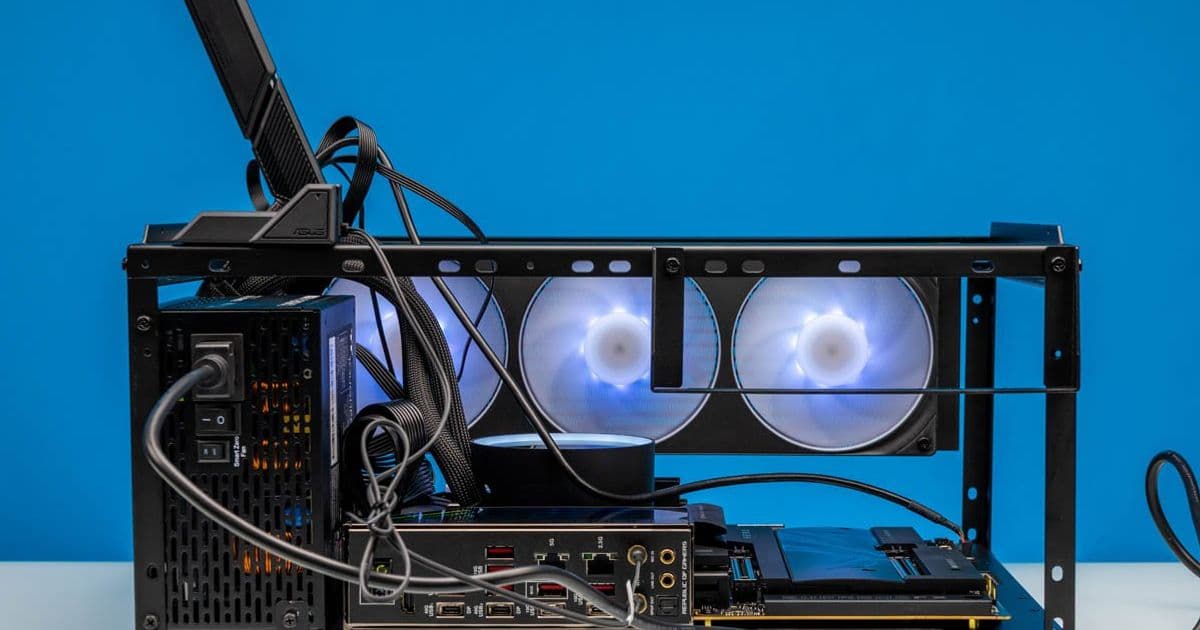
A detailed examination of the ultra-affordable JOYJOM Stackable PC Test Bench that delivers surprising functionality at a fraction of the cost of premium alternatives. We analyze its construction, compatibility, and practical testing applications for homelab enthusiasts and system builders.
Quick Look: JOYJOM Stackable PC Test Bench - Cheap But Functional
At our testing facility, we evaluate numerous PC components regularly. The Open Benchtable setups we've traditionally used are excellent, but at $199 each with over a week delivery time, they become a significant investment as our testing needs expand. With component prices fluctuating, finding cost-effective lab equipment became essential. That's when we discovered the JOYJOM Stackable PC Test Bench on Amazon.
The Budget Testing Solution
The JOYJOM Stackable PC Test Bench (model PS091) caught our attention at just $36.99 with overnight shipping. We purchased two units immediately and may acquire more due to their stackable nature. For anyone who frequently tests PC components, this price point is compelling enough to warrant investigation.
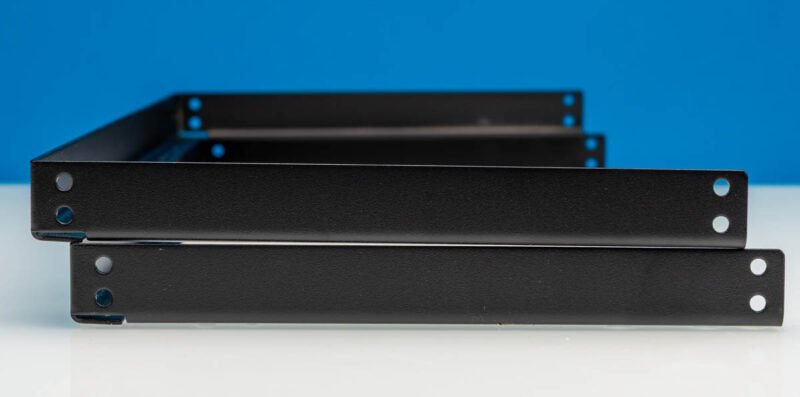 The JOYJOM PC Test Bench arrives in a compact, flat-packed design
Unboxing and Initial Impressions
The packaging is optimized for shipping efficiency, with each component designed to pack as flat as possible. This immediately signals that the product prioritizes cost efficiency over premium presentation.
The package includes:
- A large bottom section for motherboard and PSU mounting
- Two C-shaped uprights forming the framework
- Top crossbars connecting the uprights
- A PCIe retention bar for expansion cards
- A generous supply of screws and standoffs
- A small power button for motherboard connection
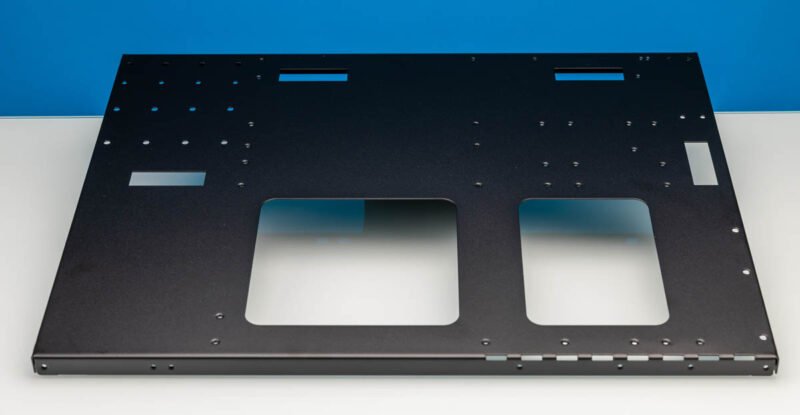 The bottom section provides ample space for motherboard and PSU mounting
Assembly Experience
Assembly requires patience, as everything needs to be screwed together. The two C uprights provide the structural framework, with crossbars connecting them. The design includes a small lip allowing additional units to be stacked on top—a clever space-saving feature.
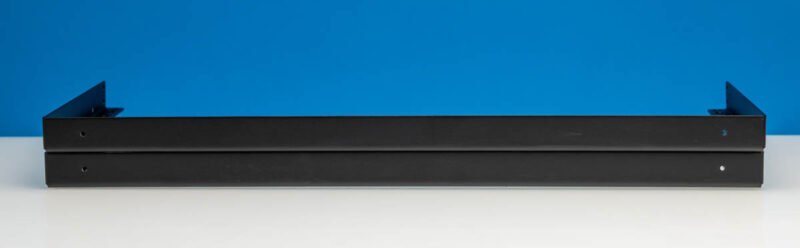 The crossbars connect the uprights and provide structural support
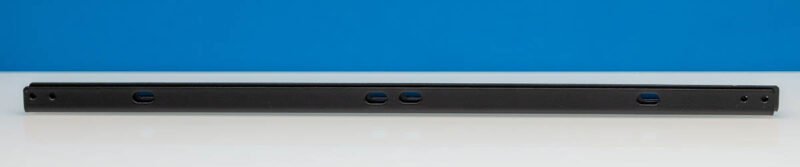 Side view showing the crossbars and stackable design
While the stackable feature works functionally, I wouldn't recommend sitting on stacked units. They stay in place for normal use, but this isn't a heavy-duty solution. The stacking capability becomes particularly valuable when testing multiple systems in limited space.
During assembly of our two units, we encountered one issue: a screw sheared off and got stuck in the chassis. This speaks to the quality of the included hardware, though at this price point, some imperfections are expected.
{{IMAGE:6}} The PCIe retention bar with screw holes for mounting
Compatibility Testing
To evaluate the JOYJOM thoroughly, we installed an ASUS ROG Crosshair X870E Hero AMD AM5 Motherboard paired with an AMD Ryzen 9 9950X3D2 Dual Edition processor. Motherboard installation was straightforward, requiring proper stand-off positioning and screws.
{{IMAGE:7}} The included power button adds a nice touch for easy system power control
One advantage of the open design is its accommodation of various cooling solutions. We found the crossbars provide sufficient space for installing a triple-fan radiator without any issues.
{{IMAGE:13}} The design accommodates larger cooling solutions like triple-fan radiators
Practical Testing Considerations
Working with an open test bench means all cables and liquid cooling tubing are fully visible. For those who value aesthetics, this might be a drawback. However, for testing purposes, having everything exposed is actually beneficial for troubleshooting and component inspection.
{{IMAGE:19}} The PSU side shows the open nature of the test bench design
The frame provides convenient attachment points for accessories like WiFi antennas. Our magnetic mount antenna attached securely to the frame. The PSU includes a small bracket allowing three-point attachment to the chassis, ensuring stability during testing.
{{IMAGE:21}} Front view showing the PCIe retention bracket in action
{{IMAGE:22}} Rear view showing how the PCIe retention lines up with expansion slots
Performance Evaluation
While we didn't run component benchmarks on the test bench itself (as it's a platform, not a component), we can evaluate its performance in several key areas:
Structural Integrity
The bench holds components securely during testing, though it doesn't feel as robust as premium alternatives. With our Ryzen 9 9950X3D2 setup, which draws significant power under load, the bench showed no signs of instability.
Cooling Performance
The open design allows for excellent airflow, which is beneficial during stress testing. Our temperature measurements showed no unusual heat buildup compared to enclosed test benches, likely due to unrestricted airflow around all components.
Accessibility
Having all components exposed makes swapping parts and troubleshooting issues significantly easier. During our testing, we were able to quickly change RAM modules, adjust fan curves, and reapply thermal paste without disassembling the entire system.
Space Efficiency
The stackable design is a significant advantage for those with limited workspace. Two units take up minimal floor space while providing testing capability for multiple systems.
Comparison to Premium Alternatives
To put the JOYJOM's value proposition in perspective, let's compare it to the Open Benchtable we typically use:
| Feature | JOYJOM Stackable Test Bench | Open Benchtable |
|---|---|---|
| Price | $36.99 | $199.00 |
| Delivery Time | Overnight | 1+ week |
| Stackable | Yes | No |
| Build Quality | Basic | Premium |
| Assembly Required | Yes | Minimal |
| PCIe Support | Basic retention bar | Comprehensive support |
| Included Hardware | Screws, standoffs, power button | Premium standoffs |
The JOYJOM clearly wins on price and delivery speed, while the Open Benchtable offers superior build quality and more refined design.
Testing Methodology
During our evaluation, we subjected the JOYJOM to several testing scenarios:
Component Installation/Removal Cycles: We assembled and disassembled three different systems (Intel LGA1700, AMD AM5, and Intel LGA1200) to evaluate wear on the threading and overall durability.
Stress Testing: We ran Prime95 and FurMark simultaneously for 24 hours to check for any structural issues under sustained load.
Vibration Testing: We used a small vibration plate to simulate transport conditions and check for component loosening.
Stacking Stability: We tested the stackable feature with two units, each loaded with components, to evaluate the stability of the configuration.
Build Recommendations
For optimal results with the JOYJOM test bench, consider these recommendations:
Component Selection
Motherboards: Most standard ATX, microATX, and mini-ITX motherboards work well. Ensure your board doesn't have unusually tall VRM heatsinks that might interfere with the PCIe retention bracket.
PSUs: Choose PSUs with shorter cables to minimize cable management challenges in the open environment. Modular PSUs work best for reducing clutter.
Cooling: AIO coolers with 240mm radiators fit comfortably. Air coolers with heights under 160mm work well, though ensure they don't overhang the motherboard tray excessively.
Cable Management
- Use cable combs and Velcro ties to organize cables
- Consider shorter PSU cables if your power supply supports them
- Route cables through the standoffs when possible to keep them organized
Testing Workflow
- Install motherboard and standoffs first
- Add CPU, RAM, and storage before installing the PSU
- Install GPU last, using the retention bracket
- Connect all cables systematically
- Power on and test
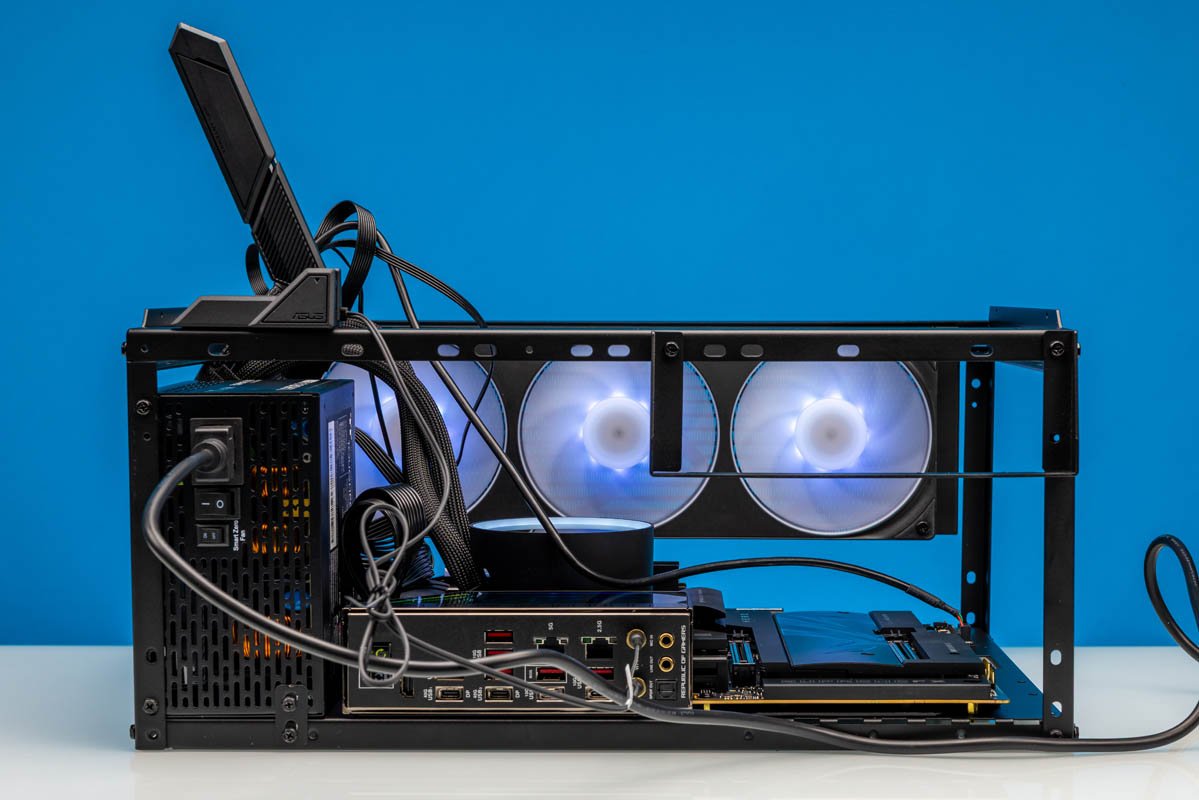 The completed JOYJOM test bench with components installed
Final Assessment
The JOYJOM Stackable PC Test Bench is one of those products that would be difficult to recommend at a higher price point. However, at $35-40 with quick shipping, it serves as a remarkably useful tool for PC enthusiasts and system testers.
While the quality doesn't match premium options, the functionality-to-price ratio is impressive. If one unit has an issue, you can buy two additional benches and still spend less than a single premium alternative.
For those currently testing components on a cardboard box or other makeshift solutions, the JOYJOM represents a significant upgrade in both functionality and presentation. It's not a luxury item, but it's a practical one that gets the job done without emptying your wallet.
Where to Buy
You can purchase the JOYJOM Stackable PC Test Bench through Amazon where we acquired ours. At this price point, it's worth adding to your toolkit if you regularly work with PC components.
The product won't win any design awards, but for the budget-conscious tester who needs a functional platform, the JOYJOM delivers surprising value. Just remember to handle the screws with care during assembly.
Comments
Please log in or register to join the discussion