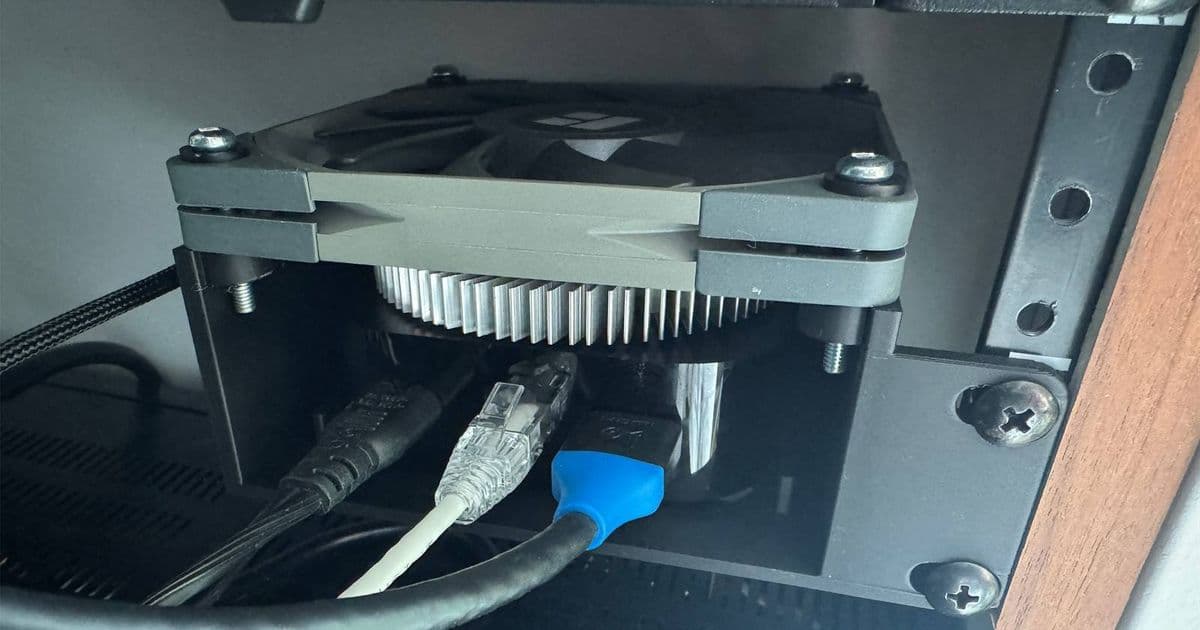
A Reddit user has addressed persistent stuttering issues on their Apple TV 4K by attaching a PC fan and heatsink, highlighting potential thermal limitations in Apple's streaming device design.
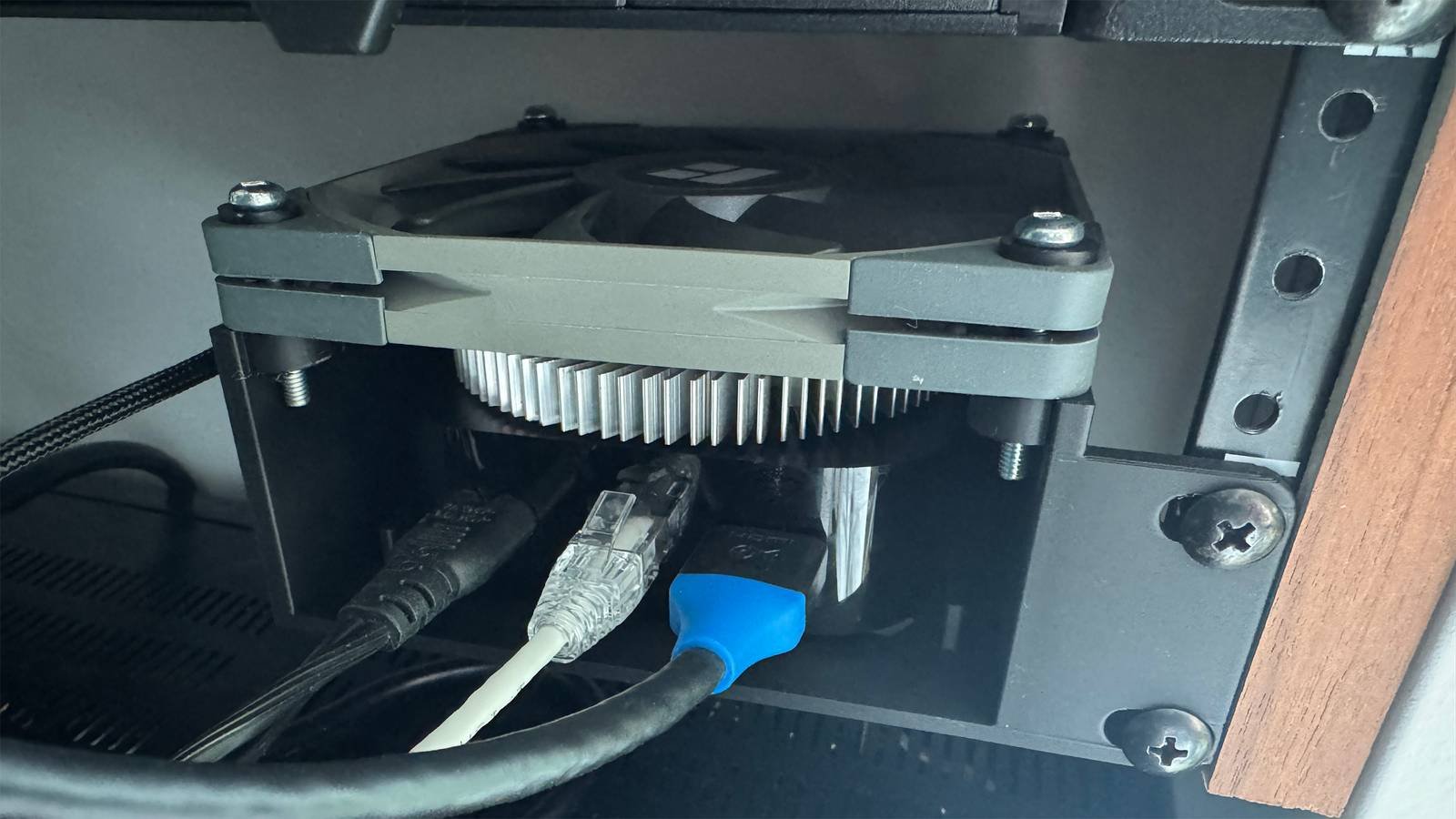
Apple TV 4K owners experiencing performance stuttering during intensive tasks like gaming or high-bitrate streaming now have an unconventional solution to consider. A Reddit user under the handle u/techtornado recently documented their successful DIY cooling modification that eliminated persistent stuttering on their device by attaching external cooling components.
The user reported severe frame drops and audio-video synchronization issues occurring after 30-45 minutes of gameplay or 4K HDR content playback. After exhausting software troubleshooting steps including OS reinstalls and cable replacements, they identified thermal throttling as the likely culprit. Using thermal adhesive, they mounted a copper heatsink directly onto the Apple TV's aluminum chassis above the processor location, then attached a 40mm Noctua NF-A4x10 FLX fan powered via the device's USB-C port.
According to their detailed Reddit post, this modification dropped peak temperatures by approximately 15°C and completely eliminated the stuttering issues during extended stress testing. The solution leverages principles seen in gaming consoles and PCs where active cooling prevents thermal throttling under sustained loads.
Technical Analysis of Thermal Constraints
Apple TV 4K's fanless design relies on passive cooling through its aluminum enclosure. While sufficient for typical streaming workloads, sustained GPU/CPU-intensive tasks like gaming can push the A15 Bionic chip beyond its thermal design power (TDP) limits. When internal temperatures reach critical thresholds, the system automatically reduces processor frequency to prevent damage – manifesting as visible stuttering.
The 2022 Apple TV 4K (A2843) model appears particularly susceptible due to its higher-performance A15 chip packed into the same compact enclosure as previous generations. Unlike smartphones that throttle during brief performance bursts, streaming devices face unique challenges with prolonged high-load scenarios during movie playback or gaming sessions.
Implications for tvOS Developers
This case highlights important considerations for developers building graphics-intensive tvOS applications:
- Thermal Profiling: Use Xcode's Energy Logs to monitor thermal state transitions during testing
- Performance Optimization: Implement frame pacing controls and avoid sustained 100% GPU utilization
- Cooling Awareness: Document thermal requirements for demanding applications
- Hardware Diversity: Account for varying thermal performance across Apple TV generations
While Apple's official tvOS Human Interface Guidelines don't explicitly address thermal constraints, developers should consider incorporating cooldown periods during extended sessions and providing performance preset options.
Practical Considerations
Though effective, this modification has significant drawbacks:
- Warranty voidance from physical alterations
- Aesthetic compromise with visible hardware additions
- Acoustic tradeoff (though the 40mm fan operates at <20dB)
Alternative solutions include:
- Using USB-powered laptop cooling pads
- Ensuring 2+ inches clearance around the device
- Avoiding enclosed media cabinets
Apple hasn't acknowledged widespread thermal issues, but the company's recent patent filings show ongoing research into compact thermal solutions. For now, developers should proactively optimize applications using Metal Performance Shaders and MetalFX upscaling to reduce rendering loads.
This user's solution demonstrates that even carefully engineered devices like Apple TV can encounter thermal limitations in real-world usage scenarios. While not suitable for most consumers, it provides valuable insight into the thermal dynamics of compact entertainment devices and the importance of active cooling for sustained high-performance tasks.
Comments
Please log in or register to join the discussion