
A quick guide to turning off Apple’s App Tracking Transparency prompts permanently, why the setting matters for privacy, and how it fits into the broader tracking ecosystem.
Auto‑deny app tracking prompts in iOS 17 and iPadOS 17
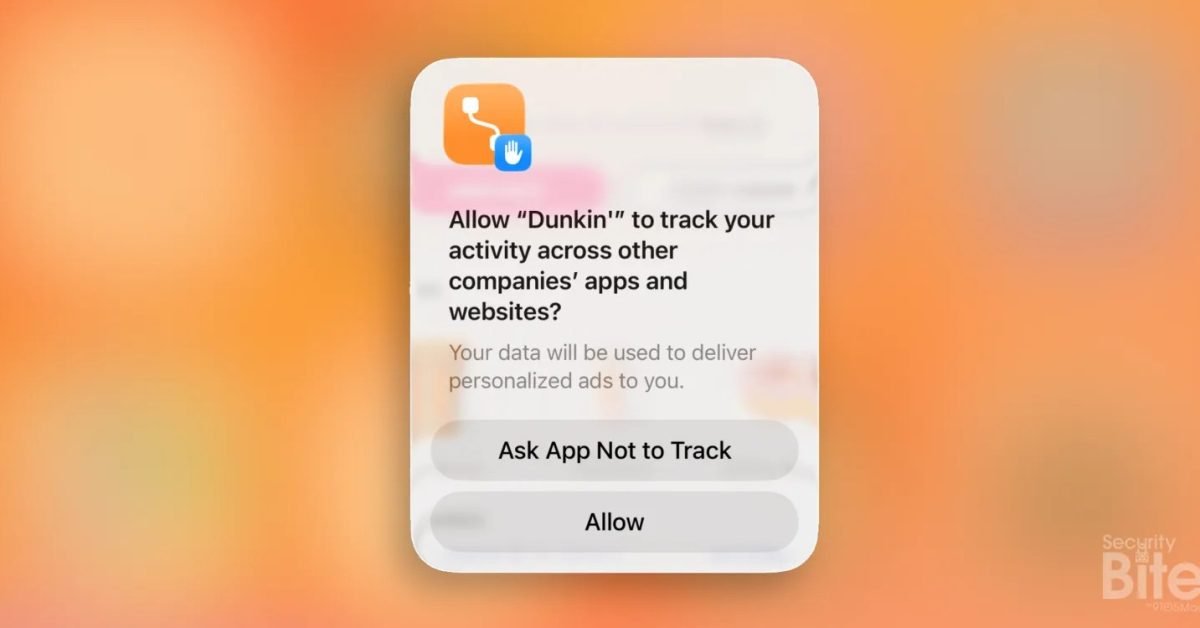
If you’ve installed a handful of apps lately, you’ve probably seen the pop‑up that asks, “Allow this app to track your activity across other companies’ apps and websites?” Tapping Ask App Not to Track feels like a win, but the next app soon repeats the request. Apple’s App Tracking Transparency (ATT) framework, introduced in iOS 14.5, can be set to deny every request automatically – no more interruptions, no accidental consent.
How ATT works under the hood
When an app wants to read the device’s advertising identifier (IDFA), it must call ATTrackingManager.requestTrackingAuthorization(). The system then shows the ATT alert and returns one of four statuses:
- notDetermined – the user hasn’t responded yet.
- restricted – parental controls or device policy block the request.
- denied – the user explicitly said no.
- authorized – the user allowed tracking.
If the global Allow Apps to Request to Track toggle is off, the OS short‑circuits the call and returns denied immediately. No alert appears, and the app receives a clear signal that it must respect the user’s privacy.
Enabling the global “no‑track” setting
- Open Settings.
- Tap Privacy & Security → Tracking.
- Turn off Allow Apps to Request to Track.
That’s the entire process. From that point forward, every app that attempts to access the IDFA receives a denied response before any UI is shown. Developers can still query the status, but the result will always be denied unless the user later changes the toggle.
Why you might want to keep it on
- Consistent privacy – No chance of accidentally tapping Allow.
- Battery and CPU savings – The system skips the alert animation and the app’s internal fallback logic.
- Cleaner UI – Your lock screen and app launch experience stay free of extra dialogs.
When you might need to turn it back on
- App functionality – Some apps use the IDFA for legitimate purposes, such as measuring ad performance for a publisher you trust. Those apps may degrade their analytics if they can’t read the identifier.
- Testing – Developers often need to see the prompt to verify that their implementation follows Apple’s guidelines.
If you run into an app that refuses to work without tracking permission, you can temporarily enable the toggle, grant permission, and then switch it off again.
The broader tracking ecosystem
ATT was a major shift for the advertising industry. Companies that relied on the IDFA had to pivot to alternative methods like:
- Device fingerprinting – Collecting screen size, OS version, time zone, and other attributes to create a probabilistic profile.
- Contextual advertising – Serving ads based on the content of the current app rather than user behavior across apps.
Both approaches are less precise than the IDFA, but they still generate revenue for publishers. By default‑denying tracking, you push the market further toward privacy‑first models.
Enterprise management with Mosyle
For organizations that manage dozens or thousands of Apple devices, manually toggling this setting on each device is impractical. Mosyle’s Unified Platform can enforce the Allow Apps to Request to Track toggle via an MDM profile, ensuring every enrolled iPhone or iPad automatically denies tracking requests. The policy is applied at enrollment and can be audited through Mosyle’s compliance dashboard.
“Our customers appreciate the ability to lock down ATT at scale, removing the noisy prompts that end‑users find irritating while maintaining a strong privacy posture,” says a Mosyle product manager.
Quick recap
- Open Settings → Privacy & Security → Tracking.
- Switch Allow Apps to Request to Track off.
- All apps now receive a denied tracking status automatically.
- Use MDM (e.g., Mosyle) to enforce the setting across fleets.
That’s the simplest, most effective way to keep your iPhone and iPad free from ATT pop‑ups and to reinforce your digital privacy.
Security Bite is 9to5Mac’s weekly deep dive into Apple security. Follow author Arin Waichulis on Twitter/X, LinkedIn, and Threads for more tips.
Comments
Please log in or register to join the discussion