A deep dive into the complex pipeline that transforms a sensor's linear ADC values into a recognizable image, revealing why 'unedited' photos are anything but.
When you press the shutter, you expect a photo. What you get is a massive, unprocessed data dump from your camera's sensor. This isn't a picture; it's a grayscale map of photon counts, and the journey from that raw data to the final JPEG is a multi-stage engineering marvel that involves mathematical transformations, perceptual tricks, and hardware limitations.
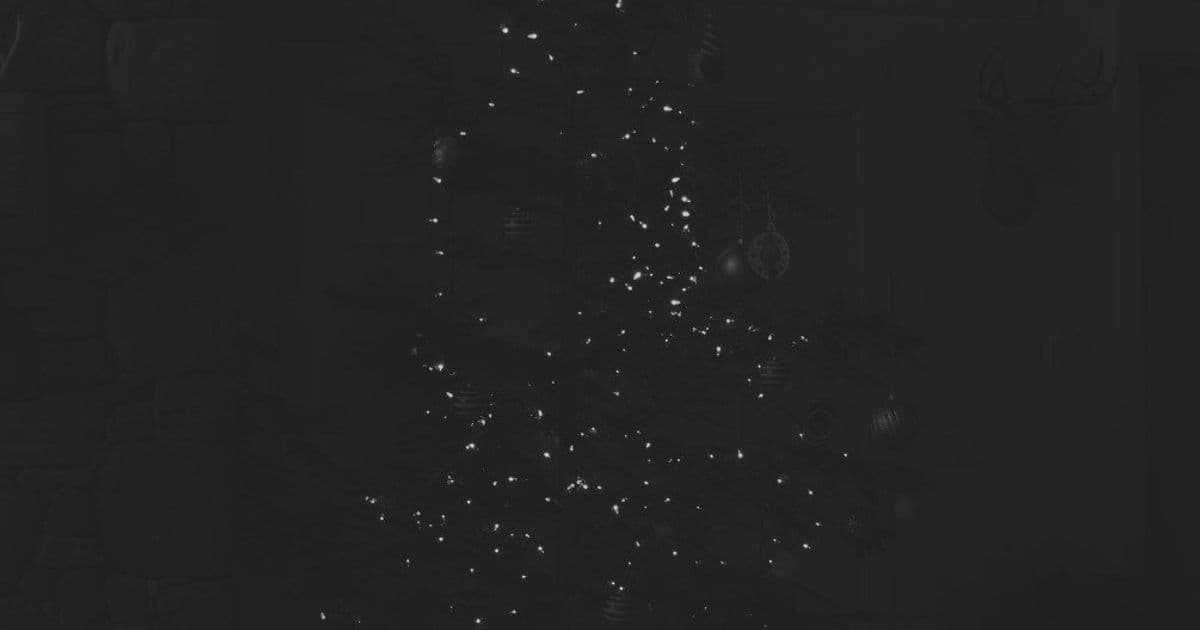
Let's start with the raw data from a Christmas tree photo. The camera's analog-to-digital converter (ADC) outputs values theoretically ranging from 0 to 16382 (a 14-bit system). However, the actual data doesn't span this entire range. The histogram of a typical raw file shows the usable values clustered between approximately 2110 and 13600. The rest of the range is empty, reserved for headroom and to prevent clipping highlights.

To visualize this, we map the raw ADC values to a 0-255 grayscale. The result is a monochromatic image that looks nothing like the vibrant Christmas tree you remember. This is the first critical step: linear normalization. We stretch the limited dynamic range of the sensor data to fit the displayable range:
V_new = (V_old - Black_Point) / (White_Point - Black_Point)
This reveals the scene's luminance but not its color. Camera sensors are inherently colorblind; each photosite only measures total light intensity. To capture color, manufacturers overlay a Color Filter Array (CFA), most commonly a Bayer pattern—a grid of alternating red, green, and blue filters. Each pixel only captures one color channel.

The raw data, when colorized according to its filter, looks like a low-resolution, noisy mosaic. The next essential process is demosaicing, which interpolates the missing color values for each pixel by averaging the data from neighboring pixels. This reconstructs a full RGB image but introduces artifacts and can exaggerate certain colors—like green, which appears twice as often in a Bayer pattern.
Even after demosaicing, the image appears unnaturally dark. This is due to two factors:
Display Limitations: Monitors, even high-end OLEDs, cannot reproduce the extreme dynamic range of real-world scenes or camera sensors. They have a limited contrast ratio and ambient light reflection.
Perceptual Non-Linearity: Human vision is non-linear. We are far more sensitive to changes in shadow detail than in highlights. If we displayed linear sensor data directly, most of the available bit-depth would be wasted on nearly identical shades of white, while subtle variations in dark areas would be lost to banding. This is why color spaces like sRGB apply a gamma curve, allocating more discrete values to darker tones.
Applying this gamma curve to the linear data brightens the shadows, making the image perceptually correct. However, a naive application can introduce color casts. In our example, the green channel was already boosted by the demosaicing algorithm. Applying the curve without correction resulted in a green-tinted image.

The solution is white balance. This involves scaling each color channel independently to neutralize color casts. Because the image is now non-linear, this correction must be applied carefully. The process involves temporarily scaling the values to visualize the imbalance, adjusting the green channel down to match the red and blue, and then re-applying the gamma curve.
The result is a usable image, but it's still far from perfect. The black points are likely too high, noise reduction hasn't been applied, and the color calibration is rudimentary. Furthermore, applying the gamma curve to each channel individually desaturates highlights—a side effect that mimics the look of film but can wash out bright colors like the star on the tree.
Advanced techniques can separate luminance from color data, applying curves to brightness while preserving saturation. This prevents LED lights from becoming an oversaturated mess, a common issue with naive processing.

For comparison, here is the camera's "in-camera" JPEG, generated from the same raw data:

This image is the product of a sophisticated, multi-stage pipeline: demosaicing, white balance, noise reduction, sharpening, color space conversion, and gamma correction—all performed by the camera's Image Signal Processor (ISP) in milliseconds. It is not an "unedited" photo; it is a heavily processed interpretation of the raw data, optimized by the manufacturer's algorithms to produce a pleasing result.
The edited image isn't "faker" than the original; it is a different rendition of the same underlying data. The automated algorithms in the camera make assumptions about the scene that may not match your intent. There is nothing wrong with tweaking the image in post-processing to correct white balance, adjust contrast, or recover detail. In the end, replicating human perception is a complex challenge, made harder by the limitations of display technology. Understanding this pipeline demystifies the process and empowers photographers to take control of the final image.
Comments
Please log in or register to join the discussion