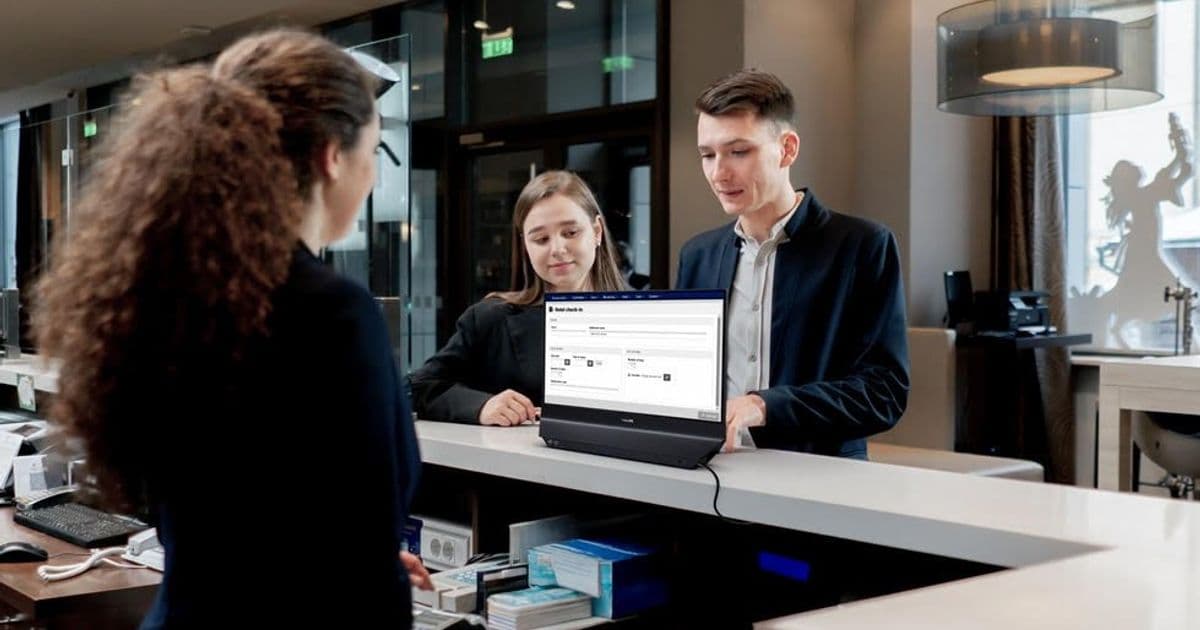
Philips’ new 24B2D5300 is a 23.8‑inch dual‑display business monitor that offers a 120 Hz IPS panel on both sides, enabling mirrored or extended desktop modes for privacy‑focused customer interactions and collaborative office setups.
Philips has taken the concept of a single‑panel office display and turned it on its head with the Philips 24B2D5300, a dual‑sided monitor that essentially gives you two 23.8‑inch Full HD screens in one chassis. Both the front and rear faces sport the same IPS panel, delivering 1,920 × 1,080 px resolution and a 120 Hz refresh rate – a refresh rate that is still rare in the business segment where 60 Hz dominates.
What’s new?
- Two identical panels – each side can be driven independently, allowing you to mirror content or extend the desktop across the two displays.
- 120 Hz IPS – smoother motion for video playback, scrolling and any UI animations, which reduces eye strain during long shifts.
- Full‑HD on both sides – no compromise on pixel density; each side offers the same 1080p clarity.
- Standard connectivity – HDMI 2.0 and DisplayPort 1.2 inputs on the rear, plus a USB‑C Power Delivery port for laptop charging.
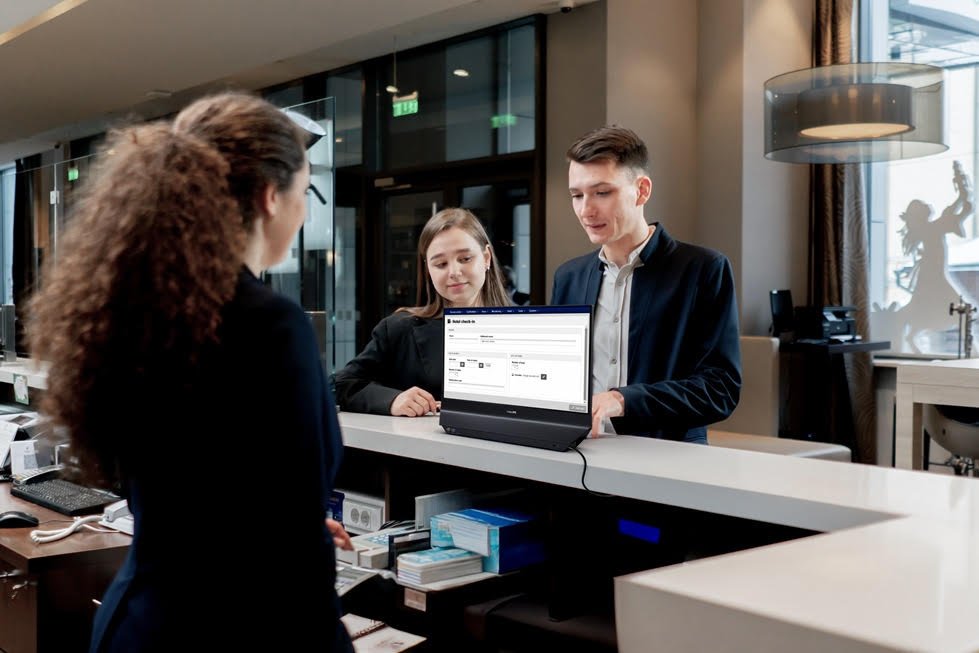
- Ergonomic pivot – the unit rotates 180° on its stand, so the rear panel can be positioned at a comfortable viewing angle for a customer or visitor.
How it compares to existing solutions
| Feature | Philips 24B2D5300 | Typical 27‑inch office monitor | Dual‑side specialty units (e.g., ViewSonic CDE2210) |
|---|---|---|---|
| Panel size per side | 23.8 in (Full HD) | 27 in (Full HD or QHD) | 22‑24 in (Full HD) |
| Refresh rate | 120 Hz | 60‑75 Hz | 60‑75 Hz |
| Touch support | No | Optional (often 60 Hz) | Some models include touch |
| Price (EUR) | 429 | 250‑350 | 500‑650 |
| Use case focus | Customer‑facing, co‑working | General office | Retail kiosks |
The most obvious competitor is the ViewSonic CDE series, which also offers a double‑sided display but sticks to a 60 Hz panel and typically costs a few hundred euros more. Philips undercuts that price while adding a higher refresh rate, making the 24B2D5300 a more fluid experience for video‑rich content and fast‑moving dashboards.
Who will benefit?
Customer‑service desks – Receptionists can keep internal tools on the rear panel while the front shows a welcome screen, queue status, or promotional video. Because the two panels are driven separately, sensitive data never appears on the customer‑facing side.
Banks and healthcare kiosks – Privacy is a regulatory requirement. Extending the desktop lets staff fill out forms on the back while the patient sees only the next step in a self‑service flow.
Co‑working spaces – Two freelancers can share a single workstation. One works on a laptop facing the rear panel, the other uses the front panel as a secondary monitor without needing a second PC.
Open‑plan offices – Teams that collaborate on large spreadsheets or design boards can project a shared view on the front side while keeping private chats on the back.
Trade‑offs and missing pieces
The monitor does not include a touchscreen layer. In environments where users need to interact directly – such as self‑check‑in stations – a touch‑enabled version would be a logical next step. Philips’ current offering relies on a mouse or keyboard, which can be less intuitive for quick customer interactions.
Another consideration is the weight and mounting options. At roughly 7 kg, the unit is heavier than a standard single‑panel monitor, and the integrated stand only supports desk placement; VESA‑mount adapters are sold separately and add complexity.
Pricing and availability
Philips launched the 24B2D5300 in May 2026, targeting specialist retailers in Germany and Austria. The suggested retail price is €429, positioning it between a high‑end single monitor and a dedicated dual‑screen kiosk.
Bottom line
The Philips 24B2D5300 fills a niche that has been largely ignored by mainstream office monitor manufacturers: a dual‑sided display that offers a smooth 120 Hz experience without the premium price tag of dedicated kiosk hardware. It is best suited for customer‑facing roles, co‑working environments, and any workflow that benefits from keeping internal and external information separate. While the lack of touch limits its applicability in pure self‑service scenarios, the unit’s flexibility and price make it a compelling option for businesses that need a simple, privacy‑aware visual solution.
For more details, see the official Philips product page and the full specifications sheet linked there.
Comments
Please log in or register to join the discussion