
Git worktrees let you run multiple branches in separate folders at once, and they're gaining traction as AI-powered development demands parallel workflows.
Git worktrees solve a problem most developers know too well: context switching between branches wrecks your flow. You stash changes, switch branches, fix a bug, merge a PR, then spend minutes piecing your original work back together.
Worktrees cut through that. They let you check out multiple branches from the same repository in different directories simultaneously. One command creates a sibling folder with its own working copy, its own branch, and its own editor state. Your original workspace stays untouched.
The command looks like this:
git worktree add ../hotfix-workspace -b hotfix-bug main
This creates a new folder called hotfix-workspace based on main and checks out a fresh branch called hotfix-bug. You open it in a new editor window, fix the bug, commit, push, and merge the PR. When you're done, you delete the folder and remove the worktree. No stash conflicts, no editor disruption, no mental overhead of tracking where you left off.
Worktrees have been around since Git 2.5 in 2015, but they stayed under the radar for years. Most Git GUIs either didn't support them or treated them as second-class citizens. Developers stuck with the familiar pattern: feature branch, work, PR, merge, repeat.
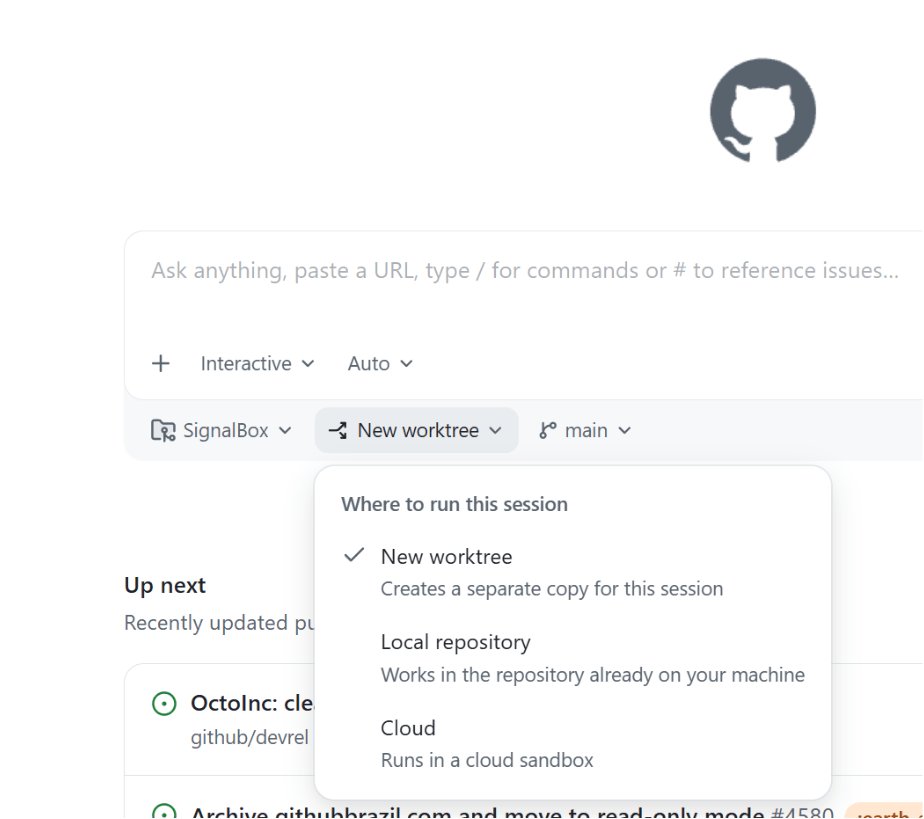
That changed as AI reshaped how developers work. AI agents run multiple sessions in parallel, and code review culture has grown faster than code writing culture. Worktrees became the default mode for tools like the GitHub Copilot app. When you open the app, a dropdown asks where you want to run your new session. A new worktree is the default option.
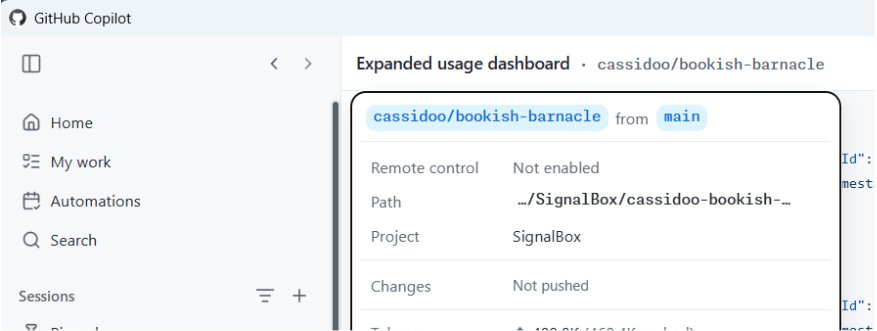
Once you kick off a session, clicking the session name shows you the generated worktree name, its location, the project it serves, and details about your changes.
The tradeoffs
Worktrees aren't free. Each worktree folder requires its own copy of project dependencies. Run npm install or pip install across several worktrees, and your disk fills up fast. You also need to delete worktree folders manually when you're done, or your parent directory clutters up. Apps like the GitHub Copilot app handle this for you, but terminal users have to manage it themselves.
Git also prevents you from checking out the same branch in two worktrees at the same time. That's by design, to avoid data corruption.
Should you use them?
It depends on your workflow. Some developers prefer the mental model of branches and stashing. Others will never go back. The GitHub Copilot app supports worktrees out of the box, and you can try them there today.
The broader pattern matters more than the tool. As development becomes more parallel, having isolated workspaces stops being a convenience and starts being a requirement. Worktrees get you there without the chaos of multiple clones or fragile stash workflows.
Comments
Please log in or register to join the discussion