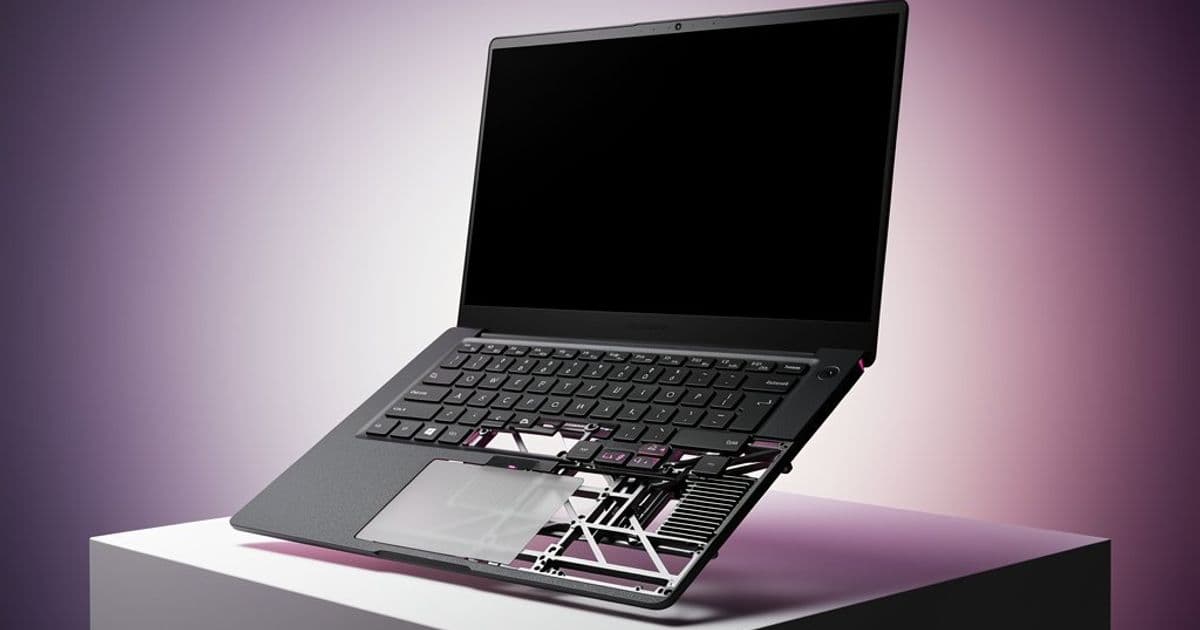
Lenovo reintroduces user-replaceable keyboards and structural reinforcement in the ThinkPad X1 Carbon Gen 14 through its Space Frame design, boosting repairability while enabling larger trackpads and improved cooling for Intel's next-gen CPUs.
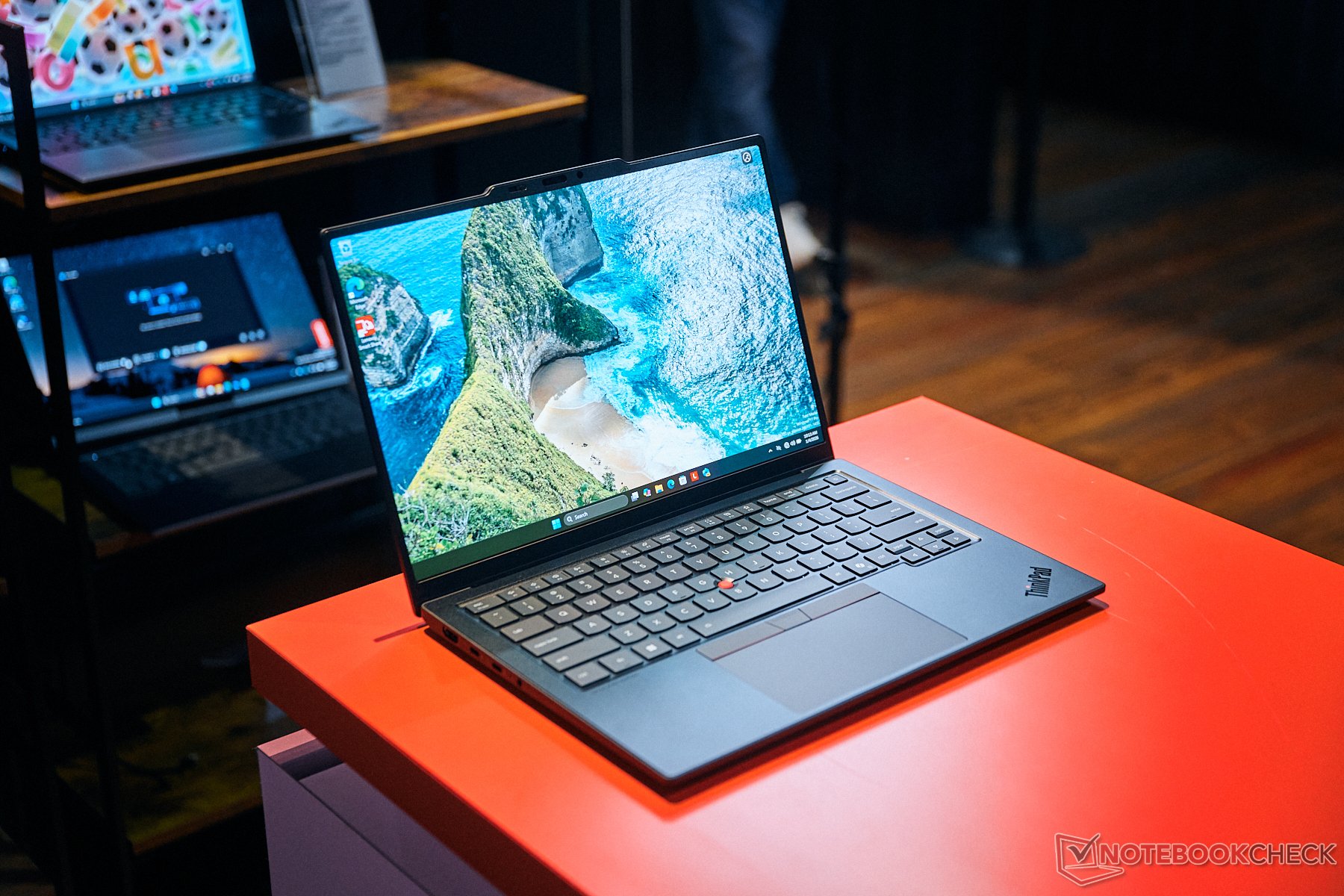
The ThinkPad X1 series has defined business laptop excellence since 2011, but one feature disappeared after its inaugural model: user-replaceable keyboards. Thirteen generations later, Lenovo resurrects this capability in the ThinkPad X1 Carbon Gen 14 alongside structural innovations that reshape serviceability and thermal performance.
Space Frame: Structural Renaissance
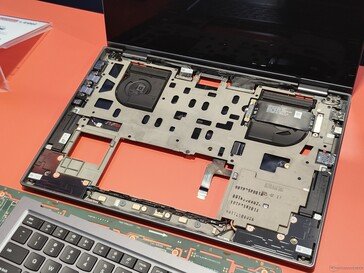
Lenovo's 2006 Roll Cage magnesium frames were phased out as ultraportables grew thinner, replaced by full magnesium chassis. The 2026 models reintroduce this concept as the "Space Frame" – an internal magnesium skeleton providing structural reinforcement without weight penalties. The X1 Carbon Gen 14 maintains the Gen 13's 2.2 lb (1 kg) weight despite this addition, with Lenovo claiming improved rigidity and drop resistance.
Modular Design Revolutionizes Repairs
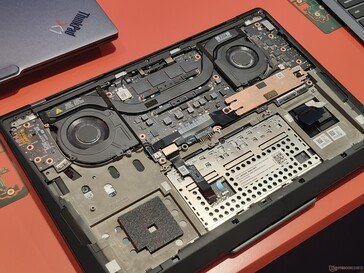
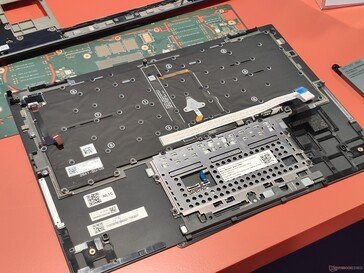
Historically, replacing an X1 keyboard required disassembling the entire device since components were mounted directly to the palmrest assembly. The Space Frame changes this fundamentally. Internal components now anchor to the frame, while the palmrest/keyboard module attaches via six screws beneath the battery. Keyboard replacement time drops from 45 minutes to approximately three minutes. This modularity also simplifies localization; Lenovo cites cases where enterprises needed regional keyboard layouts that were previously impractical to install.
Thermal and Interface Improvements
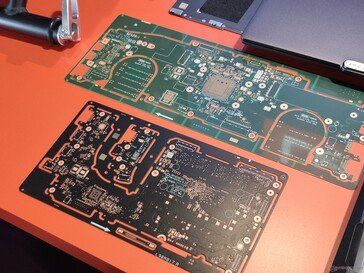
The Space Frame enables significant internal re-engineering. By relocating display connectors and antennas to the frame's reverse side, Lenovo freed space for a 33% larger vapor chamber cooling system. This supports sustained 30W processor power versus the Gen 13's 22.5W limit – crucial for Intel's upcoming Panther Lake Core Ultra X7 CPUs. Motherboard shrinkage allowed modular USB-C ports and relocated I/O.
Trackpad dimensions increase significantly with the haptic option, previously constrained by mechanical TrackPoint button requirements. The new frame permits a wider cutout, expanding tracking surface area.
Keyboard Evolution: Form vs Function
Keyboard changes may prove divisive. The power button/fingerprint sensor moves to the top-right corner, eliminating the Insert key. This risks accidental shutdowns during deletion tasks. Aesthetic updates include centering key legends instead of upper-left alignment and adopting Lenovo's corporate font standard. Key travel remains at 1.5mm, with early testing suggesting similar tactile feel despite layout adjustments. International layout legibility remains unverified for secondary functions.
Comparative Analysis: Gen 13 vs Gen 14
Beyond structural changes, the Gen 14 offers tangible upgrades:
- Cooling: 30W thermal capacity vs 22.5W
- Repairability: Tool-free SSD access, three-minute keyboard swaps
- Trackpad: Larger haptic surface area
- Processor: Intel Core Ultra "Panther Lake" series
Weight and thickness remain identical to the Gen 13. Pricing starts at $1,849 for base configurations, aligning with previous generations.
Verdict: Enterprise-Focused Innovation
These revisions prioritize enterprise IT departments and long-term users. Simplified repairs reduce downtime and ownership costs, while thermal improvements future-proof the chassis for next-gen processors. The controversial keyboard layout serves corporate standardization goals, though power button placement warrants caution. For businesses valuing serviceability and durability, the Space Frame makes the Gen 14 the most maintainable X1 Carbon since 2011 – a substantial evolution masked by familiar dimensions.
Lenovo ThinkPad X1 Carbon Gen 14 specifications | Panther Lake architecture details
Comments
Please log in or register to join the discussion