Wolfram Language and Mathematica 15 put AI inside notebooks while expanding time series, tabular data, symbolic math, PDEs, GPU work, and package tooling.
Wolfram Research released Version 15 of Wolfram Language and Mathematica June 16, 2026, with a built-in AI Assistant and a broad set of additions across data, notebooks, symbolic computation, engineering, and GPU execution.
Stephen Wolfram framed the release around two linked bets: AI should help users write and inspect Wolfram Language code, and Wolfram Language should give AI systems a precise computation layer. That focus gives Version 15 a different shape from a routine feature release. The AI layer sits beside changes to time series, tabular data, model fitting, symbolic music, exception handling, structured packages, PDE modeling, graph plotting, orbital computation, and external language workflows.
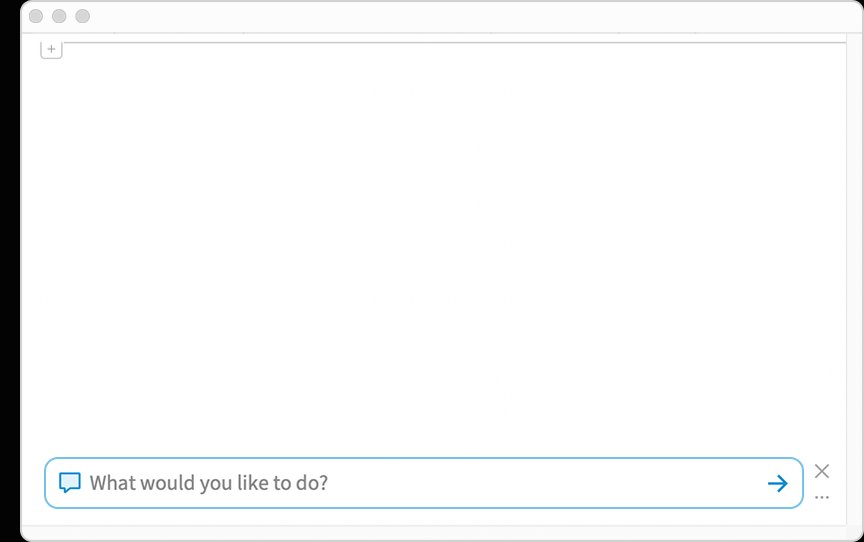
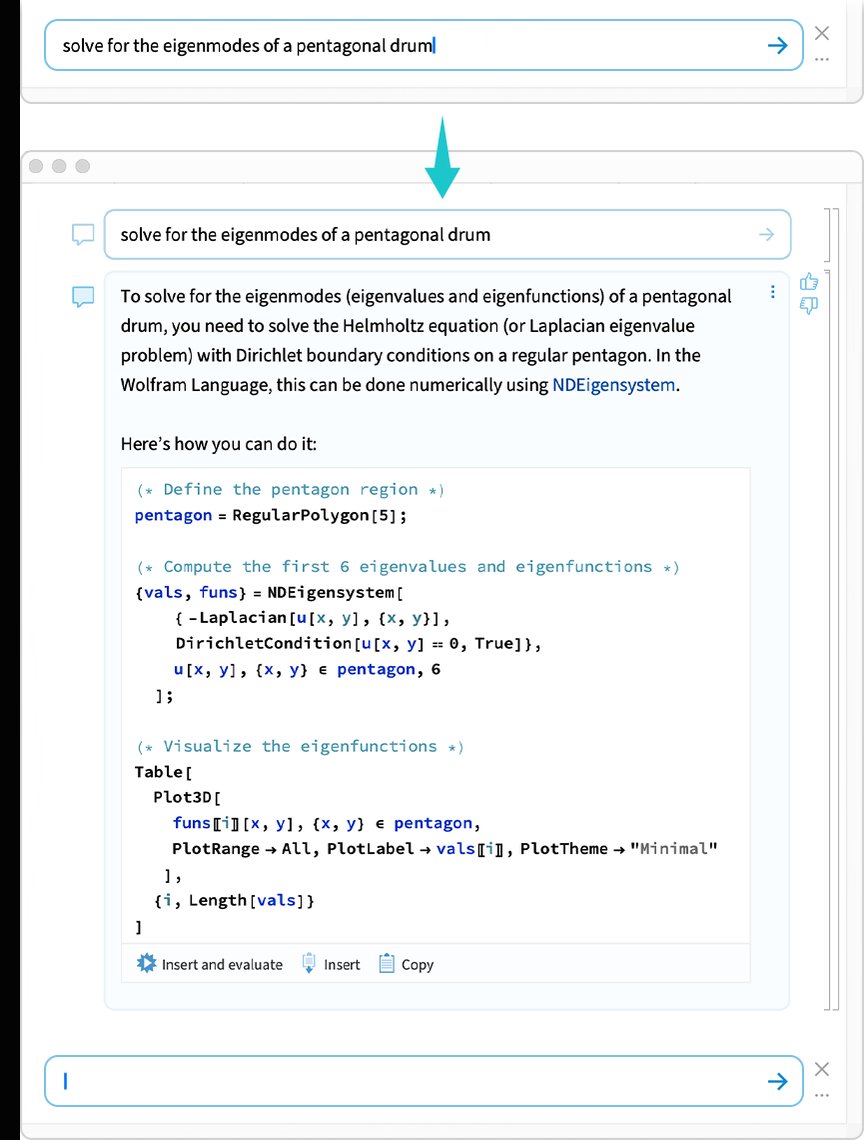
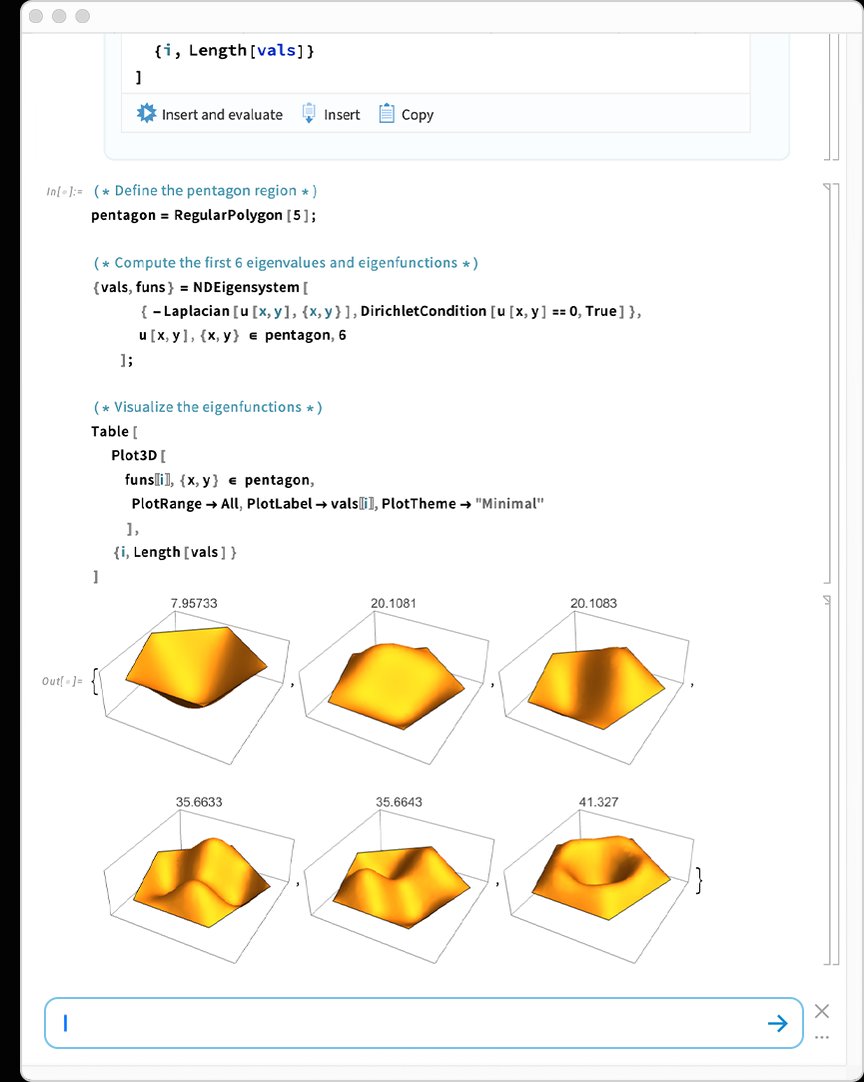
The visible AI change starts in Wolfram Notebooks. Version 15 adds a chatbar at the bottom of new notebooks, giving users access to an AI Assistant without extra setup. A user can enter a request, paste an image, or ask for help with Wolfram Language code. The assistant can return executable code, and the notebook can insert and run it.
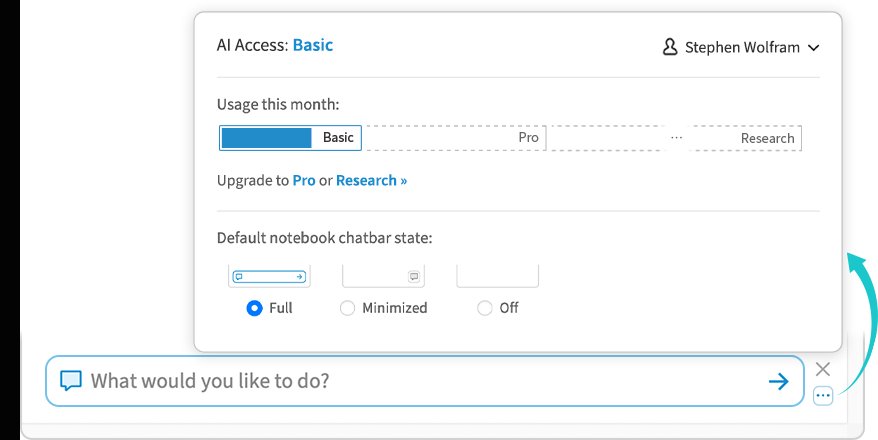
Wolfram also added paid Pro and Research tiers above the Basic assistant. Basic targets help and code generation inside notebooks. Pro supports larger projects, while Research gives access to frontier AI capabilities. Existing Notebook Assistant users move to AI Assistant Pro, according to the release post.
Wolfram also wants external coding agents to call a local Wolfram system. Version 15 can detect tools such as Claude Code and Codex, then configure them through a Services for AIs preferences panel. The new Wolfram Agent Tools framework exposes tools for evaluating Wolfram Language code, reading and writing notebooks, and analyzing code. Developers can also call DeployAgentTools from Wolfram Language.
That agent integration fits Wolfram's long-running argument for computation-augmented generation. An LLM can draft an answer, while Wolfram Language performs the computation that the answer depends on. Version 15 extends access to the Wolfram Foundation Tool through LLMEvaluator settings in functions such as LLMSynthesize, LLMFunction, ChatEvaluate, and LLMGraph.
The data work may affect more day-to-day users than the AI layer. Wolfram rebuilt TimeSeries on the Tabular framework introduced in Version 14.2. The new version handles multicomponent time series, missing data, time granularity, interpolation, and imports into TimeSeries objects. Wolfram says the framework can handle series with millions of entries.
Version 15 also adds EventSeries, which represents discrete events such as accesses, keystrokes, or earthquakes. TimeSeriesEvents extracts event points from a time series, while EventSeriesAccumulate turns event counts into a cumulative time series.
Tabular data gains better import controls and broader connections. Users can import selected columns from CSV and other files, leaving the rest of a large dataset on disk. DataConnectionObject adds Azure Files and Azure Tables support, while database access gets faster. Wolfram also expanded support for Databricks and Snowflake.
Modeling gets a new centerpiece in ModelFit. The function takes a symbolic outline of a model, fits it to data, and returns an object that users can evaluate, plot, or inspect. It supports exponential, logarithmic, power-law, polynomial, periodic, nearest-neighbor, neural-network, and decision-tree models. It can also pull columns from Tabular objects and handle categorical data.
Version 15 introduces a symbolic representation for categorical data through Ordinal and Nominal. Ordinal categories such as small, medium, and large carry order. Nominal categories such as male and female do not. Wolfram designed the system to work inside Tabular, TimeSeries, and EventSeries.
The release also expands notebooks as a working environment. Wolfram rebuilt notebook infrastructure with multicore, multithreaded parsing, which the company says lets users work with multi-gigabyte notebooks. Find now works in real time across large notebooks, with live match counts and support for typeset expressions and special characters.
Desktop notebooks gain sidebars for notebook properties and AI Assistant conversations. Users can run a side chat without changing the main notebook content. Visual themes also come to notebooks, with named theme colors that users can apply across text, syntax coloring, and graphics.
Wolfram added symbolic music, giving users computational objects for pitches, notes, chords, measures, voices, and scores. The system can import MIDI files, plot music, measure pitch ranges, infer keys, and render symbolic scores as audio.
Symbolic math receives several additions. Version 15 adds Grassmann, Clifford, and Weyl algebras for noncommutative algebra with relations. It adds multivariate zeta functions, polylogarithms, and harmonic numbers, which help represent closed-form results in areas such as quantum field theory and analytic number theory. PartialFractions and PartialFractionElements give users more control over decomposition work that Apart handled before.
DSolve now uses neural-net methods in some cases. Wolfram trains models on generated expressions and differential equations, then uses symbolic checks before it accepts a solution. Wolfram says traditional algorithms still solve the main benchmarks better, but the neural method can find simpler answers or solve a small number of cases that older methods miss.
Engineering users get broader PDE and systems-modeling tools. Version 15 extends coordinate chart support through PDE modeling, so users can solve equations in polar, spherical, and other curvilinear coordinate systems. The release adds derived quantities for solid mechanics, fluid mechanics, and magnetics, including equivalent strain and magnetic flux density.
SystemModelSurrogateTrain creates machine-learning surrogates for system models, including models from Wolfram System Modeler. The function runs simulations over a selected behavior space, then trains a continuous-time neural-net approximation. Wolfram positions this for optimization, digital twins, and faster simulation loops.
Control systems gain reinforcement learning through LQRegulatorTrain, which supports linear-quadratic-regulator-based Q learning. Users can train controllers from a system representation and evaluate the resulting controller inside Wolfram Language.
Version 15 adds more external formats and runtime connections. Import and Export now support TOML and YAML. Image support grows with HEIF and AVIF import and export. Markdown support now covers links, images, and tables. XML can import into computable Tree objects. Wolfram also added notebook import for Visual Studio and Jupyter-style notebook formats.
Web sockets arrive through the socket framework. Users can connect to streaming services, exchange messages, and work with bidirectional connections that start through HTTP or HTTPS. Wolfram says its AI Assistant and chat notebooks will use web sockets for streamed results.
Python use inside notebooks gets better session controls. External code cells now show a session menu, which lets users choose among independent Python sessions. Wolfram connects this to its encapsulated session work, where a code cell can carry dependencies and run on another machine.
GPU support grows in two directions. Wolfram added experimental hybrid CPU-GPU methods for core linear algebra and graph functions on NVIDIA GPUs. It also added more GPUArray operations. Developers who want lower-level control can create ExternalFunction objects from CUDA kernels or use the Wolfram Compiler with CUDA intrinsics.
Wolfram Compute Services now supports GPU-backed remote computation. Users can submit Wolfram Language jobs through RemoteBatchSubmit, choose a geographic zone such as the United States or European Union, and retrieve results after cloud execution.
The release also adds graph plotting tools, including GraphValuePlot, which maps values onto graph vertices or edges, and TaggedNestGraph, which builds graphs with styled edge tags. Geo computation gains GeoAxes, which puts latitude and longitude axes onto projected maps. Astronomy features expand with FindSolarEclipse, orbital elements, and off-planet day-night hemisphere support.
Version 15 looks broad because Wolfram still treats the language as one system rather than a thin AI wrapper. The AI Assistant may draw the attention, but the release spreads effort across the core computation stack. That matters for users who need inspectable code, exact computation, and notebook workflows that can survive large data, long calculations, and mixed-language projects.
Comments
Please log in or register to join the discussion