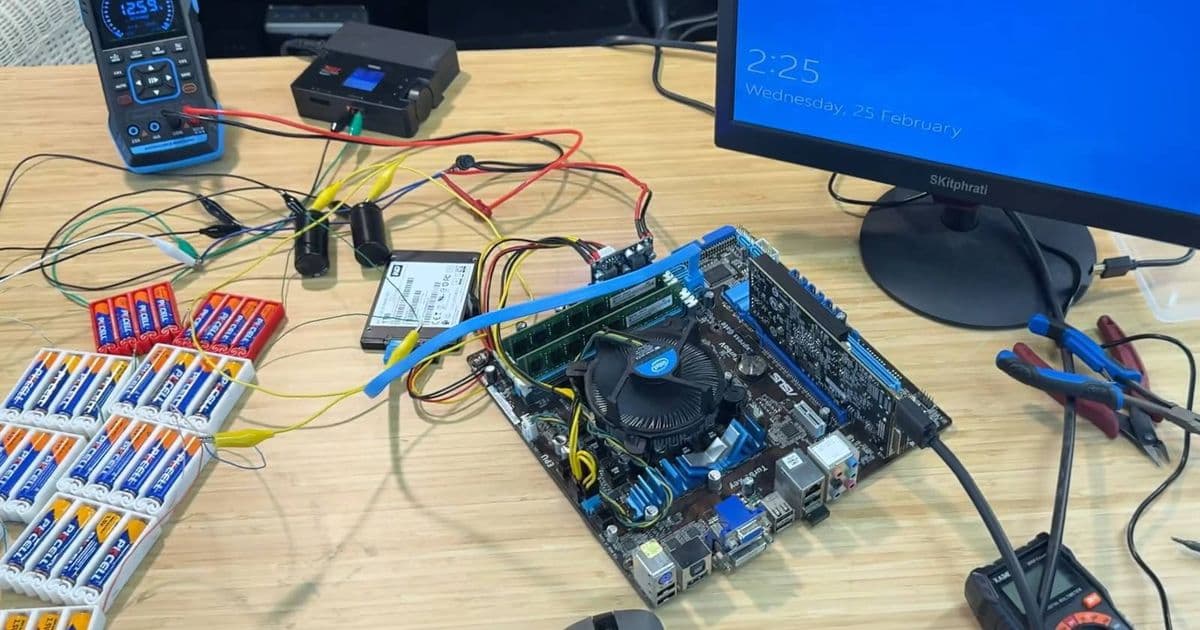
A YouTuber's experiment with 56 AA alkaline batteries powering a PC reveals surprising results and important lessons about power delivery and hardware design.
When you think about powering a PC, your mind probably jumps to a beefy power supply unit plugged into a wall outlet. But what if you tried to run an entire desktop computer on nothing but AA batteries? That's exactly what one YouTuber set out to discover, and the results are both fascinating and surprisingly practical in their impracticality.
The Setup: From Curiosity to 56 Batteries
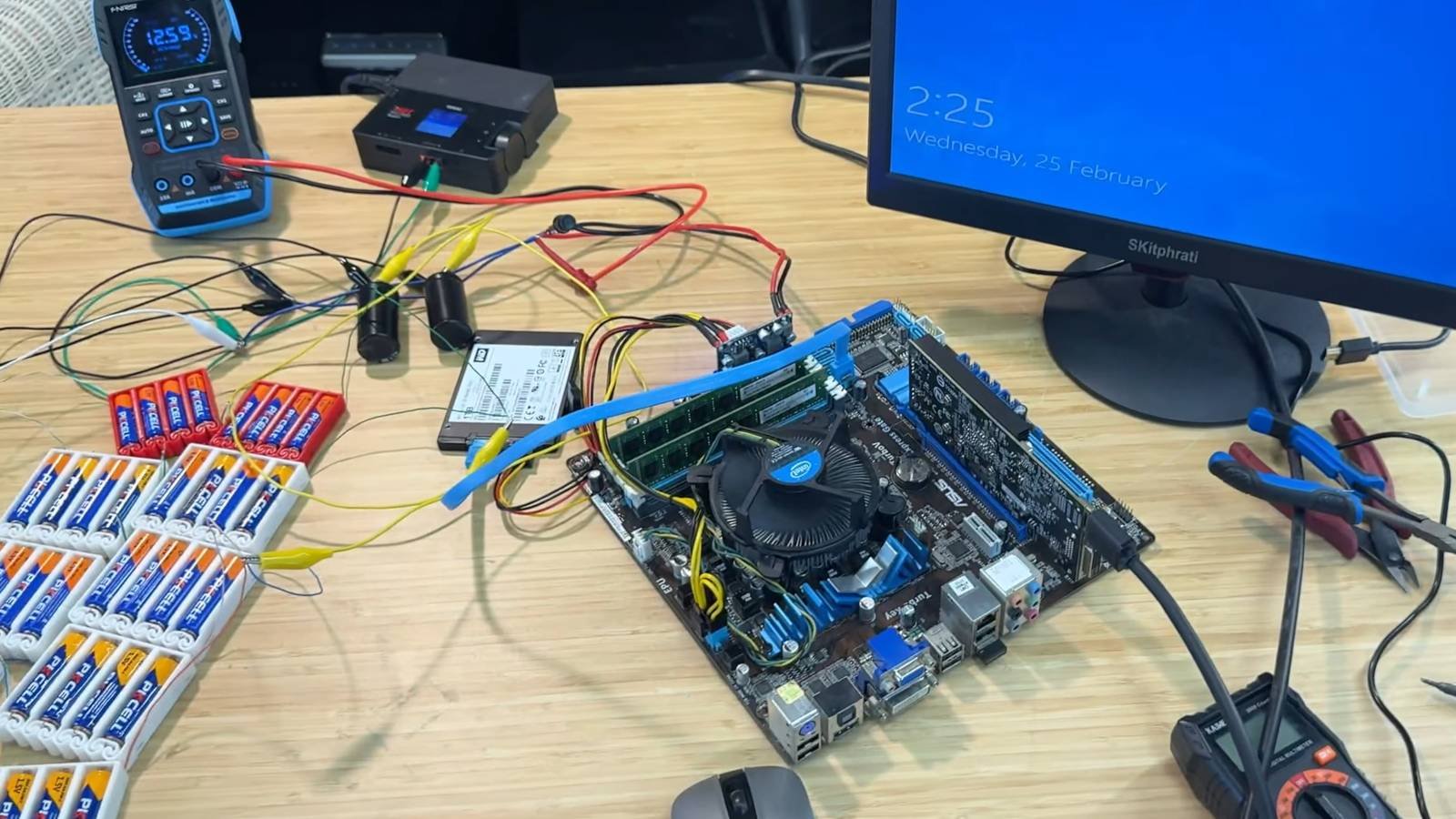
The experiment began when ScuffedBits, a YouTube creator, stumbled upon an ATX cable on AliExpress that accepts 12V DC input. This discovery sparked a question: could standard batteries power an entire PC? The initial attempts were humble but instructive. Starting with eight 1.5V batteries (totaling 12V), the system couldn't maintain stable power. The same problem persisted with 16 and 24 batteries—the voltage was there, but the current delivery was insufficient.
This is where the experiment took an interesting turn. The creator realized that alkaline batteries, compared to standard batteries, are better at outputting current. After several iterations and calculations, the final setup required a bank of 56 AA alkaline batteries working in parallel to provide both the necessary voltage and current capacity.
But there was another challenge: power spikes. When a PC component suddenly demands more power—like when a GPU kicks into high gear—the battery bank needed help managing these surges. The solution? Adding capacitors to smooth out the power delivery and prevent system crashes during peak demand.
The Results: Surprisingly Functional, But Brief
So how long did this battery-powered PC actually last? Long enough to boot Windows, log in, and play a single game of Minesweeper—approximately 2 minutes and 15 seconds. That's right: 56 AA batteries powered a full desktop PC long enough to launch an operating system and complete one round of the classic game.
The experiment revealed something crucial about PC power consumption: while the system can technically run on battery power, the power demands are extremely variable. The GPU, in particular, is a power-hungry component that can drain the battery bank in seconds when under load. This explains why the system could handle basic tasks but struggled with anything graphics-intensive.
Why This Matters: Understanding Power Delivery
Beyond the novelty factor, this experiment teaches us several important lessons about PC hardware and power delivery:
Power Supply Units Are Engineering Marvels: Your standard PSU does far more than just convert AC to DC power. It manages power delivery to dozens of components, handles sudden spikes in demand, and maintains stable voltage under varying loads. The fact that 56 batteries struggle to match this performance highlights just how sophisticated modern PSUs are.
Current Delivery vs. Voltage: Many people assume that if you have the right voltage, you have enough power. This experiment proves that's not true. Current delivery—the ability to provide power when components demand it—is just as critical as voltage. Alkaline batteries excel at this compared to standard batteries, which is why the experiment succeeded with 56 instead of failing with 24.
Capacitors Are Essential: The need for capacitors to handle power spikes demonstrates why they're built into every modern PC. Without them, the system would crash every time the CPU or GPU needed a quick power boost.
The Practical Reality: Why You Shouldn't Try This at Home
While the experiment is impressive, it's also a perfect example of something that's technically possible but practically ridiculous. Here's why:
Cost Prohibitive: 56 AA alkaline batteries cost significantly more than a decent power supply unit. Even if you're only running your PC for a few minutes, the battery cost would quickly exceed the price of a proper PSU.
Environmental Impact: Disposable batteries are terrible for the environment. A PSU, which you might use for 5-10 years, is far more eco-friendly than constantly buying and disposing of 56 batteries every time you want to check email.
Safety Concerns: Messing with custom power delivery systems can be dangerous. Improper voltage regulation or current handling could damage your expensive PC components or create fire hazards.
The PSU Is Your PC's Lifeline: As the article notes, the power supply is one of the PC hardware parts you should never skimp on. It's literally keeping your entire system alive. A cheap or inadequate PSU can cause instability, crashes, and even permanent hardware damage.
The Bigger Picture: Battery Technology in Modern Computing
This experiment also highlights how far battery technology has come—and how far it still needs to go. Modern handheld consoles and laptops use sophisticated lithium-ion or lithium-polymer batteries that are specifically designed for high-drain applications. These batteries can deliver the current needed for gaming and other intensive tasks, which is why your Nintendo Switch or Steam Deck can run for hours instead of minutes.
However, desktop PCs have different power requirements. They need more power for higher performance, and they're designed to run continuously rather than on battery power. This is why we haven't seen battery-powered desktop PCs become mainstream—the technology exists, but it's not practical for the form factor and use case.
Conclusion: A Fun Experiment with Valuable Lessons
The 56-battery PC experiment is a perfect example of how curiosity-driven projects can teach us about the technology we use every day. While you'll never replace your PSU with a battery bank, understanding why this setup works (and why it fails) gives you a deeper appreciation for the engineering that goes into modern computing.
It also serves as a reminder that sometimes the most impractical experiments yield the most practical insights. The next time you plug in your PC and hear that reassuring fan spin up, you'll know exactly what's happening behind the scenes—and why that simple wall outlet connection is actually a marvel of modern engineering.
For those interested in the technical details, you can watch the full experiment on ScuffedBits' YouTube channel, where they document the entire process from initial concept to final results. It's a fascinating look at what happens when you push hardware beyond its intended design parameters—and a reminder that sometimes, the journey is more valuable than the destination.
Comments
Please log in or register to join the discussion