
Adobe is rolling out a suite of AI-powered features for Acrobat and Express, including the ability to generate audio podcasts from document content, create presentations from PDFs, and perform prompt-based edits. These updates signal a shift in how mobile developers and content creators might integrate document processing into their cross-platform workflows.
Adobe has announced a significant update to its Acrobat and Express platforms, introducing several AI-driven capabilities that could reshape how professionals interact with documents. The most notable addition is the Generate podcast feature, which allows users to convert PDF content into audio summaries. This is part of a broader rollout that includes Generate presentation tools and prompt-based PDF edits, all powered by Adobe's AI Assistant.
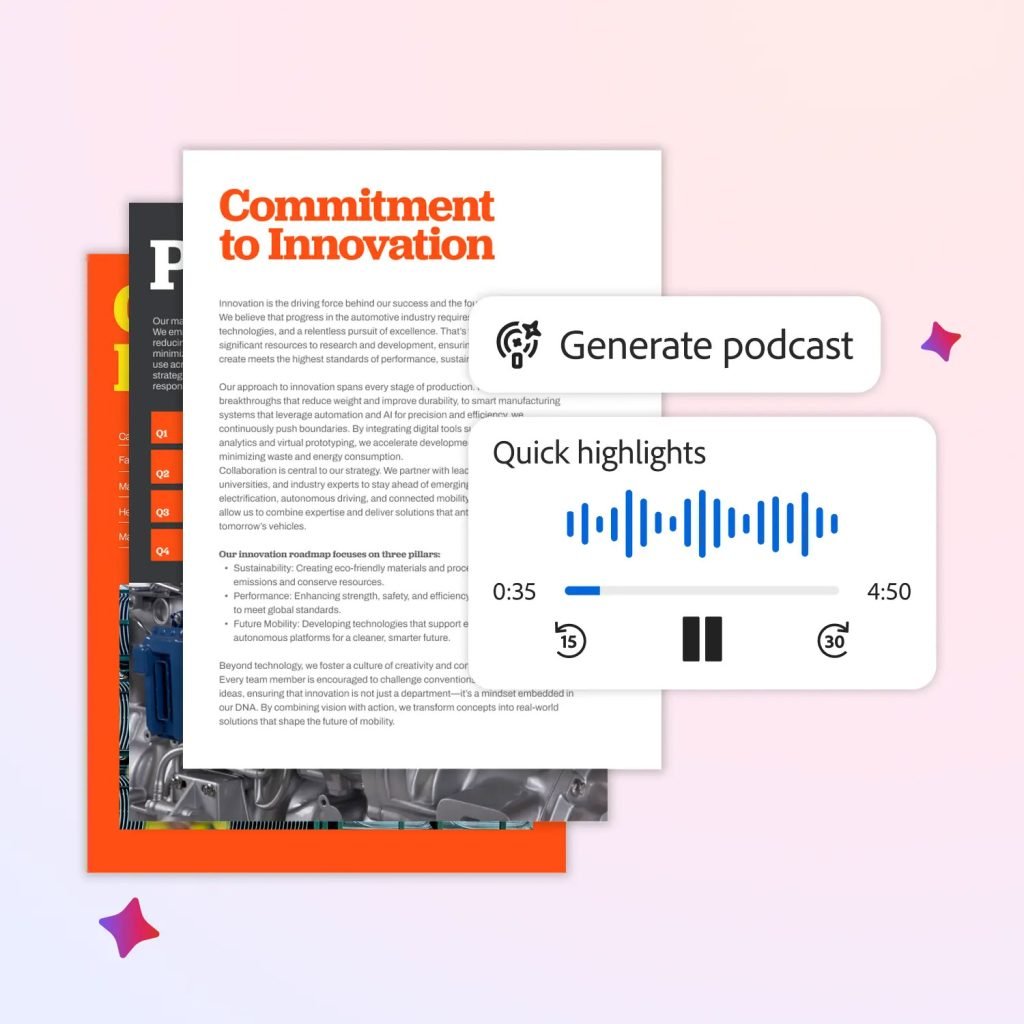
For mobile developers, particularly those building cross-platform applications that handle document processing, these features represent a potential shift in user expectations. The ability to transform dense PDFs into listenable audio content could influence how apps present information to users on the go. While this feature is currently native to Adobe's ecosystem, the underlying technology—converting structured text into coherent audio narratives—could inspire similar integrations in third-party apps.
The Technical Implementation
Adobe's approach leverages its PDF Spaces, an AI-powered knowledge hub within Acrobat that allows users to aggregate files, web pages, and other documents into a single workspace. The AI Assistant analyzes this content to generate outputs tailored to specific tasks. For podcast generation, the system identifies key themes and structures them into a conversational format suitable for audio playback.
This isn't just a simple text-to-speech conversion. Adobe's AI Assistant is designed to understand context, prioritize information, and maintain a coherent flow. For developers, this highlights the importance of natural language processing (NLP) and text summarization in modern document handling. If you're building an app that processes user-generated content, consider how similar AI models could enhance accessibility features or provide alternative content formats.

Cross-Platform Considerations
While these features are currently available in Adobe's native applications, the implications for cross-platform development are worth noting. Adobe has been increasingly integrating its tools across iOS, Android, and desktop platforms. The Generate presentation feature, for instance, allows users to create full slide decks from PDFs, with the AI Assistant generating an outline before producing the final design.
For developers using frameworks like Flutter or React Native, this presents an opportunity to explore document processing libraries that can handle similar tasks. However, the computational requirements for real-time AI analysis are significant. Mobile developers should consider:
Cloud vs. On-Device Processing: Adobe's AI features likely rely on cloud-based processing due to the complexity of the models. For cross-platform apps, you'll need to decide whether to implement similar features via cloud APIs or explore on-device ML solutions like Core ML (iOS) or ML Kit (Android).
User Experience Integration: The prompt-based editing feature in Acrobat allows users to type commands like "remove pages" or "add e-signatures." This natural language interface reduces friction for complex tasks. In your apps, consider how voice or text commands could simplify document manipulation.
Collaboration Workflows: The new collaboration features in PDF Spaces enable multiple users to work on the same project in a centralized workspace. For cross-platform apps, this underscores the need for real-time synchronization and conflict resolution mechanisms.

Practical Applications for Mobile Developers
The Generate podcast feature has immediate practical value. Imagine a user who needs to review a lengthy technical specification document while commuting. Instead of reading on a small screen, they could listen to a summarized audio version. For developers, this suggests opportunities in:
- Accessibility: Audio summaries can benefit users with visual impairments or those who prefer auditory learning.
- Productivity: Enabling multitasking by allowing users to consume document content while performing other activities.
- Content Distribution: Transforming static documents into dynamic audio content that can be shared across platforms.
Adobe's example of turning educational guides into "hands-free audio lessons about gardening" illustrates how this feature could be applied to learning management systems or educational apps. For developers building e-learning platforms, integrating similar audio summarization could enhance user engagement.
The Broader Context
These updates are part of Adobe's ongoing integration of AI across its product suite. Earlier updates included Photoshop integrations with ChatGPT and GPT-Image 1.5 support in Firefly. The company's strategy appears to be moving toward a more conversational, AI-assisted workflow across all its creative and document tools.

For mobile developers, this trend highlights the importance of staying informed about AI capabilities that could be integrated into their own applications. While not every app needs podcast generation, understanding the underlying technologies—such as text-to-speech synthesis, document parsing, and natural language understanding—can help developers create more sophisticated and user-friendly applications.
Migration and Implementation Considerations
If you're considering implementing similar features in your cross-platform applications, here are some technical considerations:
API Selection: Adobe's features are proprietary, but you can explore third-party services like Google's Text-to-Speech API, Amazon Polly, or open-source alternatives like Mozilla's TTS.
Performance Optimization: Audio generation can be resource-intensive. For mobile apps, consider pre-processing documents in the cloud and streaming the audio to the device rather than generating it locally.
User Interface Design: The prompt-based editing interface in Acrobat demonstrates the value of natural language commands. For your apps, consider implementing similar command-line interfaces or voice controls.
Cross-Platform Consistency: Ensure that any document processing features work consistently across iOS and Android. Test thoroughly on different device types and screen sizes.
Privacy and Security: Since document processing often involves sensitive information, ensure that any AI features comply with data protection regulations like GDPR or CCPA. Consider offering on-device processing options for privacy-conscious users.

Looking Ahead
Adobe's latest updates signal a future where document interaction becomes more conversational and accessible. For mobile developers, this presents both challenges and opportunities. The challenge lies in integrating sophisticated AI features without overwhelming users or compromising app performance. The opportunity lies in creating more intuitive, efficient, and engaging applications that leverage these new capabilities.
As these features roll out, it will be interesting to see how they influence user expectations and what new patterns emerge in mobile app design. Developers who can adapt to these changes and thoughtfully integrate AI-powered document features will be well-positioned to create compelling cross-platform applications.
For more details on Adobe's announcements, visit the official blog post. Developers interested in exploring Adobe's APIs can check the Adobe Developer Console for documentation and resources.
Comments
Please log in or register to join the discussion